- 対象年齢4+
- カテゴリ仕事効率化
- 開発元Benjamin Staab
- 言語英語
- サイズ7.7 MB
DateSmith: Date Widgetsは現在App Storeで入手できない可能性があります
前回の確認時、ストアのページにアクセスできませんでした。リンク先は引き続きApp Storeの公式ページです。
スクリーンショット




概要
開発元はこのテキストをお使いの言語で提供していません。
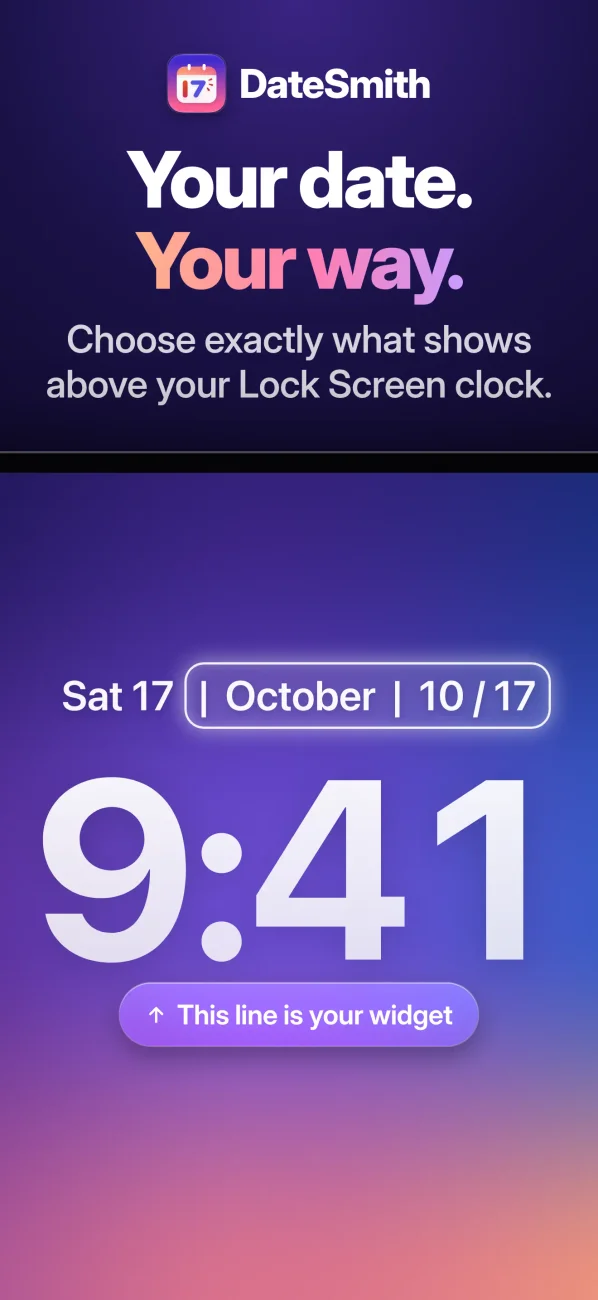
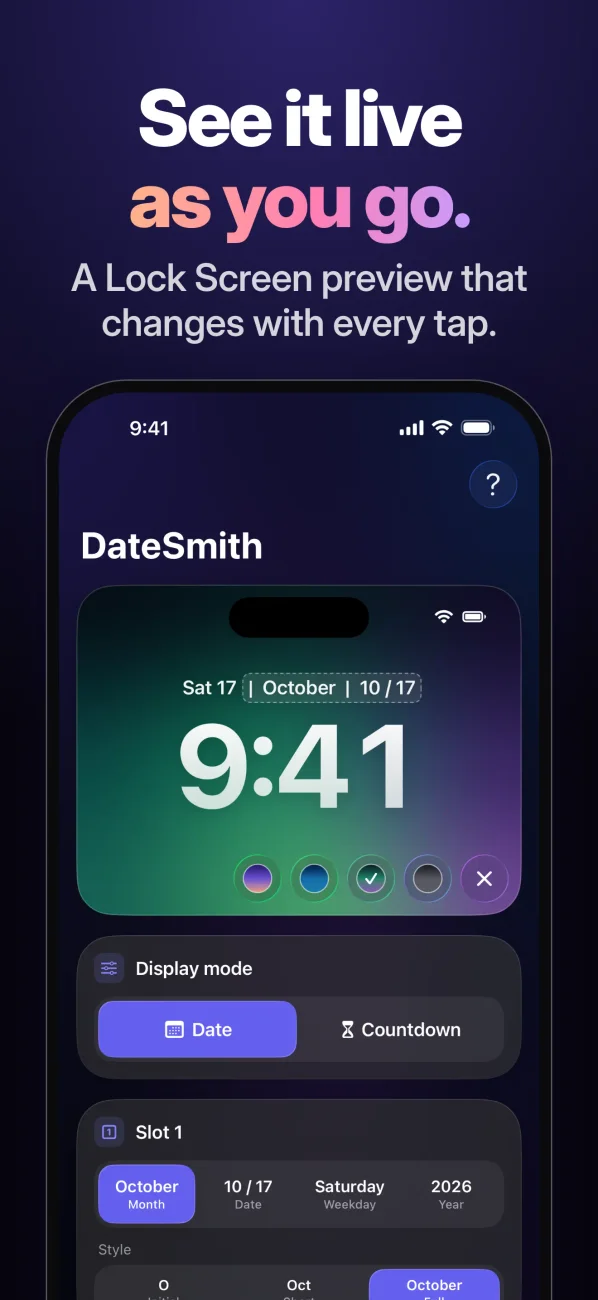
Your date, above the clock. DateSmith puts a clearer, fuller date in the line above your Lock Screen clock, or a countdown to the day you are looking forward to. Now optimized for iPhone Duo, with bold Home Screen widgets you can make your own.
YOUR FORMAT, YOUR WAY
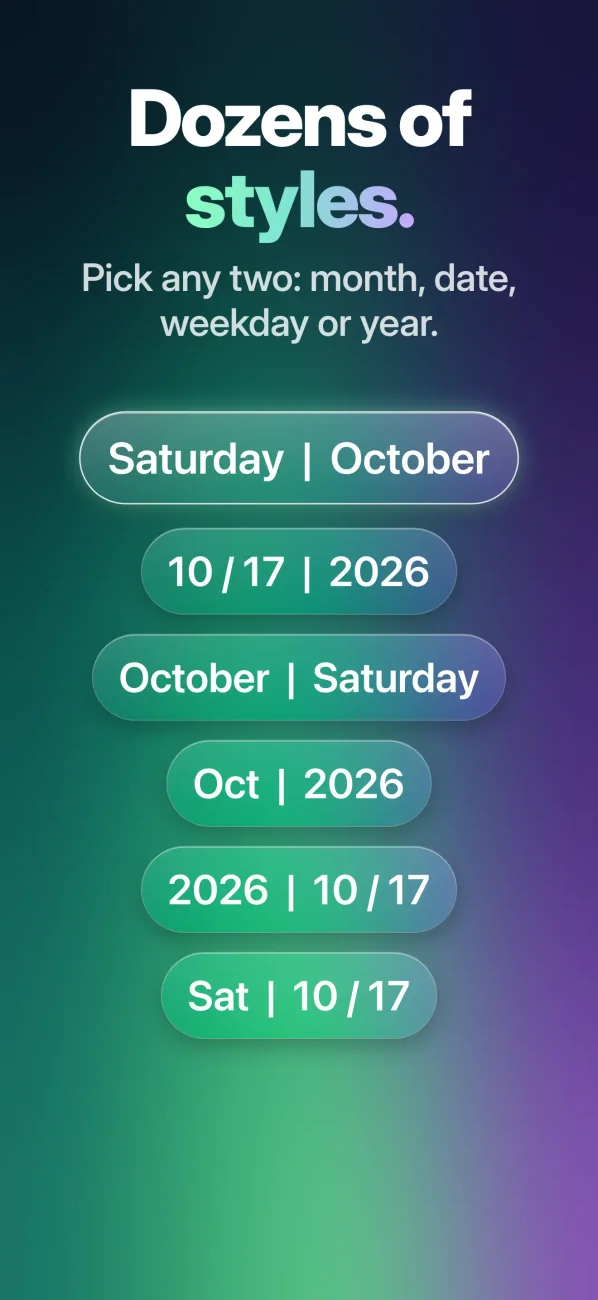
Pick any two of month, date, weekday and year, each in the style you like. See it live in a Lock Screen preview that changes with every tap.
COUNTDOWNS
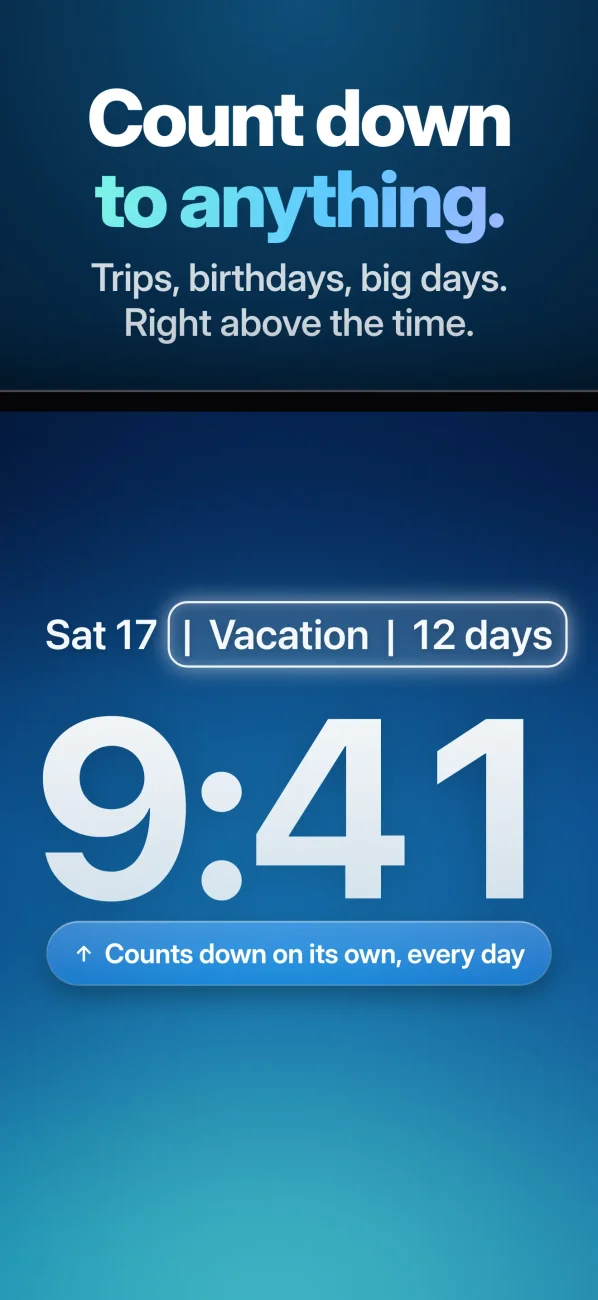
Name it and pick the day. DateSmith shows the days left until a trip, a birthday or a big day.
HOME SCREEN WIDGETS
Small, medium and large widgets show your date or countdown in big, clear type, with a week strip on the medium size, a month calendar on the large size and a date page on medium countdowns.
- Themes: Dawn, Ocean, Aurora, Graphite and System
- Your own photo, framed for the square and wide widget shapes
- A different photo for Dark Mode if you like
- Liquid Glass style text with a soft highlight and depth, or crisp solid text
OPTIMIZED FOR IPHONE DUO
DateSmith fits both displays, folded or open, in portrait and in landscape. Open it and hold it sideways to see your Lock Screen preview and every setting side by side.
UPDATES ON ITS OWN
DateSmith prepares the week ahead, so your widgets change each day, even when the app is closed.
PRIVATE BY DESIGN
No accounts, no ads and no analytics. Your widgets need no internet connection. DateSmith never uploads your photo.
SIMPLE SETUP
1. Touch and hold your Lock Screen
2. Tap Customize
3. Tap the date above the time
4. Choose DateSmith
5. Tap Done
For the Home Screen, touch and hold an empty area of your Home Screen, tap Edit, tap Add Widget, then choose DateSmith.
PLANS
Try every format, countdown, theme, photo and text style free for 7 days. When the preview ends, your widgets show Preview Ended in place of your date or countdown until you subscribe. DateSmith Monthly or DateSmith Yearly keeps your widgets working. DateSmith Monthly includes a one-week free trial for eligible new subscribers. Payment is charged to your Apple Account. Subscriptions renew automatically unless canceled at least 24 hours before the end of the current period. Manage or cancel anytime in your Apple Account settings.
Terms of Use: https://www.apple.com/legal/internet-services/itunes/dev/stdeula/
Privacy Policy: https://ben637482548.github.io/datesmith/#privacy
新機能
バージョン 13.0 · 2026/10/29
DateSmith 13.0 is optimized for iPhone Duo, and brings a couple of improvements you will notice on every iPhone.
OPTIMIZED FOR IPHONE DUO
DateSmith now fits both displays, folded or open, in portrait and in landscape. Open it and hold it sideways to see your Lock Screen preview and every setting side by side. The preview also matches the iPhone Duo Lock Screen.
A FIXED MEDIUM WIDGET
The glass bar on the Medium Home Screen widget now fills with the month, just like the Small and Large widgets.
SMOOTHER SUBSCRIBING
Subscribing is more reliable. If something goes wrong, the message now explains what happened and what to try next. Prices also reload on their own when you come back to the app.
Thank you for using DateSmith!
アプリのプライバシー
このアプリのデータの取り扱いについて、Benjamin StaabがApp Storeで申告している内容です。
-
データの収集なし
開発元はこのアプリからデータを収集しません。
プライバシーの取り扱いは、ご利用の機能やお客様の年齢などに応じて異なる場合があります。
情報
- 販売元
- Benjamin Staab
- カテゴリ
- 仕事効率化
- バージョン
- 13.0
- 更新日
- 2026/10/29
- リリース
- 2025/6/2
- サイズ
- 7.7 MB
- 必要条件
- iOS 18.2以降
- 対象年齢
- 4+
- アプリ内課金
- あり
- 言語
- 英語
- 著作権
- © 2026 Benjamin Staab
こちらもおすすめ
-
 Date Today: Date Widget仕事効率化
-
 MyDayWidget - カレンダーウィジェットリマインダーとロック画面プランナー
-
 WidgetCal - カレンダー ウィジェットLockScreenのスケジュールを確認する
-
 デスクトップ時計 - アナログ時計ウィジェット WidgetAesthetic Clock Face wedgit
-
 時計アプリ + ウィジェット|ClockZ とけいアラーム、目覚まし、タイマー、写真背景
-
 Lock + Home Widgets widgetopia仕事効率化
-
 Drafts仕事効率化
-
 Superlist: ToDo & メモアプリタスク管理、リスト & プロジェクト
-
 Widget Custom HomeScreen仕事効率化
-
 時計 ウィジェット 秒針アナログ時計 - Clock SD秒まで表示できる時計でホーム画面をカスタマイズ