
- Classification d’âge4+
- CatégorieProductivité
- DéveloppeurAlgirdas Gridziuska
- LanguesAnglais
- Taille7,6 Mo
Renvoie vers la page App Store officielle
Download.org n’héberge aucun fichier de Emphasized. Le bouton ouvre la page de l’application sur App Store, où Algirdas Gridziuska la publie. Fiche vérifiée pour la dernière fois le 18/11/2026.
Captures d’écran

À propos
Le développeur n’a pas fourni ce texte dans votre langue.
Whether you're cramming for a test, diving deep into research, or just collecting great quotes, this highlighter's got your back.
Highlight text on any webpage—no sign-in, no fuss. Everything's saved automatically on your device and neatly grouped by page or tag, so you can always pick up where you left off. Change colors, tweak and tag highlights, and export them all when you're ready to share or review.
Highlighting
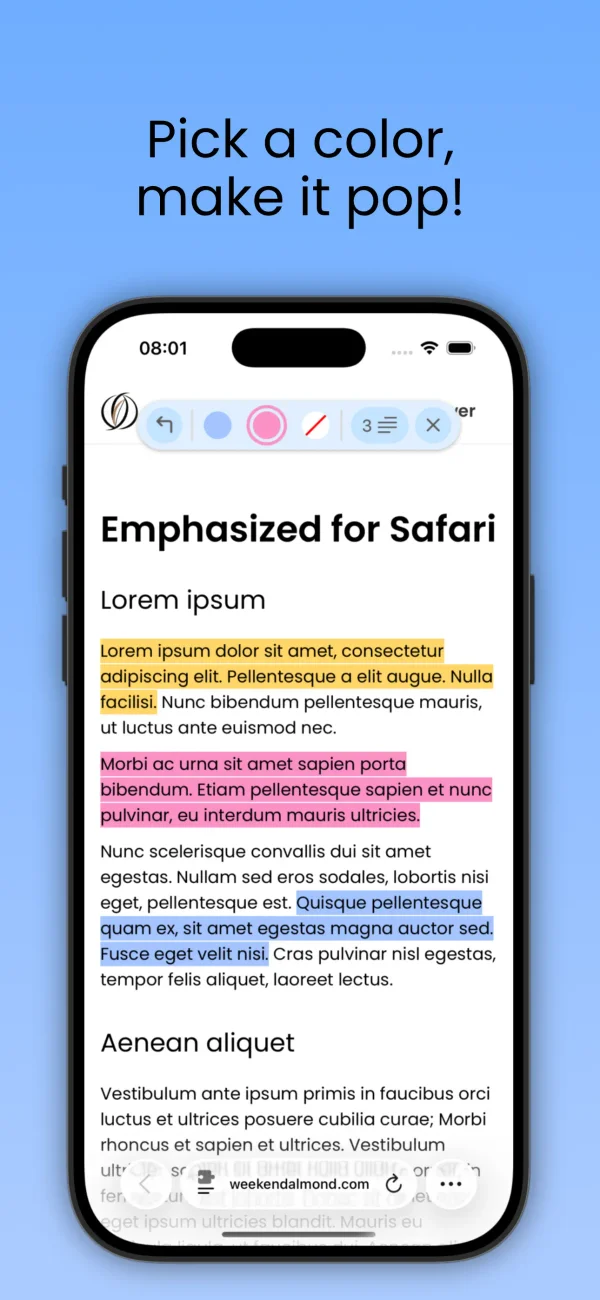
• Highlight text on webpages
• Use multiple colors
• Change the color of existing highlights
• Delete highlights you no longer need
• Split or merge existing highlights
• Easily undo highlighted text with a single tap
Tags
• Create tags with custom colors to categorize your highlights
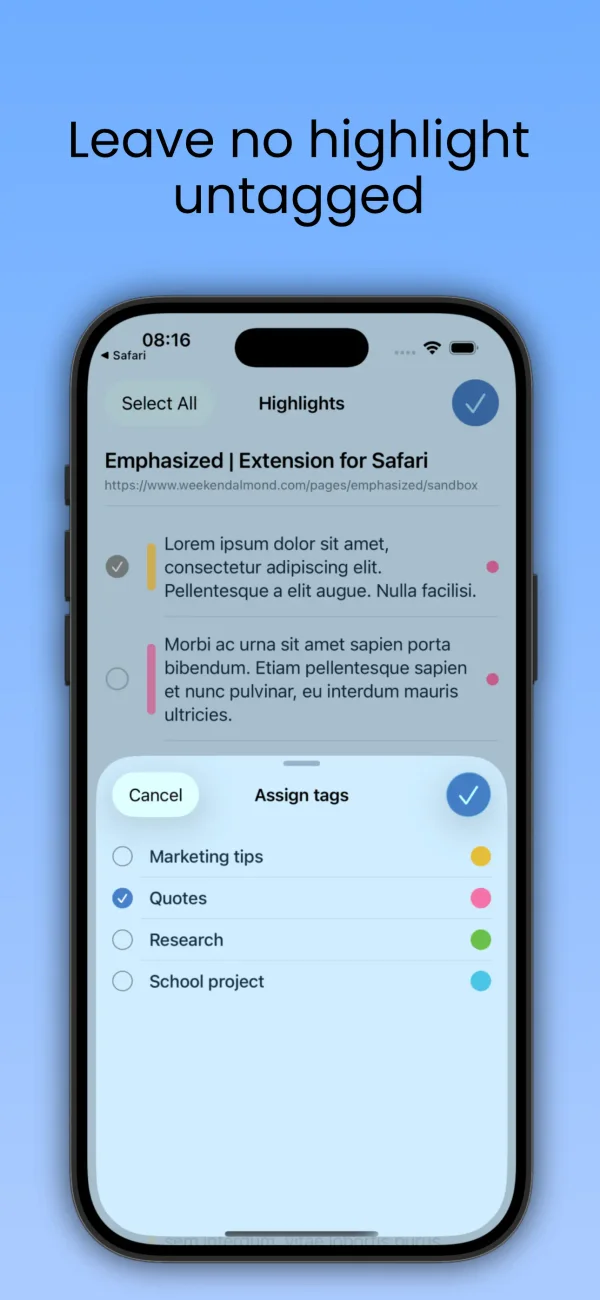
• Assign or change tags on any existing highlights
• Select an active tag to automatically apply it while highlighting
Selection Modes
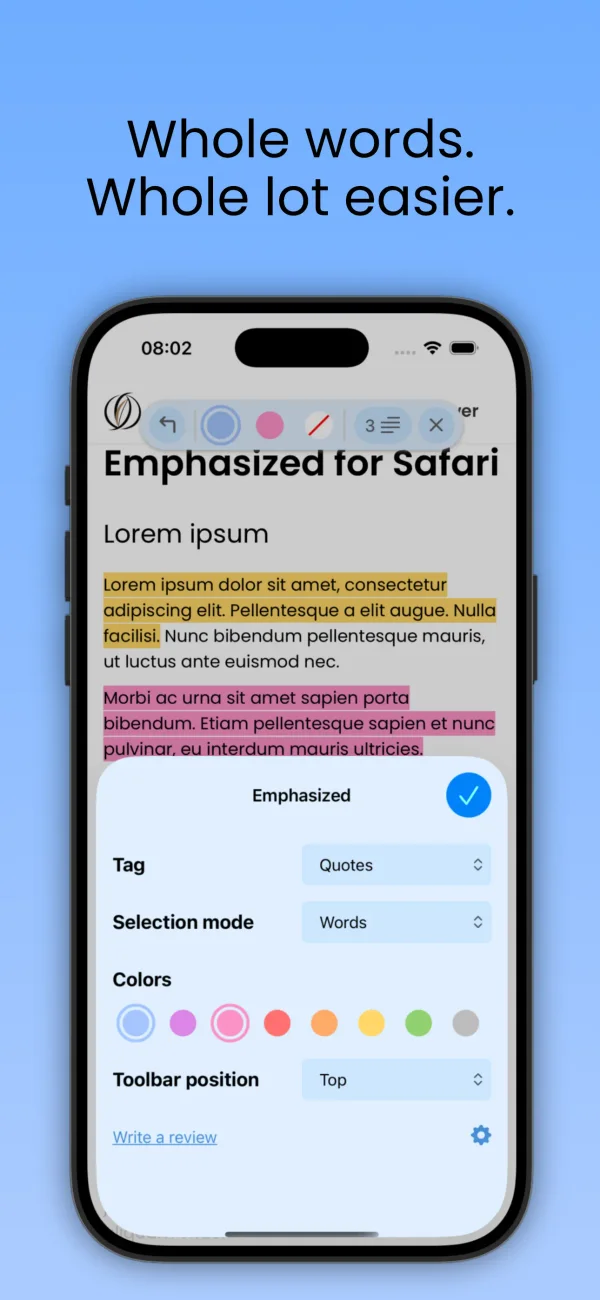
• Characters: grab just the letters you want
• Words: select full words even if selecting mid-word
• None: disable highlighting while keeping existing highlights visible
Auto-Save
• Highlights are saved locally on your device
• Automatically restored when you revisit the same webpage
• No account or sign-in required
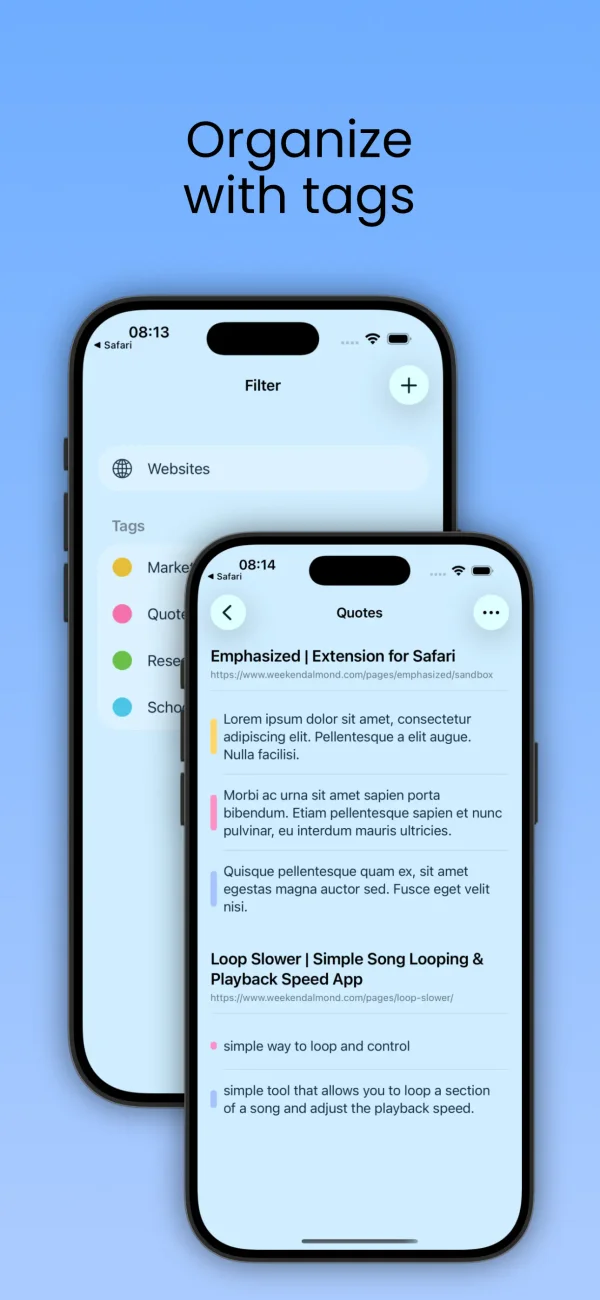
Organized View
• Browse highlights by webpage
• Browse all highlights by tag across every website
• Quickly find and review your saved content
Exporting
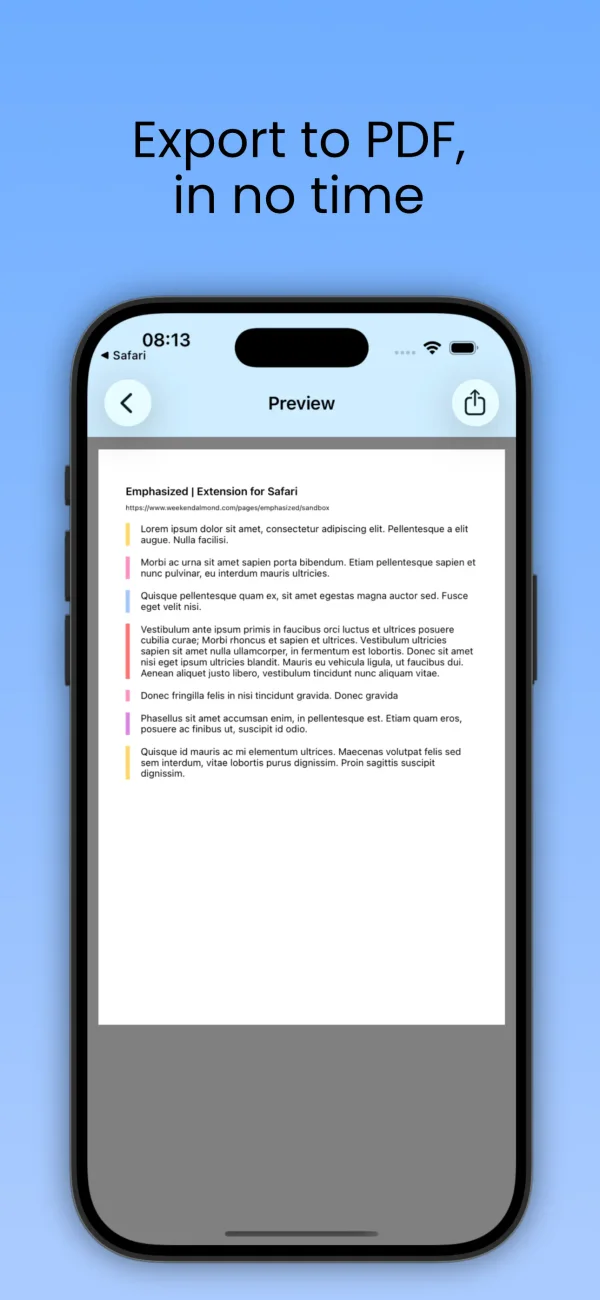
• Export highlights as a clean, shareable PDF
• Export as plain text or JSON
• Share directly via the system share sheet
Other Features
• Reposition the toolbar if it gets in the way
• Boost productivity with keyboard shortcuts for highlighting and switching tags (requires physical keyboard)
• See your active highlight settings, all keyboard shortcuts, and support links in the Settings page
Works on iPhone, iPad, and Mac.
Nouveautés
Version 2.0 · 21/05/2026
• Tags — Create tags with custom colors, assign or change them on any highlight, and select an active tag to automatically apply it while highlighting.
• Browse by tag — View all your highlights organized by tag across every website.
• More export options — Export highlights as plain text or JSON, or share directly via the system share sheet.
• New keyboard shortcuts — Quickly switch between tags and preview the active tag (requires a physical keyboard).
• New interface — A clean design tailored to each platform.
• Bug fixes and stability improvements.
Confidentialité de l’application
Ce que Algirdas Gridziuska déclare sur l’App Store au sujet du traitement des données par cette application.
-
Données non collectées
Le développeur ne collecte aucune donnée à partir de cette application.
Les pratiques en matière de confidentialité peuvent varier, notamment en fonction des fonctionnalités que vous utilisez ou de votre âge.
Informations
- Vendeur
- Algirdas Gridziuska
- Catégorie
- Productivité
- Version
- 2.0
- Mis à jour
- 21/05/2026
- Publié
- 07/07/2025
- Taille
- 7,6 Mo
- Nécessite
- iOS 17.6 ou version ultérieure
- Classification d’âge
- 4+
- Prix
- 2,99 €
- Langues
- Anglais
- Copyright
- © 2025 Weekend Almond
Vous aimerez peut-être aussi
-
 neverlabs AI WriterProductivité
-
 ShotLoomCaptures longues et retouche
-
 Narrativ TimelineProductivité
-
 AhtiProductivité
-
 IWL: Smarter WritingProductivité
-
 Raven - Notes MarkdownÉditeur de fichiers hors ligne
-
 Script: Screenplay WriterProductivité
-
 Tymelune: Countdowns & WidgetsProductivité
-
 Pomodoro Minuteur: Twen5Concentration, session, étude
-
 Cloud Snippets - MobileProductivité