- 対象年齢4+
- カテゴリ仕事効率化
- 開発元Algirdas Gridziuska
- 言語英語
- サイズ7.6 MB
App Storeの公式ページにリンクしています
Download.orgはEmphasizedのファイルを一切ホストしていません。ボタンを押すと、Algirdas Gridziuskaが公開しているApp Storeのアプリページが開きます。ページの最終確認:2026/11/18。
スクリーンショット

概要
開発元はこのテキストをお使いの言語で提供していません。
Whether you're cramming for a test, diving deep into research, or just collecting great quotes, this highlighter's got your back.
Highlight text on any webpage—no sign-in, no fuss. Everything's saved automatically on your device and neatly grouped by page or tag, so you can always pick up where you left off. Change colors, tweak and tag highlights, and export them all when you're ready to share or review.
Highlighting
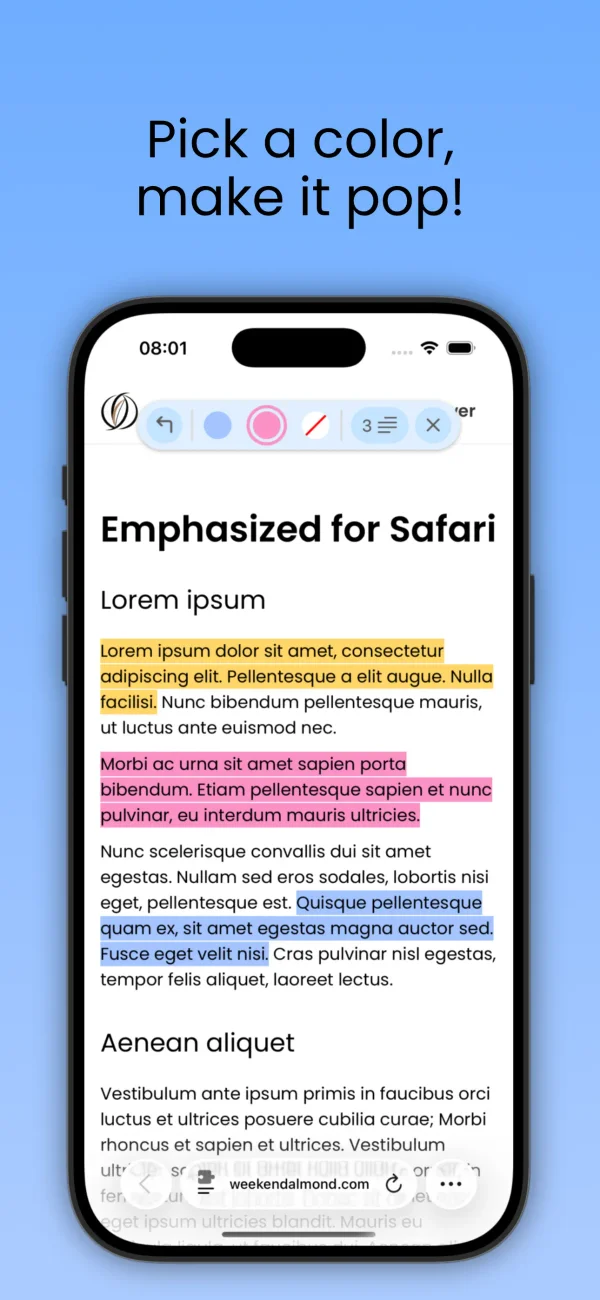
• Highlight text on webpages
• Use multiple colors
• Change the color of existing highlights
• Delete highlights you no longer need
• Split or merge existing highlights
• Easily undo highlighted text with a single tap
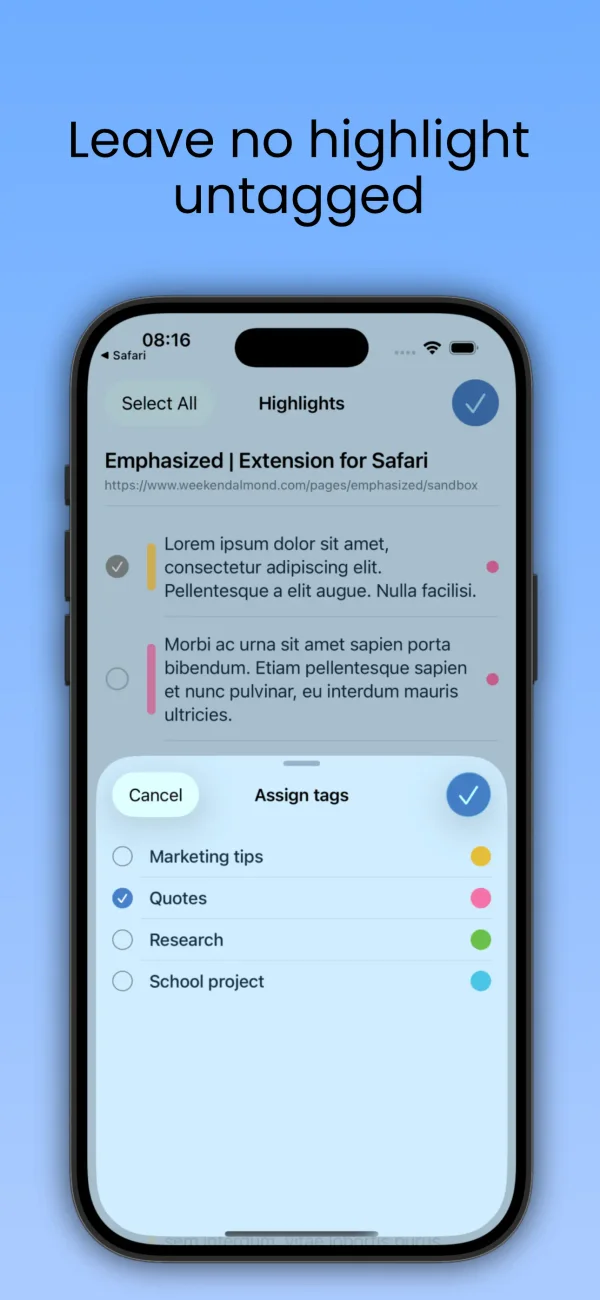
Tags
• Create tags with custom colors to categorize your highlights
• Assign or change tags on any existing highlights
• Select an active tag to automatically apply it while highlighting
Selection Modes
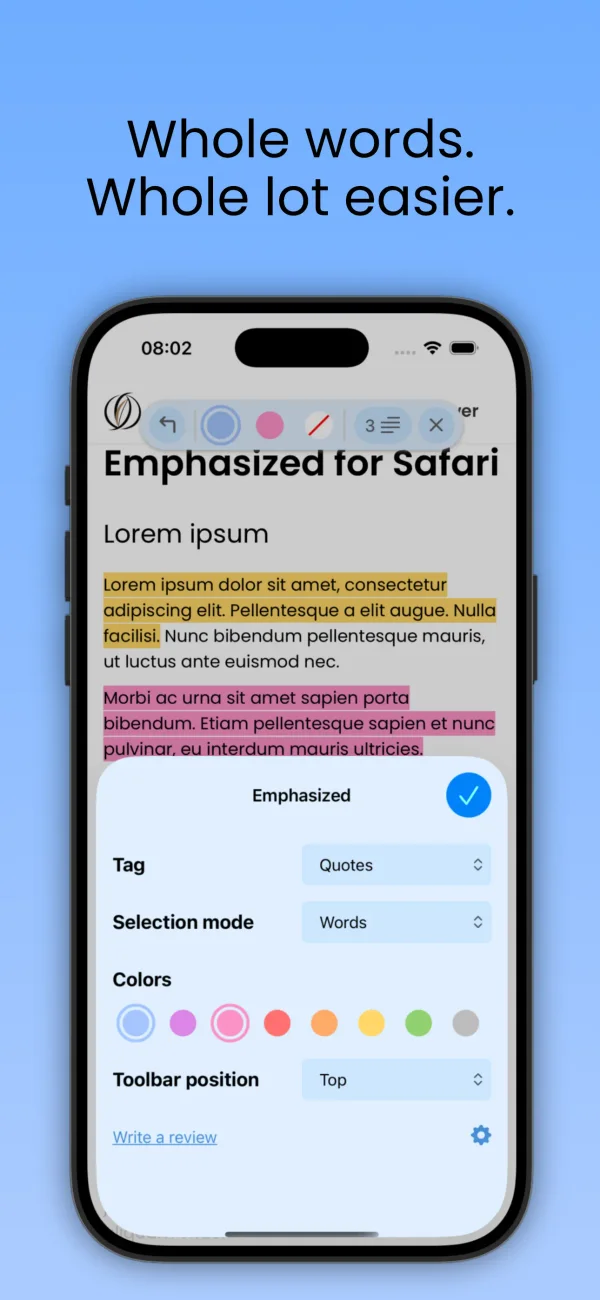
• Characters: grab just the letters you want
• Words: select full words even if selecting mid-word
• None: disable highlighting while keeping existing highlights visible
Auto-Save
• Highlights are saved locally on your device
• Automatically restored when you revisit the same webpage
• No account or sign-in required
Organized View
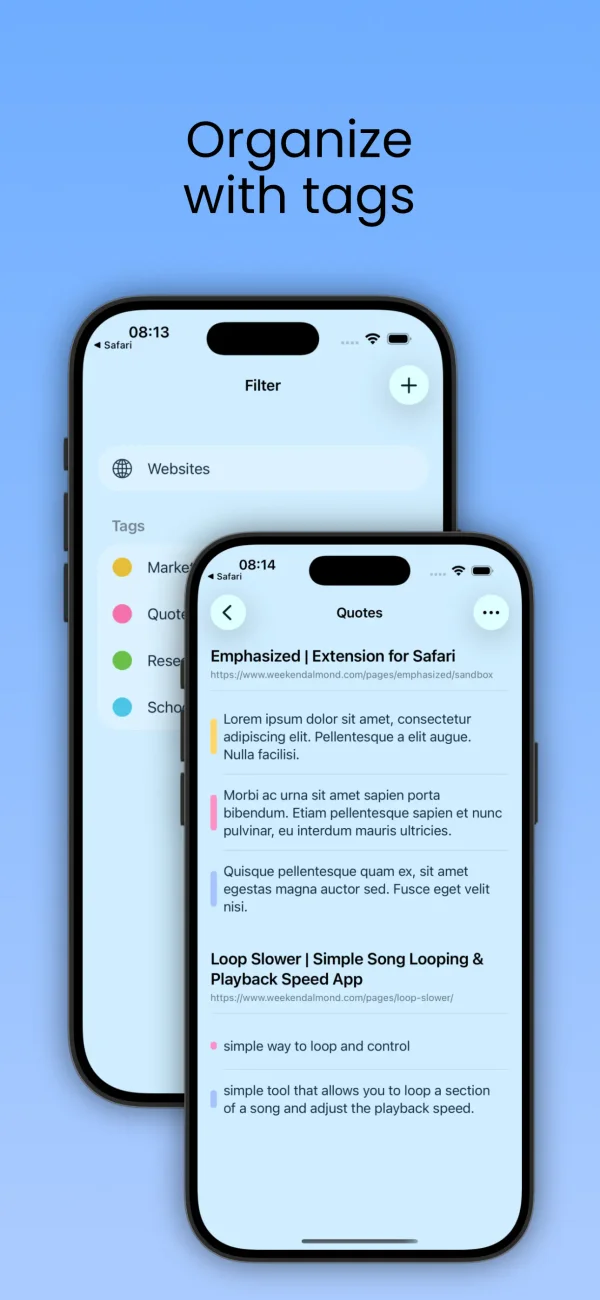
• Browse highlights by webpage
• Browse all highlights by tag across every website
• Quickly find and review your saved content
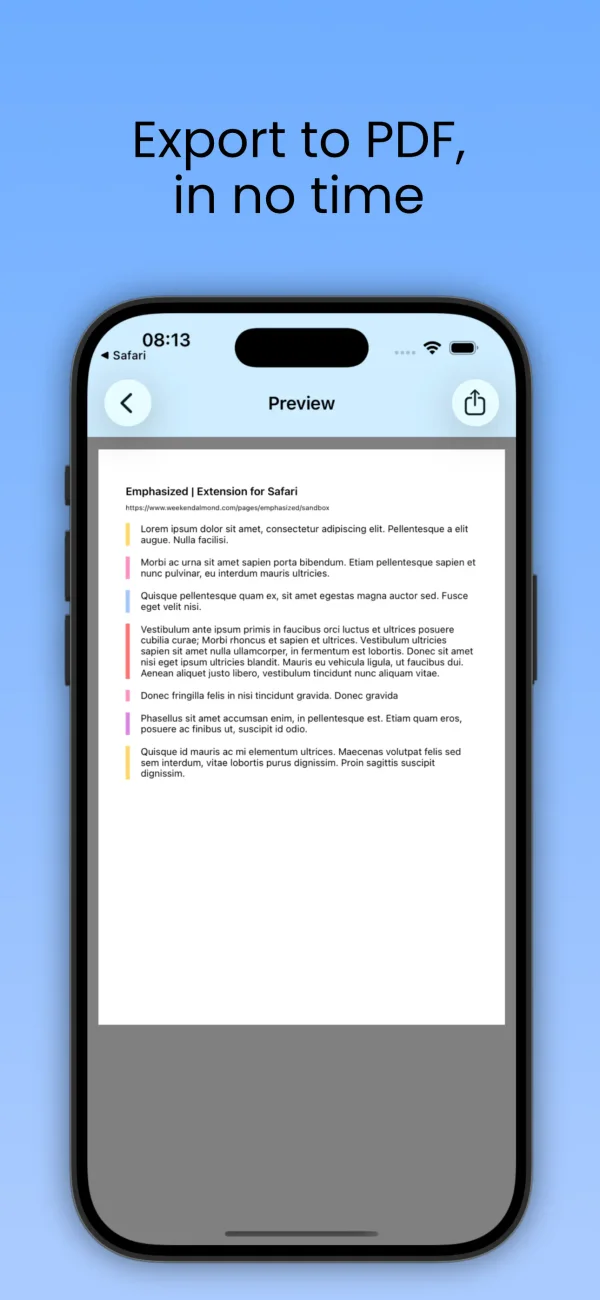
Exporting
• Export highlights as a clean, shareable PDF
• Export as plain text or JSON
• Share directly via the system share sheet
Other Features
• Reposition the toolbar if it gets in the way
• Boost productivity with keyboard shortcuts for highlighting and switching tags (requires physical keyboard)
• See your active highlight settings, all keyboard shortcuts, and support links in the Settings page
Works on iPhone, iPad, and Mac.
新機能
バージョン 2.0 · 2026/5/21
• Tags — Create tags with custom colors, assign or change them on any highlight, and select an active tag to automatically apply it while highlighting.
• Browse by tag — View all your highlights organized by tag across every website.
• More export options — Export highlights as plain text or JSON, or share directly via the system share sheet.
• New keyboard shortcuts — Quickly switch between tags and preview the active tag (requires a physical keyboard).
• New interface — A clean design tailored to each platform.
• Bug fixes and stability improvements.
アプリのプライバシー
このアプリのデータの取り扱いについて、Algirdas GridziuskaがApp Storeで申告している内容です。
-
データの収集なし
開発元はこのアプリからデータを収集しません。
プライバシーの取り扱いは、ご利用の機能やお客様の年齢などに応じて異なる場合があります。
情報
- 販売元
- Algirdas Gridziuska
- カテゴリ
- 仕事効率化
- バージョン
- 2.0
- 更新日
- 2026/5/21
- リリース
- 2025/7/7
- サイズ
- 7.6 MB
- 必要条件
- iOS 17.6以降
- 対象年齢
- 4+
- 価格
- ¥500
- 言語
- 英語
- 著作権
- © 2025 Weekend Almond