
Files Player
Play audio/video files easily
Conçue pour iPhone, iPad, iPod touch
Gratuit · Achats intégrés
- Classification d’âge4+
- CatégorieDivertissement
- DéveloppeurIvo Wessel
- LanguesAllemand+ 1 de plus
- Taille5,2 Mo
Renvoie vers la page App Store officielle
Download.org n’héberge aucun fichier de Files Player. Le bouton ouvre la page de l’application sur App Store, où Ivo Wessel la publie. Fiche vérifiée pour la dernière fois le 12/11/2026.
Captures d’écran

À propos
Le développeur n’a pas fourni ce texte dans votre langue.
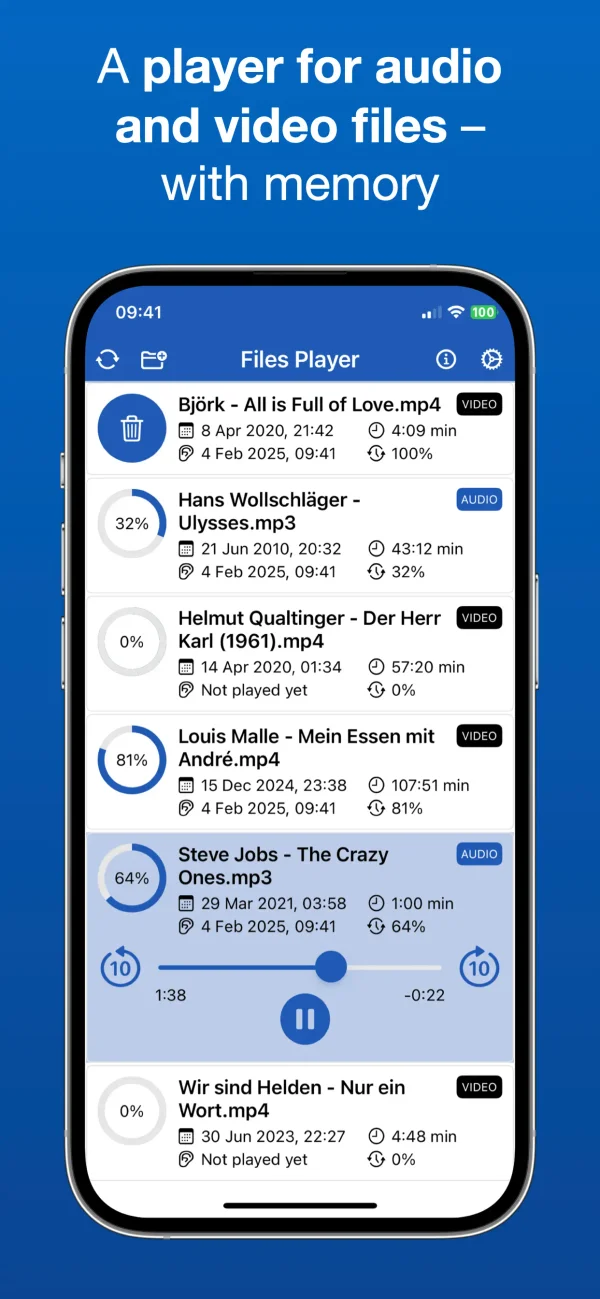
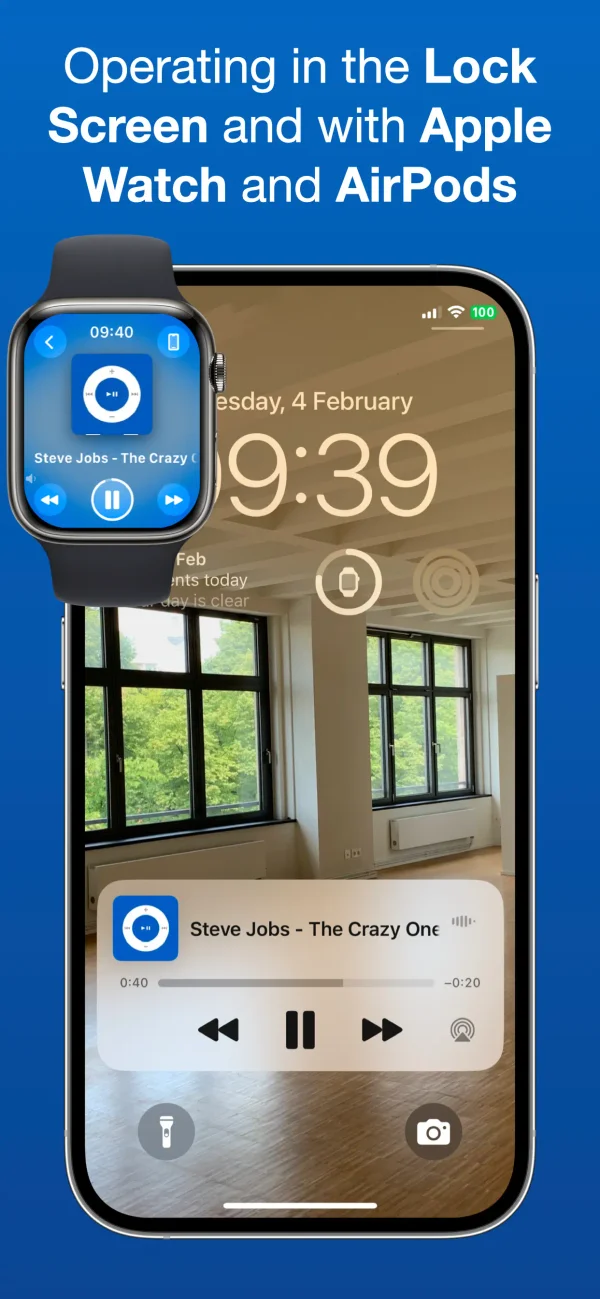
For years, I have been collecting countless audio and video files on my hard drives that I want to listen to and watch in between or on the go. No streaming, no subscription, no cloud, no cover art – and no annoying risk of Wi-Fi dropouts or mobile network playback glitches – just copy the files over and take them with you offline. But with “memory”: the app remembers which files I have already played (incl. position). And it works in standby mode and can be conveniently operated from Lock Screen, Apple Watch and AirPods.
THE THREE MOST IMPORTANT FEATURES
1) Easy
2) Simple
3) Uncomplicated
THE APP WILL BE USEFUL FOR
1) Tidying up
2) Sorting
3) Discovering
A PLAYER LIKE A BIG MEMORY STICK
For the price of a veeeery small memory stick. The app shares its Documents folder. So you can upload and delete files and folders directly via the Finder.
TRANSFER AUDIO/VIDEO FILES
1) Connect your iPhone/iPad to your Mac.
2) Select it on the desktop or in the Finder sidebar.
3) In the “Files” tab, expand the “Files Player” app with >.
4) Drag & drop audio/video files into the app.
5) Delete files / folders with context menu. Can also be done in the app with the “Trash” button.
6) Refresh the list using the “Refresh” button or “Pull to refresh”.
7) HandOff active? Then alternatively copy files to the clipboard and transfer them to the device using the “Folder” button.
8) On a PC use iTunes.
9) Formats: mp3, m4a, aiff (audio), mp4, m4v, mov (video).
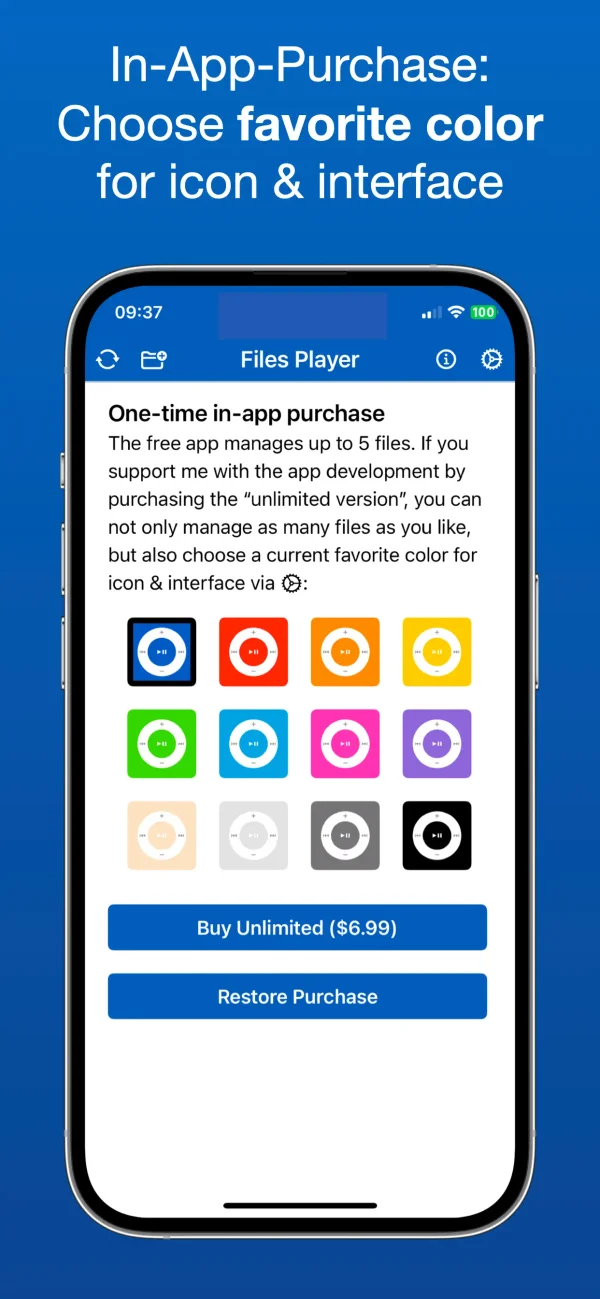
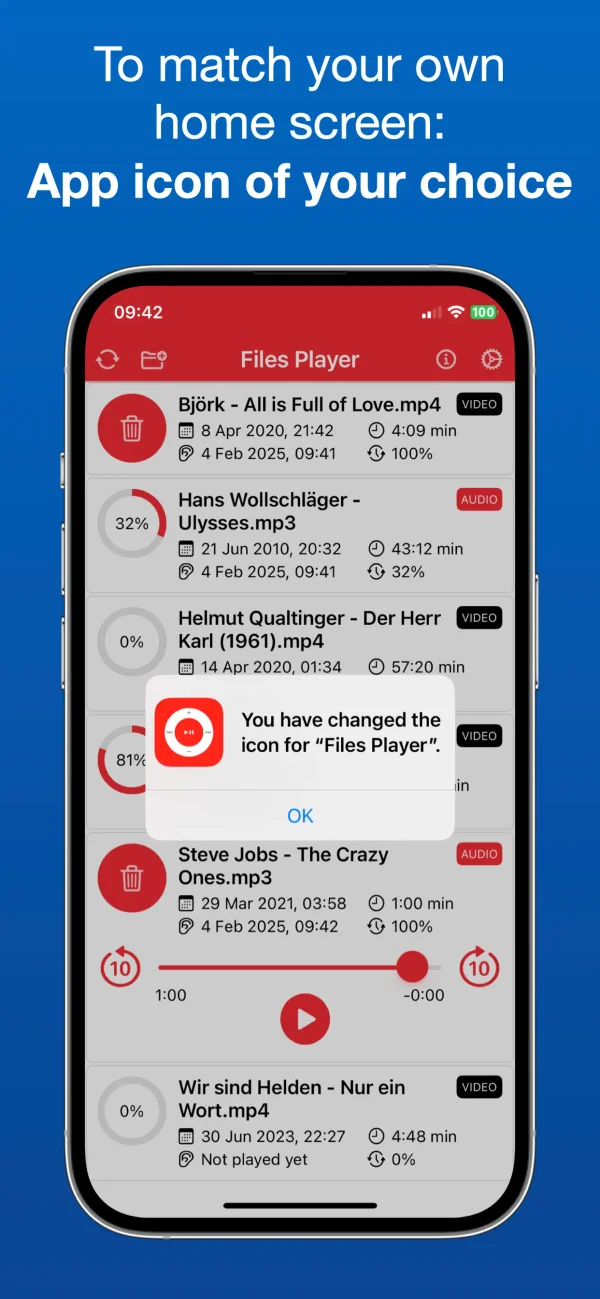
The free app is limited to 5 files. If you support me in the development of the app by purchasing it, you can not only manage as many files as you like, but also choose your favorite color for icon & interface via button “Settings” button.
Nouveautés
Version 1.7 · 30/09/2026
– Bug fixed when saving / loading the position. Any subdirectories that may exist are now taken into account.
Confidentialité de l’application
Ce que Ivo Wessel déclare sur l’App Store au sujet du traitement des données par cette application.
-
Données non collectées
Le développeur ne collecte aucune donnée à partir de cette application.
Les pratiques en matière de confidentialité peuvent varier, notamment en fonction des fonctionnalités que vous utilisez ou de votre âge.
Informations
- Vendeur
- Ivo Wessel
- Catégorie
- Divertissement
- Version
- 1.7
- Mis à jour
- 30/09/2026
- Publié
- 04/02/2025
- Taille
- 5,2 Mo
- Nécessite
- iOS 15.6 ou version ultérieure
- Classification d’âge
- 4+
- Prix
- Gratuit
- Achats intégrés
- Oui
- Langues
- Allemand, Anglais
- Copyright
- © 2026 Ivo Wessel
Vous aimerez peut-être aussi
-
 Offline Media - LecteurMusique, vidéo, égaliseur, MP3
-
 popspaceDivertissement
-
 MX Video Player - MAX PlayerDivertissement
-
 ARTES Collectors AppDivertissement
-
 MX Player : All Video PlayerDivertissement
-
 Simple Show Tracker - tveeDivertissement
-
 MX Movie & X Media PlayerDivertissement
-
 KittyTalk - Talk With Your CatDivertissement
-
 Rainy Relax 4KEspaces de détente pour la TV
-
 LaZ Viz Audio VisualizerDivertissement