
Files Player
Play audio/video files easily
Được thiết kế cho iPhone, iPad, iPod touch
Miễn phí · Mua hàng trong ứng dụng
- Độ tuổi4+
- Danh mụcGiải Trí
- Nhà phát triểnIvo Wessel
- Ngôn ngữTiếng Đức+ 1 ngôn ngữ khác
- Kích thước5,2 MB
Liên kết đến trang App Store chính thức
Download.org không lưu trữ tệp nào của Files Player. Nút này mở trang ứng dụng trên App Store, nơi Ivo Wessel phát hành ứng dụng. Trang được kiểm tra lần cuối: 12/11/2026.
Ảnh chụp màn hình

Giới thiệu
Nhà phát triển chưa cung cấp nội dung này bằng ngôn ngữ của bạn.
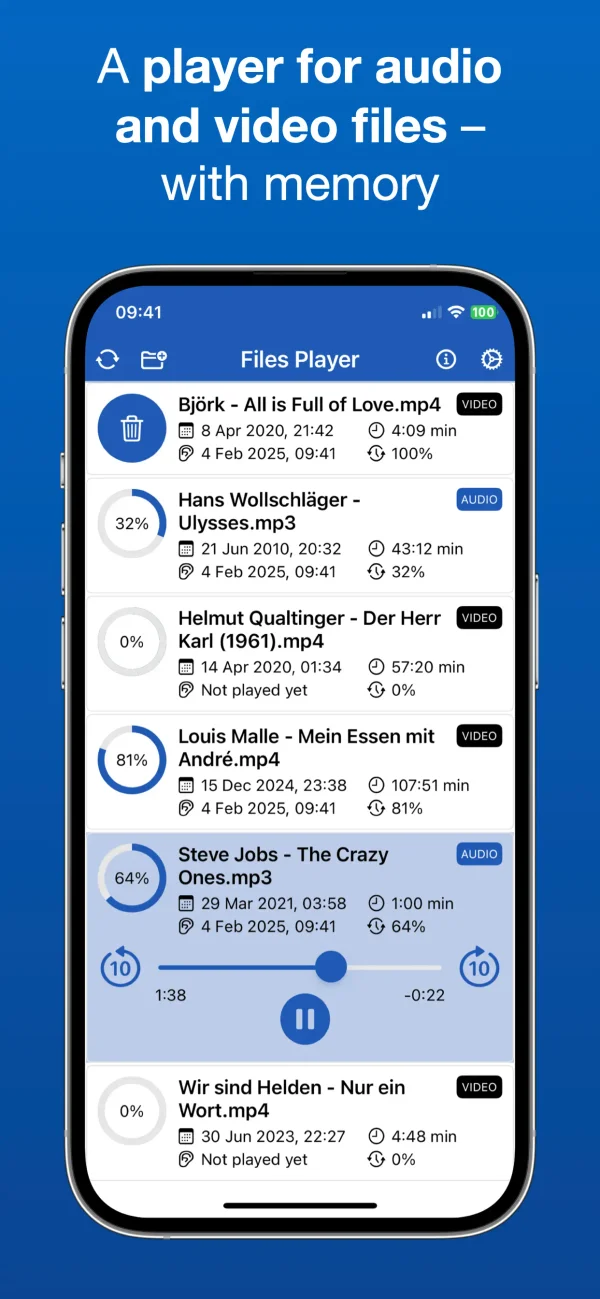
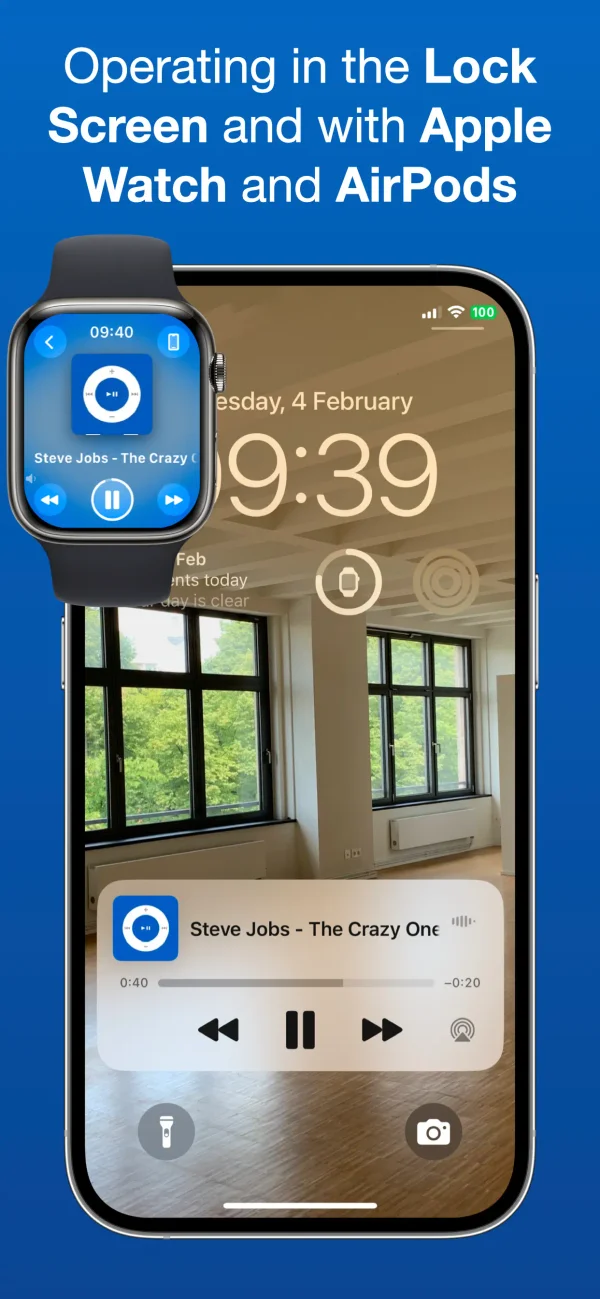
For years, I have been collecting countless audio and video files on my hard drives that I want to listen to and watch in between or on the go. No streaming, no subscription, no cloud, no cover art – and no annoying risk of Wi-Fi dropouts or mobile network playback glitches – just copy the files over and take them with you offline. But with “memory”: the app remembers which files I have already played (incl. position). And it works in standby mode and can be conveniently operated from Lock Screen, Apple Watch and AirPods.
THE THREE MOST IMPORTANT FEATURES
1) Easy
2) Simple
3) Uncomplicated
THE APP WILL BE USEFUL FOR
1) Tidying up
2) Sorting
3) Discovering
A PLAYER LIKE A BIG MEMORY STICK
For the price of a veeeery small memory stick. The app shares its Documents folder. So you can upload and delete files and folders directly via the Finder.
TRANSFER AUDIO/VIDEO FILES
1) Connect your iPhone/iPad to your Mac.
2) Select it on the desktop or in the Finder sidebar.
3) In the “Files” tab, expand the “Files Player” app with >.
4) Drag & drop audio/video files into the app.
5) Delete files / folders with context menu. Can also be done in the app with the “Trash” button.
6) Refresh the list using the “Refresh” button or “Pull to refresh”.
7) HandOff active? Then alternatively copy files to the clipboard and transfer them to the device using the “Folder” button.
8) On a PC use iTunes.
9) Formats: mp3, m4a, aiff (audio), mp4, m4v, mov (video).
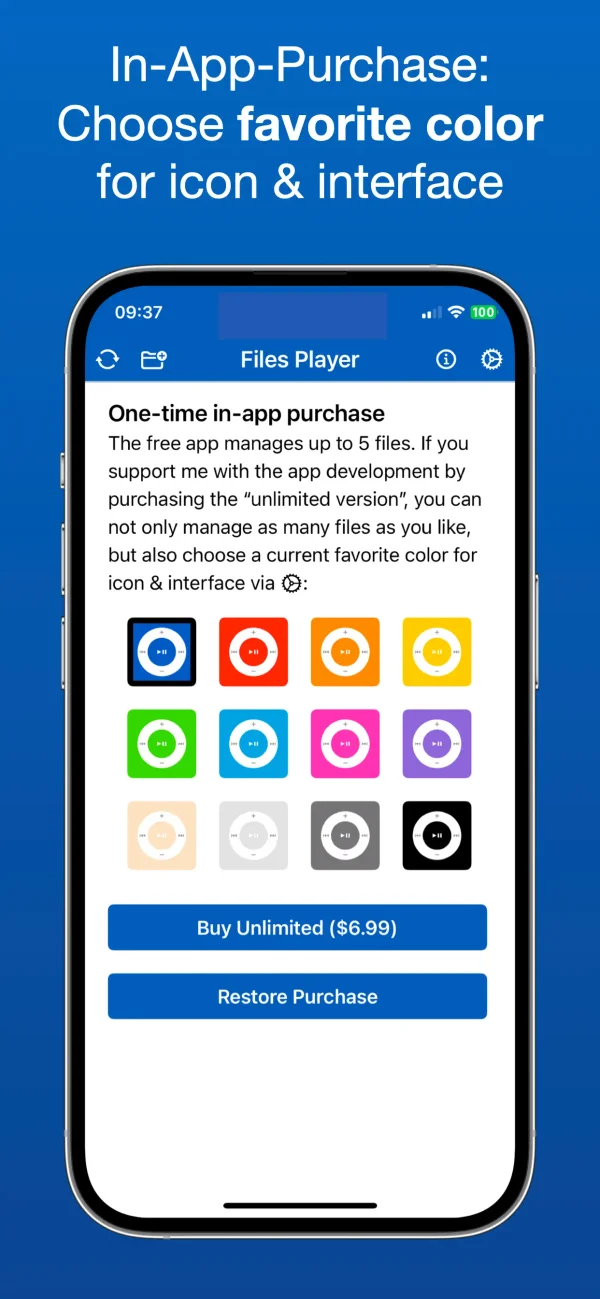
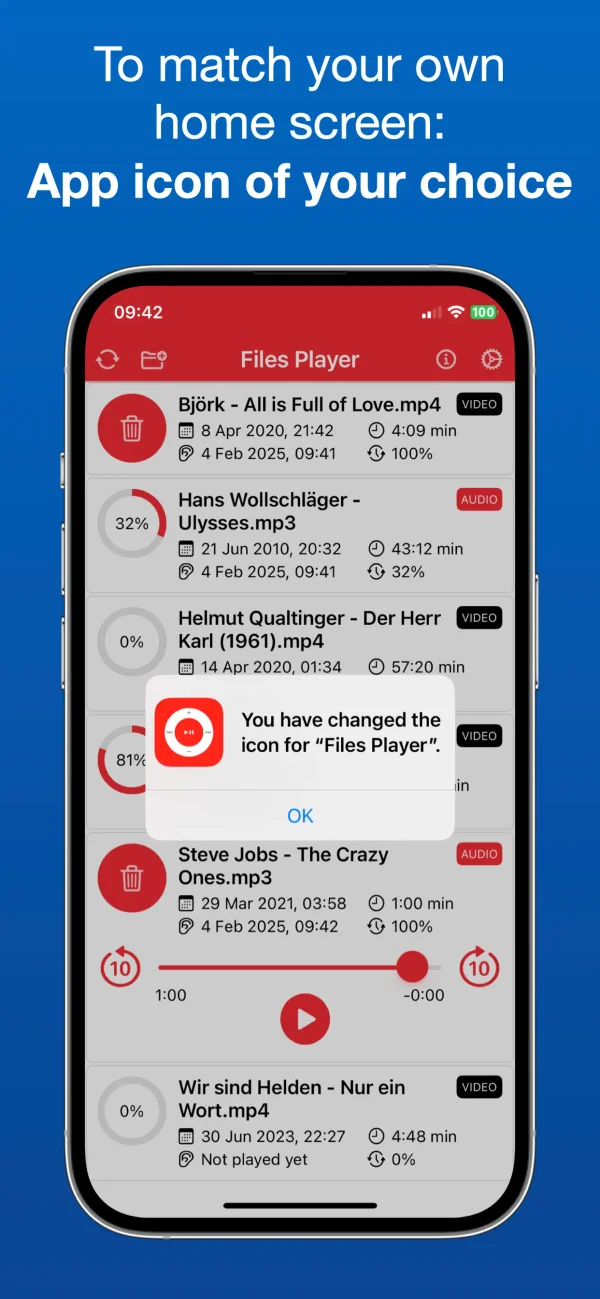
The free app is limited to 5 files. If you support me in the development of the app by purchasing it, you can not only manage as many files as you like, but also choose your favorite color for icon & interface via button “Settings” button.
Có gì mới
Phiên bản 1.7 · 30/09/2026
– Bug fixed when saving / loading the position. Any subdirectories that may exist are now taken into account.
Quyền riêng tư của ứng dụng
Những gì Ivo Wessel khai báo trên App Store về cách ứng dụng này xử lý dữ liệu.
-
Dữ liệu không được thu thập
Nhà phát triển không thu thập bất kỳ dữ liệu nào từ ứng dụng này.
Phương thức đảm bảo quyền riêng tư có thể khác nhau, chẳng hạn như tuỳ theo các tính năng bạn sử dụng hoặc độ tuổi của bạn.
Thông tin
- Người bán
- Ivo Wessel
- Danh mục
- Giải Trí
- Phiên bản
- 1.7
- Cập nhật
- 30/09/2026
- Phát hành
- 04/02/2025
- Kích thước
- 5,2 MB
- Yêu cầu
- iOS 15.6 trở lên
- Độ tuổi
- 4+
- Giá
- Miễn phí
- Mua hàng trong ứng dụng
- Có
- Ngôn ngữ
- Tiếng Đức, Tiếng Anh
- Bản quyền
- © 2026 Ivo Wessel
Có thể bạn cũng thích
-
 Offline Media - Trình phát tệpNhạc, video, bộ chỉnh âm & MP3
-
 popspaceGiải Trí
-
 MX Video Player - MAX PlayerGiải Trí
-
 ARTES Collectors AppGiải Trí
-
 MX Player : All Video PlayerGiải Trí
-
 Simple Show Tracker - tveeGiải Trí
-
 MX Movie & X Media PlayerGiải Trí
-
 KittyTalk - Talk With Your CatGiải Trí
-
 Rainy Relax 4KGiải Trí
-
 LaZ Viz Audio VisualizerGiải Trí