Half Keyboard: Compact
adjustable; more screen
Conçue pour iPhone, iPad
Gratuit
- Classification d’âge4+
- CatégorieProductivité
- Développeurdick hartog
- LanguesAnglais
- Taille647,0 Ko
Renvoie vers la page App Store officielle
Download.org n’héberge aucun fichier de Half Keyboard: Compact. Le bouton ouvre la page de l’application sur App Store, où dick hartog la publie. Fiche vérifiée pour la dernière fois le 11/11/2026.
Captures d’écran
À propos
Le développeur n’a pas fourni ce texte dans votre langue.
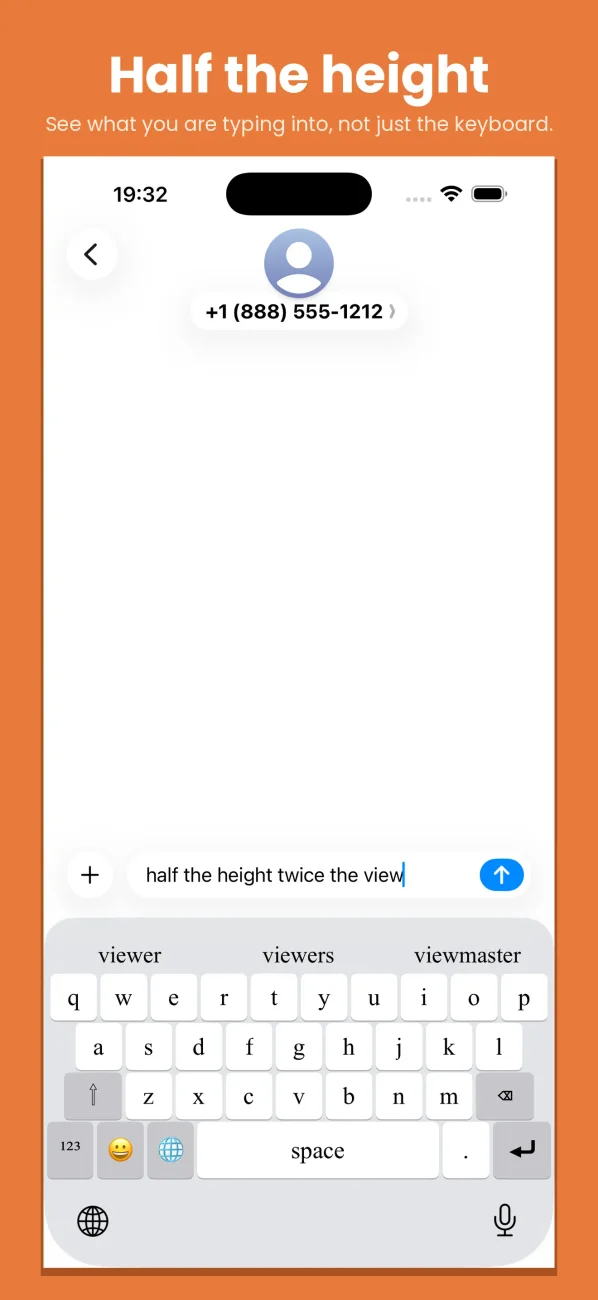
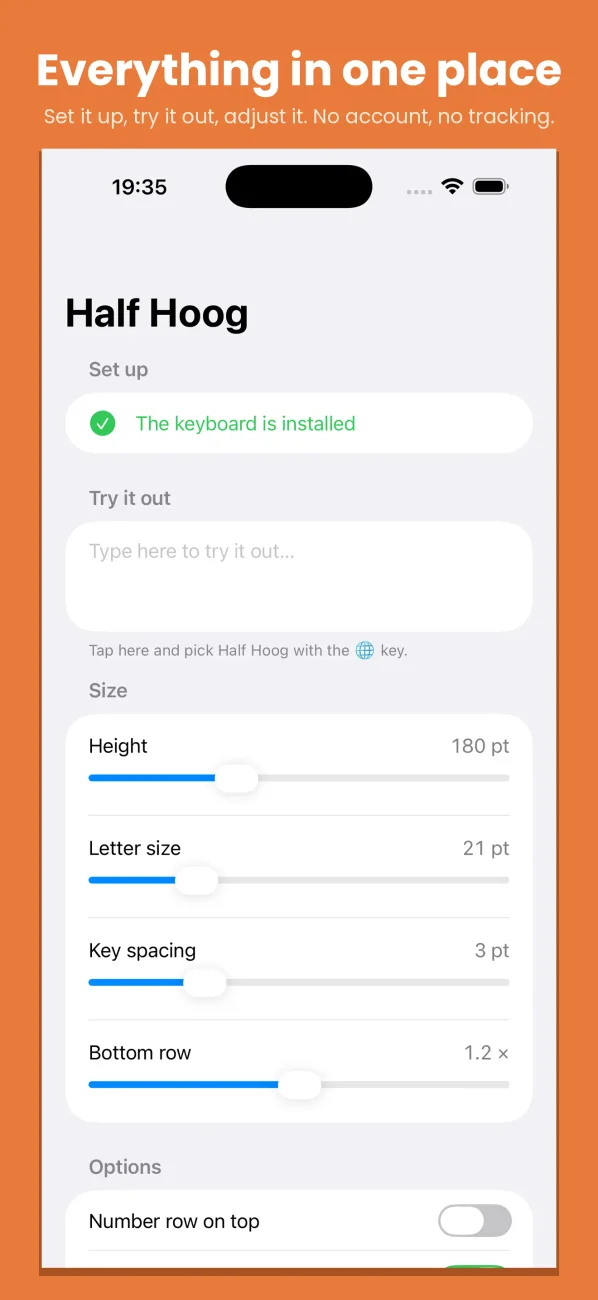
The standard iOS keyboard takes up almost half your iPad HalfKeyboard takes about two thirds of that, so you keep seeing what you're typing into — your chat, your form, your note.
But it's not a stripped-down version. Everything you expect from a keyboard is there, right where your thumb already rests.
SWIPE DOWN FOR THE SECOND CHARACTER
Swipe down on a letter key to get the character above it: q becomes 1, a becomes @, z becomes %. On the period key, a swipe down gives a comma. You'll rarely need the number layer.
SET IT UP YOUR WAY
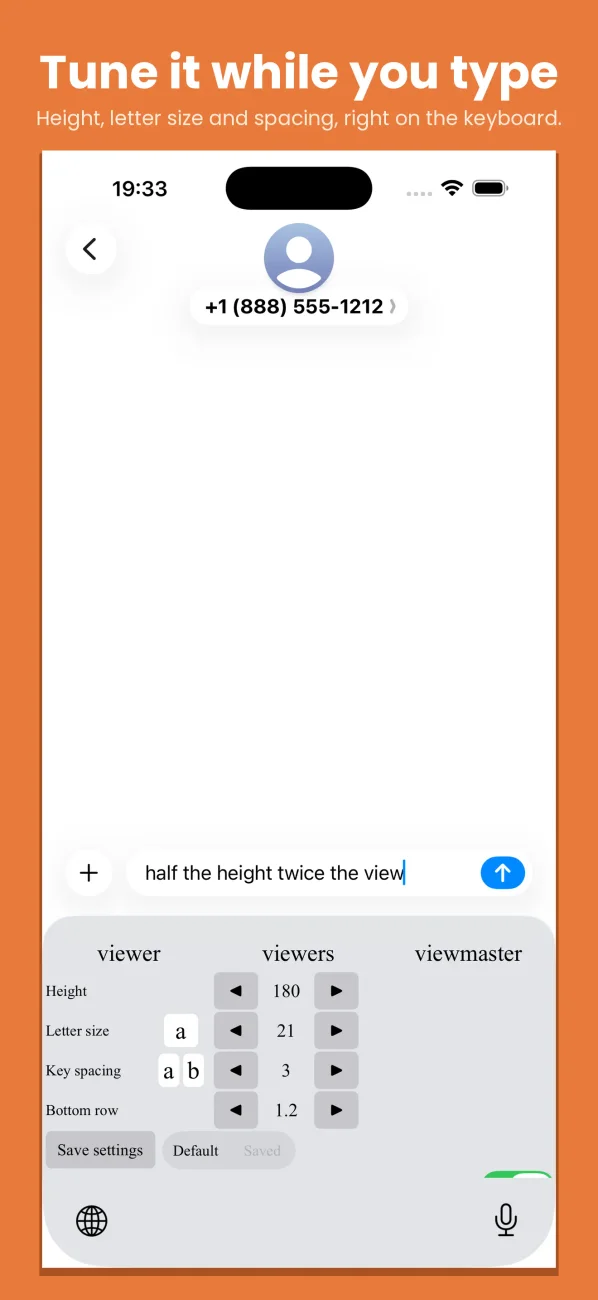
Height, font size, key spacing, bottom row thickness, typeface — all with a slider. Both in the app and in the keyboard itself, so you see the effect right away. Settings made in the app go to the keyboard; not the other way round, because a keyboard without full access isn't allowed to write back.
SPACE BAR AS A TRACKPAD
Hold the space bar and drag to move the cursor through your text. No more aiming for a single letter.
WORD SUGGESTIONS THAT SEND NOTHING
A suggestion bar in Dutch, English or German, or automatic. The word list lives inside the app; nothing is looked up and nothing is remembered.
EMOJI
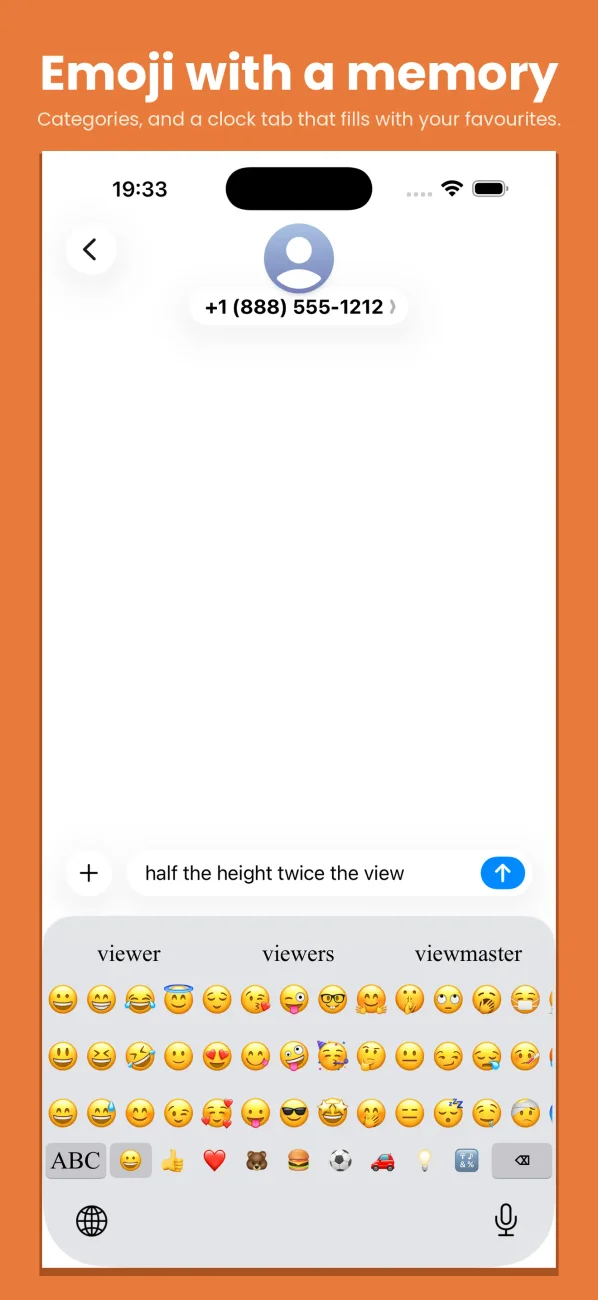
Its own emoji board with categories and a clock tab that fills with what you used last.
ROOMIER ON IPAD
On iPad you get two extra layouts: a numeric pad on the right, and a split layout with the pad in the middle and a space bar under each thumb.
PRIVACY HERE IS NOT A PROMISE BUT A BOUNDARY
HalfKeyboard does not ask for full access. Without that permission, a keyboard on iOS cannot connect to the internet — a technical limit, not a word of honour. No analytics, no ads, no account, no third-party SDKs. What you type stays on your device.
Free, with no strings attached: no ads, no subscription, no in-app purchases.
Nouveautés
Version 1.1 · 27/09/2026
- New: an enlarged key pops up above your finger as you type, just like on the standard keyboard.
- Small improvements and fixes.
Confidentialité de l’application
Ce que dick hartog déclare sur l’App Store au sujet du traitement des données par cette application.
-
Données non collectées
Le développeur ne collecte aucune donnée à partir de cette application.
Les pratiques en matière de confidentialité peuvent varier, notamment en fonction des fonctionnalités que vous utilisez ou de votre âge.
Informations
- Vendeur
- dick hartog
- Catégorie
- Productivité
- Version
- 1.1
- Mis à jour
- 27/09/2026
- Publié
- 02/09/2026
- Taille
- 647,0 Ko
- Nécessite
- iOS 17.0 ou version ultérieure
- Classification d’âge
- 4+
- Prix
- Gratuit
- Langues
- Anglais
- Copyright
- © 2026 Dick Hartog
Vous aimerez peut-être aussi
-
 OfflendarProductivité
-
 One Big Keyboard: OperatorsProductivité
-
 Surnia – Offline AI ChatIA privée sur votre appareil
-
 Aspen Local AIProductivité
-
 1C Big KeyboardProductivité
-
 Weavly: Clavier vocal & dictéeVoix en texte privé, IA, swipe
-
 Annota NotesProductivité
-
 Chromium Vault-Password KeeperMots de passe et passkeys
-
 Keyda: AI Keyboard & AssistantProductivité
-
 UXAR ClavierClavier personnalisable, IA