- 対象年齢4+
- カテゴリ仕事効率化
- 開発元dick hartog
- 言語英語
- サイズ647.0 KB
App Storeの公式ページにリンクしています
Download.orgはHalf Keyboard: Compactのファイルを一切ホストしていません。ボタンを押すと、dick hartogが公開しているApp Storeのアプリページが開きます。ページの最終確認:2026/11/11。
スクリーンショット
概要
開発元はこのテキストをお使いの言語で提供していません。
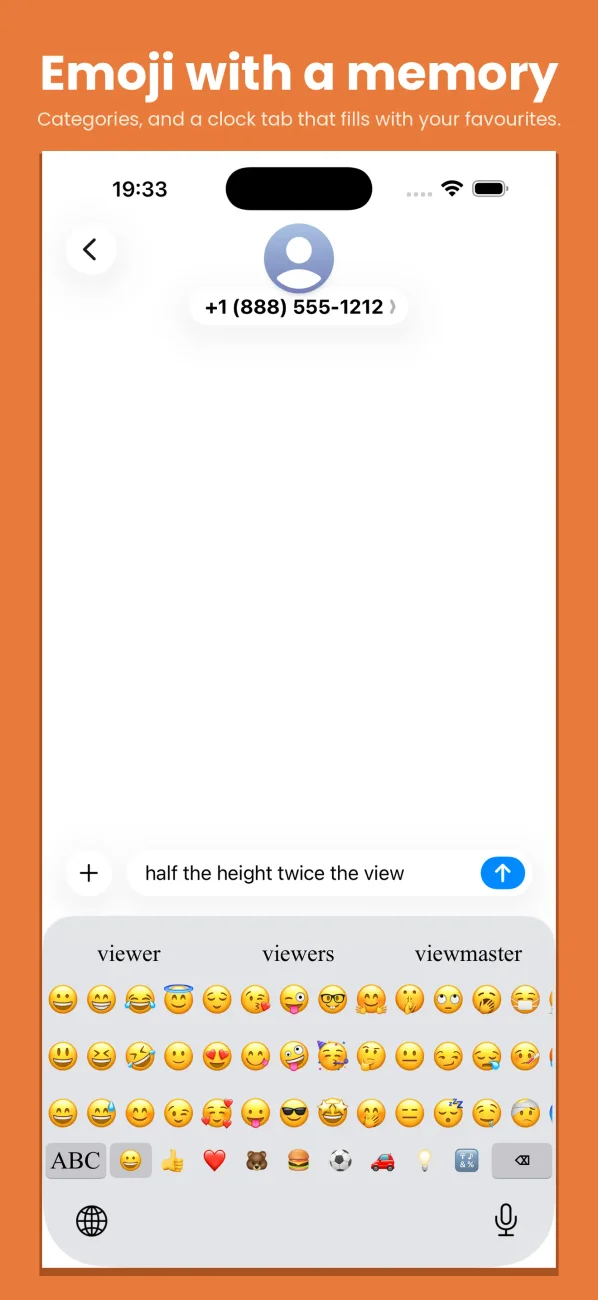
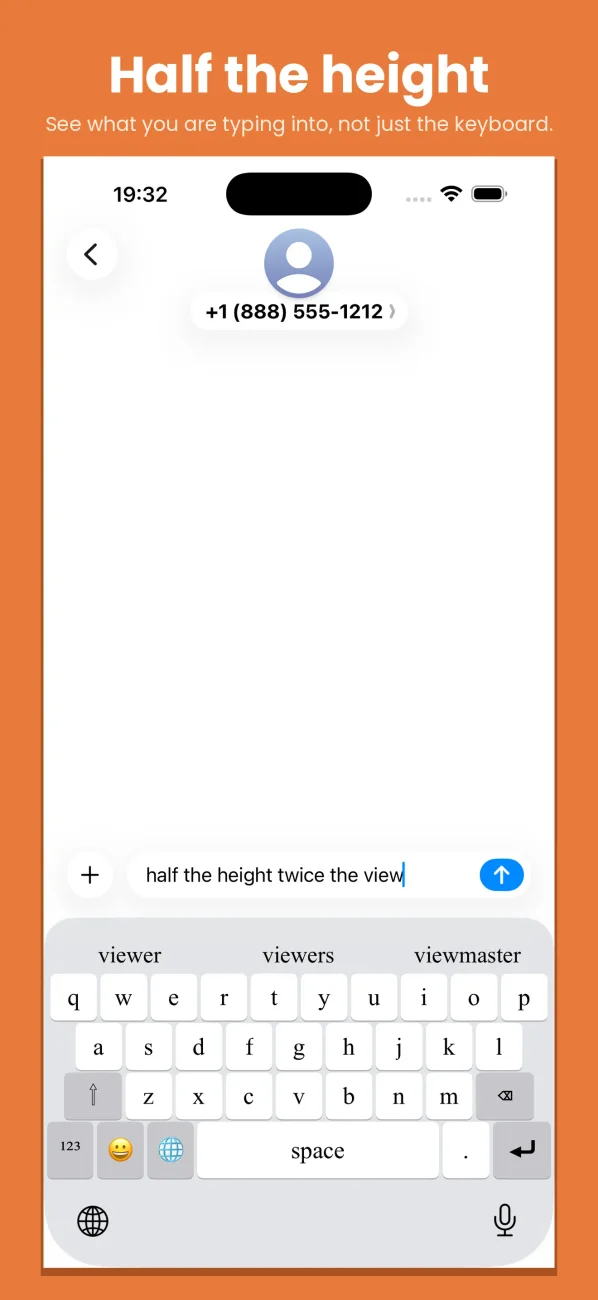
The standard iOS keyboard takes up almost half your iPad HalfKeyboard takes about two thirds of that, so you keep seeing what you're typing into — your chat, your form, your note.
But it's not a stripped-down version. Everything you expect from a keyboard is there, right where your thumb already rests.
SWIPE DOWN FOR THE SECOND CHARACTER
Swipe down on a letter key to get the character above it: q becomes 1, a becomes @, z becomes %. On the period key, a swipe down gives a comma. You'll rarely need the number layer.
SET IT UP YOUR WAY
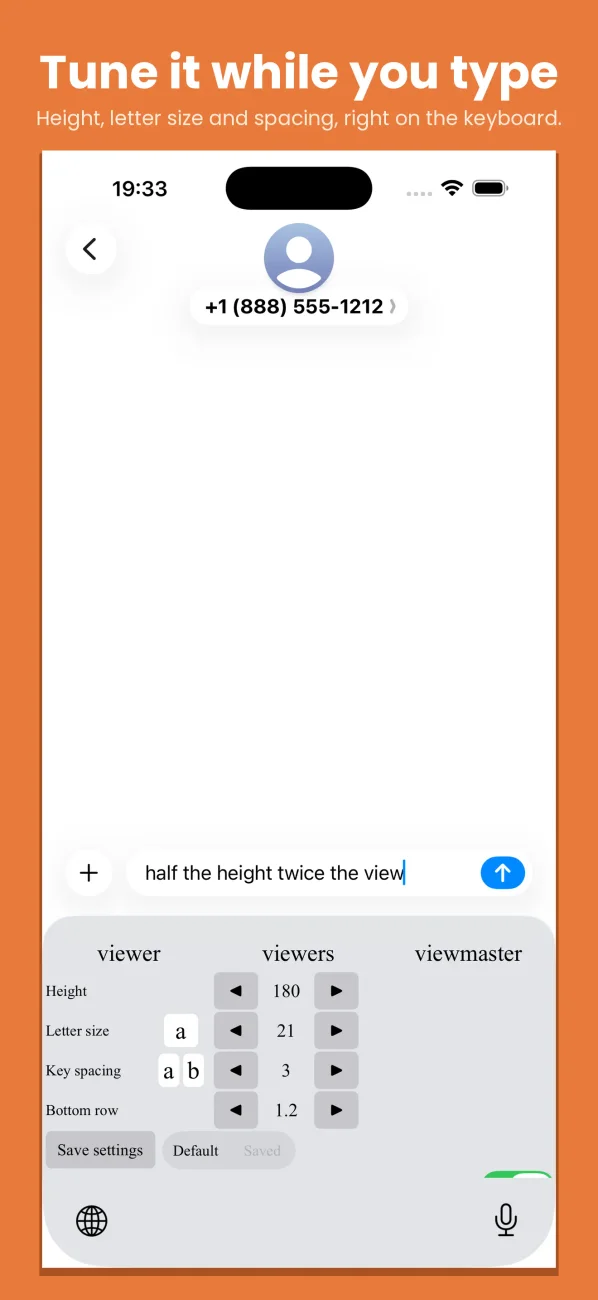
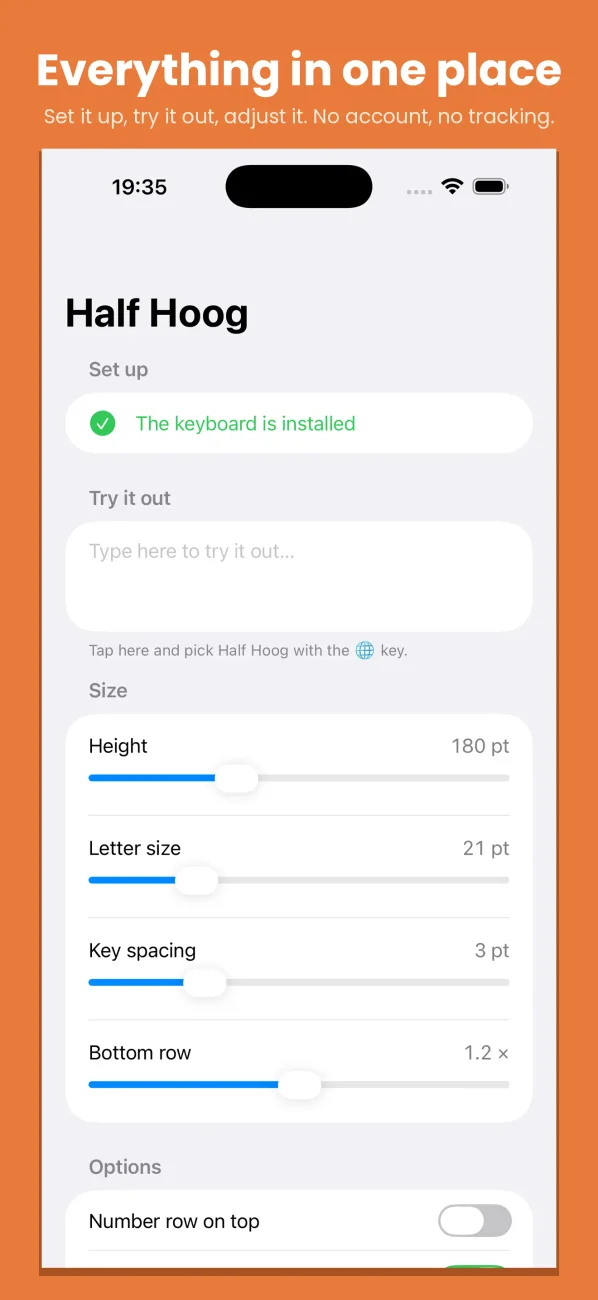
Height, font size, key spacing, bottom row thickness, typeface — all with a slider. Both in the app and in the keyboard itself, so you see the effect right away. Settings made in the app go to the keyboard; not the other way round, because a keyboard without full access isn't allowed to write back.
SPACE BAR AS A TRACKPAD
Hold the space bar and drag to move the cursor through your text. No more aiming for a single letter.
WORD SUGGESTIONS THAT SEND NOTHING
A suggestion bar in Dutch, English or German, or automatic. The word list lives inside the app; nothing is looked up and nothing is remembered.
EMOJI
Its own emoji board with categories and a clock tab that fills with what you used last.
ROOMIER ON IPAD
On iPad you get two extra layouts: a numeric pad on the right, and a split layout with the pad in the middle and a space bar under each thumb.
PRIVACY HERE IS NOT A PROMISE BUT A BOUNDARY
HalfKeyboard does not ask for full access. Without that permission, a keyboard on iOS cannot connect to the internet — a technical limit, not a word of honour. No analytics, no ads, no account, no third-party SDKs. What you type stays on your device.
Free, with no strings attached: no ads, no subscription, no in-app purchases.
新機能
バージョン 1.1 · 2026/9/27
- New: an enlarged key pops up above your finger as you type, just like on the standard keyboard.
- Small improvements and fixes.
アプリのプライバシー
このアプリのデータの取り扱いについて、dick hartogがApp Storeで申告している内容です。
-
データの収集なし
開発元はこのアプリからデータを収集しません。
プライバシーの取り扱いは、ご利用の機能やお客様の年齢などに応じて異なる場合があります。
情報
- 販売元
- dick hartog
- カテゴリ
- 仕事効率化
- バージョン
- 1.1
- 更新日
- 2026/9/27
- リリース
- 2026/9/2
- サイズ
- 647.0 KB
- 必要条件
- iOS 17.0以降
- 対象年齢
- 4+
- 価格
- 無料
- 言語
- 英語
- 著作権
- © 2026 Dick Hartog