MarkPad – Markdown Editor
Write, paste & preview fast
Conçue pour iPhone
2,99 €
- Classification d’âge4+
- CatégorieProductivité
- DéveloppeurTOUZANBOU
- LanguesAnglais+ 18 de plus
- Taille19,1 Mo
Renvoie vers la page App Store officielle
Download.org n’héberge aucun fichier de MarkPad – Markdown Editor. Le bouton ouvre la page de l’application sur App Store, où TOUZANBOU la publie. Fiche vérifiée pour la dernière fois le 20/11/2026.
Captures d’écran
À propos
Le développeur n’a pas fourni ce texte dans votre langue.
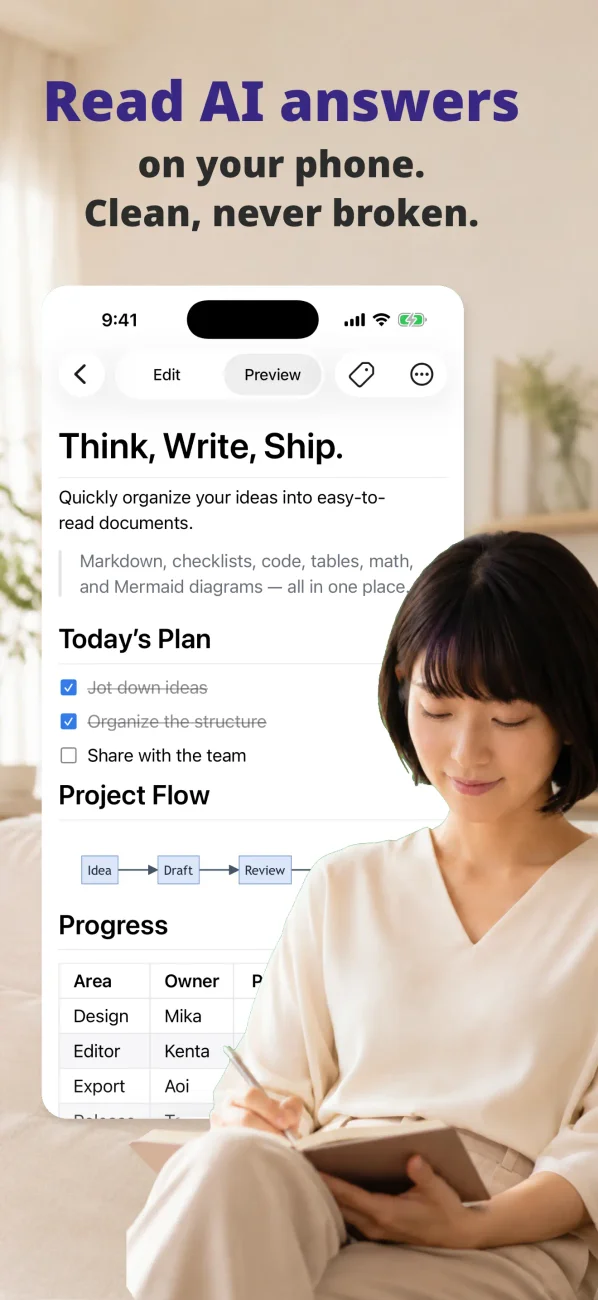
MarkPad is a Markdown editor for writing fast and previewing beautifully, right away.
From quick notes to meeting minutes, technical docs, and brainstorming, it pairs distraction-free simplicity with a clean, polished preview so you can focus on writing.
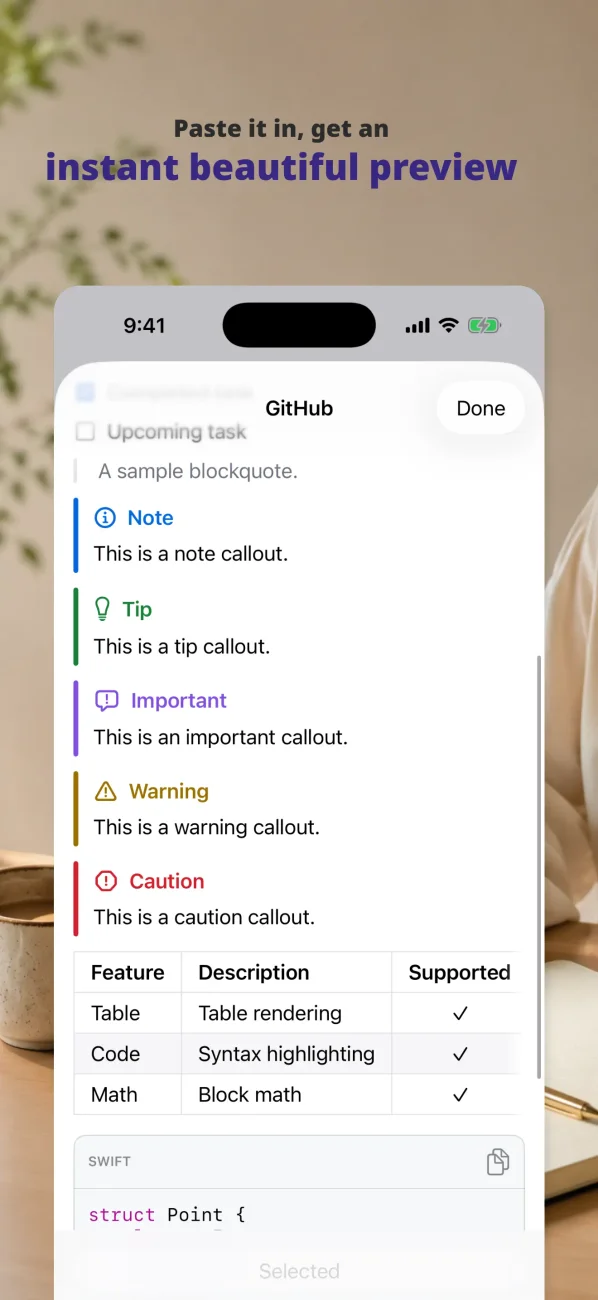
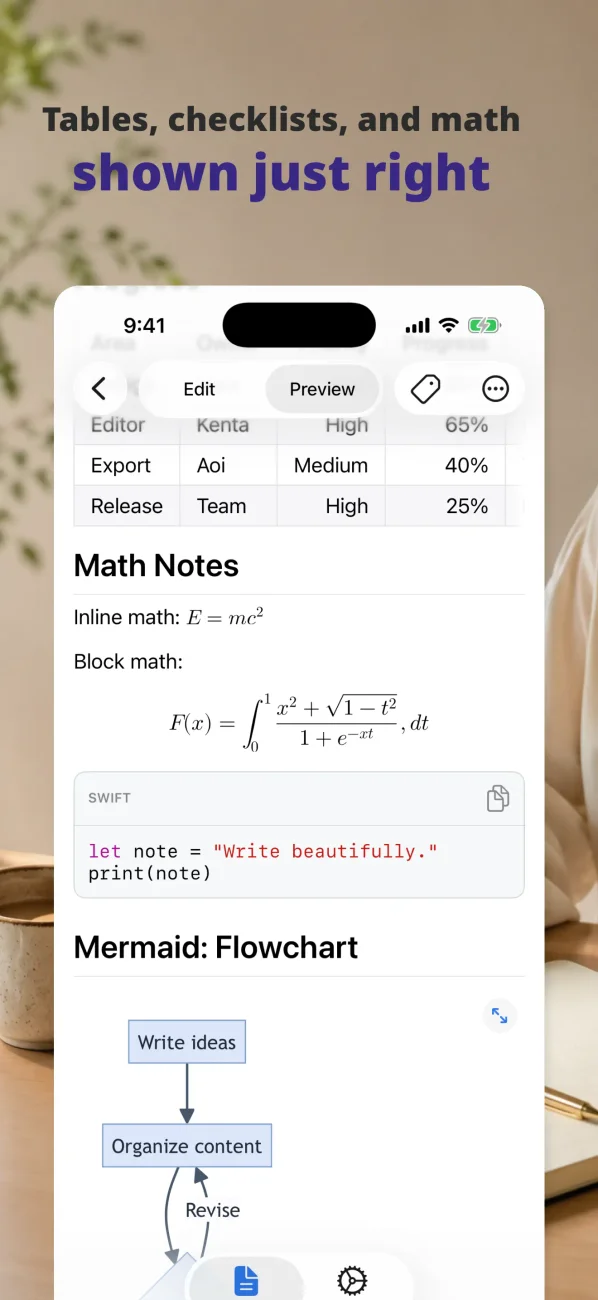
Paste a Markdown answer from an AI assistant and the code blocks and tables stay intact, looking great even on your phone.
■ Built for writing
・Switch between edit and preview with one tap
・Editing toolbar above the keyboard (headings, bold, italic, strikethrough, lists, checklists, quotes, code, links, indent)
・Pick a heading level from the menu; lists and checkboxes continue automatically on the next line
・Live character and word count
■ A preview that shines
・Syntax-highlighted code blocks with a copy button (many languages)
・Tables, checklists (tap to toggle), and blockquotes
・Callouts (note, tip, important, warning, caution)
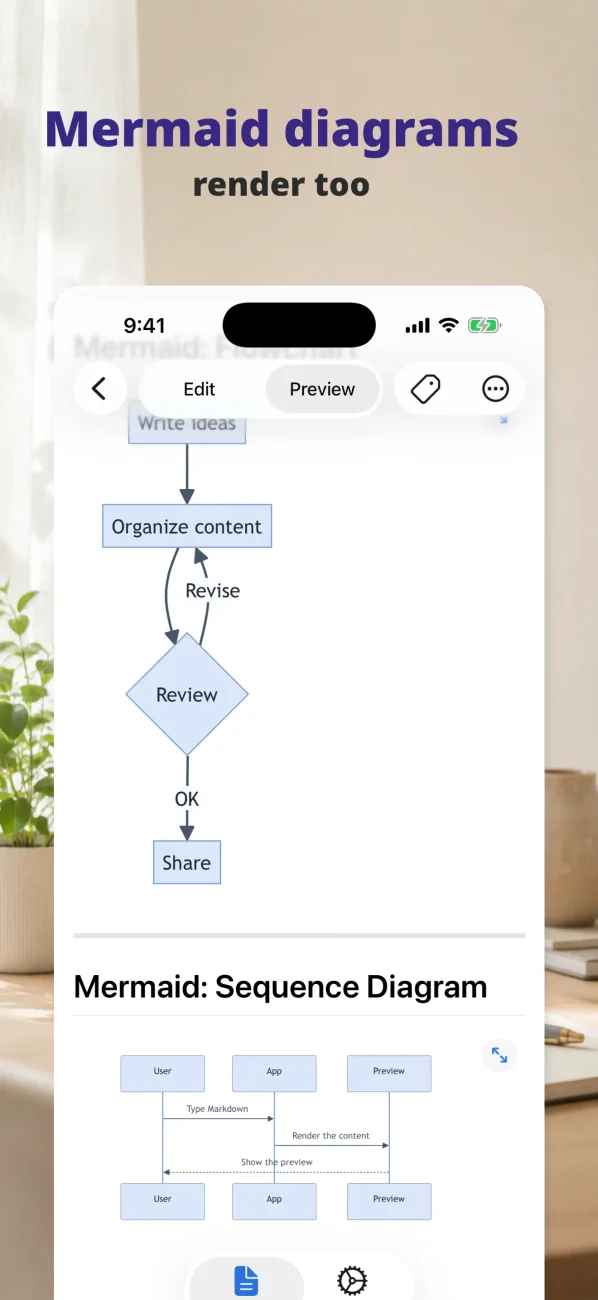
・Collapsible sections, block math, and Mermaid diagrams (tap to zoom and scroll)
・== highlighting and inline code
■ Make it yours
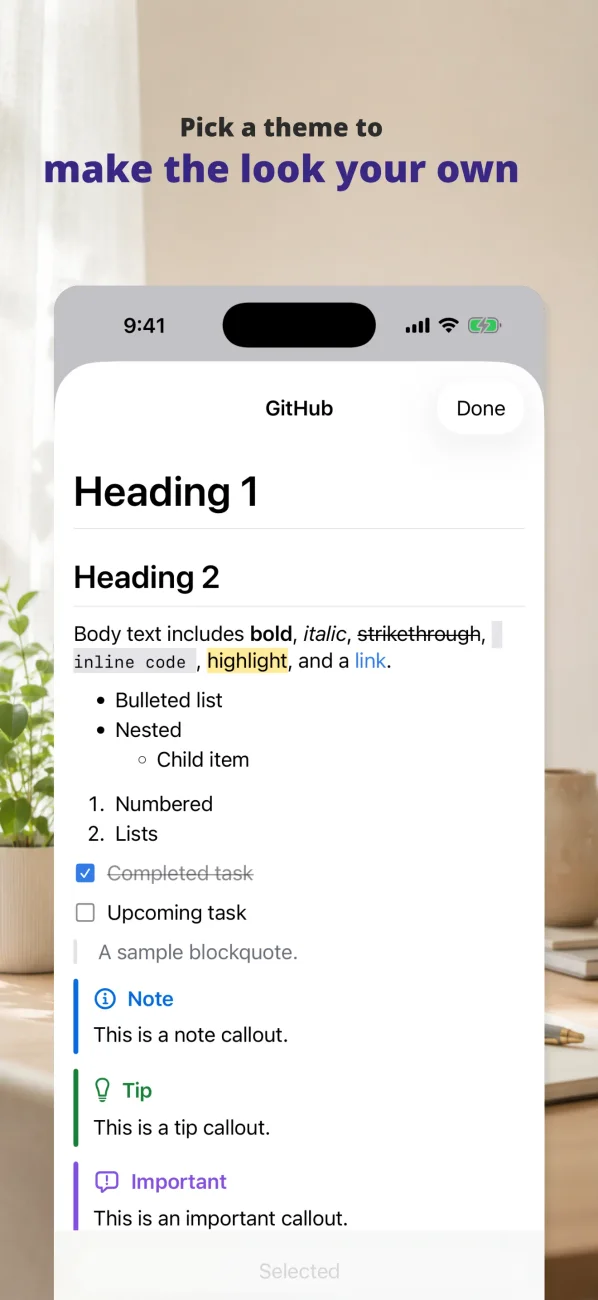
・Choose a preview theme (Default, GitHub, or Docs)
・Built-in Markdown syntax guide, so supported formatting is always at a glance
■ Reliable and smooth
・Manage multiple notes; search by text or tag
・Share as text or .md files (Mail, and other apps)
・Available in 19 languages
・Works great offline
・No intrusive ads
Make writing feel better. Start with Markdown in MarkPad.
Nouveautés
Version 2.0 · 04/11/2026
A refreshed preview: long tables now wrap by column, diagrams share a consistent palette, and block math is centered. Lists no longer continue inside code blocks, so closing fences stay intact. With no notes yet, you can create one straight from the clipboard.
Confidentialité de l’application
Ce que TOUZANBOU déclare sur l’App Store au sujet du traitement des données par cette application.
-
Données établissant un lien avec vous
Peuvent être collectées et liées à votre identité.
- Coordonnées
- Contenu utilisateur
-
Données n’établissant aucun lien avec vous
Peuvent être collectées, mais ne sont pas liées à votre identité.
- Identifiants
- Données d’utilisation
- Diagnostic
Les pratiques en matière de confidentialité peuvent varier, notamment en fonction des fonctionnalités que vous utilisez ou de votre âge.
Informations
- Vendeur
- TOUZANBOU
- Catégorie
- Productivité
- Version
- 2.0
- Mis à jour
- 04/11/2026
- Publié
- 25/06/2026
- Taille
- 19,1 Mo
- Nécessite
- iOS 17.0 ou version ultérieure
- Classification d’âge
- 4+
- Prix
- 2,99 €
- Langues
- Anglais, Néerlandais, Français, Allemand, Hindi, Indonésien, Italien, Japonais, Coréen, Polonais, Portugais, Russe + 7 de plus
- Copyright
- © 2026 kenta yamamoto.
Vous aimerez peut-être aussi
-
 D-Tools Mobile InstallProductivité
-
 TaskworldProductivité
-
 RXO WorkplaceProductivité
-
 Charty for ShortcutsProductivité
-
 Signature Electronique: Esign.Electronic Signature Maker App
-
 Kanban Board AppProject Management Tools & GTD
-
 LM MiniIA locale et à distance
-
 LeaderTask : PlanificateurTâches, rappels, calendrier
-
 JOBCAN Attendance (CoreNFC)Productivité
-
 Carbonio MailProductivité