- Age rating4+
- CategoryProductivity
- DeveloperTOUZANBOU
- LanguagesEnglish+ 18 more
- Size19.1 MB
Links to the official App Store page
Download.org hosts no file of MarkPad – Markdown Editor. The button opens its official App Store page, published by TOUZANBOU. Listing last checked on Nov 20, 2026.
Screenshots
About
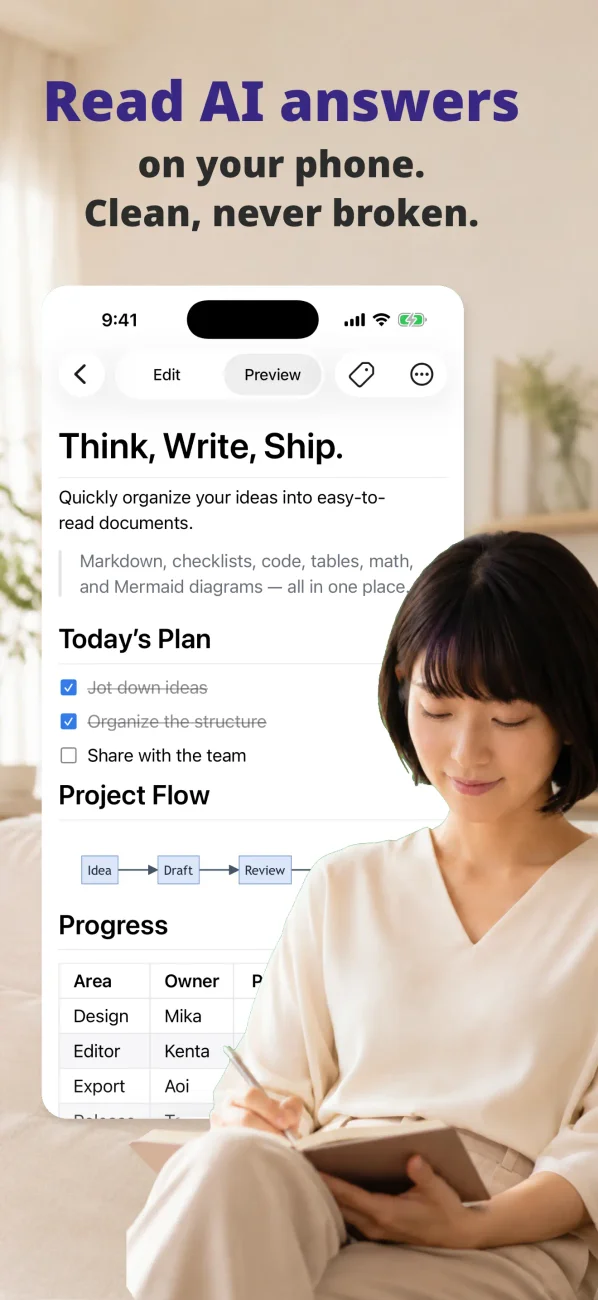
MarkPad is a Markdown editor for writing fast and previewing beautifully, right away.
From quick notes to meeting minutes, technical docs, and brainstorming, it pairs distraction-free simplicity with a clean, polished preview so you can focus on writing.
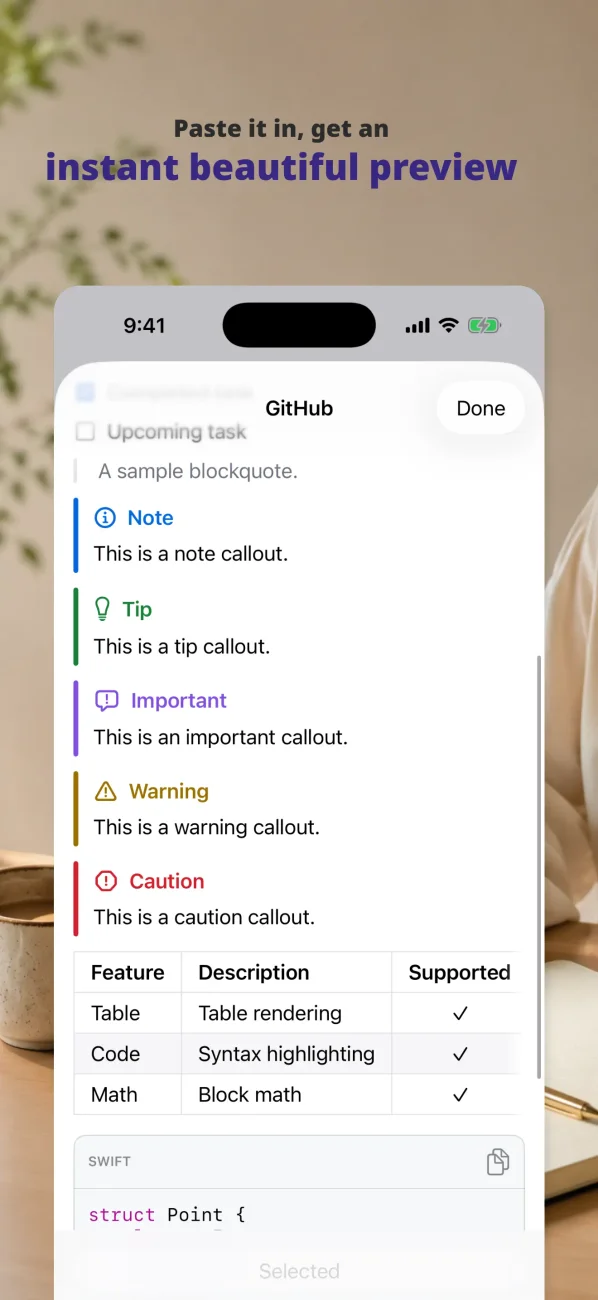
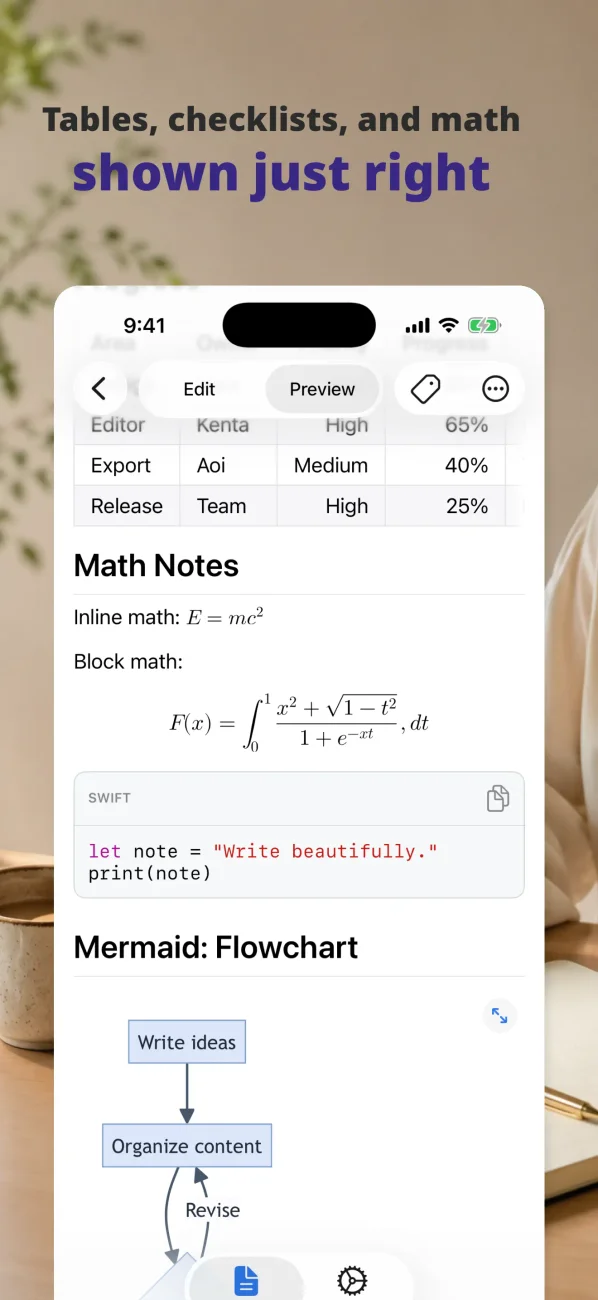
Paste a Markdown answer from an AI assistant and the code blocks and tables stay intact, looking great even on your phone.
■ Built for writing
・Switch between edit and preview with one tap
・Editing toolbar above the keyboard (headings, bold, italic, strikethrough, lists, checklists, quotes, code, links, indent)
・Pick a heading level from the menu; lists and checkboxes continue automatically on the next line
・Live character and word count
■ A preview that shines
・Syntax-highlighted code blocks with a copy button (many languages)
・Tables, checklists (tap to toggle), and blockquotes
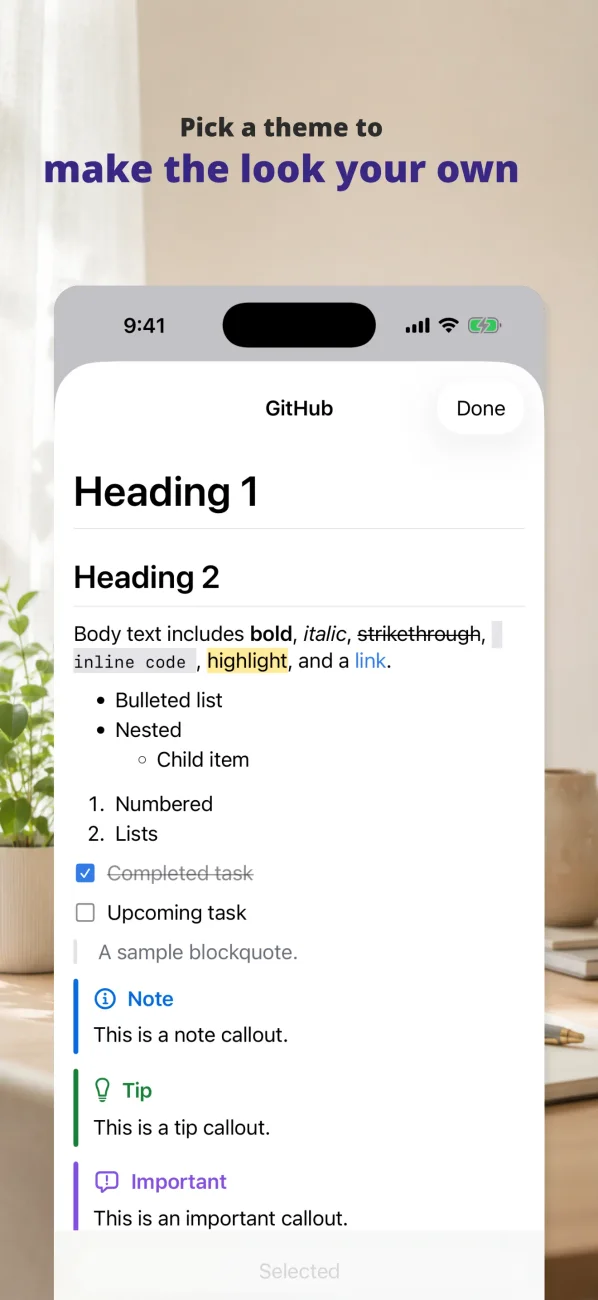
・Callouts (note, tip, important, warning, caution)
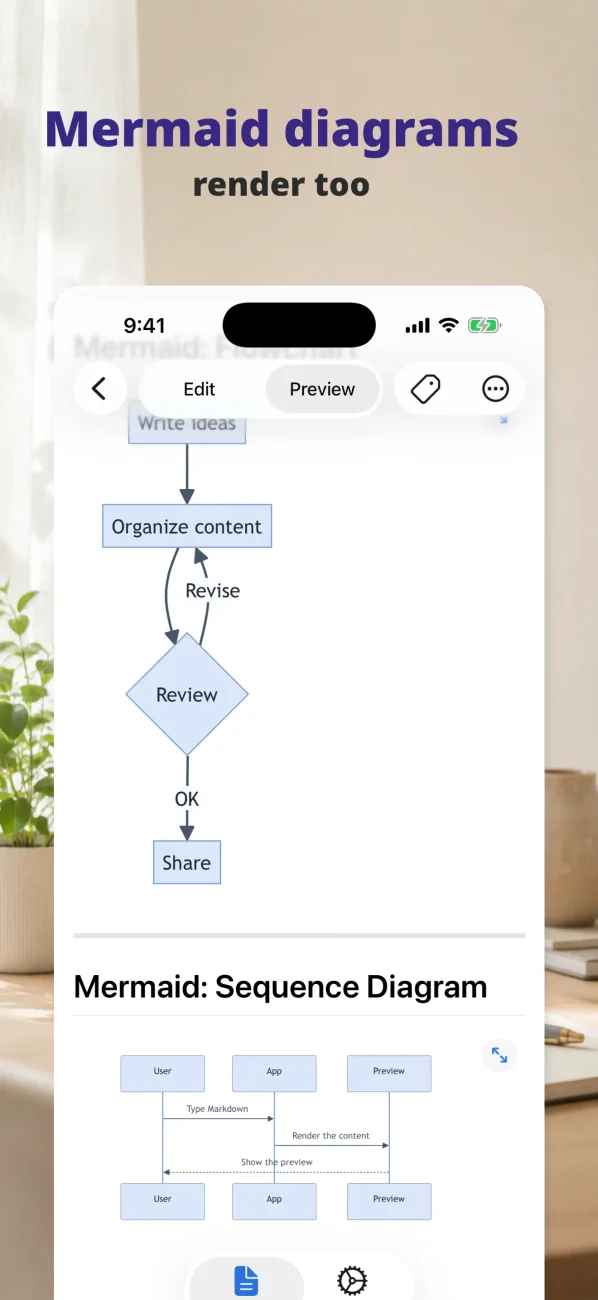
・Collapsible sections, block math, and Mermaid diagrams (tap to zoom and scroll)
・== highlighting and inline code
■ Make it yours
・Choose a preview theme (Default, GitHub, or Docs)
・Built-in Markdown syntax guide, so supported formatting is always at a glance
■ Reliable and smooth
・Manage multiple notes; search by text or tag
・Share as text or .md files (Mail, and other apps)
・Available in 19 languages
・Works great offline
・No intrusive ads
Make writing feel better. Start with Markdown in MarkPad.
What’s new
Version 2.0 · Nov 4, 2026
A refreshed preview: long tables now wrap by column, diagrams share a consistent palette, and block math is centered. Lists no longer continue inside code blocks, so closing fences stay intact. With no notes yet, you can create one straight from the clipboard.
App privacy
What TOUZANBOU declares on the App Store about how this app handles data.
-
Data linked to you
May be collected and linked to your identity.
- Contact info
- User content
-
Data not linked to you
May be collected but is not linked to your identity.
- Identifiers
- Usage data
- Diagnostics
Privacy practices may vary, for example with the features you use or your age.
Information
- Seller
- TOUZANBOU
- Category
- Productivity
- Version
- 2.0
- Updated
- Nov 4, 2026
- Released
- Jun 25, 2026
- Size
- 19.1 MB
- Requires
- iOS 17.0 or later
- Age rating
- 4+
- Price
- $2.99
- Languages
- English, Dutch, French, German, Hindi, Indonesian, Italian, Japanese, Korean, Polish, Portuguese, Russian + 7 more
- Copyright
- © 2026 kenta yamamoto.
You might also like
-
 D-Tools Mobile InstallD-Tools Field Installer
-
 TaskworldProductivity
-
 RXO WorkplaceThe passport to your building
-
 Charty for ShortcutsData, Graphs, Widgets & Charts
-
 Signature Creator: Signing appElectronic Signature Generator
-
 Kanban Board AppProject Management Tools & GTD
-
 LM Mini for Ollama & LM StudioPrivate Offline AI Chat
-
 LeaderTask: Task PlannerTo-Do List, Reminder, Calendar
-
 JOBCAN Attendance (CoreNFC)Time attendance application
-
 Carbonio MailProductivity