
- Classification d’âge4+
- CatégorieProductivité
- DéveloppeurMasashi Sasaoka
- LanguesAnglais+ 10 de plus
- Taille34,1 Mo
Renvoie vers la page App Store officielle
Download.org n’héberge aucun fichier de MemoP. Le bouton ouvre la page de l’application sur App Store, où Masashi Sasaoka la publie. Fiche vérifiée pour la dernière fois le 16/11/2026.
Captures d’écran



À propos
Le développeur n’a pas fourni ce texte dans votre langue.
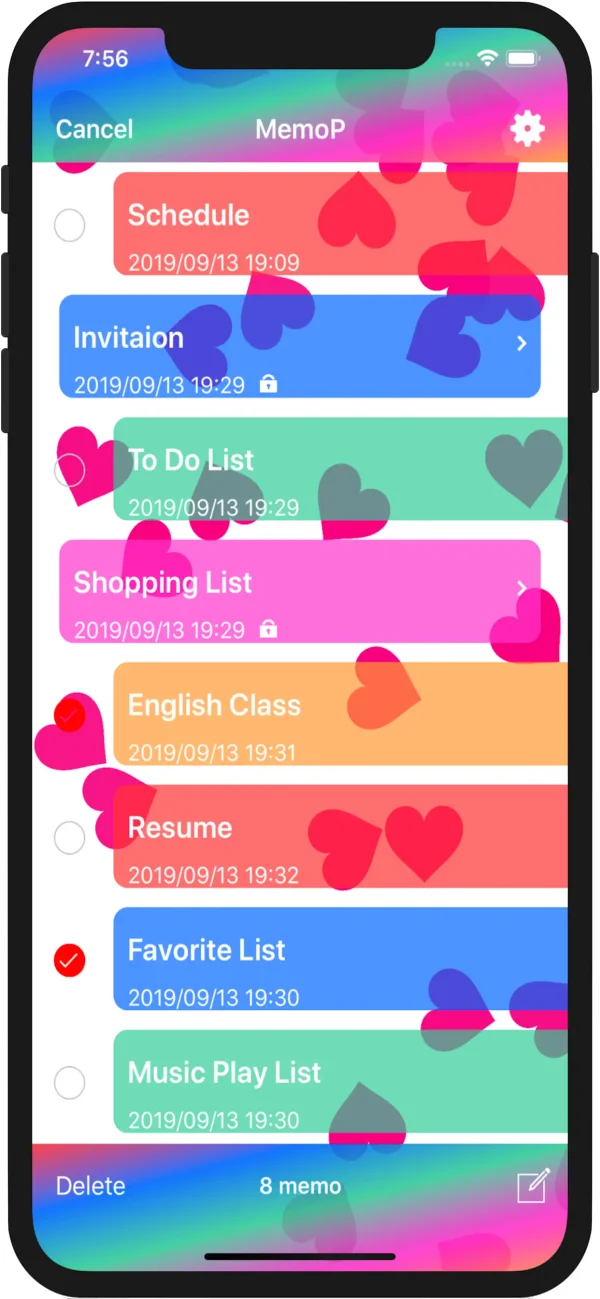
MemoP is a memo app with ease of operation, utility, password lock function.
Compatible with Touch ID / Face ID.
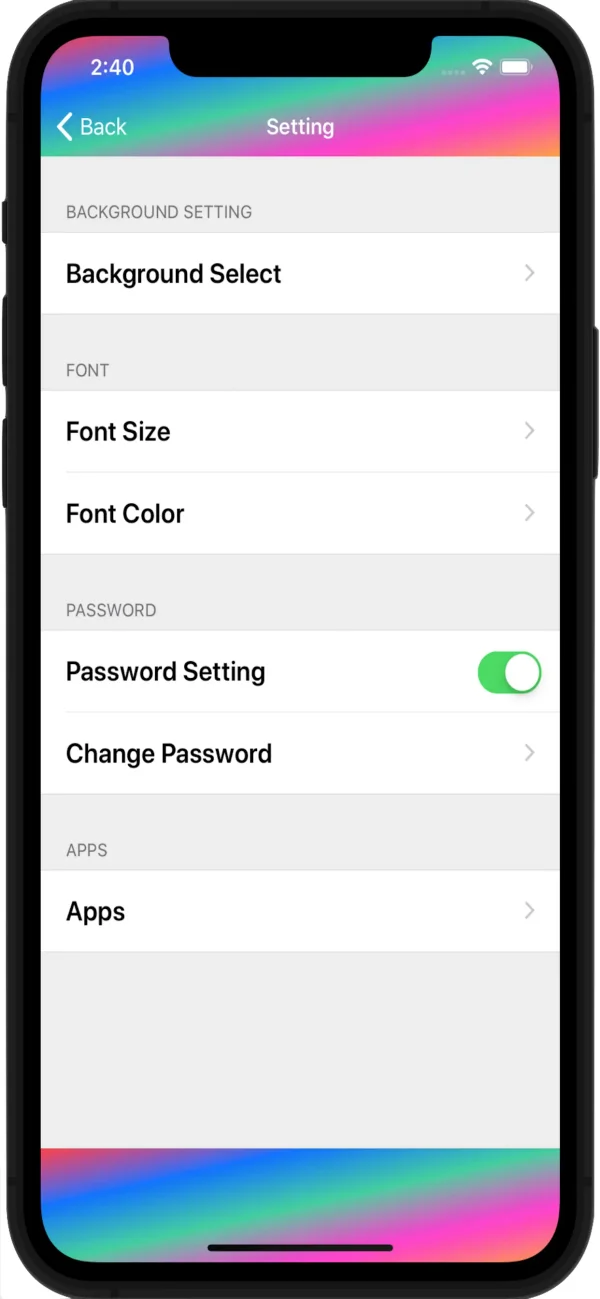
◆ Password Lock function:
- Password Lock can be selected.
- When Password Lock setting is done, it will be locked when in the background etc, so it is safe. You can also set the Touch ID / Face ID.
◆ Edit function:
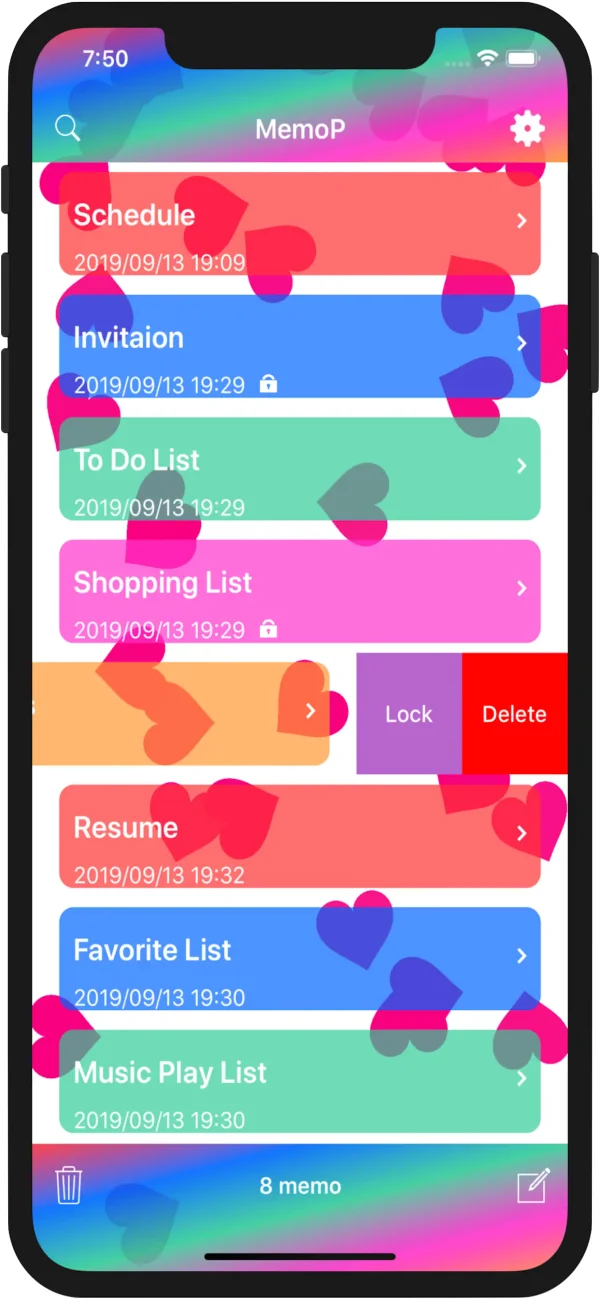
- You can move memos by dragging and dropping. Deleting notes can also be done with swipe, and operability is simplified.
- Because you can lock the edits, if you keep the important memo locked, you can prevent mistakes that you accidentally erase.
- Selective deletion, all delete functions are also included
◆ Activity function:
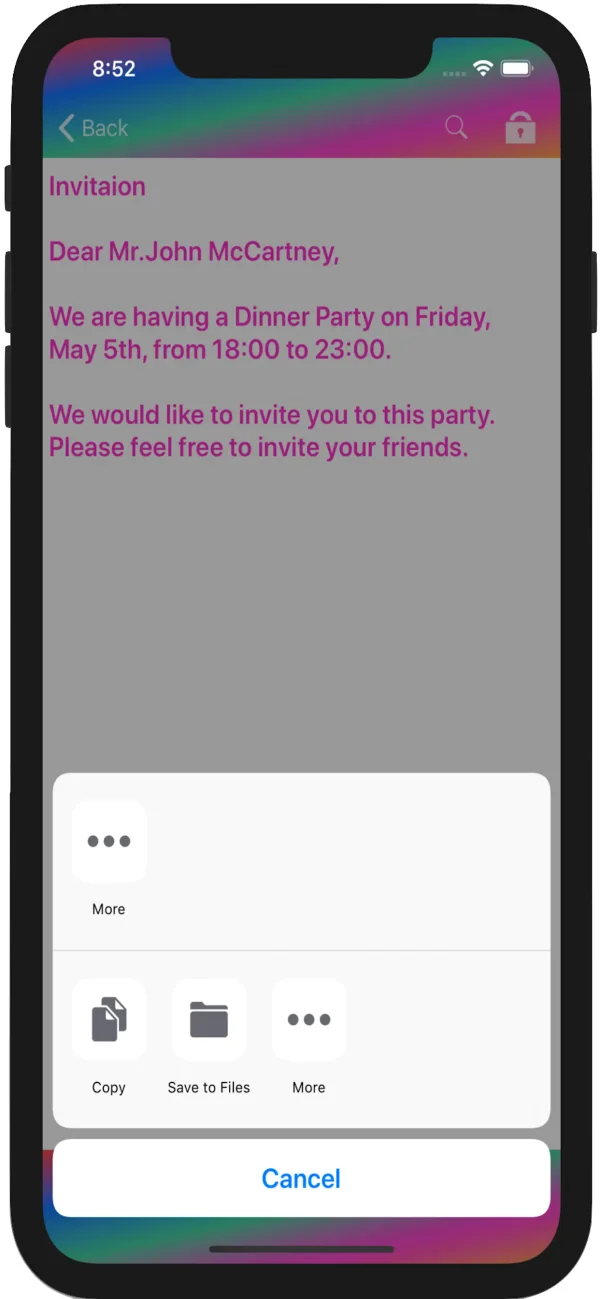
- Functions that can post directly to messages, mail, LINE, Twitter etc.
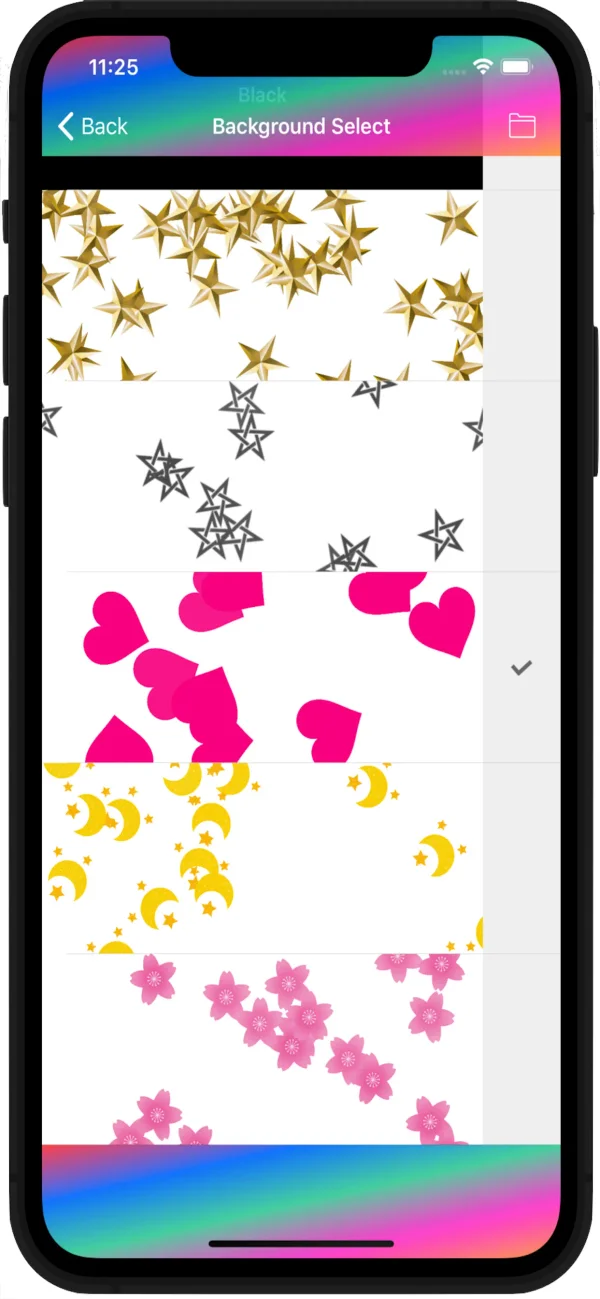
◆ Background selection function:
- You can select the background of the main screen.
In addition to existing patterns, you can also select and set images from photo albums.
◆ Search refinement function:
- It is also possible to narrow down the target memo and display it by entering a search word.
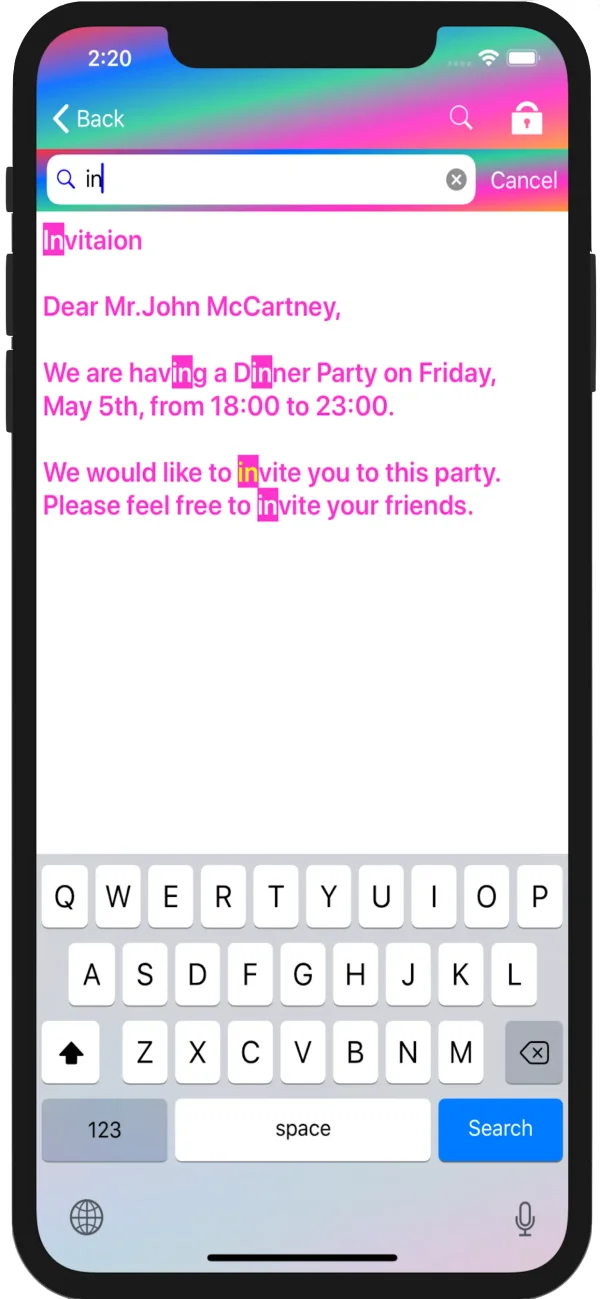
◆ Character search function on the edit screen:
- Even if you write a lot of notes, it is easy to find where you wrote it.
◆ Font setting:
- Font size can be changed (list screen, memo editing screen)
- Select font color on the memo edit screen (select from default, black, and gray)
※ The maximum number of characters that can be entered in one memo is 100,000 (6.0 or later).
※ Deleting an application will delete the saved memo data.
※ If the password is unknown, third parties can not invalidate the lock, so please be careful when managing the setting.
◆ Note:
Ads will be hidden if you pay.
Nouveautés
Version 14.5 · 03/10/2026
Minor bug fixes
Confidentialité de l’application
Ce que Masashi Sasaoka déclare sur l’App Store au sujet du traitement des données par cette application.
-
Données utilisées pour vous suivre
Peuvent être utilisées pour vous suivre sur des applications et des sites web appartenant à d’autres sociétés.
- Emplacement
-
Données n’établissant aucun lien avec vous
Peuvent être collectées, mais ne sont pas liées à votre identité.
- Emplacement
- Diagnostic
Les pratiques en matière de confidentialité peuvent varier, notamment en fonction des fonctionnalités que vous utilisez ou de votre âge.
Informations
- Vendeur
- Masashi Sasaoka
- Catégorie
- Productivité
- Version
- 14.5
- Mis à jour
- 03/10/2026
- Publié
- 30/12/2017
- Taille
- 34,1 Mo
- Nécessite
- iOS 17.0 ou version ultérieure
- Classification d’âge
- 4+
- Prix
- Gratuit
- Achats intégrés
- Oui
- Langues
- Anglais, Filipino, Hindi, Italien, Japonais, Coréen, Malais, Portugais, Chinois simplifié, Espagnol, Chinois traditionnel
- Copyright
- © 2016-2026 ms-associe
Vous aimerez peut-être aussi
-
 MesNotes - Notes SecrètesNotes avec mot de passe
-
 Bloc Note sécuriséGardez vos notes privées
-
 Notes Privées: Carnet SecretJournal intime, mot de passe
-
 Notes and Folders - NotepadProductivité
-
 Bloc Notes Calendrier RappelNote & Liste De Choses à Faire
-
 dMemoProductivité
-
 Journal Intime Secret DossierVerrouiller Notes & Remarques
-
 BestNote Bloco notas pastasNotes avec mot de passe photos
-
 Diamond Diary Notes With LockProductivité
-
 Password Manager: Mot de passeSécurisez vos Mots de Passe