
MemoP
Notepad with password lock
Dirancang untuk iPhone
Gratis · Pembelian dalam aplikasi
- Batasan usia4+
- KategoriProduktivitas
- PengembangMasashi Sasaoka
- BahasaInggris+ 10 lainnya
- Ukuran34,1 MB
Tertaut ke halaman resmi App Store
Download.org tidak menyimpan file MemoP apa pun. Tombol ini membuka halaman aplikasi di App Store, tempat Masashi Sasaoka menerbitkannya. Halaman terakhir diperiksa pada 16/11/2026.
Tangkapan layar



Tentang
Pengembang belum menyediakan teks ini dalam bahasa Anda.
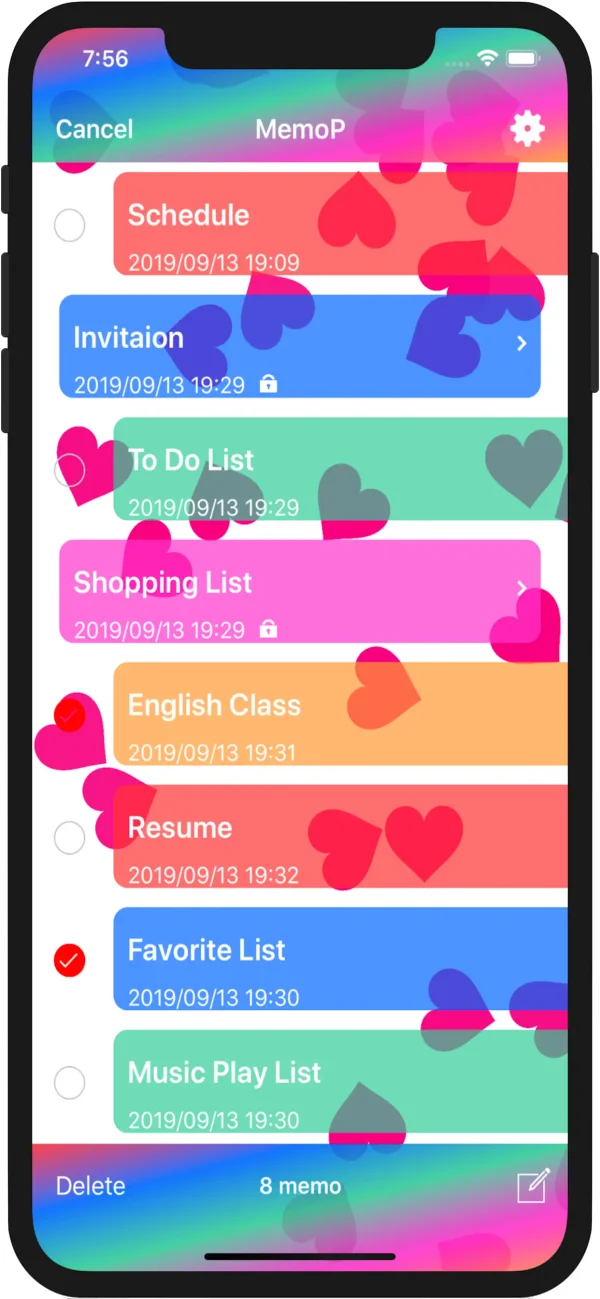
MemoP is a memo app with ease of operation, utility, password lock function.
Compatible with Touch ID / Face ID.
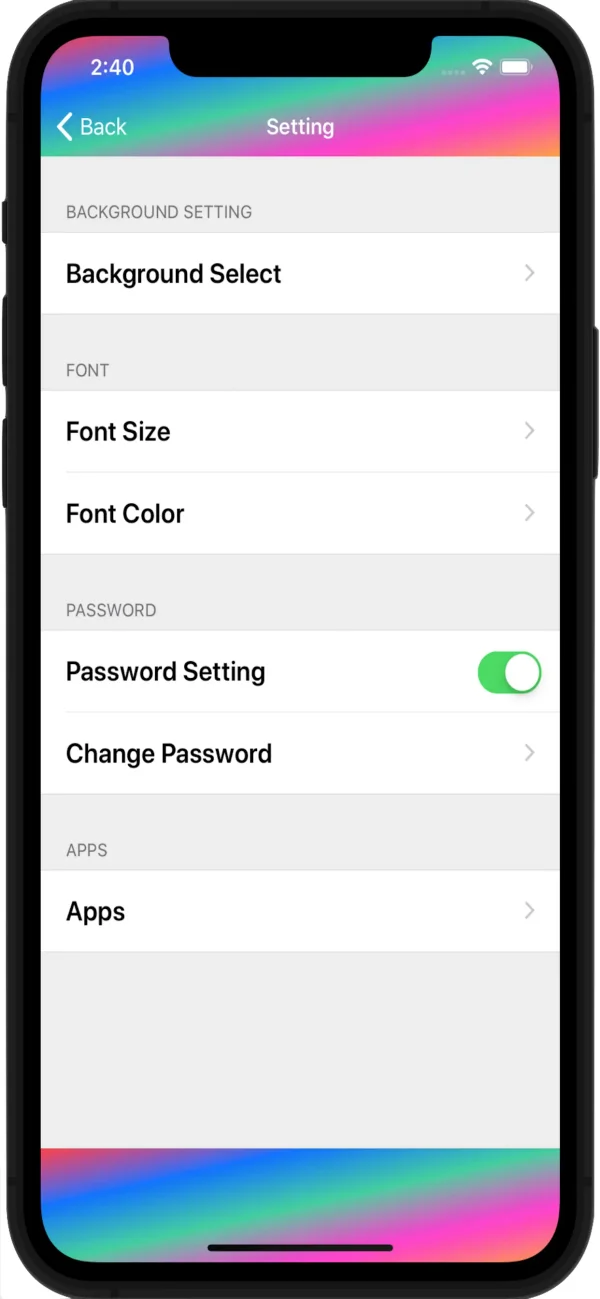
◆ Password Lock function:
- Password Lock can be selected.
- When Password Lock setting is done, it will be locked when in the background etc, so it is safe. You can also set the Touch ID / Face ID.
◆ Edit function:
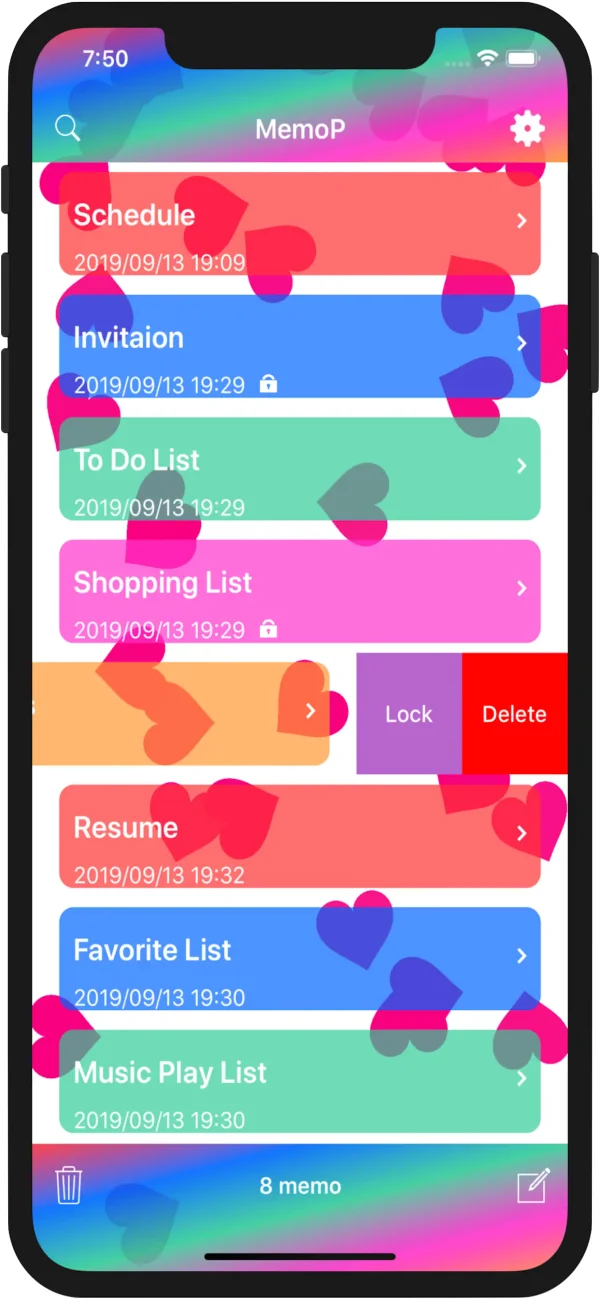
- You can move memos by dragging and dropping. Deleting notes can also be done with swipe, and operability is simplified.
- Because you can lock the edits, if you keep the important memo locked, you can prevent mistakes that you accidentally erase.
- Selective deletion, all delete functions are also included
◆ Activity function:
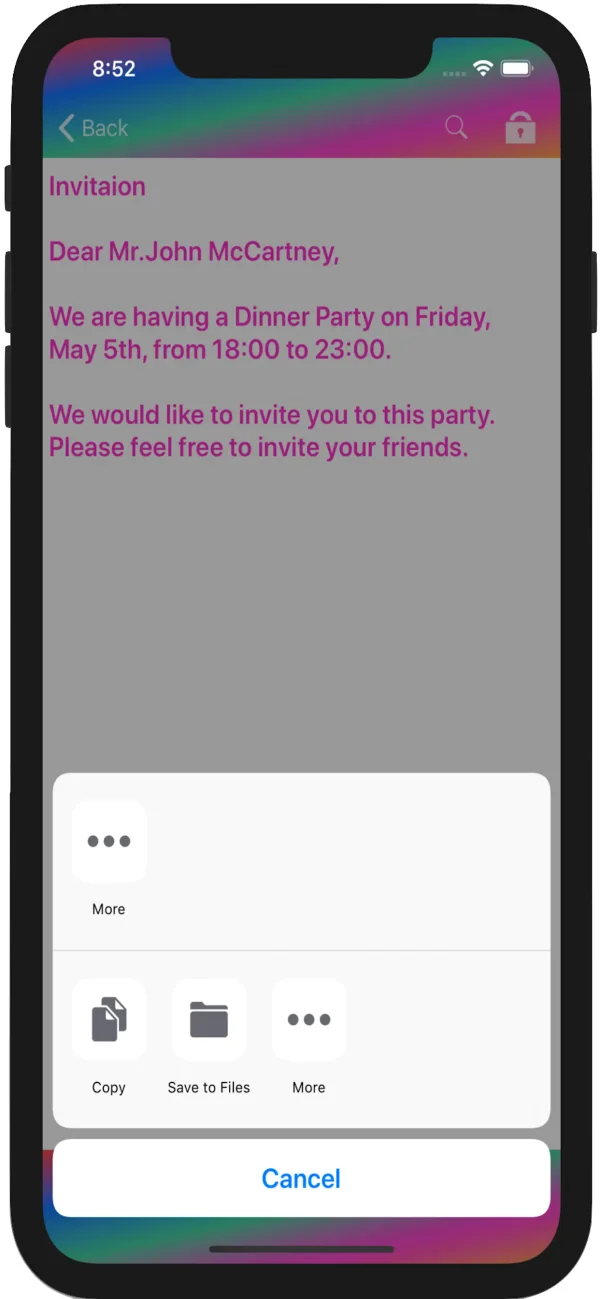
- Functions that can post directly to messages, mail, LINE, Twitter etc.
◆ Background selection function:
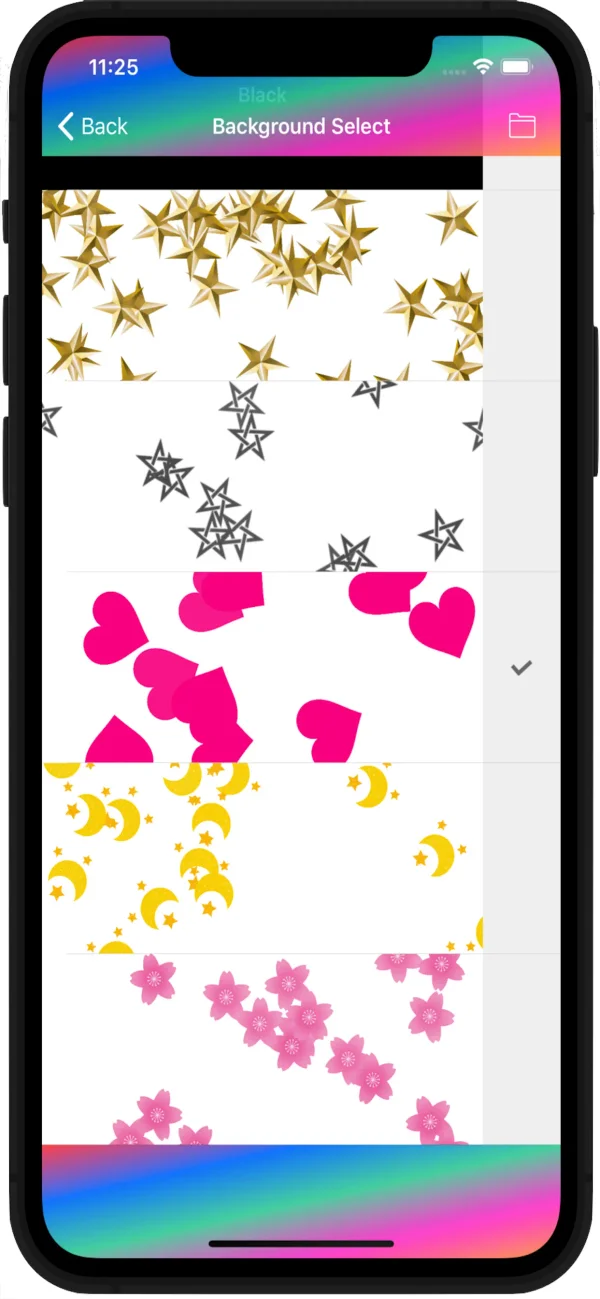
- You can select the background of the main screen.
In addition to existing patterns, you can also select and set images from photo albums.
◆ Search refinement function:
- It is also possible to narrow down the target memo and display it by entering a search word.
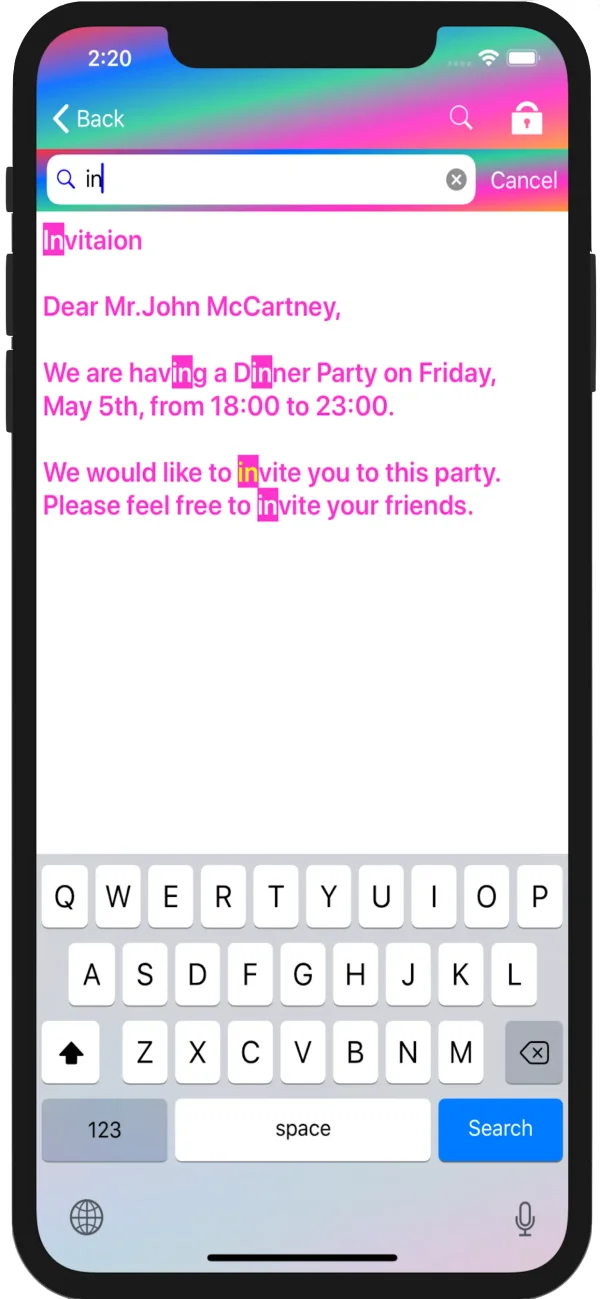
◆ Character search function on the edit screen:
- Even if you write a lot of notes, it is easy to find where you wrote it.
◆ Font setting:
- Font size can be changed (list screen, memo editing screen)
- Select font color on the memo edit screen (select from default, black, and gray)
※ The maximum number of characters that can be entered in one memo is 100,000 (6.0 or later).
※ Deleting an application will delete the saved memo data.
※ If the password is unknown, third parties can not invalidate the lock, so please be careful when managing the setting.
◆ Note:
Ads will be hidden if you pay.
Yang baru
Versi 14.5 · 3/10/2026
Minor bug fixes
Privasi aplikasi
Yang dinyatakan Masashi Sasaoka di App Store tentang cara aplikasi ini menangani data.
-
Data yang digunakan untuk melacak Anda
Dapat digunakan untuk melacak Anda di aplikasi dan situs web milik perusahaan lain.
- Lokasi
-
Data yang tidak ditautkan dengan Anda
Dapat dikumpulkan, tetapi tidak ditautkan dengan identitas Anda.
- Lokasi
- Diagnostik
Praktik privasi dapat bervariasi, misalnya berdasarkan fitur yang Anda gunakan atau usia Anda.
Informasi
- Penjual
- Masashi Sasaoka
- Kategori
- Produktivitas
- Versi
- 14.5
- Diperbarui
- 3/10/2026
- Dirilis
- 30/12/2017
- Ukuran
- 34,1 MB
- Memerlukan
- iOS 17.0 atau yang lebih baru
- Batasan usia
- 4+
- Harga
- Gratis
- Pembelian dalam aplikasi
- Ya
- Bahasa
- Inggris, Filipino, Hindi, Italia, Jepang, Korea, Bahasa Melayu, Portugis, Tionghoa Sederhana, Spanyol, Tionghoa Tradisional
- Hak cipta
- © 2016-2026 ms-associe
Mungkin Anda juga suka
-
 MyNotes - Notes with LockProduktivitas
-
 Catatan PribadiCatatan Kata Sandi Rahasia
-
 Catatan Rahasia: Buku & JurnalKunci Kata Sandi, Teks & Foto
-
 Notes and Folders - NotepadProduktivitas
-
 Catatan Warna Kunci & To DoPengingat, Suara & Memo
-
 dMemoProduktivitas
-
 My Super Secret Diary NotesProduktivitas
-
 Simple Notepad -BestNote-Produktivitas
-
 Diamond Diary Notes With LockProduktivitas
-
 Password - Kunci AplikasiIsiOtomatis Kata & Kode Sandi