
- Classification d’âge4+
- CatégorieProductivité
- DéveloppeurTorsten Duerr
- LanguesAllemand+ 1 de plus
- Taille24,5 Mo
Noteplicity n’est peut-être pas disponible sur App Store pour le moment
La fiche de la boutique était inaccessible lors de notre dernière vérification. Le lien mène toujours à la page App Store officielle.
Captures d’écran


À propos
Le développeur n’a pas fourni ce texte dans votre langue.
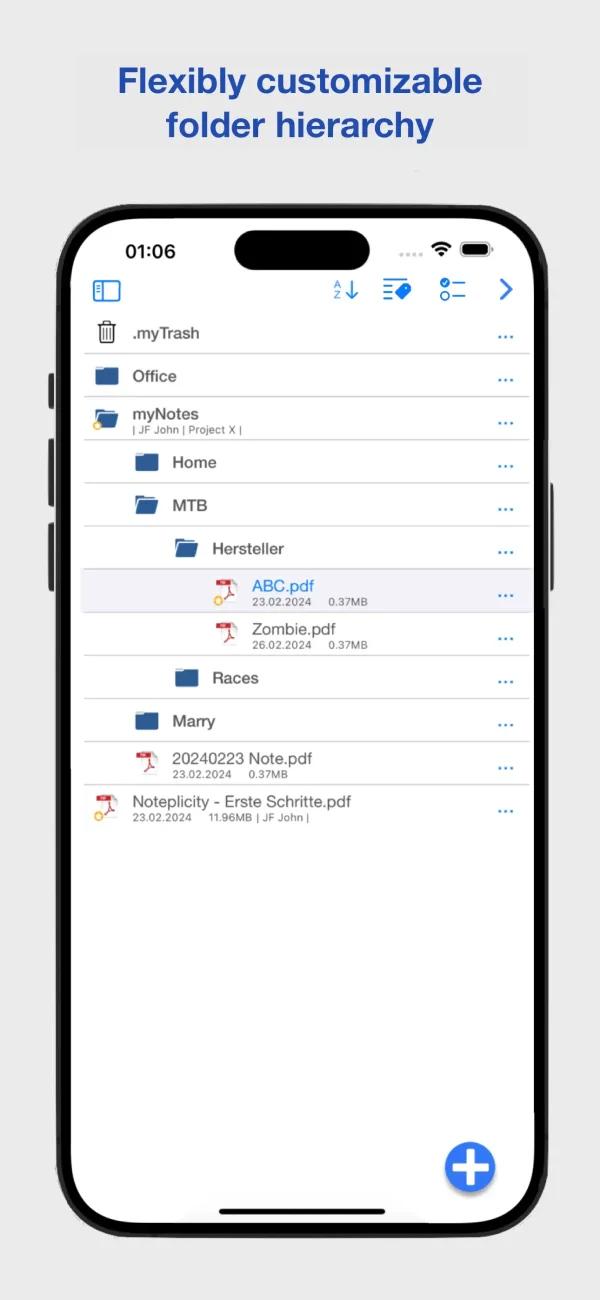
Organize your daily work and handwritten notes in PDF documents with a expandable folder hierarchy and with individual #tags
ORGANIZE YOUR NOTES AND PDF FILES IN A FLEXIBLE HIERARCHY
• Flexibly create and modify your personal directory view
• Create blank PDF files, scan your documents to PDF and import PDFs from other sources into your individual folder structure
• Display multiple folders simultanously on your screen in an expandable tree view
• Optionally disable the view as an expandable tree and always display only the current folder on your screen
• Easily move your files with Drag & Drop
• Search for file names and text based file content
• Save time with standard patterns for new file names, standard page sizes and page backgrounds
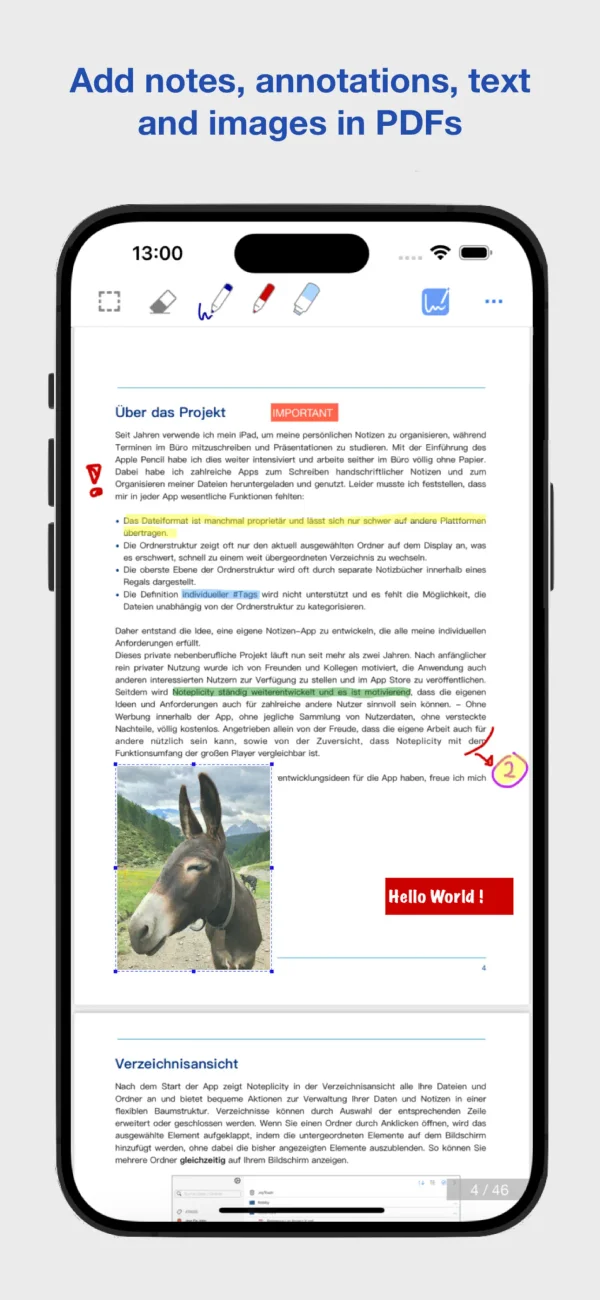
VIEW AND ANNOTATE PDF DOCUMENTS
• Annotate your PDF files with text, geometric shapes, highlight, underline and strike through
• Insert images and add your handwritten notes with Apple Pencil
• Make your notes colorful and create your own standard color palette
• Created notes are listed in a file to quickly jump to the already edited pages
• Organize pages inside your files in thumb view
• OCR: Import editable text passages from your photo library or from live scanned documents
• Use a Laser Pointer to highlight areas on your screen while presenting your documents
TAKE YOUR HANDWRITTEN NOTES
• Have great writing experience with Apple Pencil and capture your notes in easy to share PDF files
• Scribble: Convert your handwritten notes to text while adding text annotations
• Add perfect geometric shapes as you draw with automatic shape recognition
• Delete your notes by simply crossing them out with your pencil
• Define how many individually customizable pens are displayed in the menu bar while editing your notes
• Save annotations as templates in your personal library and reuse them easily at any position in a document
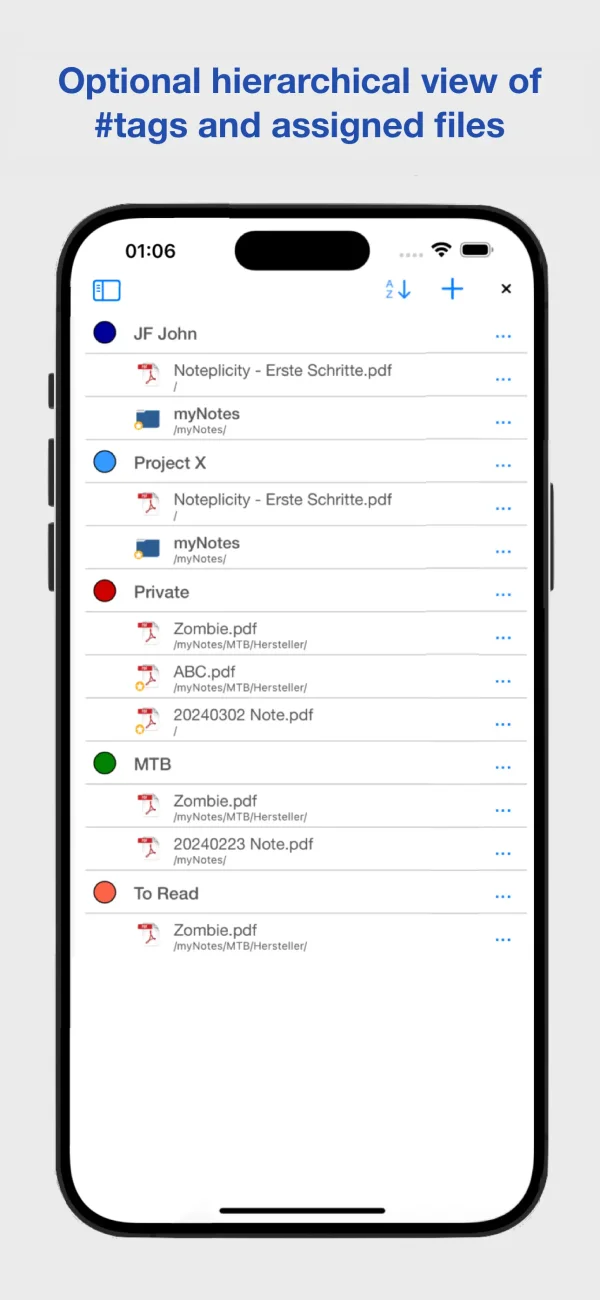
ORGANIZE YOUR FILES AND NOTES WITH INDIVIDUAL #TAGS
• Create and manage your personal #tags and apply individual colors
• Easily assign your #tags to your files
• Filter your data in a directory view or in a certain tree of #tags
• Create bookmarks in your files, name them individually and access them inside and outside of your documents
• Bookmarks, favorite- and recent files are always easily accessible in a sidebar
USE iOS MULTITASKING AND MANAGE MULTIPLE WINDOWS IN PARALLEL
• Use iOS multitasking features with Split View, Slide Over and Stage Manager and manage multiple windows simultaneously
• Open Noteplicity and pair it simultaneously with other apps on the same screen
• Work in parallel in multiple Noteplicity windows and edit multiple documents simultaneously
• Drag & drop files and folders between two Noteplicity windows
• Copy pages between two windows by Drag & Drop in Thumb View
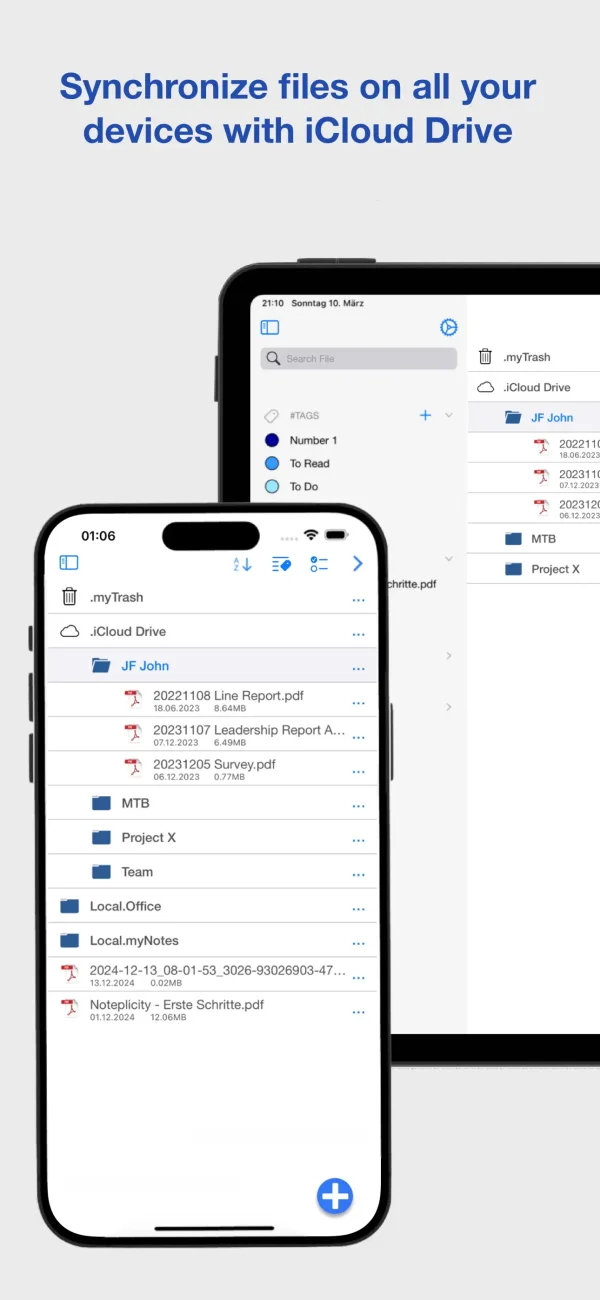
SYNC AND SHARE YOUR FILES
• Save your files to iCloud Drive and make them available on any device
• Use Noteplicity also on your iPhone, to display and manage files synchronized with iCloud
• Distribute your notes to any operating system thanks to PDF format
• Share your notes by AirDrop, E-Mail or iOS Folder App
Noteplicity is optimized for Apple Pencil.
Nouveautés
Version 2.9.3 · 01/04/2026
Bug fixes and stability improvements.
Confidentialité de l’application
Ce que Torsten Duerr déclare sur l’App Store au sujet du traitement des données par cette application.
-
Données non collectées
Le développeur ne collecte aucune donnée à partir de cette application.
Les pratiques en matière de confidentialité peuvent varier, notamment en fonction des fonctionnalités que vous utilisez ou de votre âge.
Informations
- Vendeur
- Torsten Duerr
- Catégorie
- Productivité
- Version
- 2.9.3
- Mis à jour
- 01/04/2026
- Publié
- 22/07/2020
- Taille
- 24,5 Mo
- Nécessite
- iOS 13.0 ou version ultérieure
- Classification d’âge
- 4+
- Langues
- Allemand, Anglais
- Copyright
- © 2020-2025 Torsten Dürr
Vous aimerez peut-être aussi
-
 myNotes - WhiteboardProductivité
-
 CanvasNoteThe ultimate note-taking app
-
 JottreÉcriture minimaliste
-
 NoteEase-Cahier d'écritureManuel électronique、Notebook
-
 QuickNotes X: Notes, AI & PDFNote-Taking, Made Easy.
-
 Stift: agenda et calendrierDessiner et écrire Calendrier
-
 SuperNotesPrise de note avec Pencil
-
 Notes: Prise de note & carnetTableau blanc, lecteur PDF
-
 LinHand-notes manuscritesnotes et PDF
-
 SoftMaker PresentationsProductivité