
- 対象年齢4+
- カテゴリ仕事効率化
- 開発元Torsten Duerr
- 言語ドイツ語ほか1言語
- サイズ24.5 MB
Noteplicityは現在App Storeで入手できない可能性があります
前回の確認時、ストアのページにアクセスできませんでした。リンク先は引き続きApp Storeの公式ページです。
スクリーンショット


概要
開発元はこのテキストをお使いの言語で提供していません。
Organize your daily work and handwritten notes in PDF documents with a expandable folder hierarchy and with individual #tags
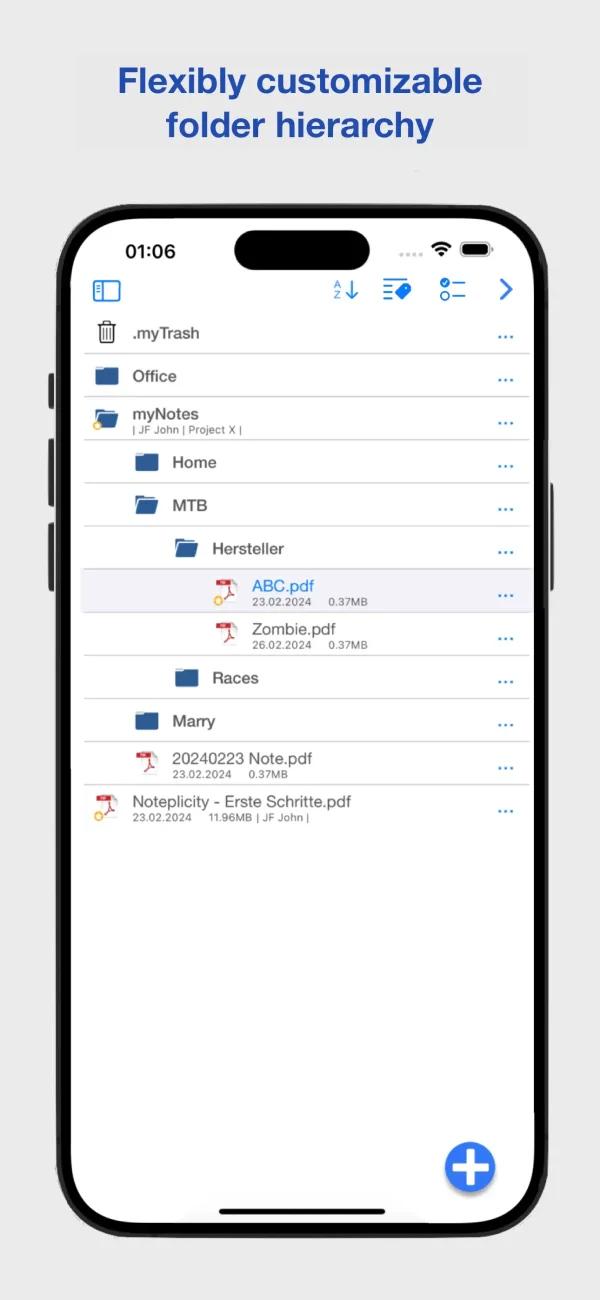
ORGANIZE YOUR NOTES AND PDF FILES IN A FLEXIBLE HIERARCHY
• Flexibly create and modify your personal directory view
• Create blank PDF files, scan your documents to PDF and import PDFs from other sources into your individual folder structure
• Display multiple folders simultanously on your screen in an expandable tree view
• Optionally disable the view as an expandable tree and always display only the current folder on your screen
• Easily move your files with Drag & Drop
• Search for file names and text based file content
• Save time with standard patterns for new file names, standard page sizes and page backgrounds
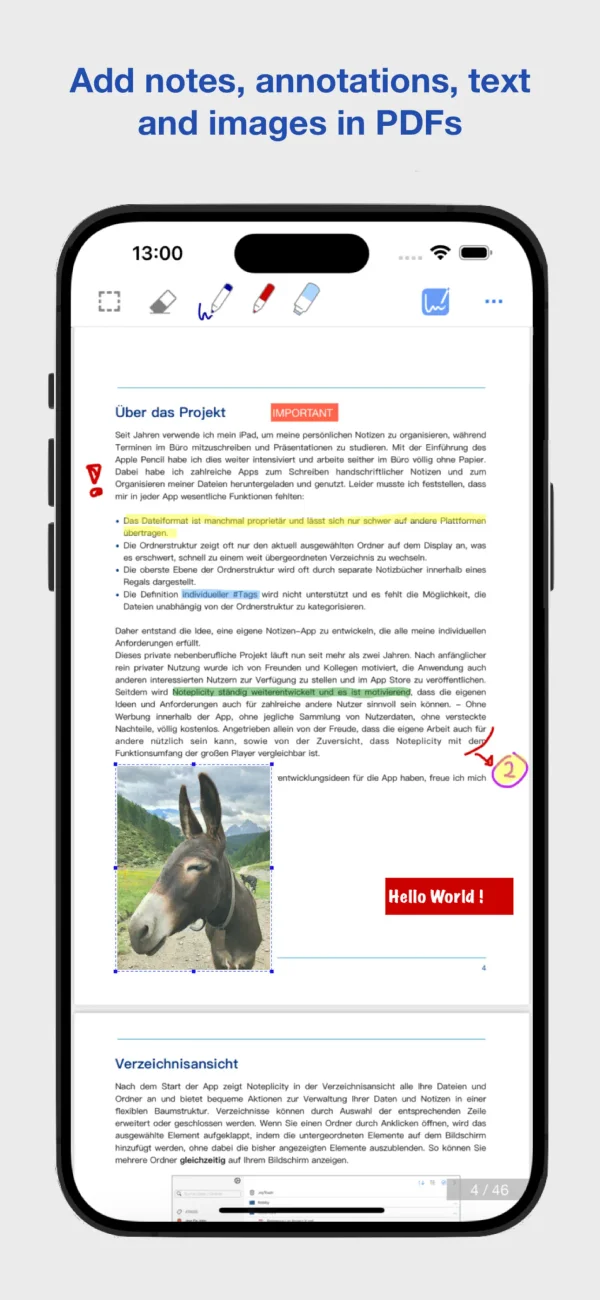
VIEW AND ANNOTATE PDF DOCUMENTS
• Annotate your PDF files with text, geometric shapes, highlight, underline and strike through
• Insert images and add your handwritten notes with Apple Pencil
• Make your notes colorful and create your own standard color palette
• Created notes are listed in a file to quickly jump to the already edited pages
• Organize pages inside your files in thumb view
• OCR: Import editable text passages from your photo library or from live scanned documents
• Use a Laser Pointer to highlight areas on your screen while presenting your documents
TAKE YOUR HANDWRITTEN NOTES
• Have great writing experience with Apple Pencil and capture your notes in easy to share PDF files
• Scribble: Convert your handwritten notes to text while adding text annotations
• Add perfect geometric shapes as you draw with automatic shape recognition
• Delete your notes by simply crossing them out with your pencil
• Define how many individually customizable pens are displayed in the menu bar while editing your notes
• Save annotations as templates in your personal library and reuse them easily at any position in a document
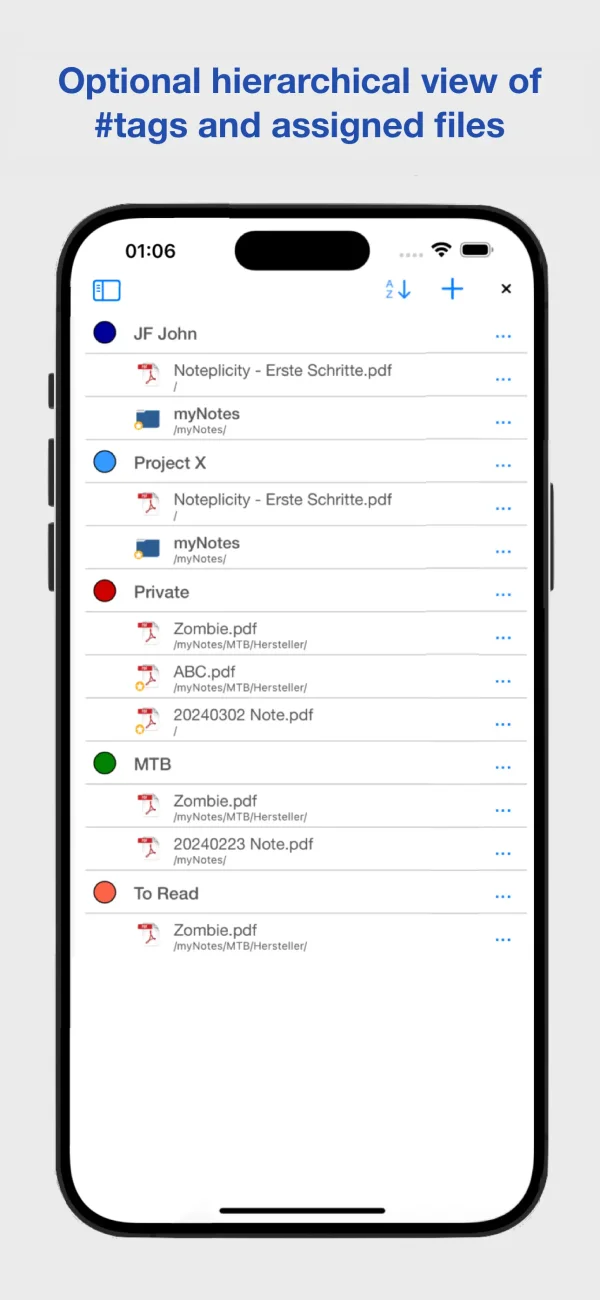
ORGANIZE YOUR FILES AND NOTES WITH INDIVIDUAL #TAGS
• Create and manage your personal #tags and apply individual colors
• Easily assign your #tags to your files
• Filter your data in a directory view or in a certain tree of #tags
• Create bookmarks in your files, name them individually and access them inside and outside of your documents
• Bookmarks, favorite- and recent files are always easily accessible in a sidebar
USE iOS MULTITASKING AND MANAGE MULTIPLE WINDOWS IN PARALLEL
• Use iOS multitasking features with Split View, Slide Over and Stage Manager and manage multiple windows simultaneously
• Open Noteplicity and pair it simultaneously with other apps on the same screen
• Work in parallel in multiple Noteplicity windows and edit multiple documents simultaneously
• Drag & drop files and folders between two Noteplicity windows
• Copy pages between two windows by Drag & Drop in Thumb View
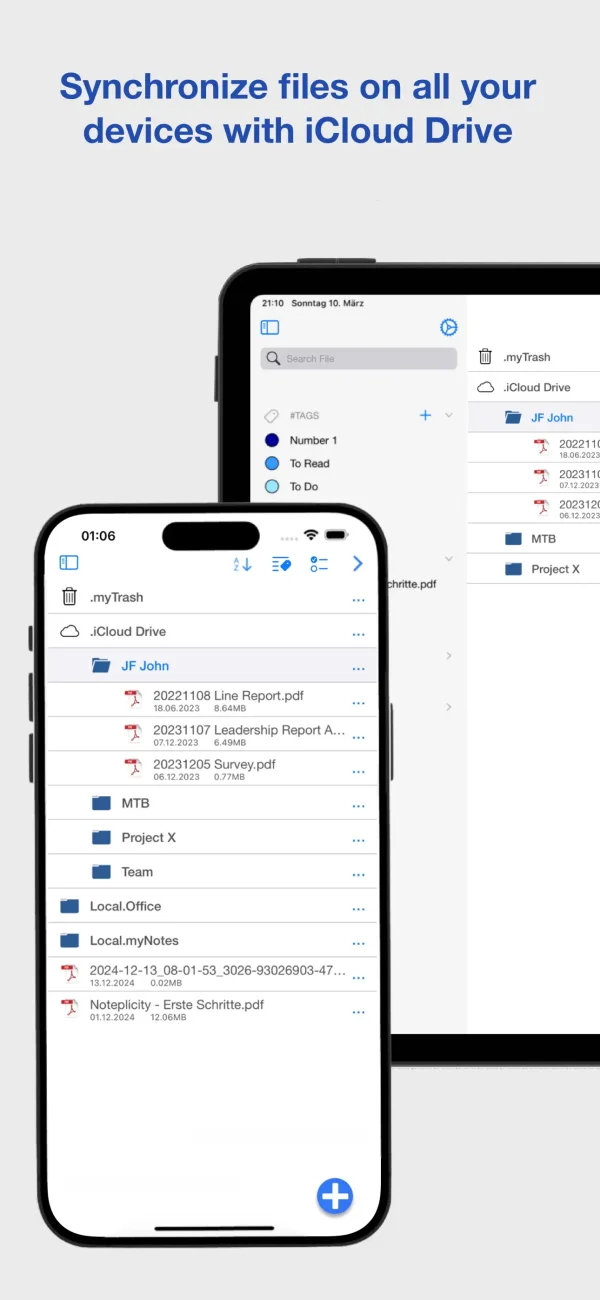
SYNC AND SHARE YOUR FILES
• Save your files to iCloud Drive and make them available on any device
• Use Noteplicity also on your iPhone, to display and manage files synchronized with iCloud
• Distribute your notes to any operating system thanks to PDF format
• Share your notes by AirDrop, E-Mail or iOS Folder App
Noteplicity is optimized for Apple Pencil.
新機能
バージョン 2.9.3 · 2026/4/1
Bug fixes and stability improvements.
アプリのプライバシー
このアプリのデータの取り扱いについて、Torsten DuerrがApp Storeで申告している内容です。
-
データの収集なし
開発元はこのアプリからデータを収集しません。
プライバシーの取り扱いは、ご利用の機能やお客様の年齢などに応じて異なる場合があります。
情報
- 販売元
- Torsten Duerr
- カテゴリ
- 仕事効率化
- バージョン
- 2.9.3
- 更新日
- 2026/4/1
- リリース
- 2020/7/22
- サイズ
- 24.5 MB
- 必要条件
- iOS 13.0以降
- 対象年齢
- 4+
- 言語
- ドイツ語, 英語
- 著作権
- © 2020-2025 Torsten Dürr
こちらもおすすめ
-
 myNotes - Whiteboard仕事効率化
-
 CanvasNote仕事効率化
-
 Jottre仕事効率化
-
 NoteEase-ノートのメモ帳&仕事や授業のメモメモ、ドキュメント、タスク、議事録やテキストエディタ
-
 QuickNotes X: Notes, AI & PDF仕事効率化
-
 Pencil Planner - Stift仕事効率化
-
 SuperNotes ·手書きノート Pencilで
-
 ノート: 手書きメモ, PDF 書 き 込 みメモ 帳, ペンマーク, 勉強 ノート
-
 LinHand-手書きのメモノートとPDF
-
 SoftMaker PresentationsFull-featured presentation app