- Batasan usia4+
- KategoriProduktivitas
- PengembangTorsten Duerr
- BahasaJerman+ 1 lainnya
- Ukuran24,5 MB
Noteplicity mungkin sedang tidak tersedia di App Store
Halaman di toko tidak dapat dijangkau saat terakhir kami periksa. Tautan tetap mengarah ke halaman resmi App Store.
Tangkapan layar


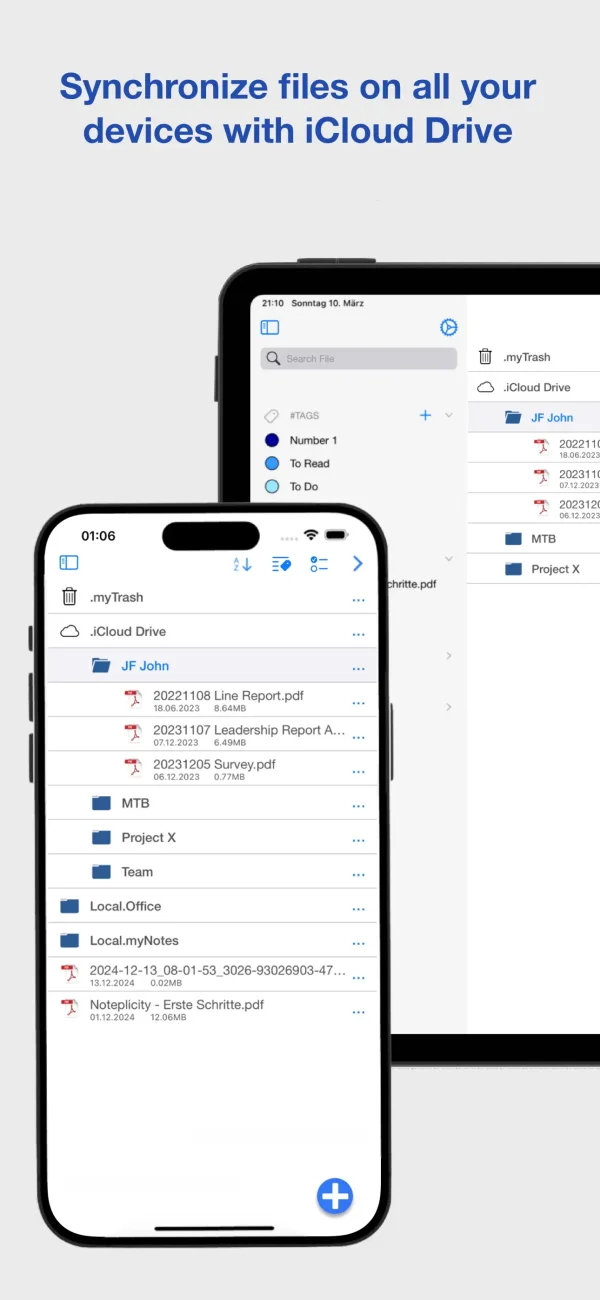
Tentang
Pengembang belum menyediakan teks ini dalam bahasa Anda.
Organize your daily work and handwritten notes in PDF documents with a expandable folder hierarchy and with individual #tags
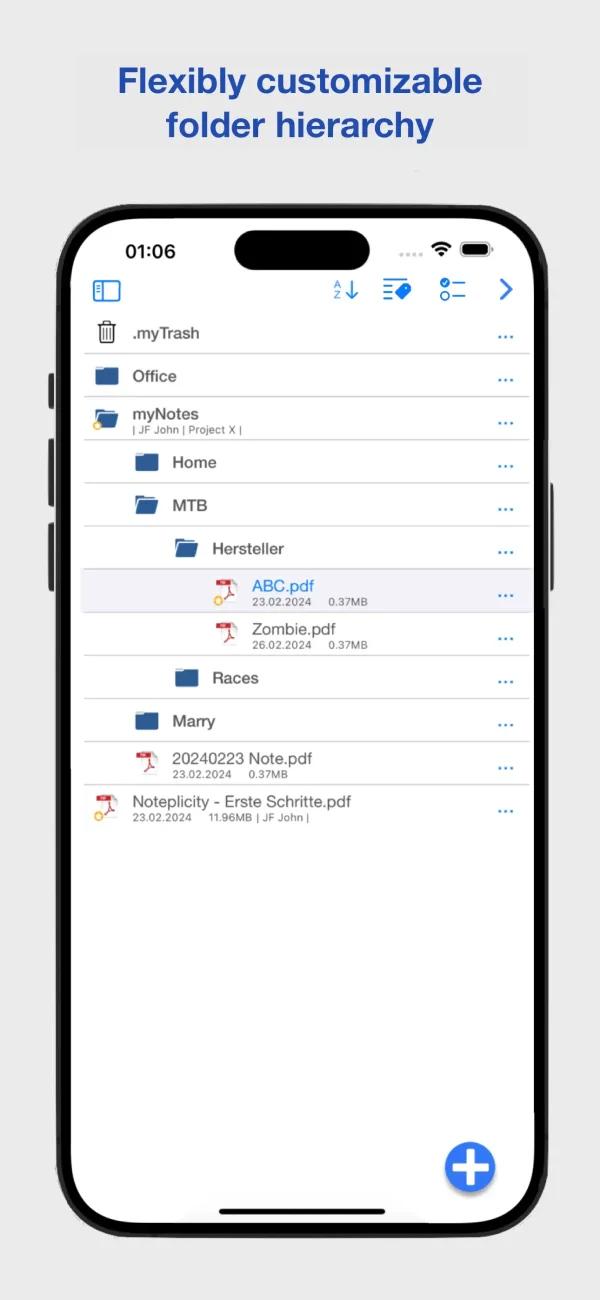
ORGANIZE YOUR NOTES AND PDF FILES IN A FLEXIBLE HIERARCHY
• Flexibly create and modify your personal directory view
• Create blank PDF files, scan your documents to PDF and import PDFs from other sources into your individual folder structure
• Display multiple folders simultanously on your screen in an expandable tree view
• Optionally disable the view as an expandable tree and always display only the current folder on your screen
• Easily move your files with Drag & Drop
• Search for file names and text based file content
• Save time with standard patterns for new file names, standard page sizes and page backgrounds
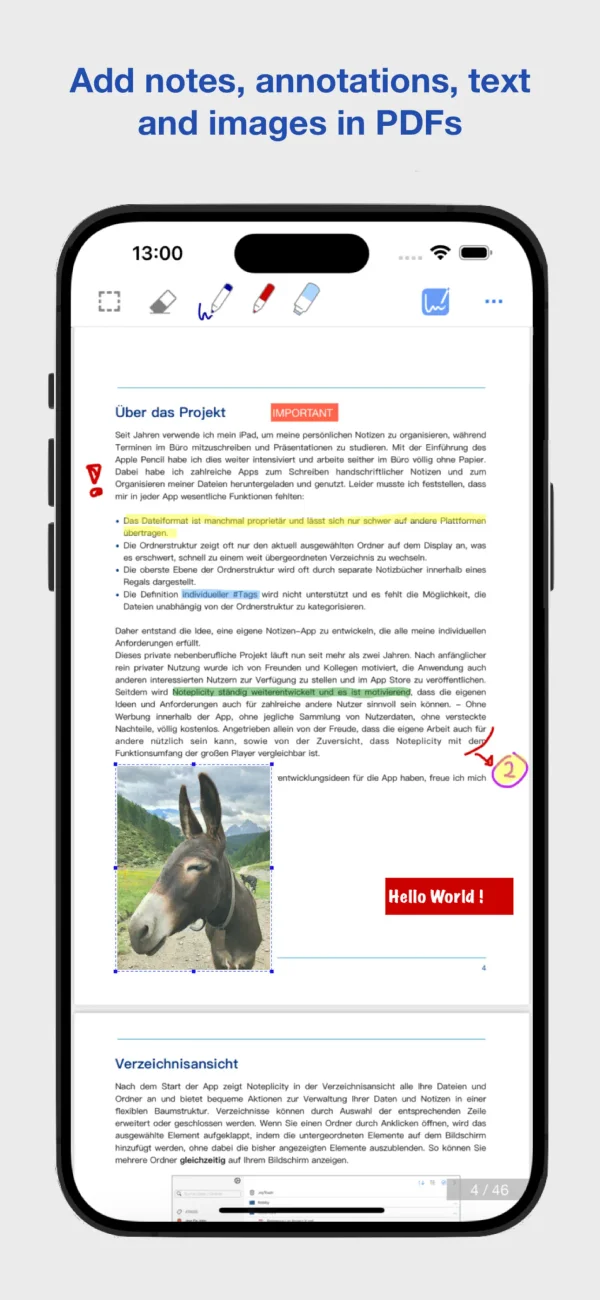
VIEW AND ANNOTATE PDF DOCUMENTS
• Annotate your PDF files with text, geometric shapes, highlight, underline and strike through
• Insert images and add your handwritten notes with Apple Pencil
• Make your notes colorful and create your own standard color palette
• Created notes are listed in a file to quickly jump to the already edited pages
• Organize pages inside your files in thumb view
• OCR: Import editable text passages from your photo library or from live scanned documents
• Use a Laser Pointer to highlight areas on your screen while presenting your documents
TAKE YOUR HANDWRITTEN NOTES
• Have great writing experience with Apple Pencil and capture your notes in easy to share PDF files
• Scribble: Convert your handwritten notes to text while adding text annotations
• Add perfect geometric shapes as you draw with automatic shape recognition
• Delete your notes by simply crossing them out with your pencil
• Define how many individually customizable pens are displayed in the menu bar while editing your notes
• Save annotations as templates in your personal library and reuse them easily at any position in a document
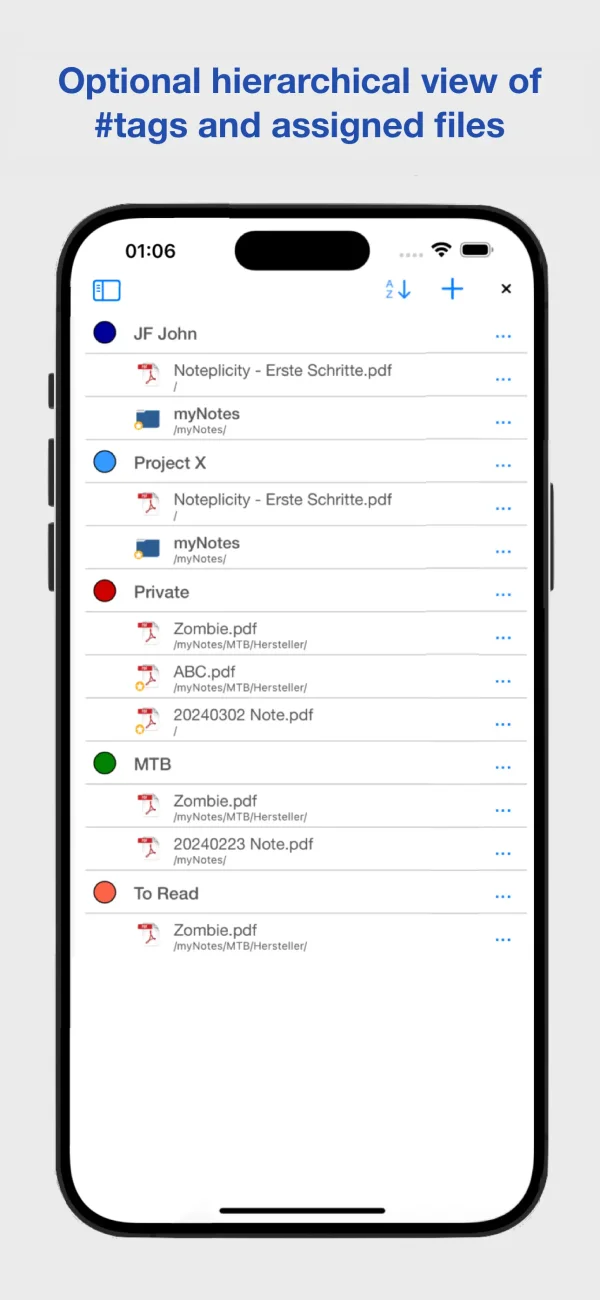
ORGANIZE YOUR FILES AND NOTES WITH INDIVIDUAL #TAGS
• Create and manage your personal #tags and apply individual colors
• Easily assign your #tags to your files
• Filter your data in a directory view or in a certain tree of #tags
• Create bookmarks in your files, name them individually and access them inside and outside of your documents
• Bookmarks, favorite- and recent files are always easily accessible in a sidebar
USE iOS MULTITASKING AND MANAGE MULTIPLE WINDOWS IN PARALLEL
• Use iOS multitasking features with Split View, Slide Over and Stage Manager and manage multiple windows simultaneously
• Open Noteplicity and pair it simultaneously with other apps on the same screen
• Work in parallel in multiple Noteplicity windows and edit multiple documents simultaneously
• Drag & drop files and folders between two Noteplicity windows
• Copy pages between two windows by Drag & Drop in Thumb View
SYNC AND SHARE YOUR FILES
• Save your files to iCloud Drive and make them available on any device
• Use Noteplicity also on your iPhone, to display and manage files synchronized with iCloud
• Distribute your notes to any operating system thanks to PDF format
• Share your notes by AirDrop, E-Mail or iOS Folder App
Noteplicity is optimized for Apple Pencil.
Yang baru
Versi 2.9.3 · 1/4/2026
Bug fixes and stability improvements.
Privasi aplikasi
Yang dinyatakan Torsten Duerr di App Store tentang cara aplikasi ini menangani data.
-
Data tidak dikumpulkan
Pengembang tidak mengumpulkan data apa pun dari aplikasi ini.
Praktik privasi dapat bervariasi, misalnya berdasarkan fitur yang Anda gunakan atau usia Anda.
Informasi
- Penjual
- Torsten Duerr
- Kategori
- Produktivitas
- Versi
- 2.9.3
- Diperbarui
- 1/4/2026
- Dirilis
- 22/7/2020
- Ukuran
- 24,5 MB
- Memerlukan
- iOS 13.0 atau yang lebih baru
- Batasan usia
- 4+
- Bahasa
- Jerman, Inggris
- Hak cipta
- © 2020-2025 Torsten Dürr
Mungkin Anda juga suka
-
 myNotes - WhiteboardProduktivitas
-
 CanvasNoteProduktivitas
-
 JottreProduktivitas
-
 NoteEase-Recording Made EasyProduktivitas
-
 QuickNotes X: Notes, AI & PDFProduktivitas
-
 Pencil Planner - StiftProduktivitas
-
 SuperNotesCatatan tulisan dengan Pencil
-
 Memo: PDF, Catatan & JurnalNotes, Buku Harian, Dokumen
-
 LinHand-catatan tulisan tangancatatan & PDF
-
 SoftMaker PresentationsFull-featured presentation app