Page Translator
Translate any page you scan
Conçue pour iPhone, iPad, iPod touch
Gratuit · Achats intégrés
- Classification d’âge4+
- CatégorieProductivité
- DéveloppeurTHE CLEVER APP COMPANY LIMITED
- LanguesAnglais
- Taille47,5 Mo
Renvoie vers la page App Store officielle
Download.org n’héberge aucun fichier de Page Translator. Le bouton ouvre la page de l’application sur App Store, où THE CLEVER APP COMPANY LIMITED la publie. Fiche vérifiée pour la dernière fois le 15/11/2026.
Captures d’écran



À propos
Le développeur n’a pas fourni ce texte dans votre langue.
Page Translator turns printed pages, PDFs, photos and copied text into readable translations.
Scan a page with your camera, open a photo or PDF, or import text from another app. Choose a source and target language from more than 50 languages, then translate the content on your device.
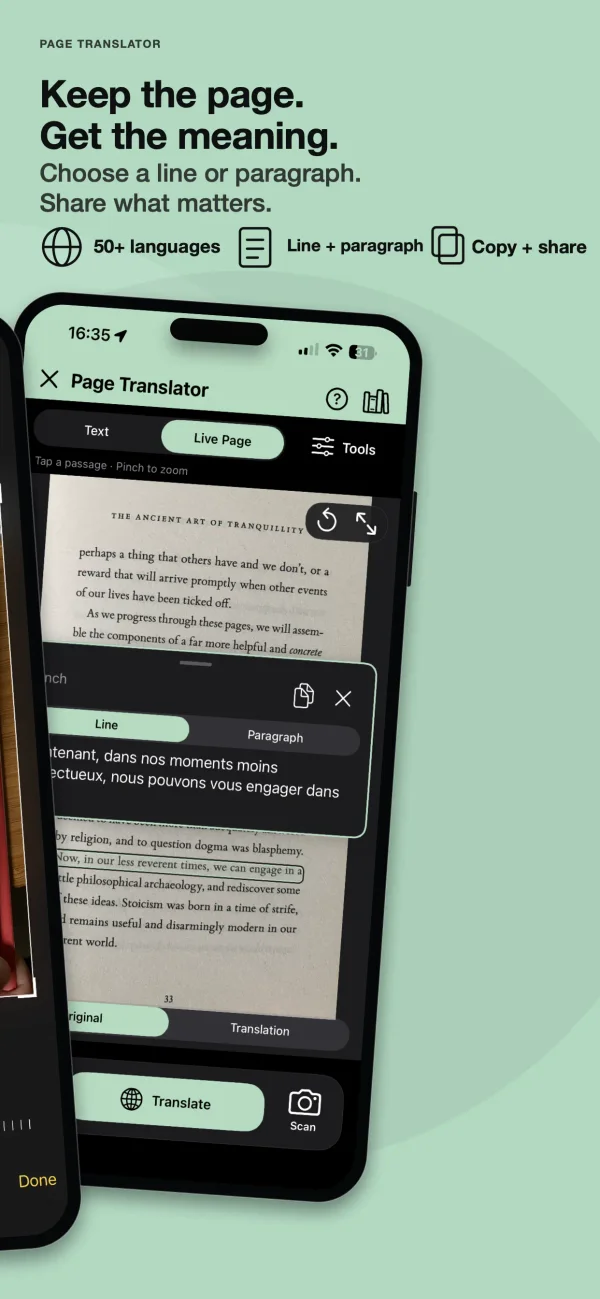
Live Page Viewer keeps the original page visible while translations stay connected to the source. Tap a line for a quick translation, press and hold for a paragraph, or translate the whole page in a clear, scrollable reading layer.
Use Show on Page to return to the matching passage in the original image. Translation cards can be moved, copied, closed, retried and reset without losing the source page.
FEATURES
• Scan pages with the camera
• Use page-alignment guides, tap-to-focus and zoom
• Open photos from your photo library
• Choose individual photos when using limited Photos access
• Import selectable-text or scanned PDFs
• Import PDFs up to 25 MB and five pages
• Recognise paragraphs, numbered lists and natural sentence structure
• Choose automatic or manual source-language recognition
• Translate individual lines
• Translate complete paragraphs
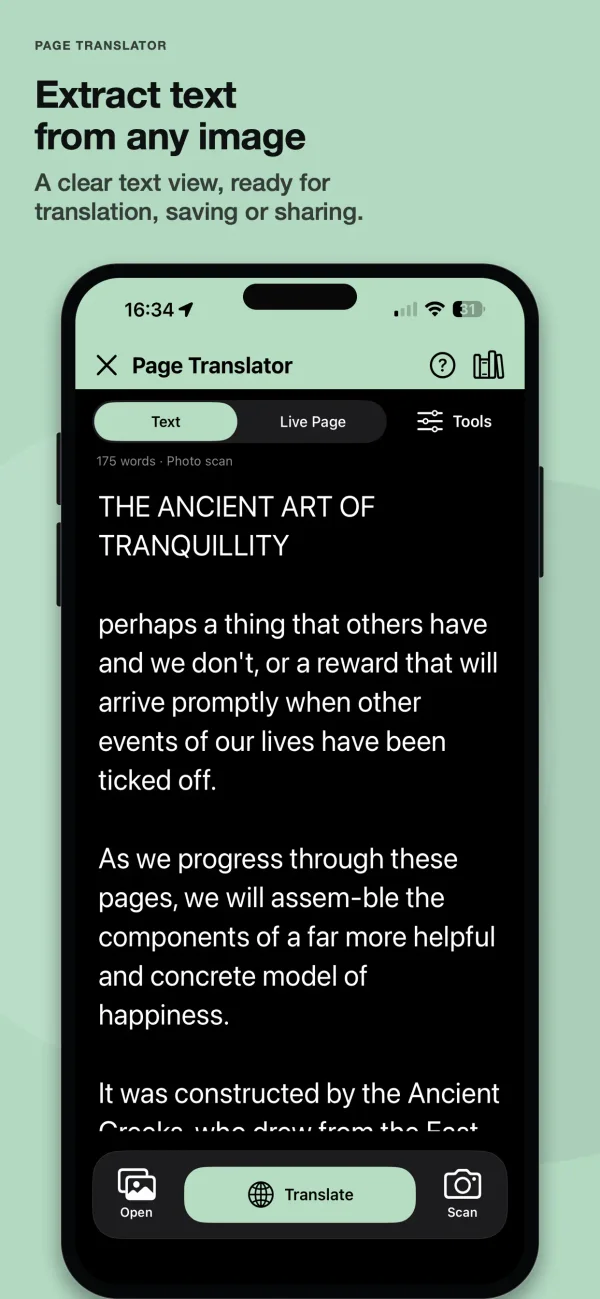
• Translate the whole page in a readable view
• Show translated passages on the original photo
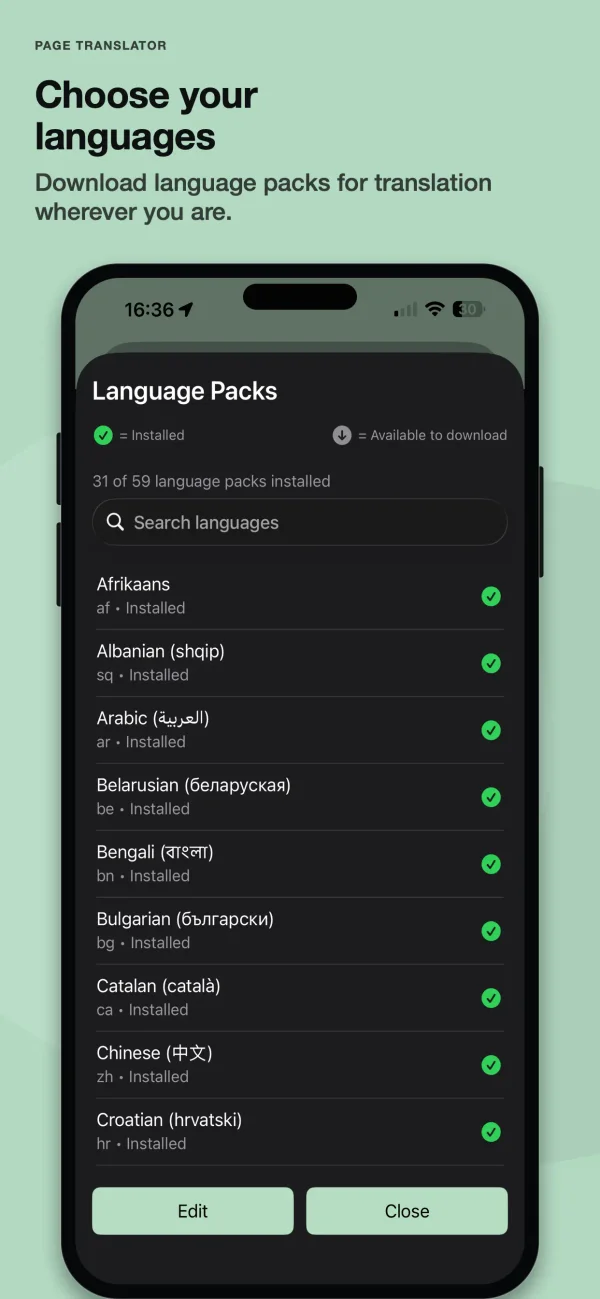
• Download and manage language packs
• Search languages by name
• See installed language packs and download progress
• Cancel, retry and resume translation
• Save pages to history
• Organise scanned pages into books
• Edit recognised text
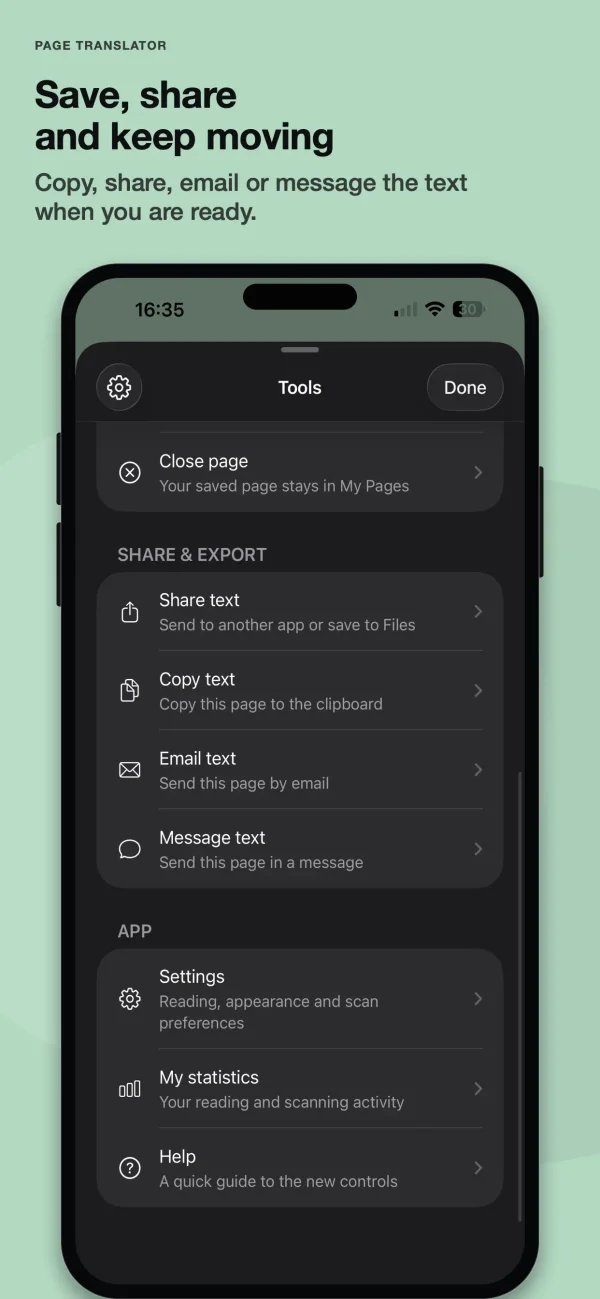
• Copy or export text to other apps
• Choose an accent colour and customise page behaviour
• Send pages to Page Reader to hear them read aloud
Page Translator makes the meaning of a page easier to understand — whether you are travelling, studying, working or reading something new.
Nouveautés
Version 2.0 · 24/09/2026
Meet the new Page Translator — a major redesign for clearer, more natural translation from any page.
• A completely refreshed interface with simpler controls, clearer navigation and a fresh visual identity.
• Live Page Viewer has been redesigned from the ground up.
• Tap a line for a readable translation card, or press and hold to translate a paragraph.
• Translate the whole page in a clean, scrollable reading layer while keeping the original photo available.
• Show a translated passage on the original page, move translation cards, reset the view and keep source text aligned.
• Improved contrast makes selected lines and paragraphs easier to see over both light pages and photographs.
• Translation now supports progress, cancellation, retry and recovery when language models need to be downloaded.
• Manage language packs with search, native language names, install status, download progress and deletion controls.
• Smarter recognition preserves paragraphs, numbered lists, sentence structure and page geometry.
• Import larger PDFs, including selectable-text PDFs and scanned pages.
• Modern camera controls now include page guides, tap-to-focus, zoom, flash controls and improved capture reliability.
• A faster, more efficient photo picker supports limited Photos access, iCloud photos and full-resolution scanning.
• Refreshed Settings, My Stats, colour customisation, purchase screens and companion-app links.
• Safer clipboard suggestions, clearer errors and improved stability throughout scanning, history and page reopening.
Page Translator makes the meaning of a page easier to find, understand and keep.
Confidentialité de l’application
Ce que THE CLEVER APP COMPANY LIMITED déclare sur l’App Store au sujet du traitement des données par cette application.
-
Données utilisées pour vous suivre
Peuvent être utilisées pour vous suivre sur des applications et des sites web appartenant à d’autres sociétés.
- Emplacement
- Identifiants
- Données d’utilisation
- Diagnostic
-
Données établissant un lien avec vous
Peuvent être collectées et liées à votre identité.
- Emplacement
- Identifiants
- Données d’utilisation
- Diagnostic
-
Données n’établissant aucun lien avec vous
Peuvent être collectées, mais ne sont pas liées à votre identité.
- Diagnostic
Les pratiques en matière de confidentialité peuvent varier, notamment en fonction des fonctionnalités que vous utilisez ou de votre âge.
Informations
- Vendeur
- THE CLEVER APP COMPANY LIMITED
- Catégorie
- Productivité
- Version
- 2.0
- Mis à jour
- 24/09/2026
- Publié
- 13/07/2022
- Taille
- 47,5 Mo
- Nécessite
- iOS 15.5 ou version ultérieure
- Classification d’âge
- 4+
- Prix
- Gratuit
- Achats intégrés
- Oui
- Langues
- Anglais
- Copyright
- © Clever App Co.
Vous aimerez peut-être aussi
-
 Traducteur PDF: Document & OCRTraduire Word, Excel et scans
-
 Scanner & Traduire+ OCR CameraTraducteur Photo et Texte
-
 Lecteur de Texte: Audio et PDFLecture EPUB, lire un livre
-
 Peech: lecture vocale de texteLecteur vocal pour Livre & Web
-
 Listen AI : Texte en VoixLecteur Docs, PDFs et web
-
 Microsoft TranslatorTraduisez plus de 100 langues
-
 iTranslate TraducteurTraduction anglais, français..
-
 Camera Detector AppHidden Camera Detector & Spy
-
 Traduction - Traducteur PhotoVocal, Texte, Audio, Langues
-
 AI Photo TraducteurTraduire Text Traduction Photo