- 対象年齢4+
- カテゴリ仕事効率化
- 開発元THE CLEVER APP COMPANY LIMITED
- 言語英語
- サイズ47.5 MB
App Storeの公式ページにリンクしています
Download.orgはPage Translatorのファイルを一切ホストしていません。ボタンを押すと、THE CLEVER APP COMPANY LIMITEDが公開しているApp Storeのアプリページが開きます。ページの最終確認:2026/11/15。
スクリーンショット



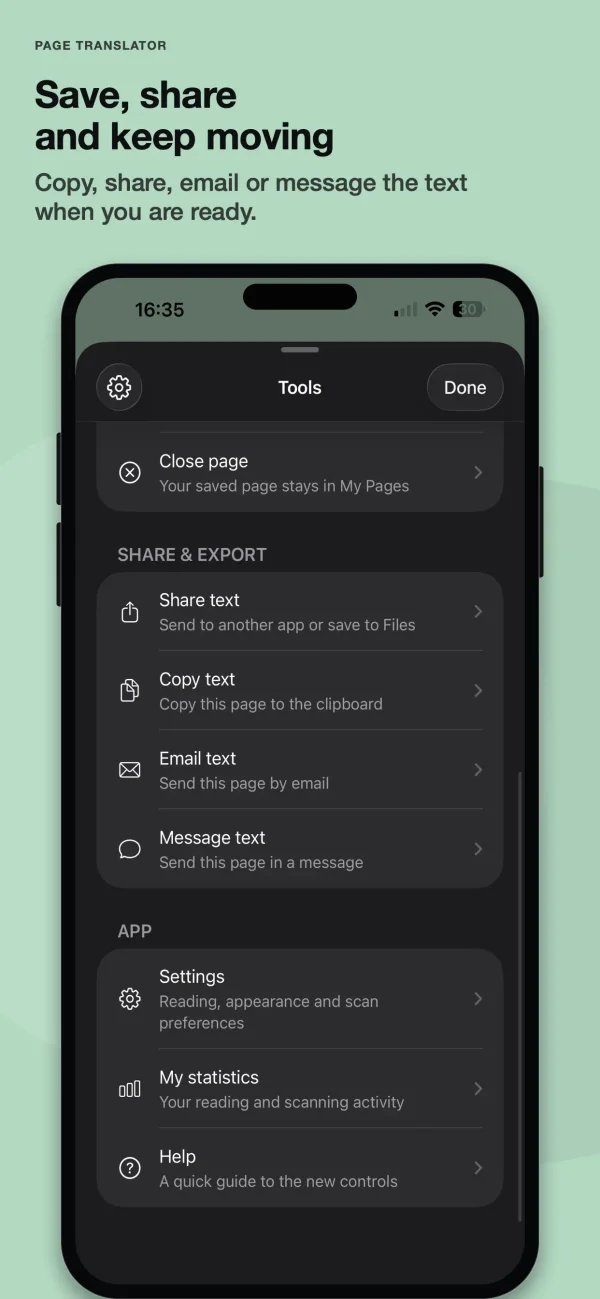
概要
開発元はこのテキストをお使いの言語で提供していません。
Page Translator turns printed pages, PDFs, photos and copied text into readable translations.
Scan a page with your camera, open a photo or PDF, or import text from another app. Choose a source and target language from more than 50 languages, then translate the content on your device.
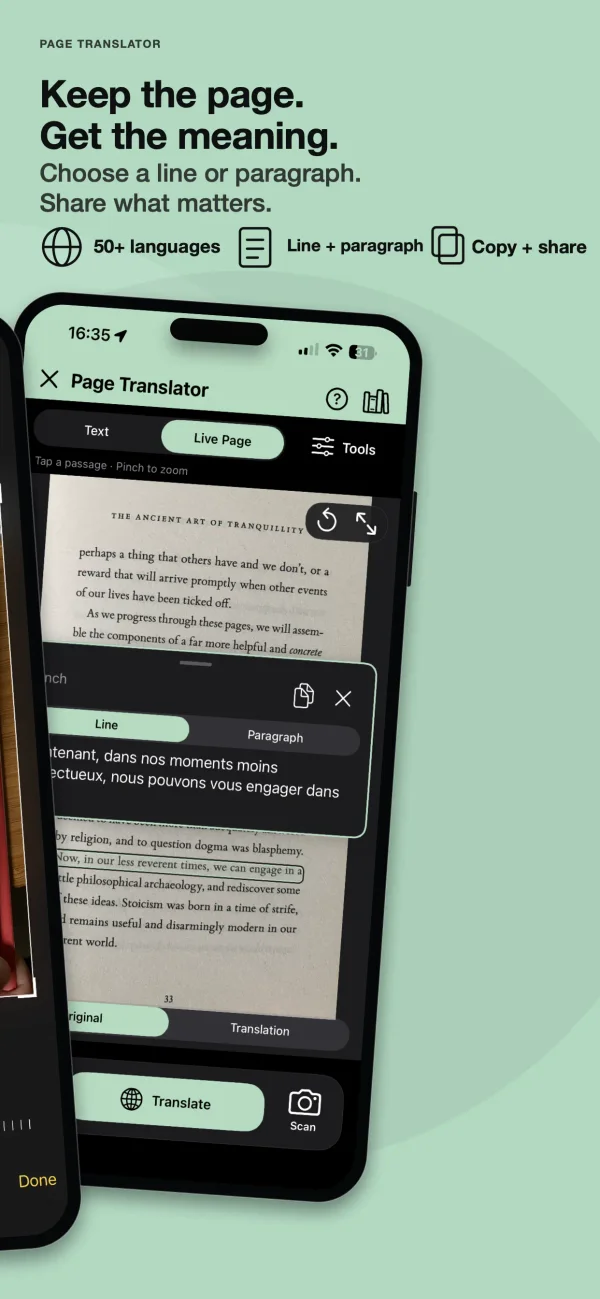
Live Page Viewer keeps the original page visible while translations stay connected to the source. Tap a line for a quick translation, press and hold for a paragraph, or translate the whole page in a clear, scrollable reading layer.
Use Show on Page to return to the matching passage in the original image. Translation cards can be moved, copied, closed, retried and reset without losing the source page.
FEATURES
• Scan pages with the camera
• Use page-alignment guides, tap-to-focus and zoom
• Open photos from your photo library
• Choose individual photos when using limited Photos access
• Import selectable-text or scanned PDFs
• Import PDFs up to 25 MB and five pages
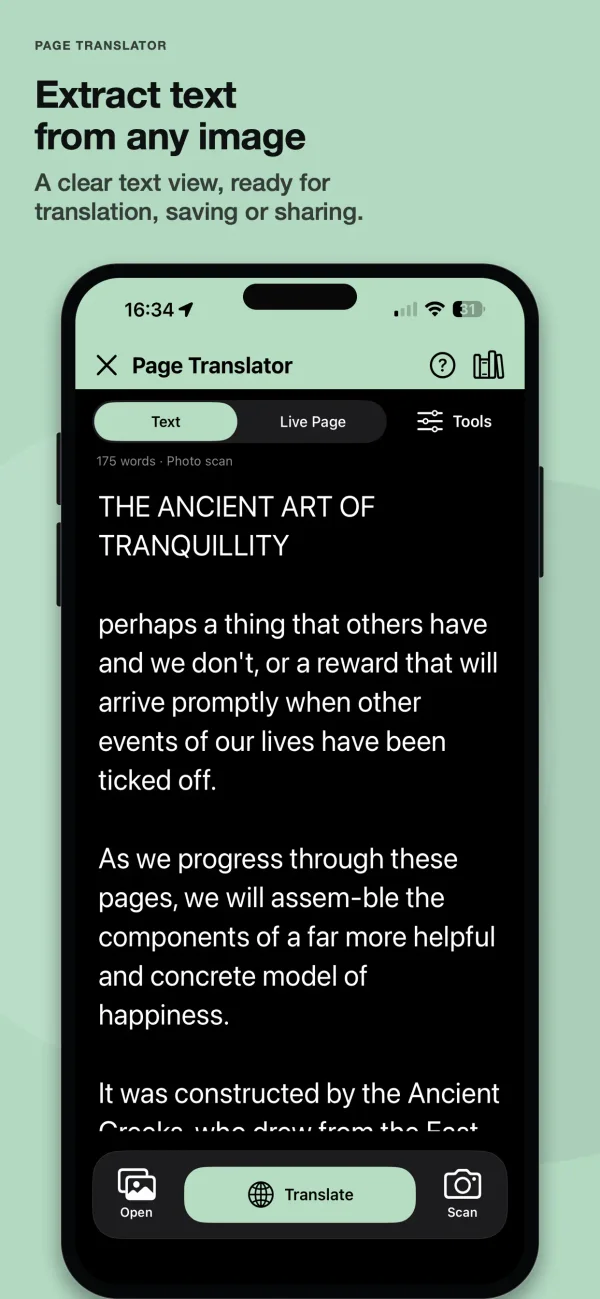
• Recognise paragraphs, numbered lists and natural sentence structure
• Choose automatic or manual source-language recognition
• Translate individual lines
• Translate complete paragraphs
• Translate the whole page in a readable view
• Show translated passages on the original photo
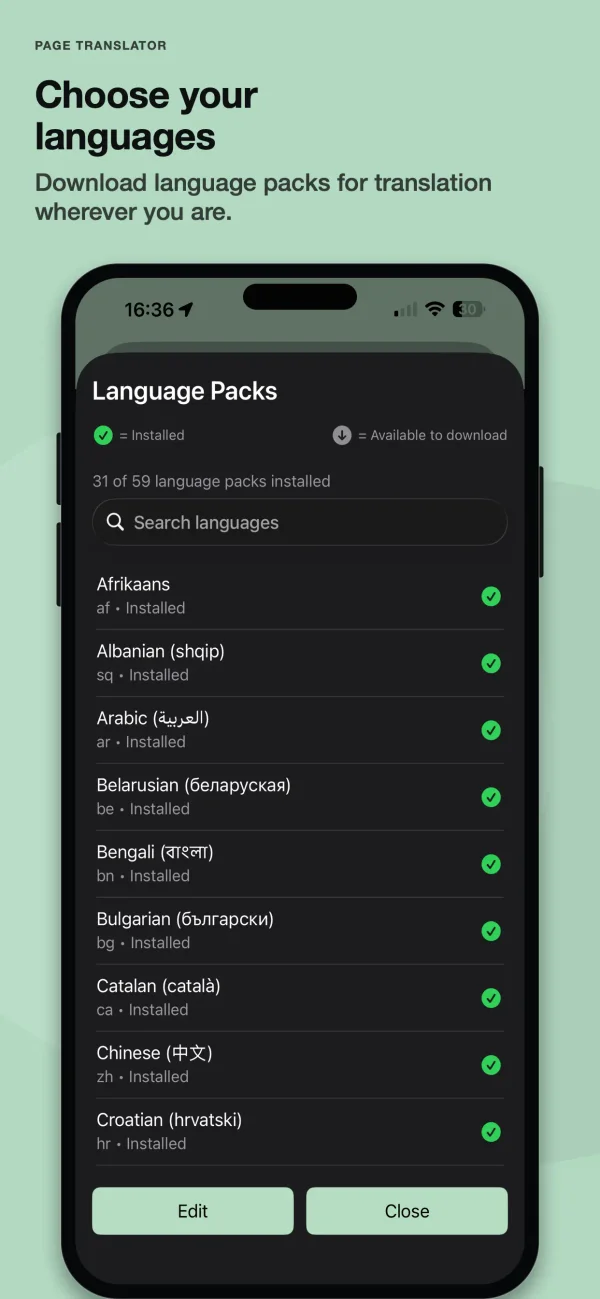
• Download and manage language packs
• Search languages by name
• See installed language packs and download progress
• Cancel, retry and resume translation
• Save pages to history
• Organise scanned pages into books
• Edit recognised text
• Copy or export text to other apps
• Choose an accent colour and customise page behaviour
• Send pages to Page Reader to hear them read aloud
Page Translator makes the meaning of a page easier to understand — whether you are travelling, studying, working or reading something new.
新機能
バージョン 2.0 · 2026/9/24
Meet the new Page Translator — a major redesign for clearer, more natural translation from any page.
• A completely refreshed interface with simpler controls, clearer navigation and a fresh visual identity.
• Live Page Viewer has been redesigned from the ground up.
• Tap a line for a readable translation card, or press and hold to translate a paragraph.
• Translate the whole page in a clean, scrollable reading layer while keeping the original photo available.
• Show a translated passage on the original page, move translation cards, reset the view and keep source text aligned.
• Improved contrast makes selected lines and paragraphs easier to see over both light pages and photographs.
• Translation now supports progress, cancellation, retry and recovery when language models need to be downloaded.
• Manage language packs with search, native language names, install status, download progress and deletion controls.
• Smarter recognition preserves paragraphs, numbered lists, sentence structure and page geometry.
• Import larger PDFs, including selectable-text PDFs and scanned pages.
• Modern camera controls now include page guides, tap-to-focus, zoom, flash controls and improved capture reliability.
• A faster, more efficient photo picker supports limited Photos access, iCloud photos and full-resolution scanning.
• Refreshed Settings, My Stats, colour customisation, purchase screens and companion-app links.
• Safer clipboard suggestions, clearer errors and improved stability throughout scanning, history and page reopening.
Page Translator makes the meaning of a page easier to find, understand and keep.
アプリのプライバシー
このアプリのデータの取り扱いについて、THE CLEVER APP COMPANY LIMITEDがApp Storeで申告している内容です。
-
ユーザーのトラッキングに使用されるデータ
他社のアプリやウェブサイトを横断してユーザーをトラッキングする目的で使用される場合があります。
- 位置情報
- ID
- 使用状況データ
- 診断
-
ユーザーに関連付けられたデータ
収集され、ユーザーの識別情報に関連付けられる場合があります。
- 位置情報
- ID
- 使用状況データ
- 診断
-
ユーザーに関連付けられないデータ
収集される場合がありますが、ユーザーの識別情報には関連付けられません。
- 診断
プライバシーの取り扱いは、ご利用の機能やお客様の年齢などに応じて異なる場合があります。
情報
- 販売元
- THE CLEVER APP COMPANY LIMITED
- カテゴリ
- 仕事効率化
- バージョン
- 2.0
- 更新日
- 2026/9/24
- リリース
- 2022/7/13
- サイズ
- 47.5 MB
- 必要条件
- iOS 15.5以降
- 対象年齢
- 4+
- 価格
- 無料
- アプリ内課金
- あり
- 言語
- 英語
- 著作権
- © Clever App Co.
こちらもおすすめ
-
 PDF翻訳: 文書・書類を翻訳 OCR対応Word・Excel・スキャンも翻訳、レイアウト保持
-
 スキャン&翻訳カメラ+ テキストグラバースキャナー英語を日本語に訳すアプリ
-
 Voice Aloud Reader仕事効率化
-
 Peech: 文字読み上げ & 音声変換アプリPDF・小説・ウェブ記事を音読する
-
 Listen AI: Text to SpeechRead Aloud & Voice Dictation
-
 Microsoft Translator100 以上の言語の翻訳
-
 iTranslate 翻訳: 音声、写真、テキストの翻訳機英語、韓国語、日本語、中国語、その他の言語の翻訳アプリ
-
 Camera Detector App仕事効率化
-
 翻訳: 翻訳機 & 辞書写真、音声、テキスト語翻者
-
 画像翻訳自動 写真 語訳, 音声 通訳 翻訳機 & 和訳 カメラ