PairInk: Whiteboard & Notes
Sketch & Sync Without Cloud
Conçue pour iPhone, iPad, Mac, iPod touch
Gratuit · Achats intégrés
- Classification d’âge4+
- CatégorieProductivité
- DéveloppeurJawad Jaber
- LanguesAnglais
- Taille27,2 Mo
Renvoie vers la page App Store officielle
Download.org n’héberge aucun fichier de PairInk: Whiteboard & Notes. Le bouton ouvre la page de l’application sur App Store, où Jawad Jaber la publie. Fiche vérifiée pour la dernière fois le 28/11/2026.
Captures d’écran
À propos
Le développeur n’a pas fourni ce texte dans votre langue.
PairInk gives your ideas room to grow. Sketch, write notes and organize your work on boards on iPhone and iPad, then connect with the Windows companion over your local Wi-Fi.
MAKE YOUR MARK
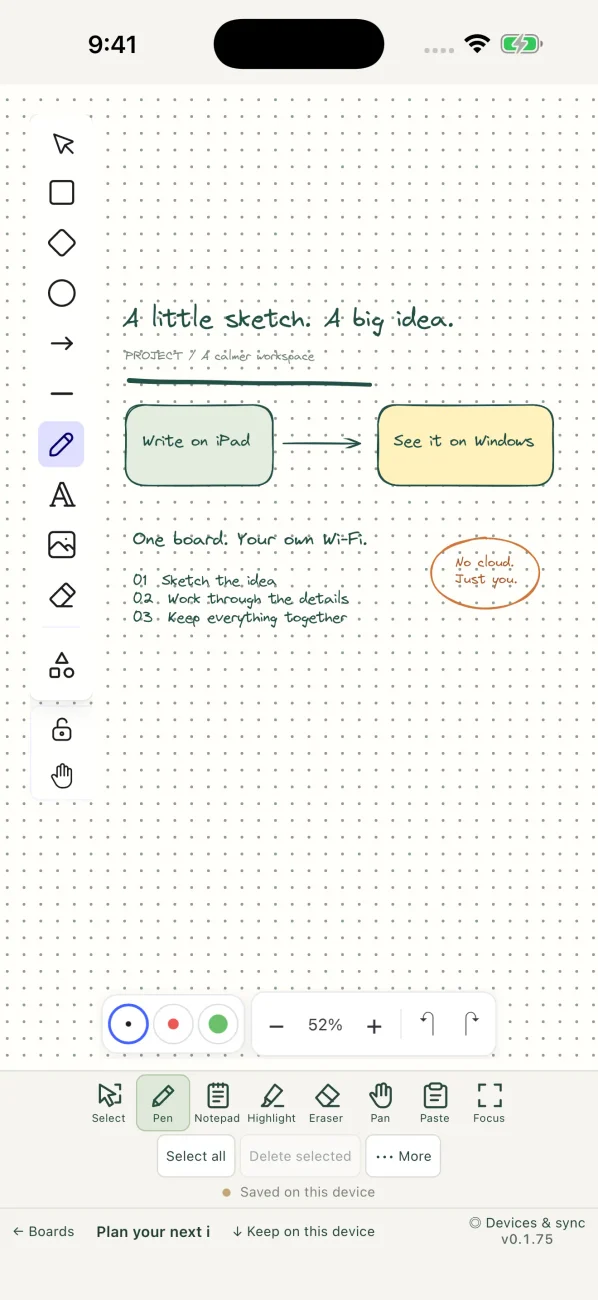
Draw with your finger or Apple Pencil on supported iPads. Switch between pen and highlighter presets, add shapes and arrows, and select objects with a rectangle or a freehand lasso.
KEEP YOUR THINKING TOGETHER
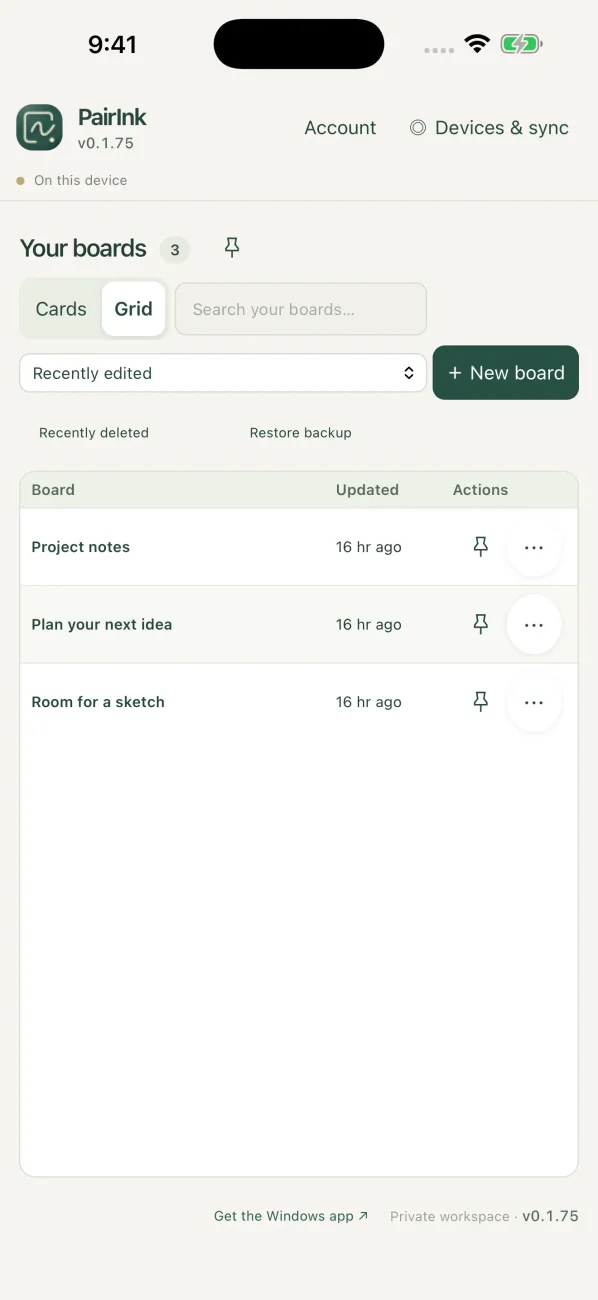
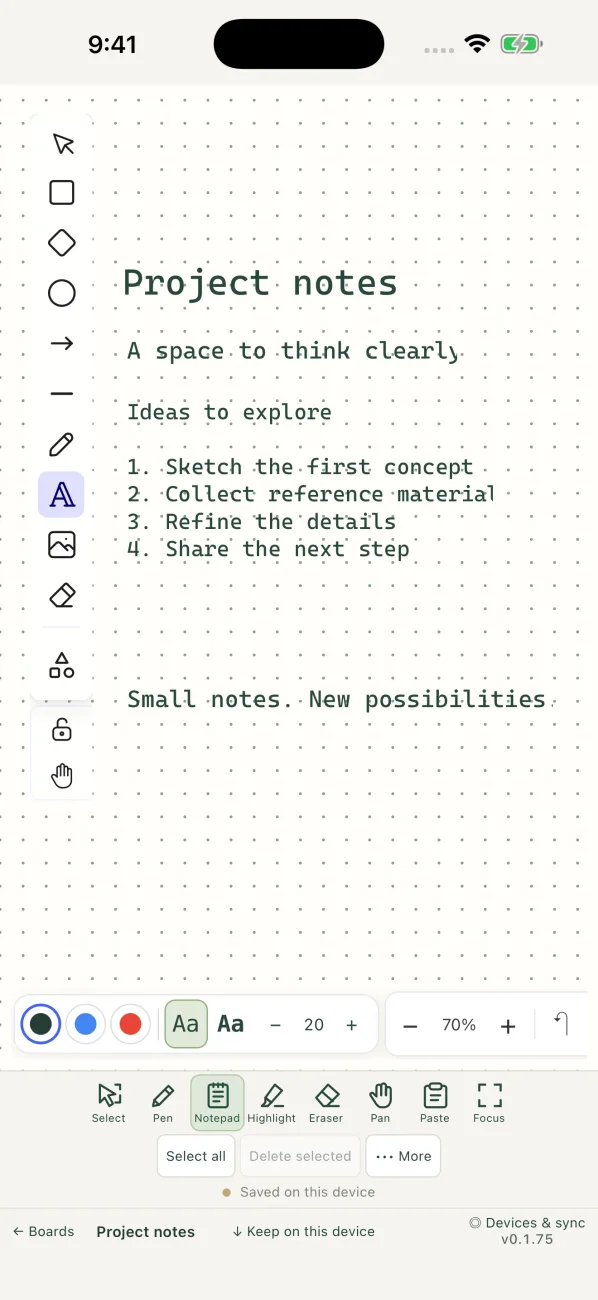
Add typed Notepad text, bring images and PDF pages onto a board, and keep your work organized in a visual board library. Pin important boards and choose a cards or grid view.
CONNECT YOUR SCREENS
Find nearby computers or scan a pairing QR code. Once paired, PairInk remembers the computer and can reconnect when both devices are reachable on the same local network. Live syncing requires the Windows companion to be running; connection speed depends on your network and board size.
TAKE YOUR WORK WITH YOU
Keep boards on your device, export PDFs and save board backups. Board content is stored on your devices; the license service verifies trial and purchase access separately.
TRY PAIRINK
Start a 7-day trial with up to three active boards. When the trial ends, you can continue viewing and exporting your work. A separate one-time in-app purchase unlocks unlimited boards and editing, including version 1.x updates. The trial does not automatically charge you or turn into a subscription. Pricing is shown in your local App Store currency before purchase.
No separate PairInk account is required. Purchases use your Apple Account. Internet access is needed for activation and restoration; Pro access must be refreshed online at least once every 30 days. If your installation identity is lost, contact support with your store receipt for recovery.
Windows syncing requires the separately installed PairInk companion and local-network access. Camera access is optional and used only to scan a pairing QR code.
Support: jawadsjaber@outlook.com
Nouveautés
Version 1.167 · 27/11/2026
• New offline calculator. Work out expressions with parentheses and reuse past calculations saved on your device. On iPhone, find it under More Tools. On iPad, it’s in the drawing toolbar.
• See where a board is open. Live desktop, tablet, and phone icons appear beside the board name in the library and on the canvas when the board is open on another paired device.
• Easier iPad controls. The Cards, Grid, and Grouped cards labels fit at more screen widths, and Styles now sits next to Tools.
• See the desktop’s view on iPad. When the same board is open on your iPad and a paired desktop, turn on the desktop view overlay to see which part of the canvas is currently visible on the desktop.
Confidentialité de l’application
Ce que Jawad Jaber déclare sur l’App Store au sujet du traitement des données par cette application.
-
Données n’établissant aucun lien avec vous
Peuvent être collectées, mais ne sont pas liées à votre identité.
- Achats
- Identifiants
Les pratiques en matière de confidentialité peuvent varier, notamment en fonction des fonctionnalités que vous utilisez ou de votre âge.
Informations
- Vendeur
- Jawad Jaber
- Catégorie
- Productivité
- Version
- 1.167
- Mis à jour
- 27/11/2026
- Publié
- 08/10/2026
- Taille
- 27,2 Mo
- Nécessite
- iOS 15.0 ou version ultérieure
- Classification d’âge
- 4+
- Prix
- Gratuit
- Achats intégrés
- Oui
- Langues
- Anglais
- Copyright
- © 3ESOL
Vous aimerez peut-être aussi
-
 Whiteboard StudioProductivité
-
 Stacy: AI Notes & WhiteboardProductivité
-
 Chorebook - Reminders & LogsProductivité
-
 iEditor Pro – Text Code EditorProductivité
-
 FSS Window ProProductivité
-
 TASMUProductivité
-
 GoCoEdit - Code & Text EditorProductivité
-
 ToDoCal - Agenda et TâchesCalendrier, rappels, widget
-
 Simmr: Turn Reels into NotesProductivité
-
 Notepen : Notes & AgendaÉcriture manuscrite et croquis