PairInk: Whiteboard & Notes
Sketch & Sync Without Cloud
Entwickelt für iPhone, iPad, Mac, iPod touch
Kostenlos · In-App-Käufe
- Altersfreigabe4+
- KategorieProduktivität
- EntwicklerJawad Jaber
- SprachenEnglisch
- Größe27,2 MB
Verlinkt auf die offizielle App Store-Seite
Download.org hostet keine Datei von PairInk: Whiteboard & Notes. Die Schaltfläche öffnet die App-Seite bei App Store, wo Jawad Jaber die App veröffentlicht. Eintrag zuletzt geprüft am 23.11.2026.
Screenshots
Info
Der Entwickler hat diesen Text nicht in Ihrer Sprache bereitgestellt.
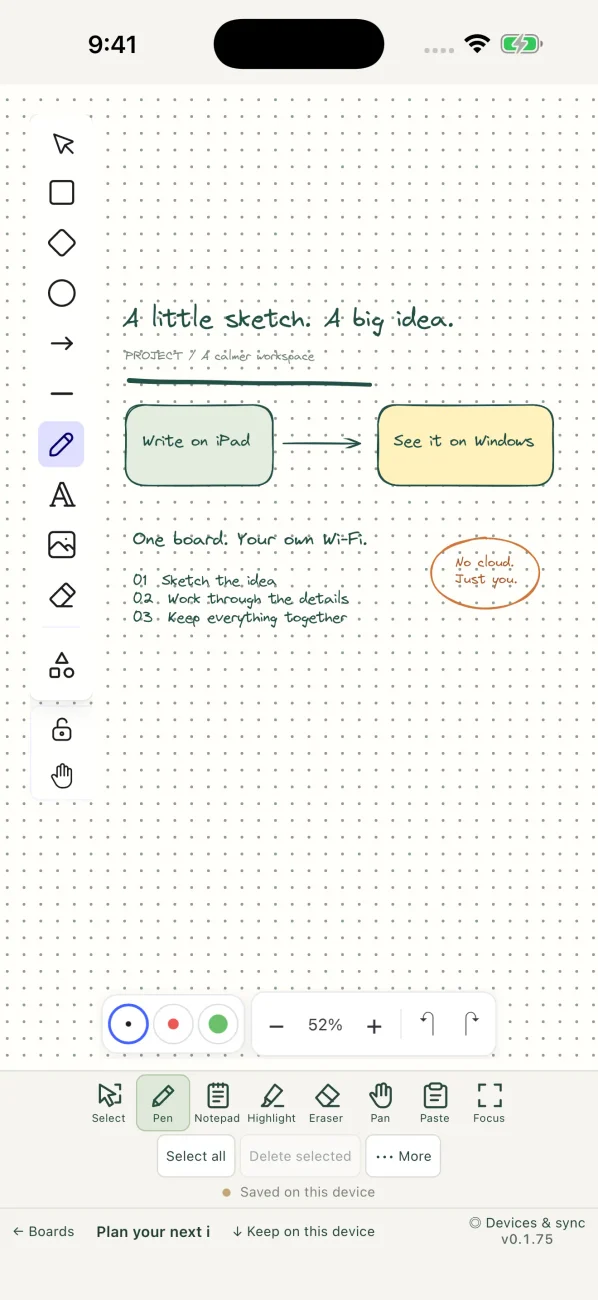
PairInk gives your ideas room to grow. Sketch, write notes and organize your work on boards on iPhone and iPad, then connect with the Windows companion over your local Wi-Fi.
MAKE YOUR MARK
Draw with your finger or Apple Pencil on supported iPads. Switch between pen and highlighter presets, add shapes and arrows, and select objects with a rectangle or a freehand lasso.
KEEP YOUR THINKING TOGETHER
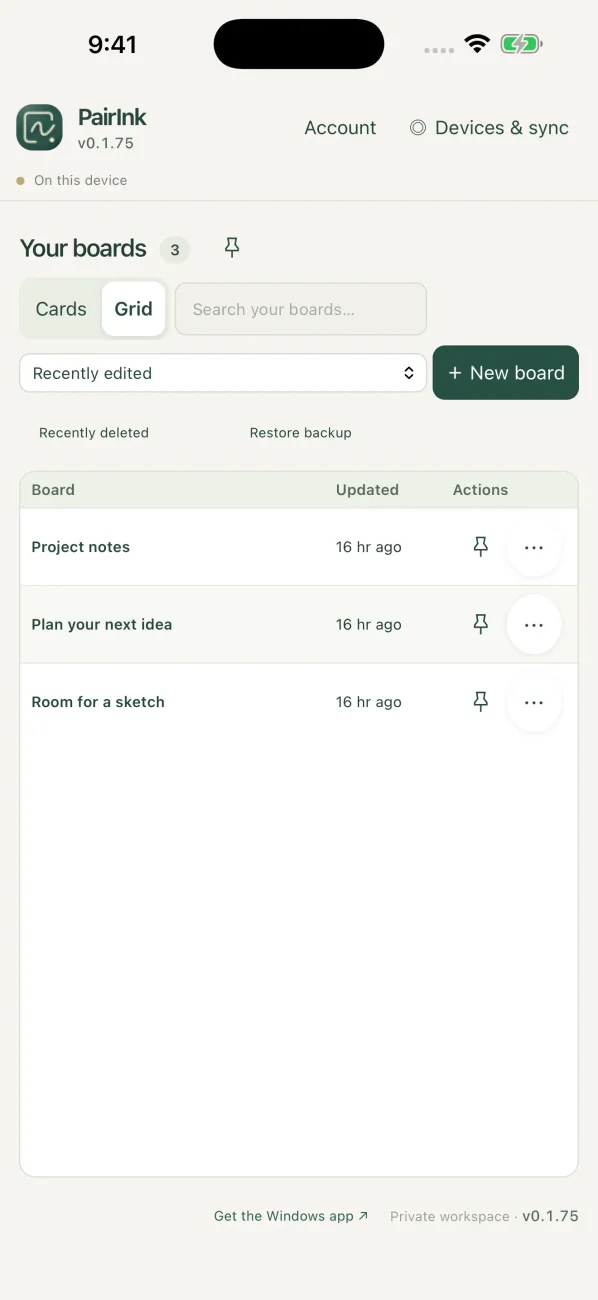
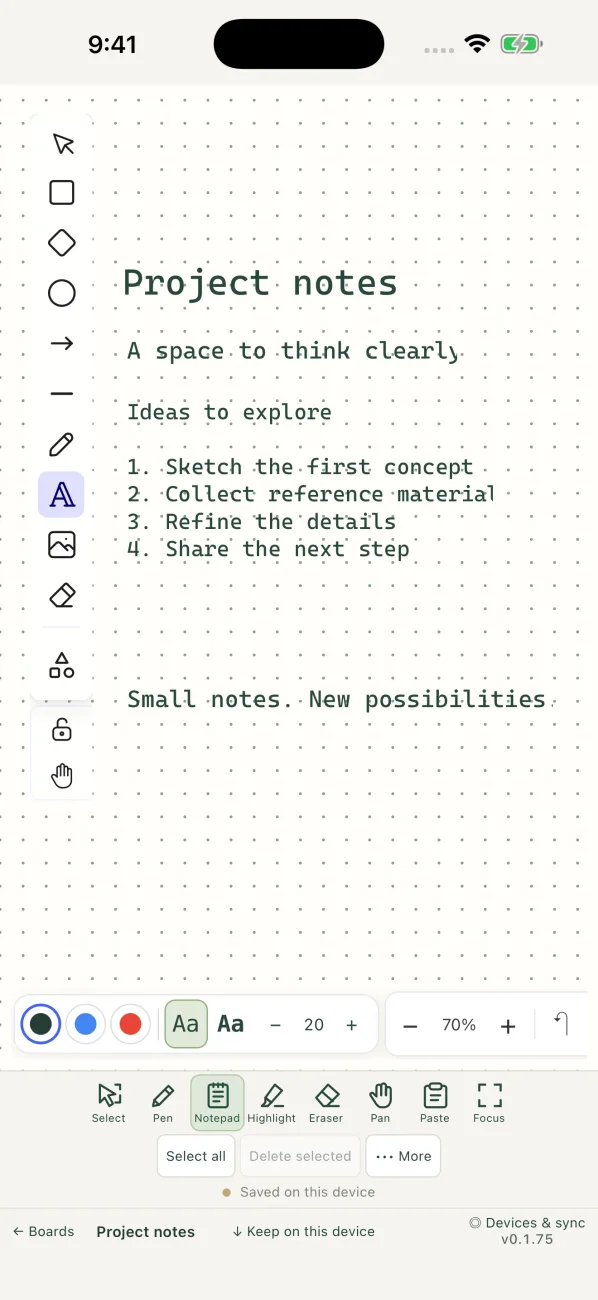
Add typed Notepad text, bring images and PDF pages onto a board, and keep your work organized in a visual board library. Pin important boards and choose a cards or grid view.
CONNECT YOUR SCREENS
Find nearby computers or scan a pairing QR code. Once paired, PairInk remembers the computer and can reconnect when both devices are reachable on the same local network. Live syncing requires the Windows companion to be running; connection speed depends on your network and board size.
TAKE YOUR WORK WITH YOU
Keep boards on your device, export PDFs and save board backups. Board content is stored on your devices; the license service verifies trial and purchase access separately.
TRY PAIRINK
Start a 7-day trial with up to three active boards. When the trial ends, you can continue viewing and exporting your work. A separate one-time in-app purchase unlocks unlimited boards and editing, including version 1.x updates. The trial does not automatically charge you or turn into a subscription. Pricing is shown in your local App Store currency before purchase.
No separate PairInk account is required. Purchases use your Apple Account. Internet access is needed for activation and restoration; Pro access must be refreshed online at least once every 30 days. If your installation identity is lost, contact support with your store receipt for recovery.
Windows syncing requires the separately installed PairInk companion and local-network access. Camera access is optional and used only to scan a pairing QR code.
Support: jawadsjaber@outlook.com
Neue Funktionen
Version 1.164 · 17.11.2026
PairInk brings smoother drawing, easier organization and more reliable syncing across your devices.
• Improved live sync keeps handwriting and notes responsive while other boards download, with better reconnection and fewer unnecessary recovery copies.
• Faster board opening and improved workspace restoration help you return to your last board, position and zoom.
• Smoother Notepad editing preserves focus, caret position and long-note scrolling during saving and syncing.
• Added a private Notepad editor: write or revise your text in a dialog, then add it to your board.
• More drawing customization with custom colours, remembered thickness presets and adjustable shape styling.
• Improved rectangle and lasso selection, object alignment, grouping and snapping controls.
• Expanded image and PDF importing, including multiple images, whole PDFs, selected page ranges, quality options and improved scanned-page handling.
• Added SVG import, colour and text editing, preview controls and editable SVG export.
• Organize boards with grouped views, pinning, searchable archives and restoration. Downloaded archives remain available offline.
• Refined iPhone and iPad layouts with more canvas space, compact controls and expandable board groups.
• Improved zoom and fit controls, including a remembered minimum zoom for each board.
• Added an optional outline showing the area visible on a connected desktop.
• Improved nearby-device discovery, offline board access and reconnection.
• Additional fixes for text formatting, right-to-left writing, image locking and interface stability.
App-Datenschutz
Was Jawad Jaber im App Store zum Umgang dieser App mit Daten angibt.
-
Nicht mit Ihnen verknüpfte Daten
Können erfasst werden, sind aber nicht mit Ihrer Identität verknüpft.
- Käufe
- Kennungen
Die Datenschutzpraktiken können variieren, zum Beispiel je nach den von Ihnen verwendeten Funktionen oder Ihrem Alter.
Informationen
- Anbieter
- Jawad Jaber
- Kategorie
- Produktivität
- Version
- 1.164
- Aktualisiert
- 17.11.2026
- Veröffentlicht
- 08.10.2026
- Größe
- 27,2 MB
- Erfordert
- iOS 15.0 oder neuer
- Altersfreigabe
- 4+
- Preis
- Kostenlos
- In-App-Käufe
- Ja
- Sprachen
- Englisch
- Copyright
- © 3ESOL
Das könnte Ihnen auch gefallen
-
 Whiteboard StudioZeichnen, notieren, planen
-
 Stacy: AI Notes & WhiteboardProduktivität
-
 Chorebook - Reminders & LogsProduktivität
-
 iEditor Pro – Text Code EditorProduktivität
-
 FSS Window ProProduktivität
-
 TASMUProduktivität
-
 GoCoEdit - Code & Text EditorProduktivität
-
 ToDoCal - Kalender AufgabenTodo-Liste, Erinnerung, Widget
-
 Simmr: Turn Reels into NotesProduktivität
-
 Notepen: Notizen & PlanerHandschrift, Skizze, Notizbuch