PairInk: Whiteboard & Notes
Sketch & Sync Without Cloud
iPhone, iPad, Mac, iPod touch向けに設計
無料 · アプリ内課金
- 対象年齢4+
- カテゴリ仕事効率化
- 開発元Jawad Jaber
- 言語英語
- サイズ27.2 MB
App Storeの公式ページにリンクしています
Download.orgはPairInk: Whiteboard & Notesのファイルを一切ホストしていません。ボタンを押すと、Jawad Jaberが公開しているApp Storeのアプリページが開きます。ページの最終確認:2026/11/28。
スクリーンショット
概要
開発元はこのテキストをお使いの言語で提供していません。
PairInk gives your ideas room to grow. Sketch, write notes and organize your work on boards on iPhone and iPad, then connect with the Windows companion over your local Wi-Fi.
MAKE YOUR MARK
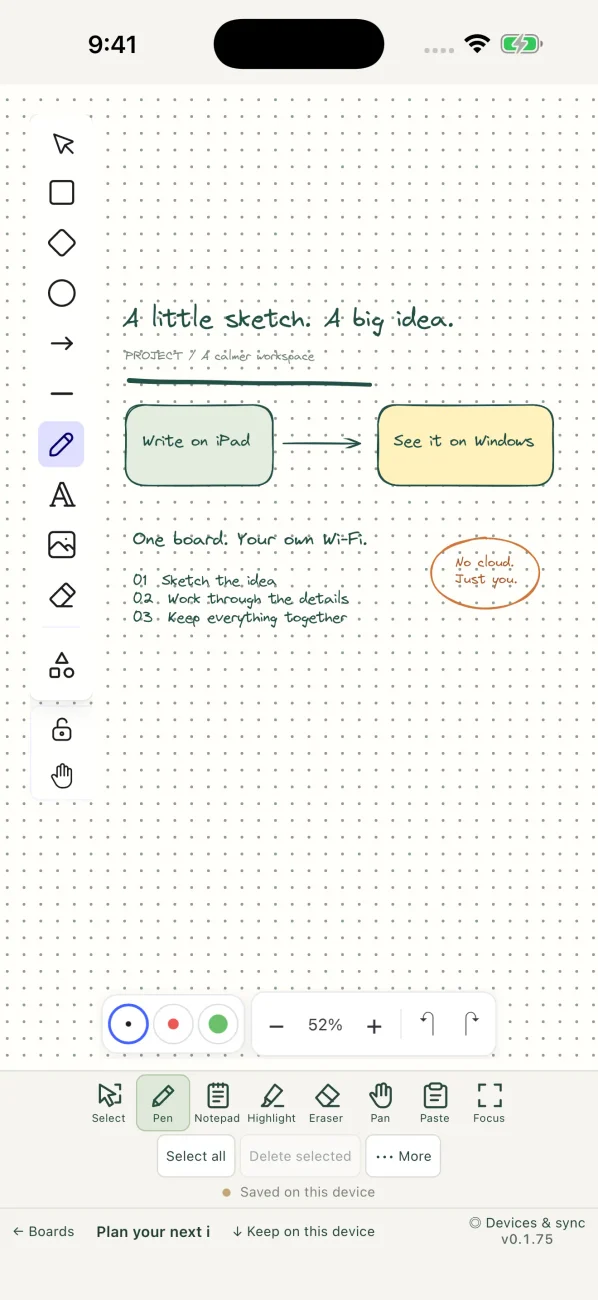
Draw with your finger or Apple Pencil on supported iPads. Switch between pen and highlighter presets, add shapes and arrows, and select objects with a rectangle or a freehand lasso.
KEEP YOUR THINKING TOGETHER
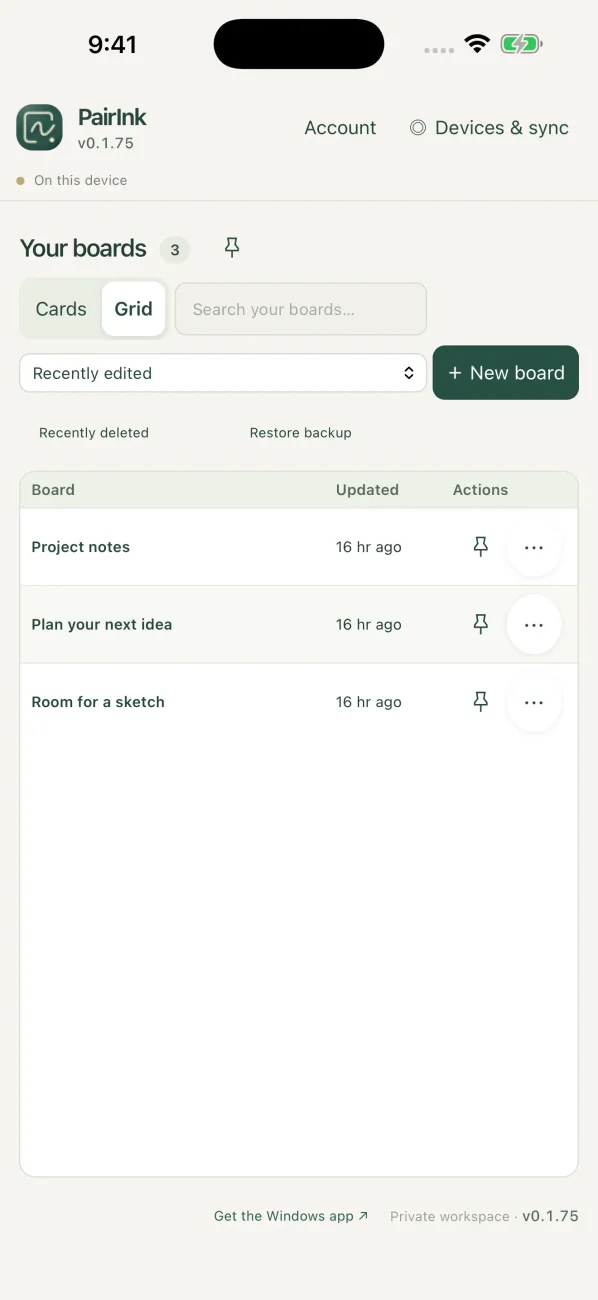
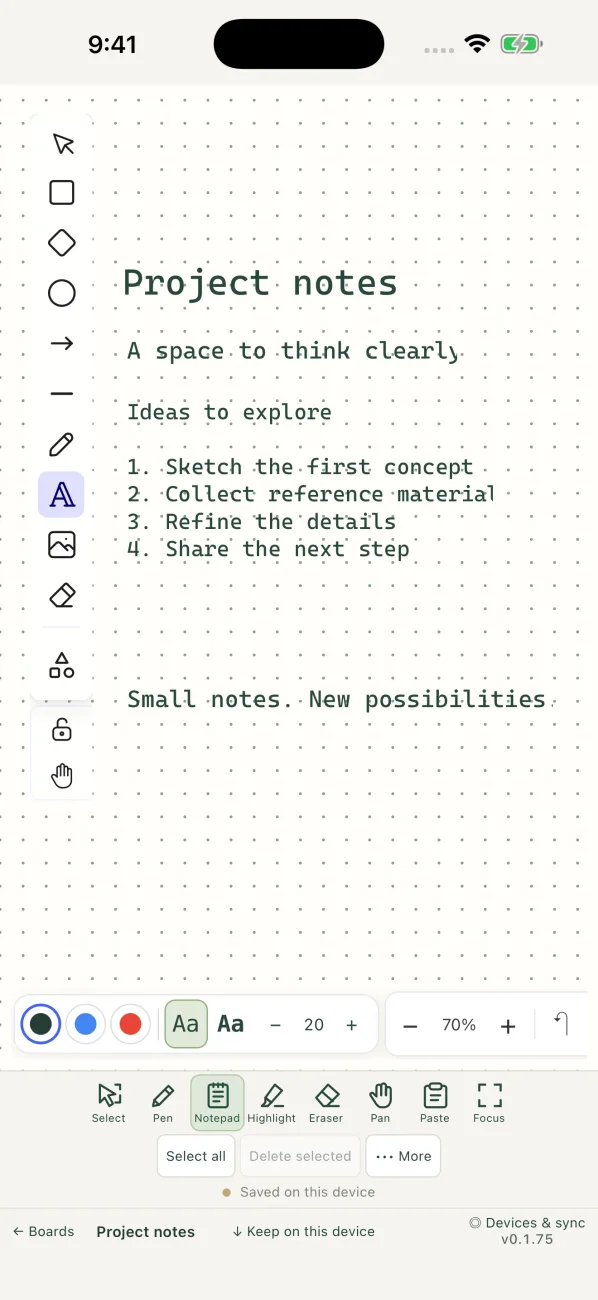
Add typed Notepad text, bring images and PDF pages onto a board, and keep your work organized in a visual board library. Pin important boards and choose a cards or grid view.
CONNECT YOUR SCREENS
Find nearby computers or scan a pairing QR code. Once paired, PairInk remembers the computer and can reconnect when both devices are reachable on the same local network. Live syncing requires the Windows companion to be running; connection speed depends on your network and board size.
TAKE YOUR WORK WITH YOU
Keep boards on your device, export PDFs and save board backups. Board content is stored on your devices; the license service verifies trial and purchase access separately.
TRY PAIRINK
Start a 7-day trial with up to three active boards. When the trial ends, you can continue viewing and exporting your work. A separate one-time in-app purchase unlocks unlimited boards and editing, including version 1.x updates. The trial does not automatically charge you or turn into a subscription. Pricing is shown in your local App Store currency before purchase.
No separate PairInk account is required. Purchases use your Apple Account. Internet access is needed for activation and restoration; Pro access must be refreshed online at least once every 30 days. If your installation identity is lost, contact support with your store receipt for recovery.
Windows syncing requires the separately installed PairInk companion and local-network access. Camera access is optional and used only to scan a pairing QR code.
Support: jawadsjaber@outlook.com
新機能
バージョン 1.167 · 2026/11/27
• New offline calculator. Work out expressions with parentheses and reuse past calculations saved on your device. On iPhone, find it under More Tools. On iPad, it’s in the drawing toolbar.
• See where a board is open. Live desktop, tablet, and phone icons appear beside the board name in the library and on the canvas when the board is open on another paired device.
• Easier iPad controls. The Cards, Grid, and Grouped cards labels fit at more screen widths, and Styles now sits next to Tools.
• See the desktop’s view on iPad. When the same board is open on your iPad and a paired desktop, turn on the desktop view overlay to see which part of the canvas is currently visible on the desktop.
アプリのプライバシー
このアプリのデータの取り扱いについて、Jawad JaberがApp Storeで申告している内容です。
-
ユーザーに関連付けられないデータ
収集される場合がありますが、ユーザーの識別情報には関連付けられません。
- 購入
- ID
プライバシーの取り扱いは、ご利用の機能やお客様の年齢などに応じて異なる場合があります。
情報
- 販売元
- Jawad Jaber
- カテゴリ
- 仕事効率化
- バージョン
- 1.167
- 更新日
- 2026/11/27
- リリース
- 2026/10/8
- サイズ
- 27.2 MB
- 必要条件
- iOS 15.0以降
- 対象年齢
- 4+
- 価格
- 無料
- アプリ内課金
- あり
- 言語
- 英語
- 著作権
- © 3ESOL
こちらもおすすめ
-
 Whiteboard Studio仕事効率化
-
 Stacy: AI Notes & Whiteboard仕事効率化
-
 メンテ帳 - 繰り返しタスクの記録、リマインダー、Todo写真とメモで履歴も残せる、メンテナンス、ルーティン、習慣管理
-
 iEditor Pro – Text Code Editor仕事効率化
-
 FSS Window Pro仕事効率化
-
 TASMU仕事効率化
-
 GoCoEdit - Code & Text Editor仕事効率化
-
 ToDoCal - カレンダー・タスク・やることリスト予定・締切・課題・提出物を忘れないToDoリスト&天気
-
 Simmr: Turn Reels into Notes仕事効率化
-
 Notepen: ノート & 手帳手書き・スケッチ・ノート