Pixel Mapper xModel
xModel pixel mapping tool
Conçue pour iPhone, iPad, iPod touch
- Classification d’âge4+
- CatégorieUtilitaires
- DéveloppeurS&B Designs
- LanguesAnglais
- Taille22,7 Mo
Pixel Mapper xModel n’est peut-être pas disponible sur App Store pour le moment
La fiche de la boutique était inaccessible lors de notre dernière vérification. Le lien mène toujours à la page App Store officielle.
Captures d’écran
À propos
Le développeur n’a pas fourni ce texte dans votre langue.
Pixel Mapper turns your iPhone or iPad into an automatic layout tool for
xLights. Point your camera at your light display, and the app lights each
WS2811 / WS2812 pixel, finds it in the camera image with computer vision, and
builds a ready-to-import xLights Custom model — no manual clicking pixel by
pixel.
Perfect for Christmas light displays, props, matrices, megatrees, and any
irregular pixel layout that's painful to map by hand.
HOW IT WORKS
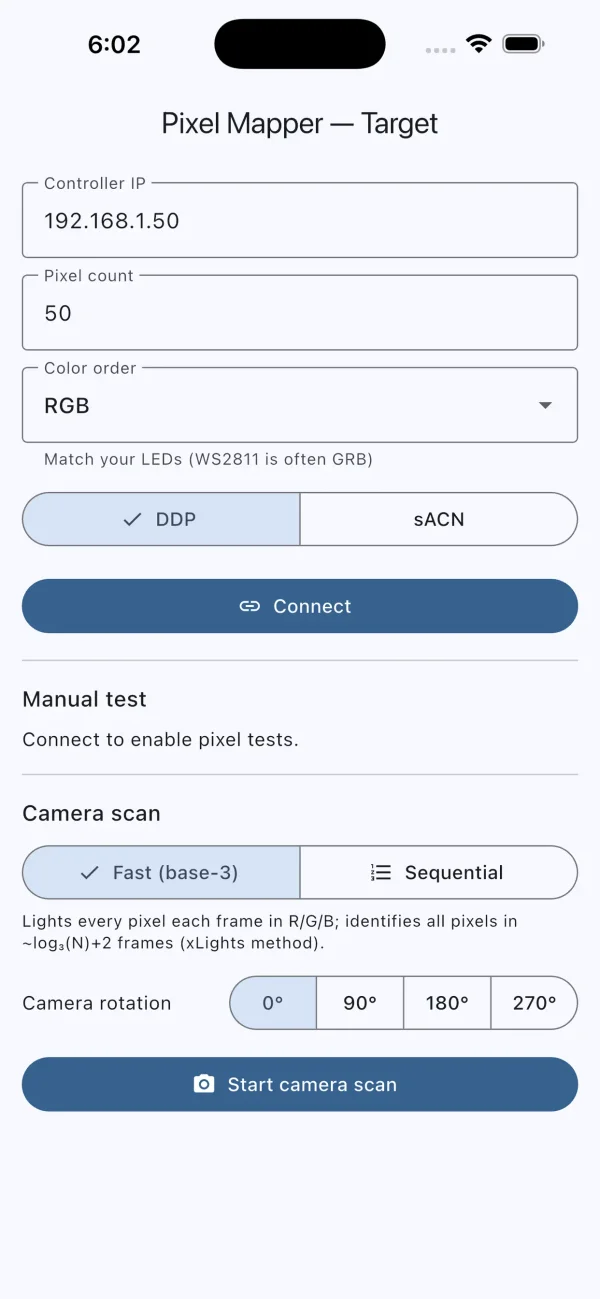
1. Target — enter your controller's IP and pixel count. Output goes over DDP or
sACN / E1.31, the same protocols xLights and FPP already speak.
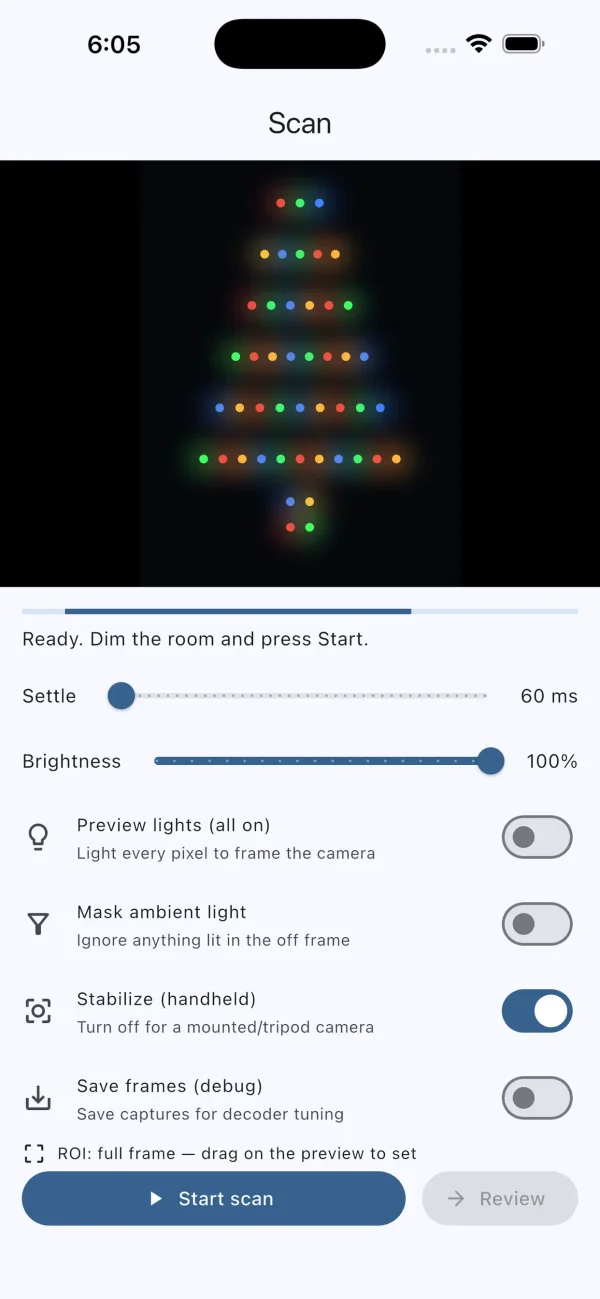
2. Scan — choose a mode:
• Fast (base-3): every pixel lights in every frame, colored by one base-3
digit of its index, so all pixels are identified in only ~log3(N)+2 frames
(about 500 pixels in 8 frames). Two checksum digits reject misreads.
• Sequential: light one pixel at a time and find the single bright blob.
Slower, but dead simple and rock solid.
Both modes subtract a black reference frame to ignore ambient hotspots.
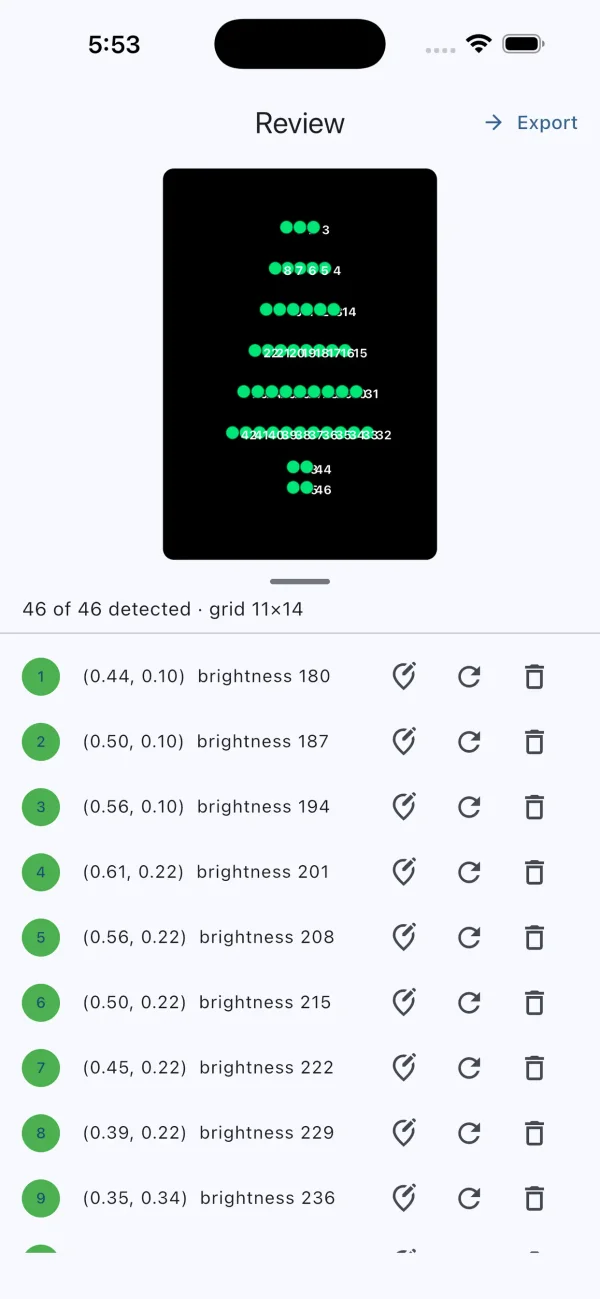
3. Review — see the detected layout over your photo, drop bad points, tap to
place or move a node, and re-scan individual pixels. Zoom and pan to fine-tune.
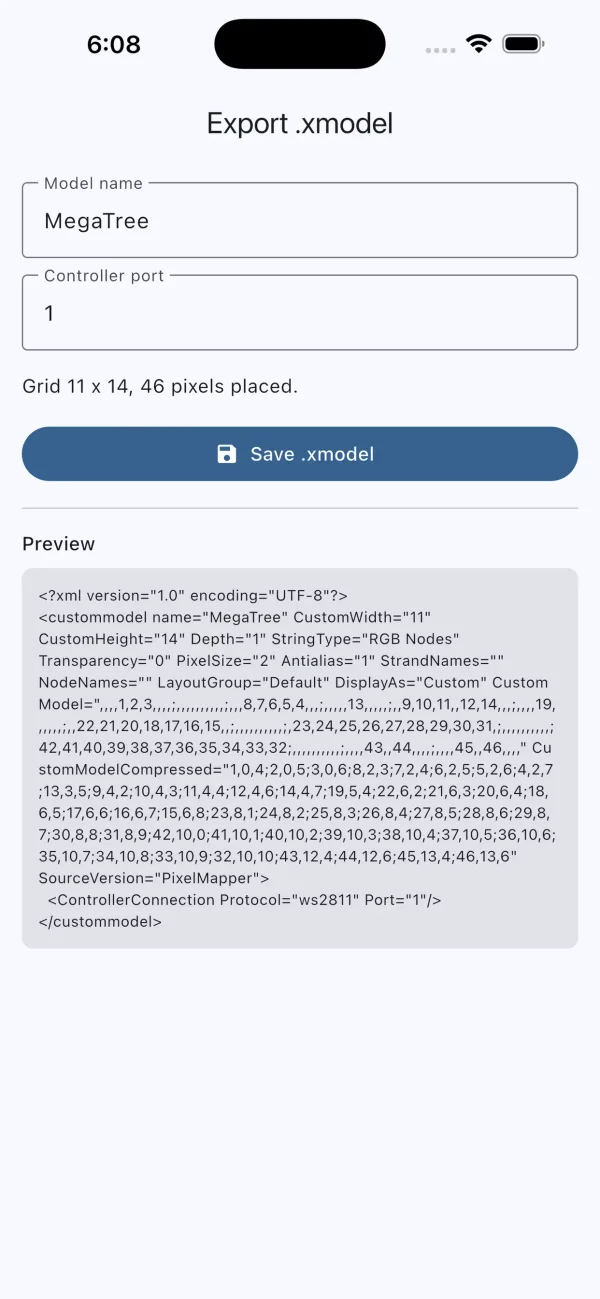
4. Export — save a standard xLights .xmodel file that imports into both old and
new versions of xLights.
WHY PIXEL MAPPER
• No more mapping hundreds of pixels by hand.
• Works with the gear you already own — any DDP or sACN/E1.31 pixel controller.
• Fast base-3 scan maps large models in seconds of capture.
• Checksum-protected so misread pixels get rejected, not placed wrong.
• Best results in a dim room; the app locks camera exposure and focus where
the device supports it.
REQUIREMENTS
• A WS2811 / WS2812 (or compatible) pixel controller reachable on your network.
• The controller set to receive DDP or sACN / E1.31.
• An iPhone or iPad on the same Wi-Fi network as the controller.
Pixel Mapper is an independent tool and is not affiliated with or endorsed by
the xLights project. xLights is a trademark of its respective owners.
Confidentialité de l’application
Ce que S&B Designs déclare sur l’App Store au sujet du traitement des données par cette application.
-
Données non collectées
Le développeur ne collecte aucune donnée à partir de cette application.
Les pratiques en matière de confidentialité peuvent varier, notamment en fonction des fonctionnalités que vous utilisez ou de votre âge.
Informations
- Vendeur
- S&B Designs LLC
- Catégorie
- Utilitaires
- Version
- 1.0
- Mis à jour
- 05/08/2026
- Publié
- 05/08/2026
- Taille
- 22,7 Mo
- Nécessite
- iOS 13.0 ou version ultérieure
- Classification d’âge
- 4+
- Langues
- Anglais
- Copyright
- © S&B Designs LLC