Pixel Mapper xModel
xModel pixel mapping tool
Được thiết kế cho iPhone, iPad, iPod touch
Miễn phí
- Độ tuổi4+
- Danh mụcTiện Ích
- Nhà phát triểnS&B Designs
- Ngôn ngữTiếng Anh
- Kích thước22,7 MB
Liên kết đến trang App Store chính thức
Download.org không lưu trữ tệp nào của Pixel Mapper xModel. Nút này mở trang ứng dụng trên App Store, nơi S&B Designs phát hành ứng dụng. Trang được kiểm tra lần cuối: 18/11/2026.
Ảnh chụp màn hình
Giới thiệu
Nhà phát triển chưa cung cấp nội dung này bằng ngôn ngữ của bạn.
Pixel Mapper turns your iPhone or iPad into an automatic layout tool for
xLights. Point your camera at your light display, and the app lights each
WS2811 / WS2812 pixel, finds it in the camera image with computer vision, and
builds a ready-to-import xLights Custom model — no manual clicking pixel by
pixel.
Perfect for Christmas light displays, props, matrices, megatrees, and any
irregular pixel layout that's painful to map by hand.
HOW IT WORKS
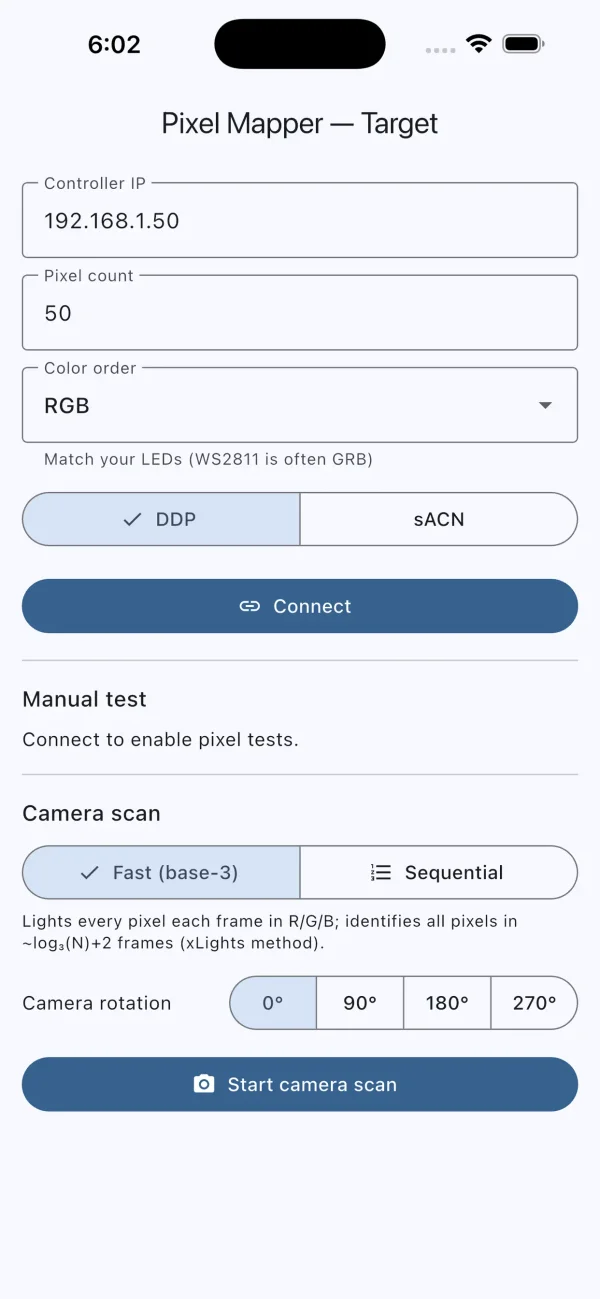
1. Target — enter your controller's IP and pixel count. Output goes over DDP or
sACN / E1.31, the same protocols xLights and FPP already speak.
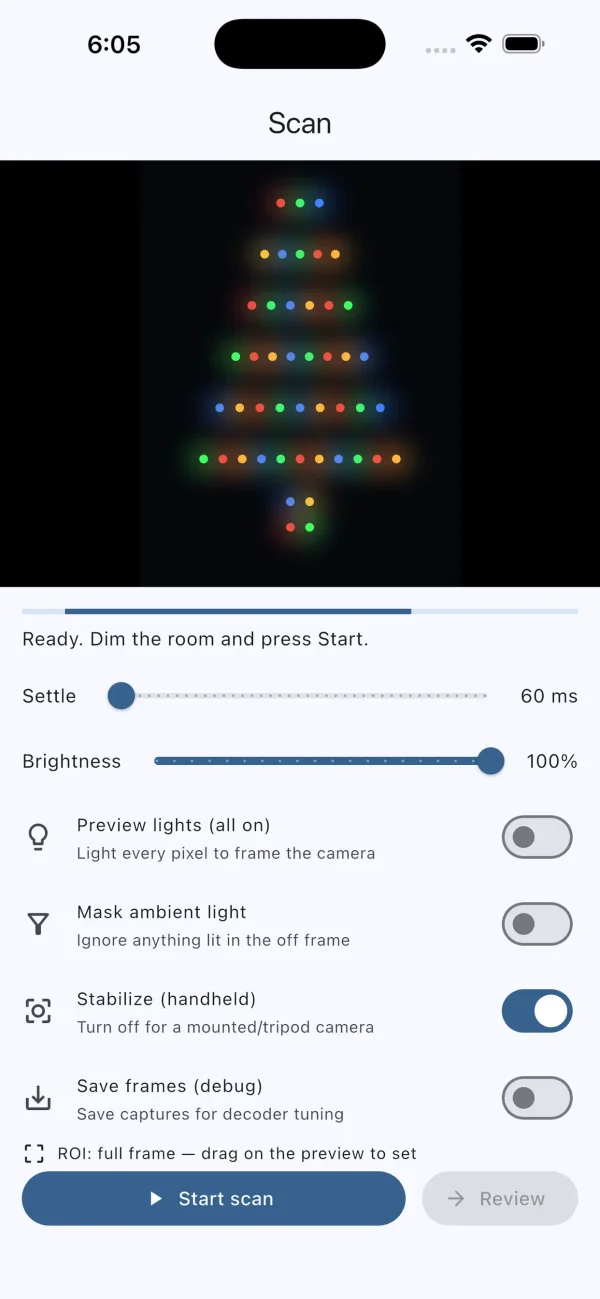
2. Scan — choose a mode:
• Fast (base-3): every pixel lights in every frame, colored by one base-3
digit of its index, so all pixels are identified in only ~log3(N)+2 frames
(about 500 pixels in 8 frames). Two checksum digits reject misreads.
• Sequential: light one pixel at a time and find the single bright blob.
Slower, but dead simple and rock solid.
Both modes subtract a black reference frame to ignore ambient hotspots.
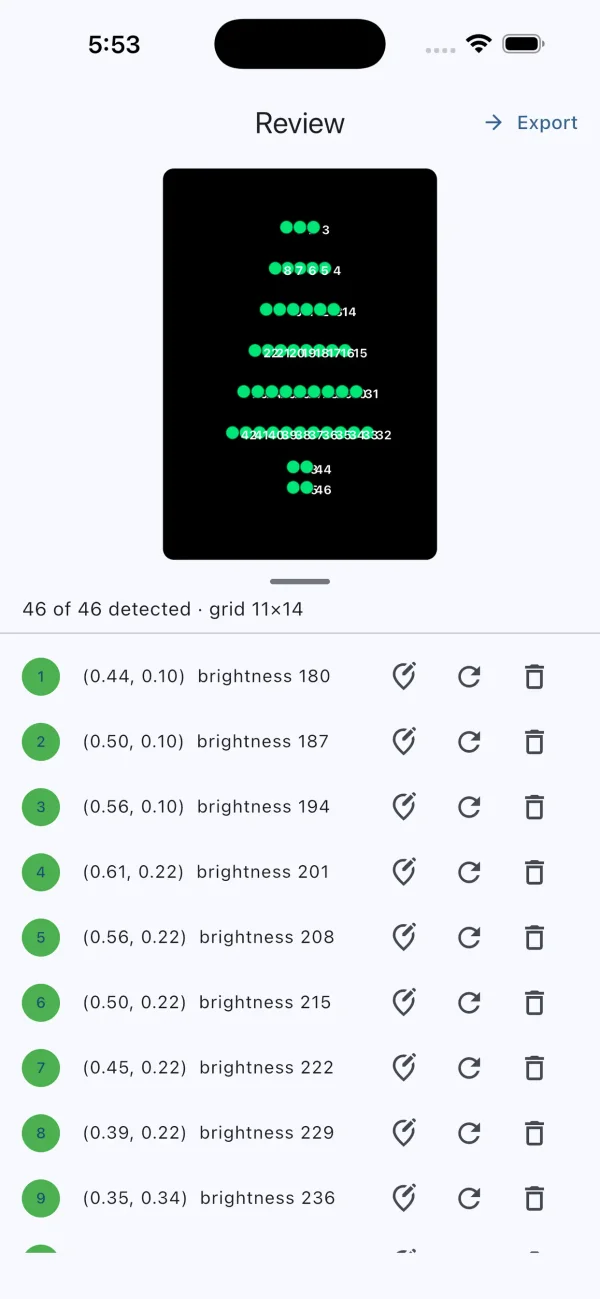
3. Review — see the detected layout over your photo, drop bad points, tap to
place or move a node, and re-scan individual pixels. Zoom and pan to fine-tune.
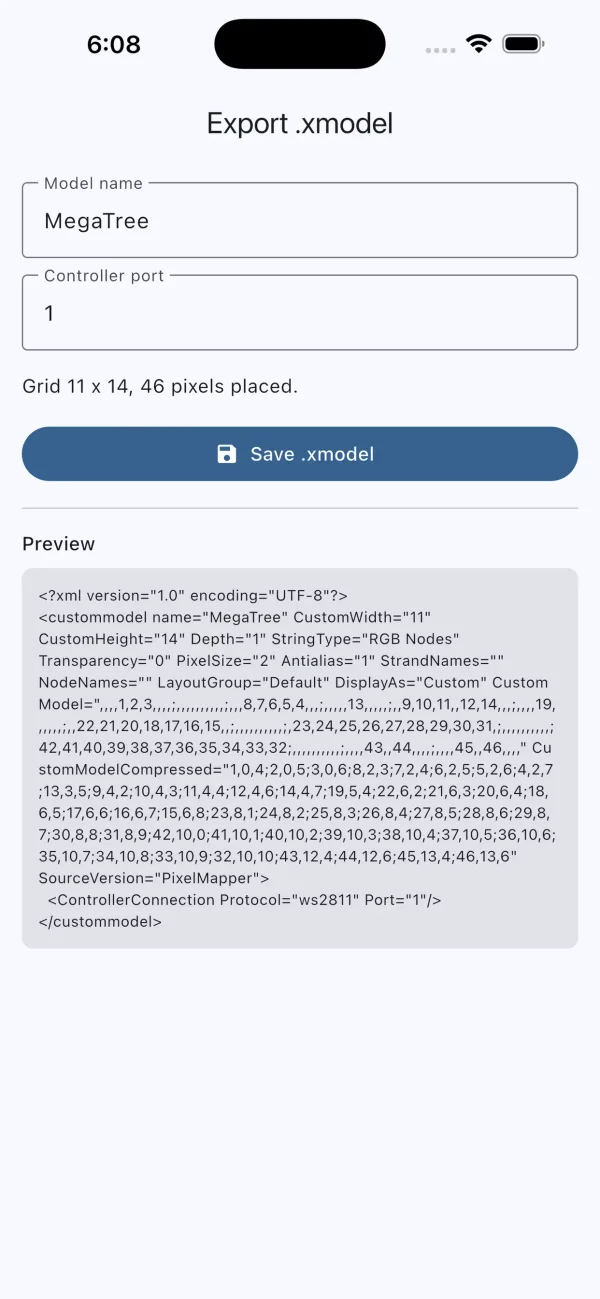
4. Export — save a standard xLights .xmodel file that imports into both old and
new versions of xLights.
WHY PIXEL MAPPER
• No more mapping hundreds of pixels by hand.
• Works with the gear you already own — any DDP or sACN/E1.31 pixel controller.
• Fast base-3 scan maps large models in seconds of capture.
• Checksum-protected so misread pixels get rejected, not placed wrong.
• Best results in a dim room; the app locks camera exposure and focus where
the device supports it.
REQUIREMENTS
• A WS2811 / WS2812 (or compatible) pixel controller reachable on your network.
• The controller set to receive DDP or sACN / E1.31.
• An iPhone or iPad on the same Wi-Fi network as the controller.
Pixel Mapper is an independent tool and is not affiliated with or endorsed by
the xLights project. xLights is a trademark of its respective owners.
Quyền riêng tư của ứng dụng
Những gì S&B Designs khai báo trên App Store về cách ứng dụng này xử lý dữ liệu.
-
Dữ liệu không được thu thập
Nhà phát triển không thu thập bất kỳ dữ liệu nào từ ứng dụng này.
Phương thức đảm bảo quyền riêng tư có thể khác nhau, chẳng hạn như tuỳ theo các tính năng bạn sử dụng hoặc độ tuổi của bạn.
Thông tin
- Người bán
- S&B Designs LLC
- Danh mục
- Tiện Ích
- Phiên bản
- 1.0
- Cập nhật
- 05/08/2026
- Phát hành
- 05/08/2026
- Kích thước
- 22,7 MB
- Yêu cầu
- iOS 13.0 trở lên
- Độ tuổi
- 4+
- Giá
- Miễn phí
- Ngôn ngữ
- Tiếng Anh
- Bản quyền
- © S&B Designs LLC