
QLoop
Cues that loop on any schedule
Conçue pour iPhone, iPad
Gratuit · Achats intégrés
- Classification d’âge4+
- CatégorieProductivité
- DéveloppeurDavid Smith
- LanguesAnglais
- Taille36,8 Mo
Renvoie vers la page App Store officielle
Download.org n’héberge aucun fichier de QLoop. Le bouton ouvre la page de l’application sur App Store, où David Smith la publie. Fiche vérifiée pour la dernière fois le 16/11/2026.
Captures d’écran


À propos
Le développeur n’a pas fourni ce texte dans votre langue.
QLoop is built for recurring reminders on any schedule—so you can remember the little things and build habits.
Create Qs (Cues) that “loop” automatically until you pause them or they reach an end condition. Choose a simple repeat (like every 45 minutes) or a calendar schedule (at a specific time).
SCHEDULING THAT FITS REAL LIFE
• Two modes: time-based repeat and calendar-based
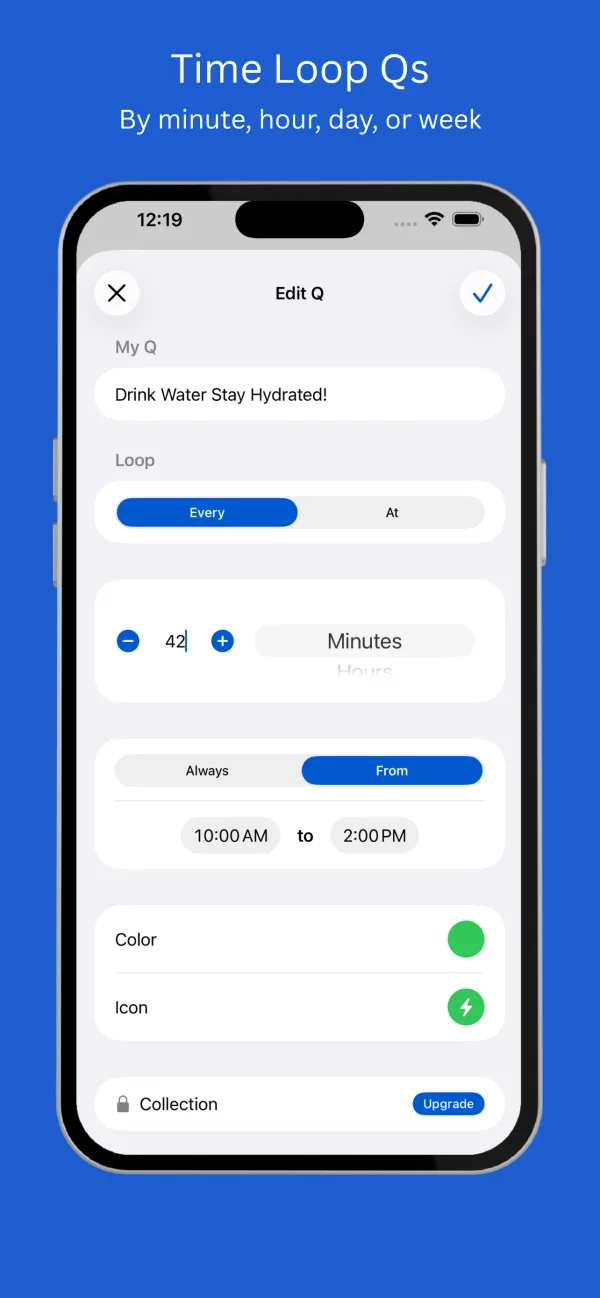
• Time-based repeat: any number of minutes, hours, days, or weeks (ex: every 45 minutes)
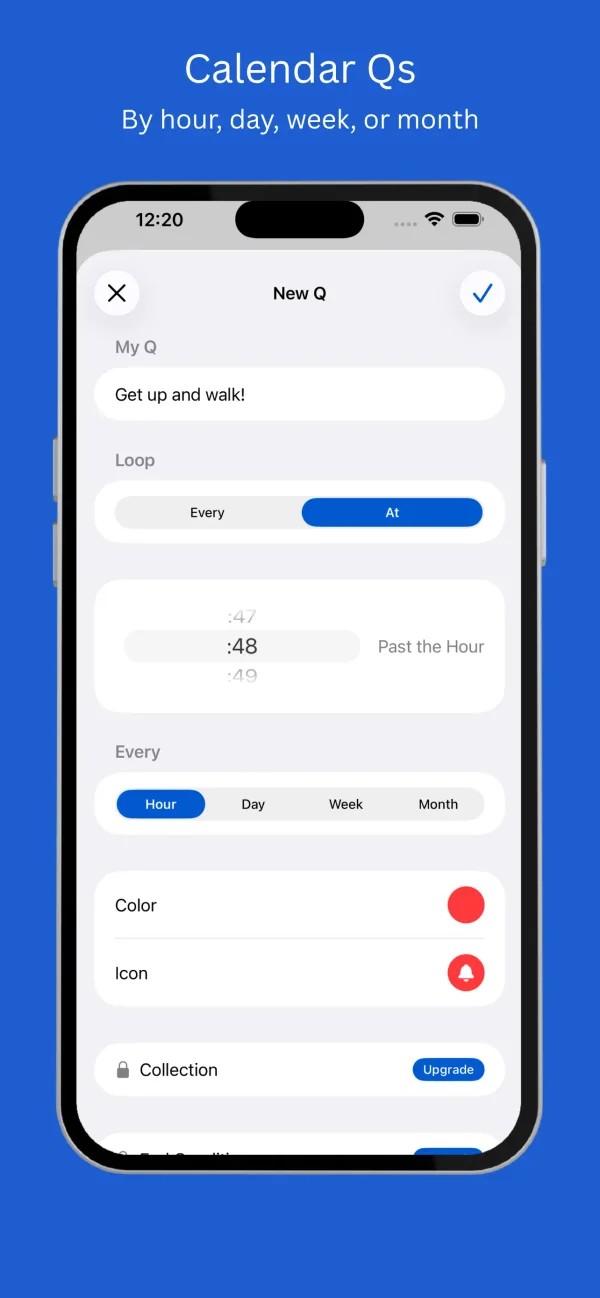
• Calendar recurrence: hourly, daily, weekly (select multiple days), monthly (pick a day of month)
• Pause & resume any Q anytime
• Automatic scheduling so your Qs keep repeating without extra setup
• End conditions (Premium): stop after a certain number of completions (tapping Done) or stop on a date
• NEW FREE FEATURE: Set an active window for Qs with intervals of 30 minutes or more. Example: Every 1 hour, 9:00 AM - 6:00 PM
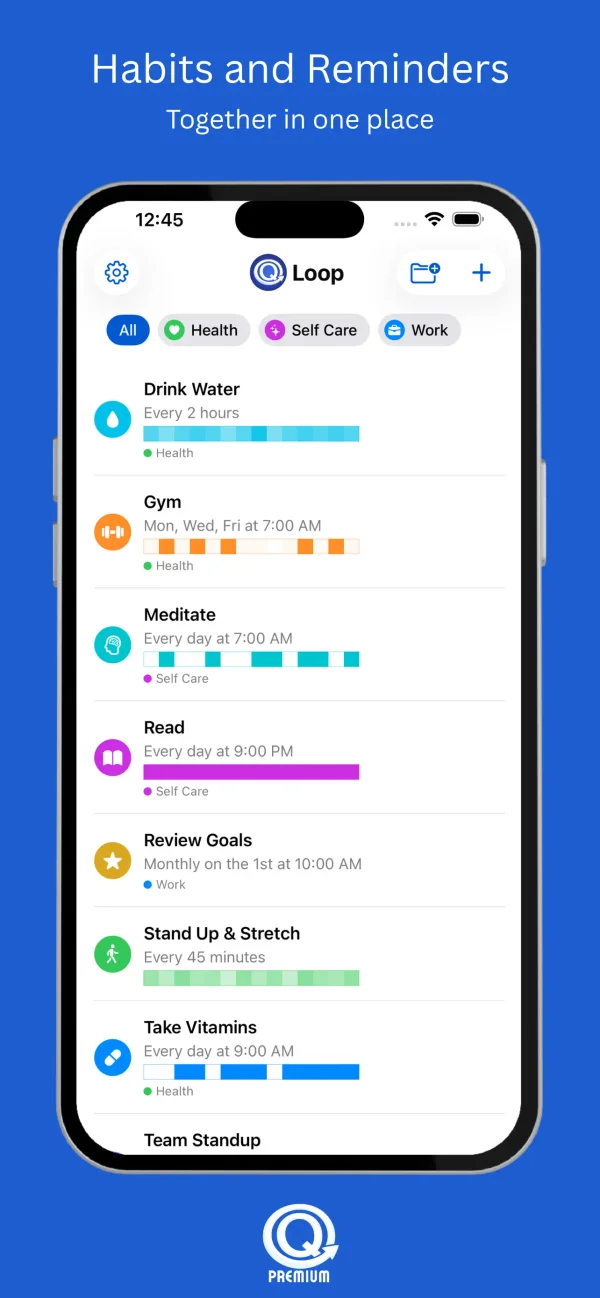
• NEW PREMIUM FEATURE: Edit a Q to enable completion tracking. A colored bar will appear on the Q showing completions for the last two weeks. When Qs are marked as done
from the notification, the tracker is updated and the colors in the bar become less transparent. Tap on the bar to view all completion history in two-week blocks. Tap on an
individual square to view counts.
NOTIFICATIONS THAT DO MORE THAN “PING”
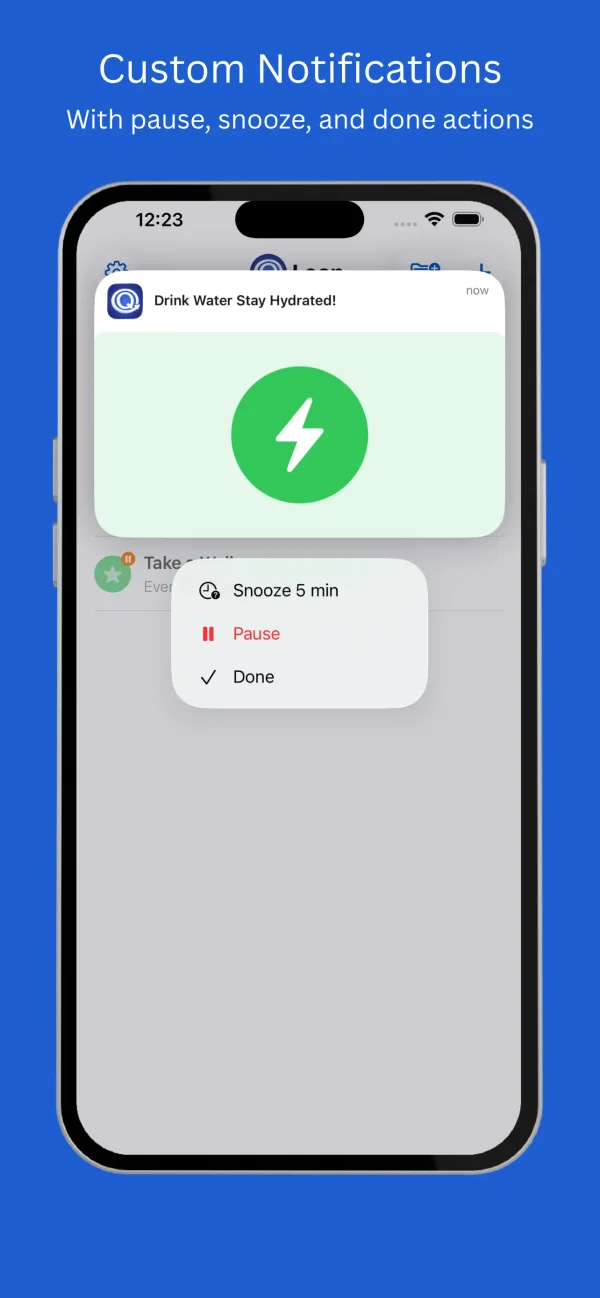
• Actions right on the notification: Snooze (5 min), Pause, Done
• Snooze appears only when your repeat is longer than 5 minutes
• Tap a notification to open the Q for quick editing
• Built to respect iOS scheduling limits — you’ll get a clear alert if your schedule is full
• NEW FREE FEATURE: Set the snooze length per Q.
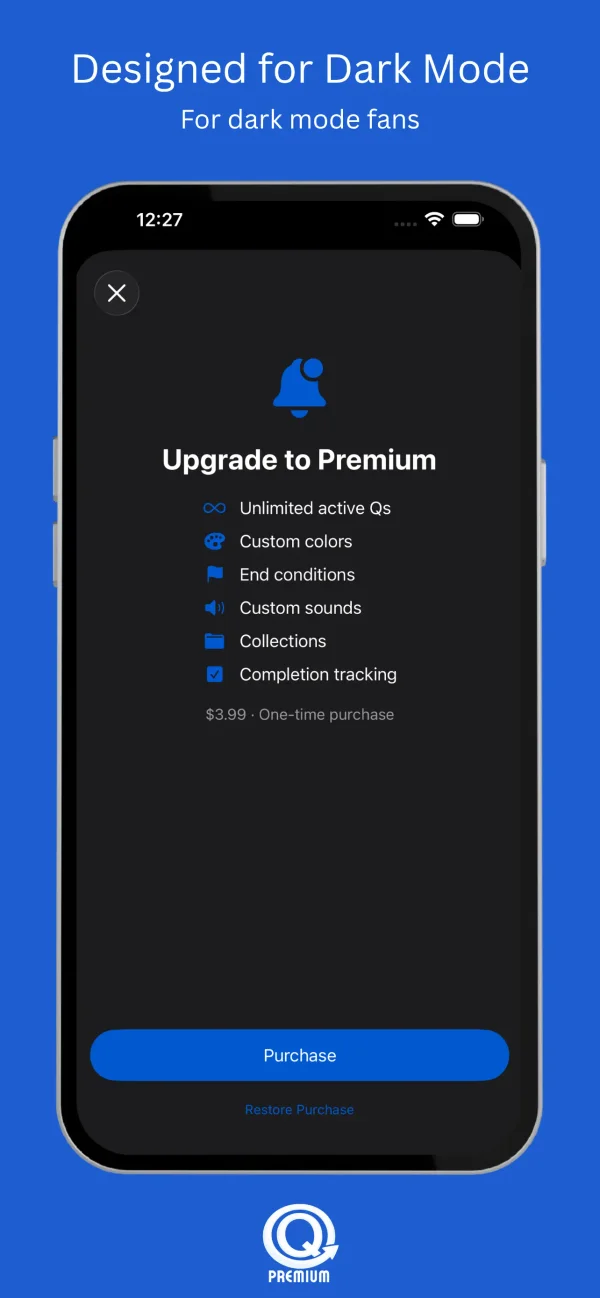
Free includes up to 5 active Qs. Upgrade to Premium to unlock:
• Unlimited active Qs (Cues)
• Collections to group Qs together
• End conditions (Premium)
• Custom colors and icons
• Custom sounds with in-app preview
• Restore purchases support
Privacy: QLoop is local-first — no account required.
Notes: Notification scheduling is managed by iOS, which limits how many notifications can be pending at once. QLoop will warn you when the schedule is full.
Nouveautés
Version 2.1.0 · 29/04/2026
• NEW FREE FEATURE: Set the snooze length per Q.
• Minor improvements and bug fixes
Confidentialité de l’application
Ce que David Smith déclare sur l’App Store au sujet du traitement des données par cette application.
-
Données non collectées
Le développeur ne collecte aucune donnée à partir de cette application.
Les pratiques en matière de confidentialité peuvent varier, notamment en fonction des fonctionnalités que vous utilisez ou de votre âge.
Informations
- Vendeur
- Nocturnal Vision LLC
- Catégorie
- Productivité
- Version
- 2.1.0
- Mis à jour
- 29/04/2026
- Publié
- 10/03/2026
- Taille
- 36,8 Mo
- Nécessite
- iOS 17.0 ou version ultérieure
- Classification d’âge
- 4+
- Prix
- Gratuit
- Achats intégrés
- Oui
- Langues
- Anglais
- Copyright
- © 2025 Nocturnal Vision LLC
Vous aimerez peut-être aussi
-
 CueTask: Reminders & todo listProductivité
-
 Cue: Smart RemindersProductivité
-
 Pingo: Recurring RemindersProductivité
-
 Name It - App Name GeneratorProductivité
-
 Capush: Save the InternetProductivité
-
 ReflexyProductivité
-
 Minuteur d'intervalles répétésInterval timer & reminders
-
 Looopit : Rappels insistantsN'oubliez plus vos habitudes
-
 NowCue: Daily PlannerProductivité
-
 Remindly: Custom NotificationsProductivité