
QLoop
Cues that loop on any schedule
Được thiết kế cho iPhone, iPad
Miễn phí · Mua hàng trong ứng dụng
- Độ tuổi4+
- Danh mụcHiệu Suất
- Nhà phát triểnDavid Smith
- Ngôn ngữTiếng Anh
- Kích thước36,8 MB
Liên kết đến trang App Store chính thức
Download.org không lưu trữ tệp nào của QLoop. Nút này mở trang ứng dụng trên App Store, nơi David Smith phát hành ứng dụng. Trang được kiểm tra lần cuối: 16/11/2026.
Ảnh chụp màn hình


Giới thiệu
Nhà phát triển chưa cung cấp nội dung này bằng ngôn ngữ của bạn.
QLoop is built for recurring reminders on any schedule—so you can remember the little things and build habits.
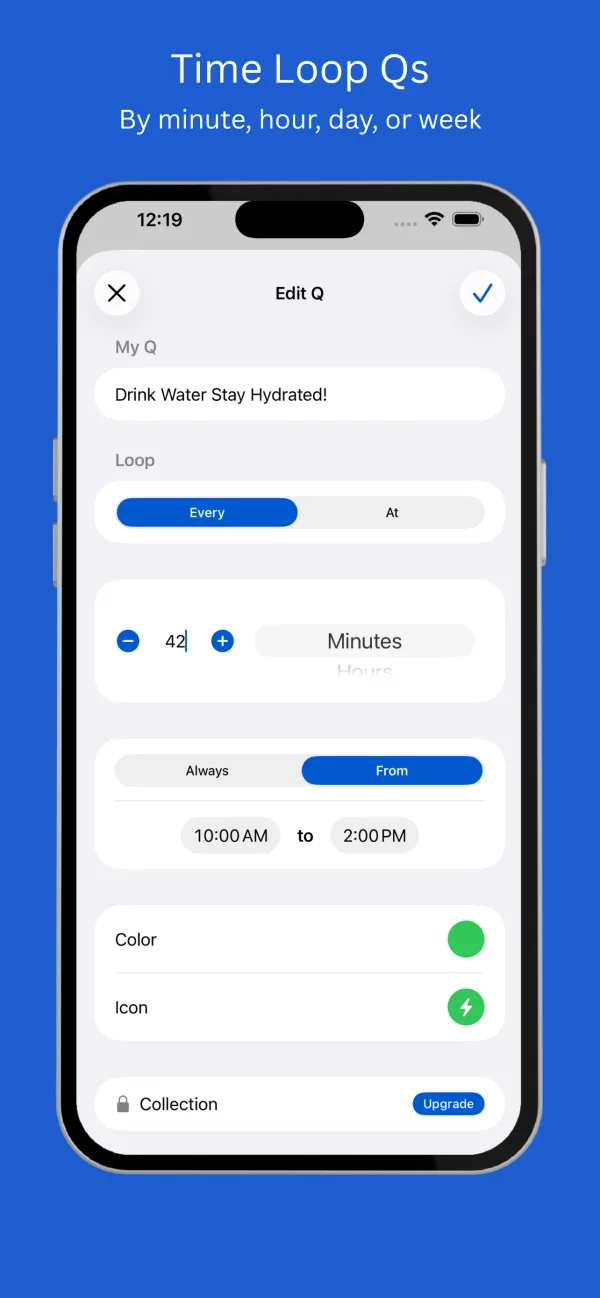
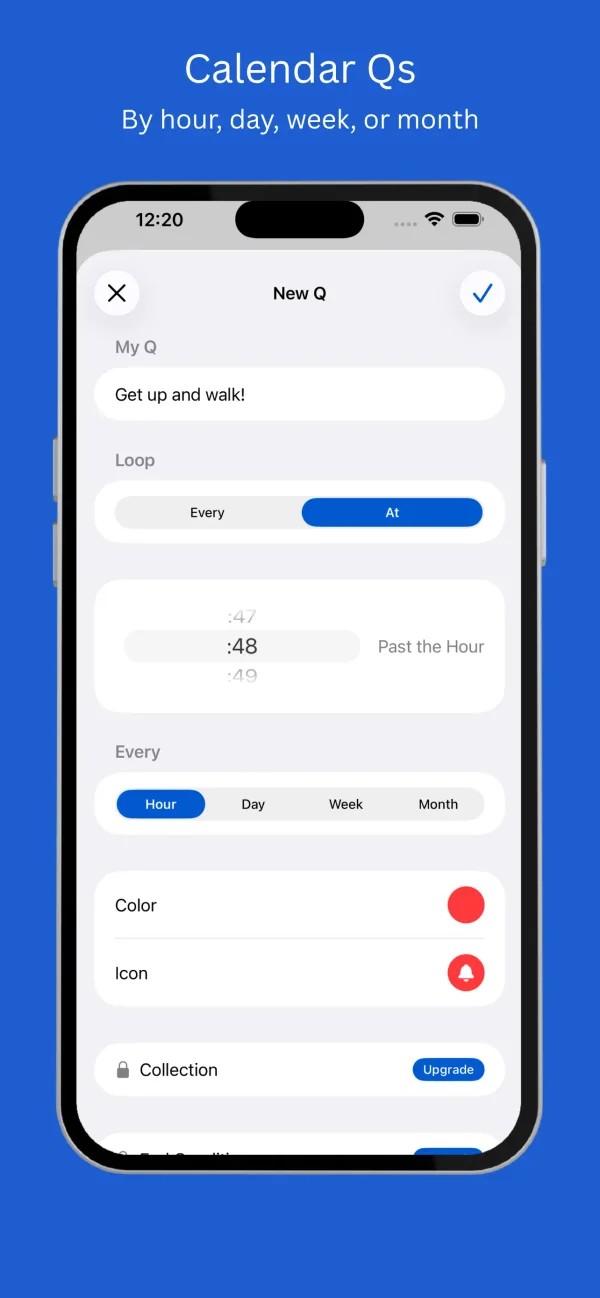
Create Qs (Cues) that “loop” automatically until you pause them or they reach an end condition. Choose a simple repeat (like every 45 minutes) or a calendar schedule (at a specific time).
SCHEDULING THAT FITS REAL LIFE
• Two modes: time-based repeat and calendar-based
• Time-based repeat: any number of minutes, hours, days, or weeks (ex: every 45 minutes)
• Calendar recurrence: hourly, daily, weekly (select multiple days), monthly (pick a day of month)
• Pause & resume any Q anytime
• Automatic scheduling so your Qs keep repeating without extra setup
• End conditions (Premium): stop after a certain number of completions (tapping Done) or stop on a date
• NEW FREE FEATURE: Set an active window for Qs with intervals of 30 minutes or more. Example: Every 1 hour, 9:00 AM - 6:00 PM
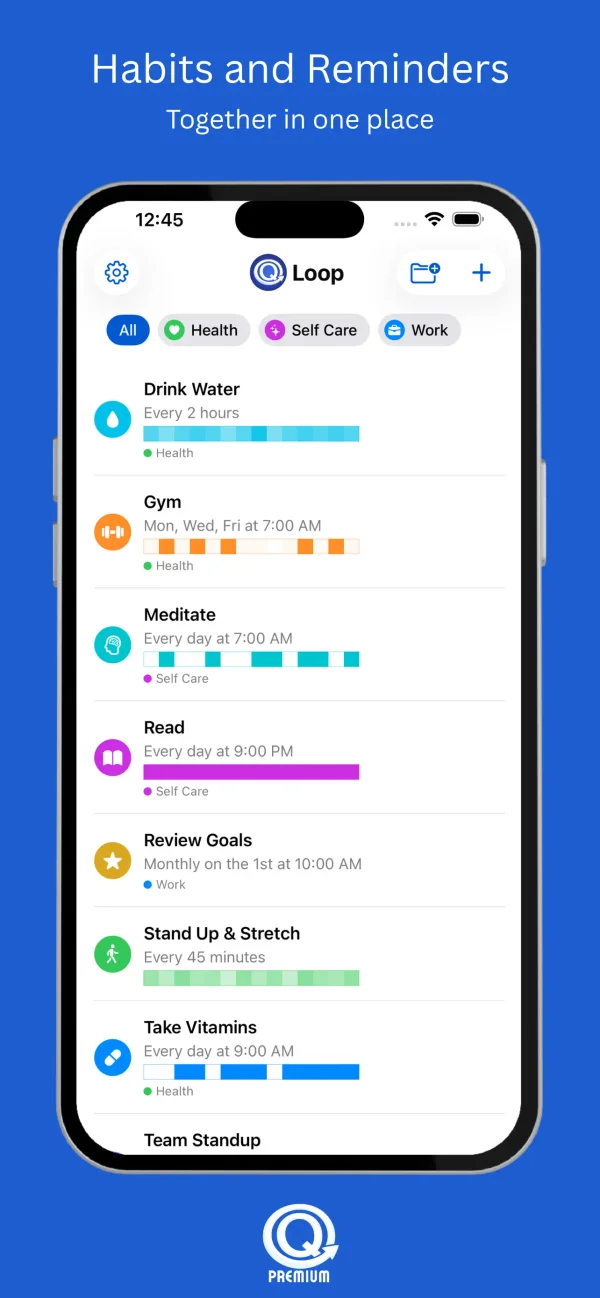
• NEW PREMIUM FEATURE: Edit a Q to enable completion tracking. A colored bar will appear on the Q showing completions for the last two weeks. When Qs are marked as done
from the notification, the tracker is updated and the colors in the bar become less transparent. Tap on the bar to view all completion history in two-week blocks. Tap on an
individual square to view counts.
NOTIFICATIONS THAT DO MORE THAN “PING”
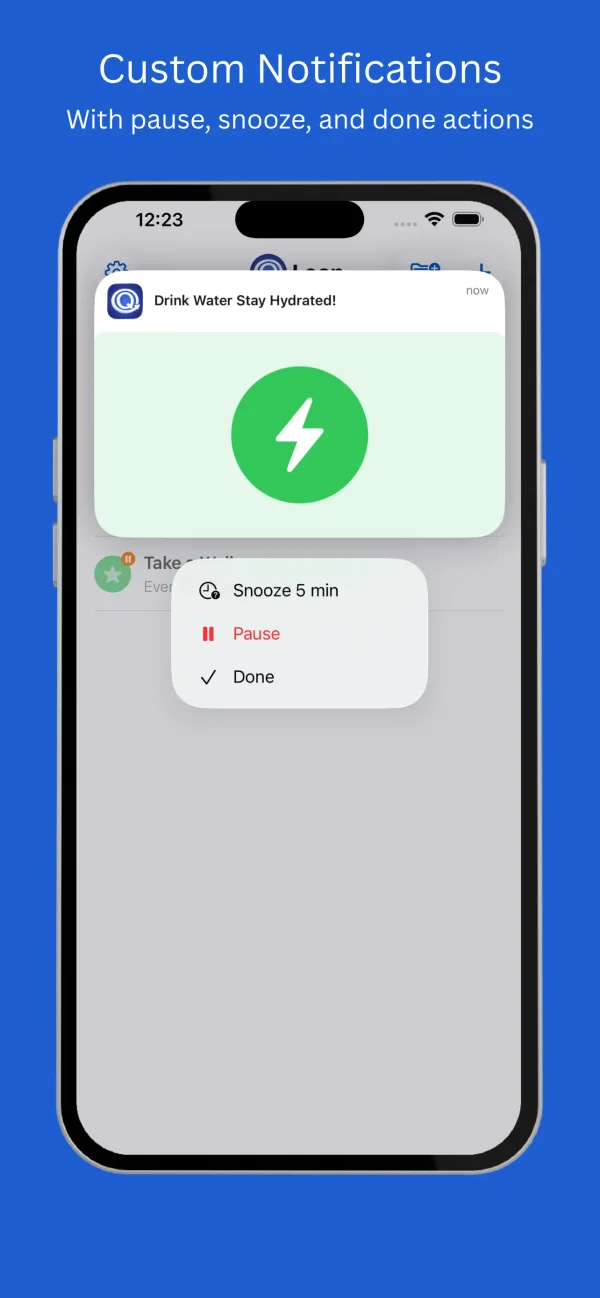
• Actions right on the notification: Snooze (5 min), Pause, Done
• Snooze appears only when your repeat is longer than 5 minutes
• Tap a notification to open the Q for quick editing
• Built to respect iOS scheduling limits — you’ll get a clear alert if your schedule is full
• NEW FREE FEATURE: Set the snooze length per Q.
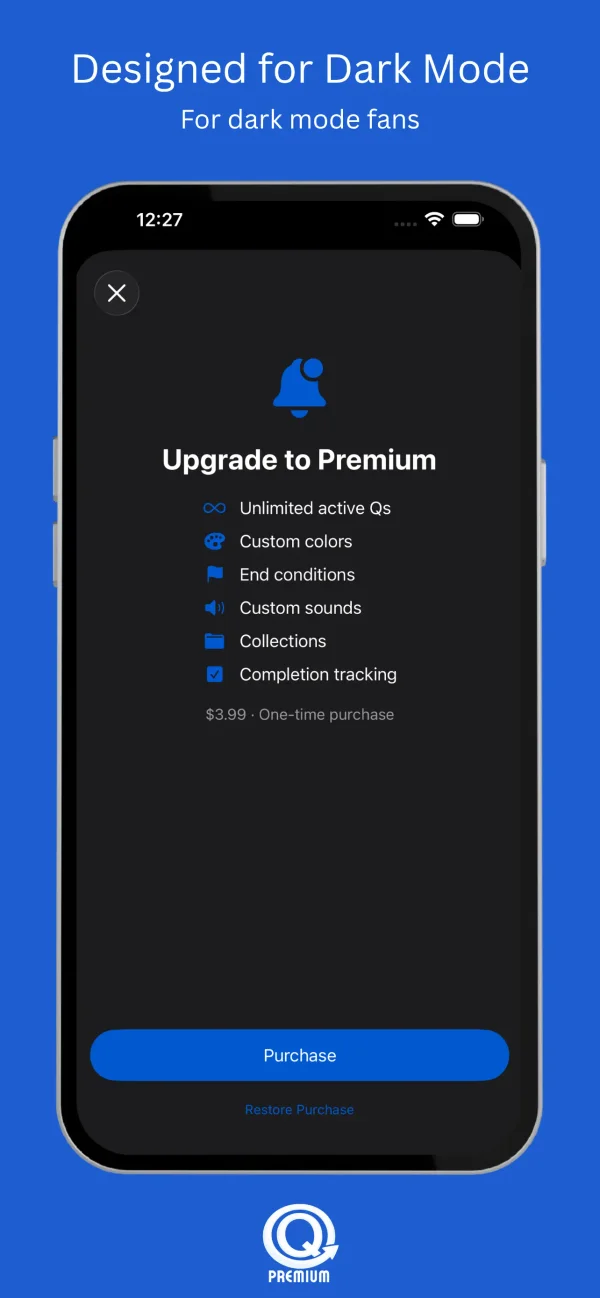
Free includes up to 5 active Qs. Upgrade to Premium to unlock:
• Unlimited active Qs (Cues)
• Collections to group Qs together
• End conditions (Premium)
• Custom colors and icons
• Custom sounds with in-app preview
• Restore purchases support
Privacy: QLoop is local-first — no account required.
Notes: Notification scheduling is managed by iOS, which limits how many notifications can be pending at once. QLoop will warn you when the schedule is full.
Có gì mới
Phiên bản 2.1.0 · 29/04/2026
• NEW FREE FEATURE: Set the snooze length per Q.
• Minor improvements and bug fixes
Quyền riêng tư của ứng dụng
Những gì David Smith khai báo trên App Store về cách ứng dụng này xử lý dữ liệu.
-
Dữ liệu không được thu thập
Nhà phát triển không thu thập bất kỳ dữ liệu nào từ ứng dụng này.
Phương thức đảm bảo quyền riêng tư có thể khác nhau, chẳng hạn như tuỳ theo các tính năng bạn sử dụng hoặc độ tuổi của bạn.
Thông tin
- Người bán
- Nocturnal Vision LLC
- Danh mục
- Hiệu Suất
- Phiên bản
- 2.1.0
- Cập nhật
- 29/04/2026
- Phát hành
- 10/03/2026
- Kích thước
- 36,8 MB
- Yêu cầu
- iOS 17.0 trở lên
- Độ tuổi
- 4+
- Giá
- Miễn phí
- Mua hàng trong ứng dụng
- Có
- Ngôn ngữ
- Tiếng Anh
- Bản quyền
- © 2025 Nocturnal Vision LLC
Có thể bạn cũng thích
-
 CueTask: Reminders & todo listHiệu Suất
-
 Cue: Smart RemindersHiệu Suất
-
 Pingo: Recurring RemindersHiệu Suất
-
 Name It - App Name GeneratorHiệu Suất
-
 Capush: Save the InternetHiệu Suất
-
 ReflexyHiệu Suất
-
 Hẹn giờ khoảng & lặp lạiInterval timer & reminders
-
 Looopit - Nhắc nhở dai dẳngKhông quên thuốc và thói quen
-
 NowCue: Daily PlannerHiệu Suất
-
 Remindly: Custom NotificationsHiệu Suất