- Classification d’âge4+
- CatégoriePhoto et vidéo
- DéveloppeurLee Hyojoong
- LanguesAnglais+ 1 de plus
- Taille5,6 Mo
Renvoie vers la page App Store officielle
Download.org n’héberge aucun fichier de ReadyCam. Le bouton ouvre la page de l’application sur App Store, où Lee Hyojoong la publie. Fiche vérifiée pour la dernière fois le 19/11/2026.
Captures d’écran

À propos
Le développeur n’a pas fourni ce texte dans votre langue.
ReadyCam is a fast camera app for making upload-ready vertical videos without opening a full timeline
editor.
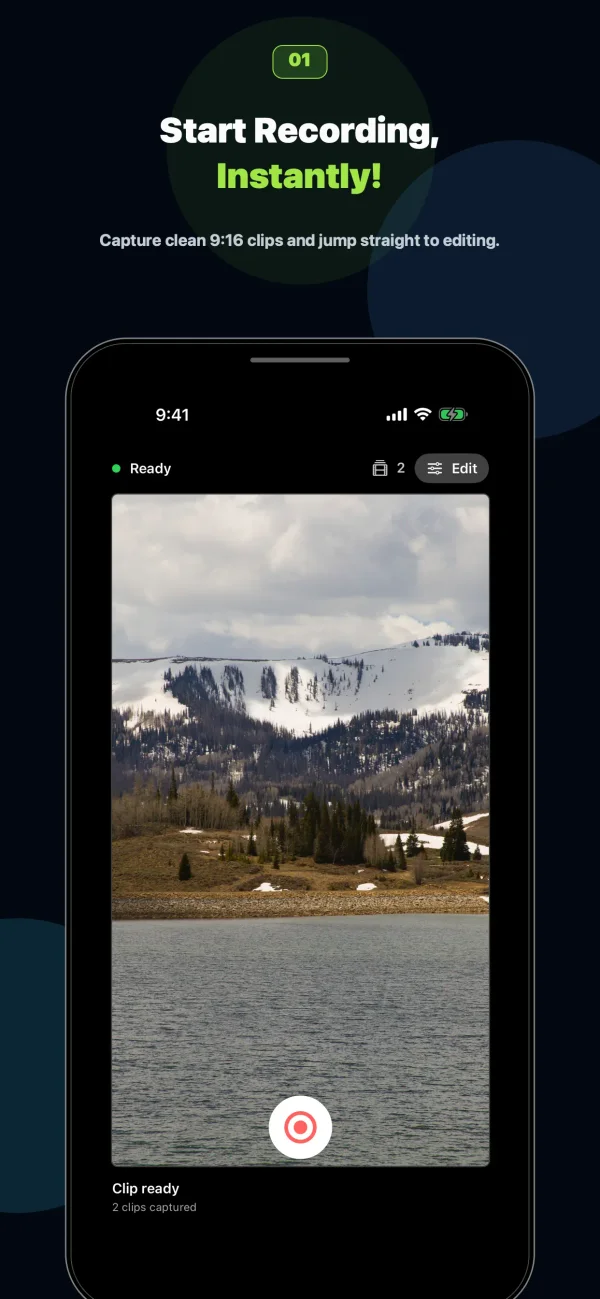
Record clean 9:16 clips, add styled clip text, choose how timestamps appear, arrange multiple clips, and render one shareable MP4.
ReadyCam keeps the workflow focused on the things creators often need right before posting: clear text, useful time context, simple clip order, audio control, and a final preview before saving or sharing.
What you can do with ReadyCam:
- Record vertical clips directly in the app
- Import existing videos from Photos
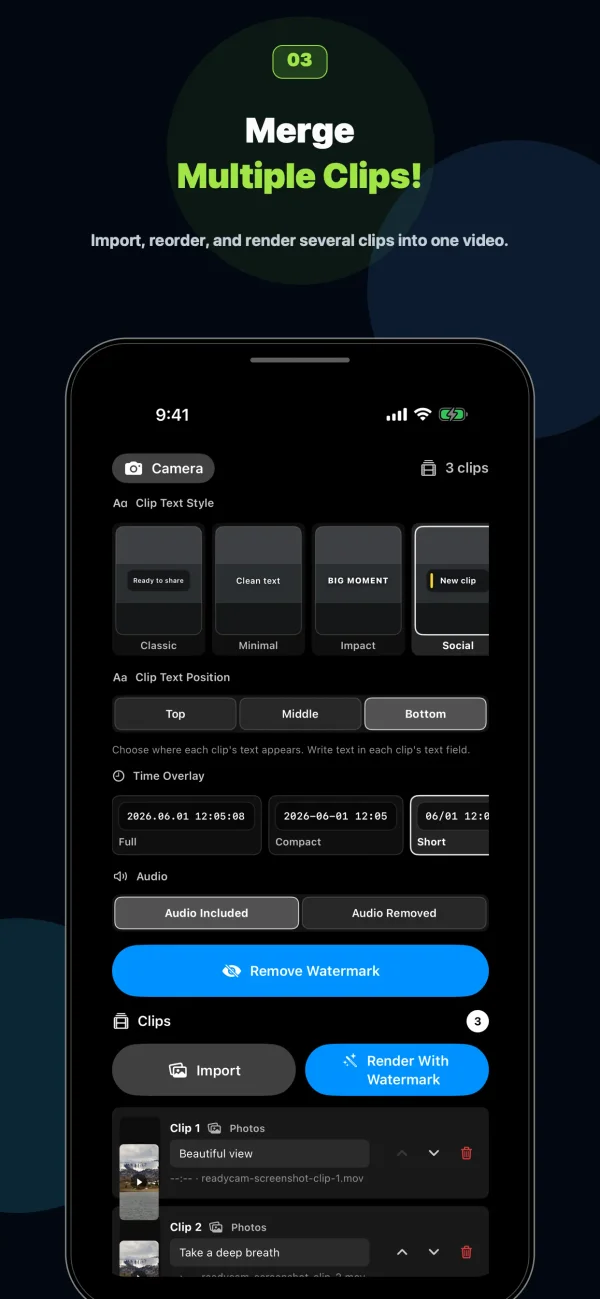
- Add custom text to each clip
- Choose from multiple clip text styles
- Place clip text at the top, middle, or bottom
- Show full, compact, short, time-only, elapsed, or no timestamp
- Keep or remove original audio during export
- Merge several clips into one final video
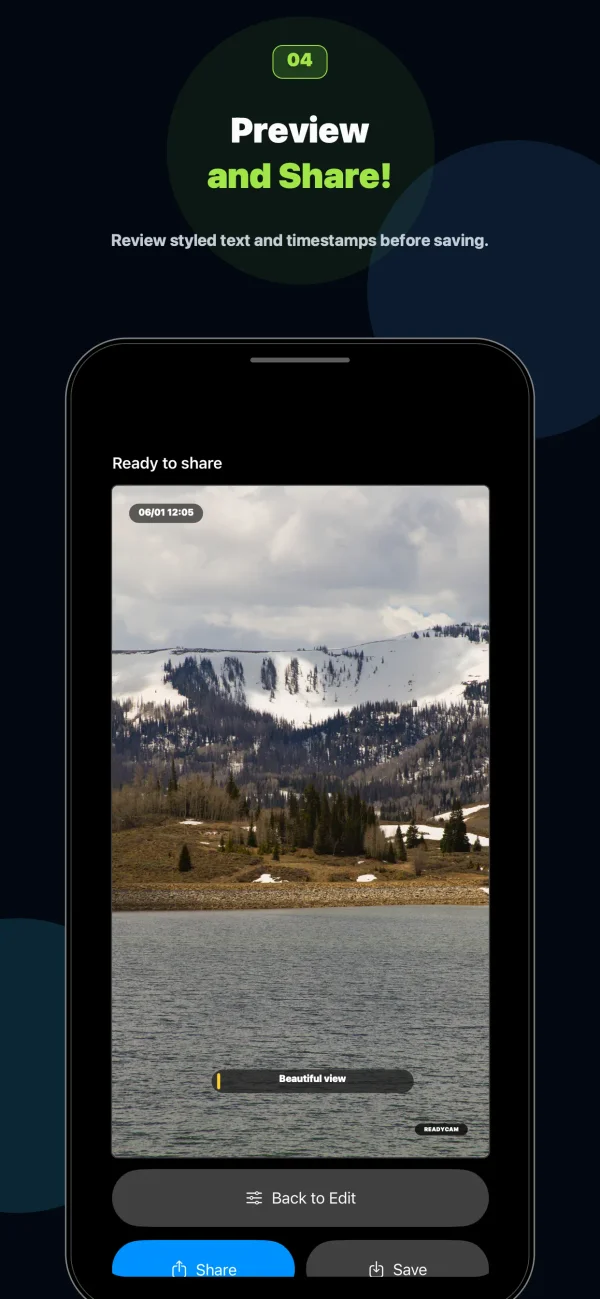
- Preview the rendered result before saving
- Save to Photos or share through the iOS share sheet
ReadyCam is intentionally lightweight. It is not built around a complex timeline, layers, or long editing sessions. It is built for quick capture, quick styling, and quick sharing when you already know what you want to post.
Videos are created on device. ReadyCam does not require an account, and your media is not uploaded to a ReadyCam server.
Nouveautés
Version 1.1 · 05/06/2026
This version adds a more complete styling workflow for creators who want videos to look ready before
export.
- Added Clip Text Style presets: Classic, Minimal, Impact, Social, Journal, and Brand
- Added Clip Text Position controls for top, middle, and bottom placement
- Added Time Overlay formats, including full date/time, compact date/time, short date/time, time-only,
elapsed time, and no timestamp
- Added clearer previews for clip text styles and timestamp formats
- Improved clip text wording throughout the editor
- Rendered videos now apply the selected clip text style, position, timestamp format, and audio option
consistently
Confidentialité de l’application
Ce que Lee Hyojoong déclare sur l’App Store au sujet du traitement des données par cette application.
-
Données non collectées
Le développeur ne collecte aucune donnée à partir de cette application.
Les pratiques en matière de confidentialité peuvent varier, notamment en fonction des fonctionnalités que vous utilisez ou de votre âge.
Informations
- Vendeur
- Lee Hyojoong
- Catégorie
- Photo et vidéo
- Version
- 1.1
- Mis à jour
- 05/06/2026
- Publié
- 13/05/2026
- Taille
- 5,6 Mo
- Nécessite
- iOS 26.0 ou version ultérieure
- Classification d’âge
- 4+
- Prix
- Gratuit
- Langues
- Anglais, Coréen
- Copyright
- © 2026 iisjoong
Vous aimerez peut-être aussi
-
 Merge Images: Overlay & JoinPhoto et vidéo
-
 Relay Camera TransferPhoto et vidéo
-
 TwoShot - Dual Camera RecordPhoto et vidéo
-
 2sec - Vlogs made in a flash.Photo et vidéo
-
 Reel Max: Modèles VidéoCréez un reel parfait en 2s
-
 Mugen PlayerPhoto et vidéo
-
 Wolfbox AutoPhoto et vidéo
-
 Dual Recorder: DuoShot CameraPhoto et vidéo
-
 Blur Video & Photo BlurEffectPhoto et vidéo
-
 Améliorer Photo & DéflouterPhotos nettes en haute qualité