Router Setup Page
Setup Page access for routers.
Conçue pour iPhone, iPad, iPod touch
Gratuit · Achats intégrés
- Classification d’âge17+
- CatégorieUtilitaires
- DéveloppeurBlack Sheep Media Ltd
- LanguesAnglais
- Taille48,2 Mo
Renvoie vers la page App Store officielle
Download.org n’héberge aucun fichier de Router Setup Page. Le bouton ouvre la page de l’application sur App Store, où Black Sheep Media Ltd la publie. Fiche vérifiée pour la dernière fois le 12/11/2026.
Captures d’écran

À propos
Le développeur n’a pas fourni ce texte dans votre langue.
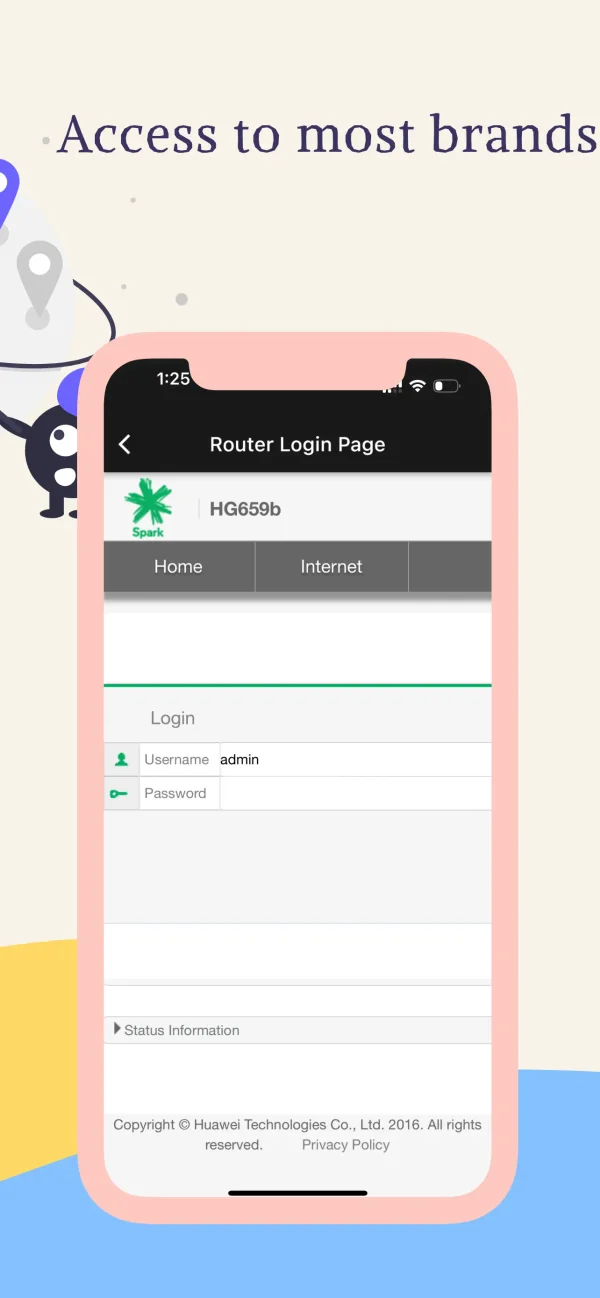
Router Setup Page is an all-in-one tool to manage your routers, repeaters, and extenders. For every router brand, there will be an IP address that will give access to the settings page of the router. For some reason, most people are not aware of this IP address. Here comes the importance of the router setup page. We will automatically pick up the default gateway address of your router and display the login page. You just need to enter the username and password to connect.
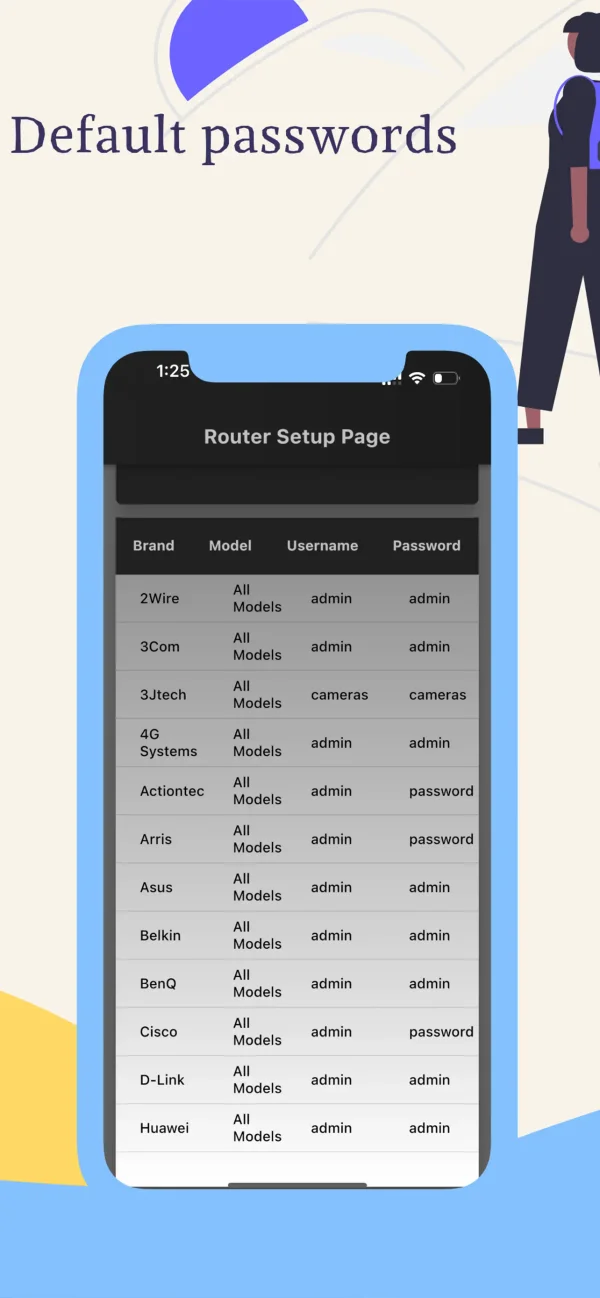
Following are the router brands we have tested and working perfectly. You should be able to access the setup page of the following router brands. We already listed the majority of the router's default username and password. However, if it doesn't work, please check the device manual for further details.
TP Link router Login:- We support access to the setup page of TP-Link routers and repeaters. The gateway address can be either 192.168.1.1 or 192.168.0.1. No need to remember these IP addresses as we will pick them for you by default.
Netgear Router Login:- You can easily access the Netgear router or repeater admin page using this app. The Netgear brand comes with the default IP address 192.168.0.1 which can straightly be accessed within this app.
Tenda Router Login:- Tenda routers, by default, comes with the IP 192.168.1.1. If you don't want to remember this IP and want to log in straight to the admin page, try our app. You will be able to manage Wi-Fi settings, User Access Control, and other Tenda settings.
Huawei Router Login:- Great news for those who are using Huawei routers at home or office. We have tested our app on Huawei routers and extenders and it is working perfectly.
Along with these popular brands, you can also access
-ZTE Router Login page
-Sky router login
-Xfinity router login
-Zyxel router login etc.
Contact us if you want more devices to be added to the list.
Terms of Use: https://www.apple.com/legal/internet-services/itunes/dev/stdeula/
Privacy Policy:- https://blacksheepmedia.co.nz/router-setup-page-privacy-policy/
Nouveautés
Version 2.1 · 26/12/2024
Fixed Bugs.
Confidentialité de l’application
Ce que Black Sheep Media Ltd déclare sur l’App Store au sujet du traitement des données par cette application.
-
Données utilisées pour vous suivre
Peuvent être utilisées pour vous suivre sur des applications et des sites web appartenant à d’autres sociétés.
- Identifiants
-
Données n’établissant aucun lien avec vous
Peuvent être collectées, mais ne sont pas liées à votre identité.
- Identifiants
- Données d’utilisation
Les pratiques en matière de confidentialité peuvent varier, notamment en fonction des fonctionnalités que vous utilisez ou de votre âge.
Informations
- Vendeur
- Black Sheep Media Ltd
- Catégorie
- Utilitaires
- Version
- 2.1
- Mis à jour
- 26/12/2024
- Publié
- 05/07/2023
- Taille
- 48,2 Mo
- Nécessite
- iOS 12.0 ou version ultérieure
- Classification d’âge
- 17+
- Prix
- Gratuit
- Achats intégrés
- Oui
- Langues
- Anglais
- Copyright
- © Black Sheep Media
Vous aimerez peut-être aussi
-
 Configurer le routeurAnalyseur WiFi & test debit
-
 Router Admin PageUtilitaires
-
 Ami ProbashiUtilitaires
-
 Kahf Guard: Parental ControlApp Blocker & Screen Time
-
 DD-WRTUtilitaires
-
 Walton Smart AppliancesUtilitaires
-
 Bengali Keyboard - BanglishUtilitaires
-
 NetScan - wifi analyzerip & Network scanner - Ping
-
 WiFi Password & WiFi AnalyzerUtilitaires
-
 Router Setup Page ProGestion WiFi & scan réseau