Router Setup Page
Setup Page access for routers.
Designed for iPhone, iPad, iPod touch
Free · In-app purchases
- Age rating17+
- CategoryUtilities
- DeveloperBlack Sheep Media Ltd
- LanguagesEnglish
- Size48.2 MB
Links to the official App Store page
Download.org hosts no file of Router Setup Page. The button opens its official App Store page, published by Black Sheep Media Ltd. Listing last checked on Nov 12, 2026.
Screenshots

About
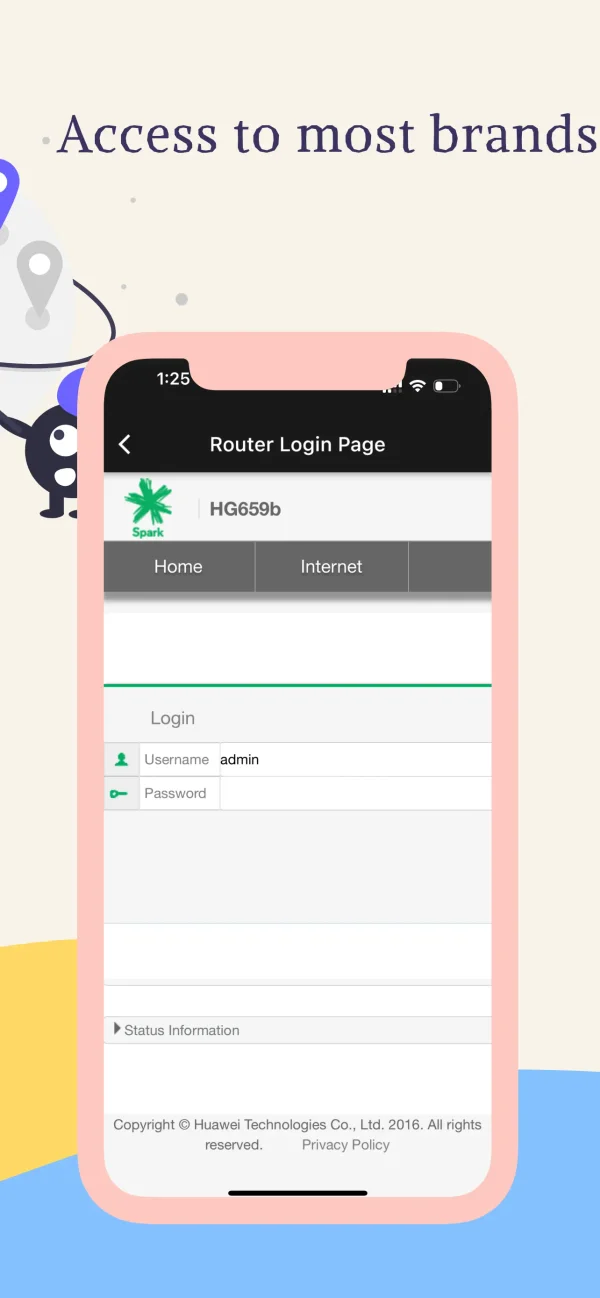
Router Setup Page is an all-in-one tool to manage your routers, repeaters, and extenders. For every router brand, there will be an IP address that will give access to the settings page of the router. For some reason, most people are not aware of this IP address. Here comes the importance of the router setup page. We will automatically pick up the default gateway address of your router and display the login page. You just need to enter the username and password to connect.
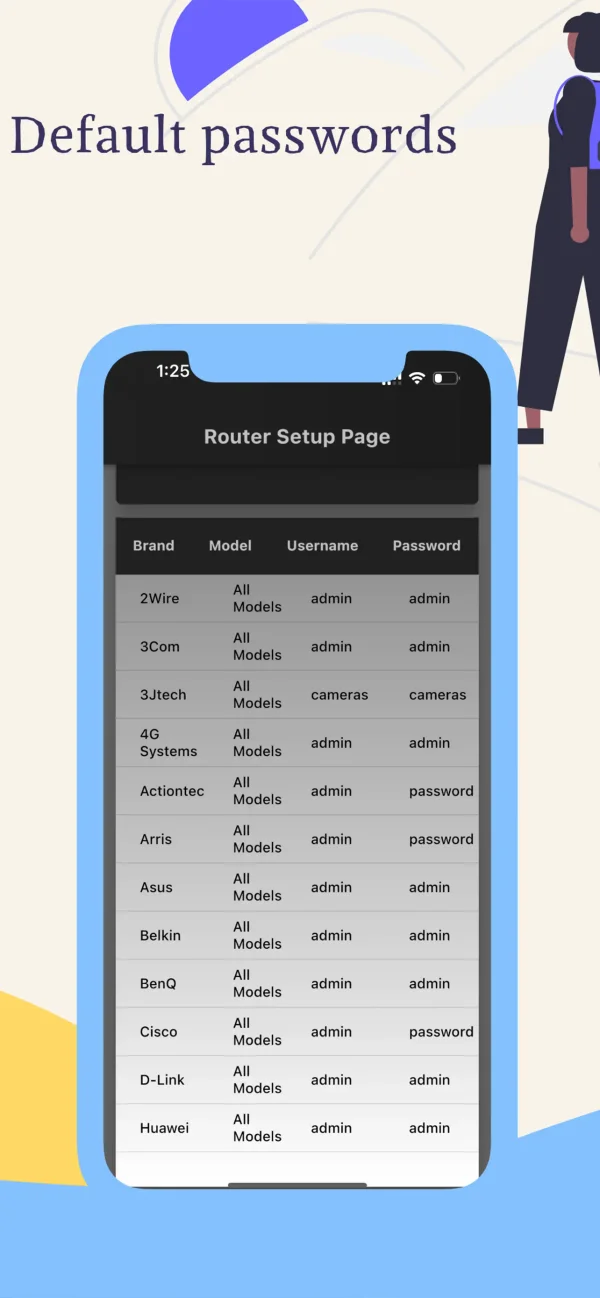
Following are the router brands we have tested and working perfectly. You should be able to access the setup page of the following router brands. We already listed the majority of the router's default username and password. However, if it doesn't work, please check the device manual for further details.
TP Link router Login:- We support access to the setup page of TP-Link routers and repeaters. The gateway address can be either 192.168.1.1 or 192.168.0.1. No need to remember these IP addresses as we will pick them for you by default.
Netgear Router Login:- You can easily access the Netgear router or repeater admin page using this app. The Netgear brand comes with the default IP address 192.168.0.1 which can straightly be accessed within this app.
Tenda Router Login:- Tenda routers, by default, comes with the IP 192.168.1.1. If you don't want to remember this IP and want to log in straight to the admin page, try our app. You will be able to manage Wi-Fi settings, User Access Control, and other Tenda settings.
Huawei Router Login:- Great news for those who are using Huawei routers at home or office. We have tested our app on Huawei routers and extenders and it is working perfectly.
Along with these popular brands, you can also access
-ZTE Router Login page
-Sky router login
-Xfinity router login
-Zyxel router login etc.
Contact us if you want more devices to be added to the list.
Terms of Use: https://www.apple.com/legal/internet-services/itunes/dev/stdeula/
Privacy Policy:- https://blacksheepmedia.co.nz/router-setup-page-privacy-policy/
What’s new
Version 2.1 · Dec 26, 2024
Fixed Bugs.
App privacy
What Black Sheep Media Ltd declares on the App Store about how this app handles data.
-
Data used to track you
May be used to track you across apps and websites owned by other companies.
- Identifiers
-
Data not linked to you
May be collected but is not linked to your identity.
- Identifiers
- Usage data
Privacy practices may vary, for example with the features you use or your age.
Information
- Seller
- Black Sheep Media Ltd
- Category
- Utilities
- Version
- 2.1
- Updated
- Dec 26, 2024
- Released
- Jul 5, 2023
- Size
- 48.2 MB
- Requires
- iOS 12.0 or later
- Age rating
- 17+
- Price
- Free
- In-app purchases
- Yes
- Languages
- English
- Copyright
- © Black Sheep Media
You might also like
-
 Router Setup PageWiFi Analyzer & Speed Test
-
 Router Admin PageWelcome to Router Admin Page
-
 Ami ProbashiPlatform for aspiring migrants
-
 Kahf Guard: Parental ControlApp Blocker & Screen Time
-
 DD-WRTThe #1 DD-WRT router app
-
 Walton Smart AppliancesUtilities
-
 Bengali Keyboard - BanglishBangla Keyboard Smart Typing
-
 NetScan - IP ScannerNetwork Analyzer & Ping & Wifi
-
 WiFi Password & WiFi AnalyzerSpeed Test & All Router Admin
-
 Router Setup Page ProWiFi Manager & Device Scan