Router Setup Page
Setup Page access for routers.
Được thiết kế cho iPhone, iPad, iPod touch
Miễn phí · Mua hàng trong ứng dụng
- Độ tuổi17+
- Danh mụcTiện Ích
- Nhà phát triểnBlack Sheep Media Ltd
- Ngôn ngữTiếng Anh
- Kích thước48,2 MB
Liên kết đến trang App Store chính thức
Download.org không lưu trữ tệp nào của Router Setup Page. Nút này mở trang ứng dụng trên App Store, nơi Black Sheep Media Ltd phát hành ứng dụng. Trang được kiểm tra lần cuối: 12/11/2026.
Ảnh chụp màn hình

Giới thiệu
Nhà phát triển chưa cung cấp nội dung này bằng ngôn ngữ của bạn.
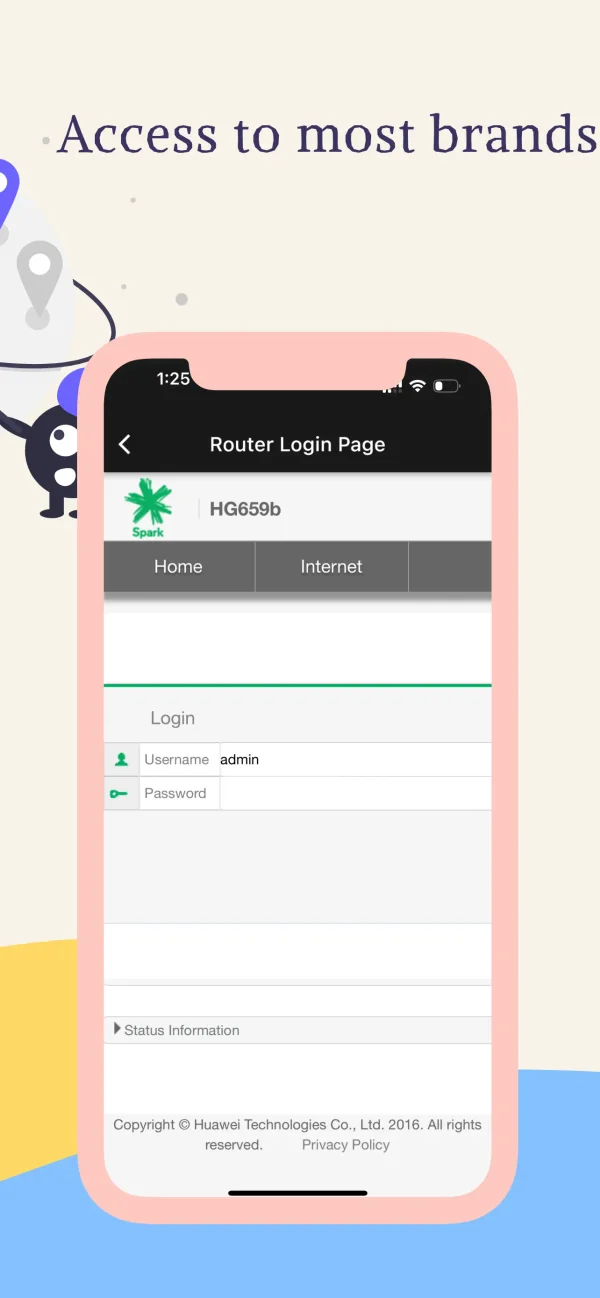
Router Setup Page is an all-in-one tool to manage your routers, repeaters, and extenders. For every router brand, there will be an IP address that will give access to the settings page of the router. For some reason, most people are not aware of this IP address. Here comes the importance of the router setup page. We will automatically pick up the default gateway address of your router and display the login page. You just need to enter the username and password to connect.
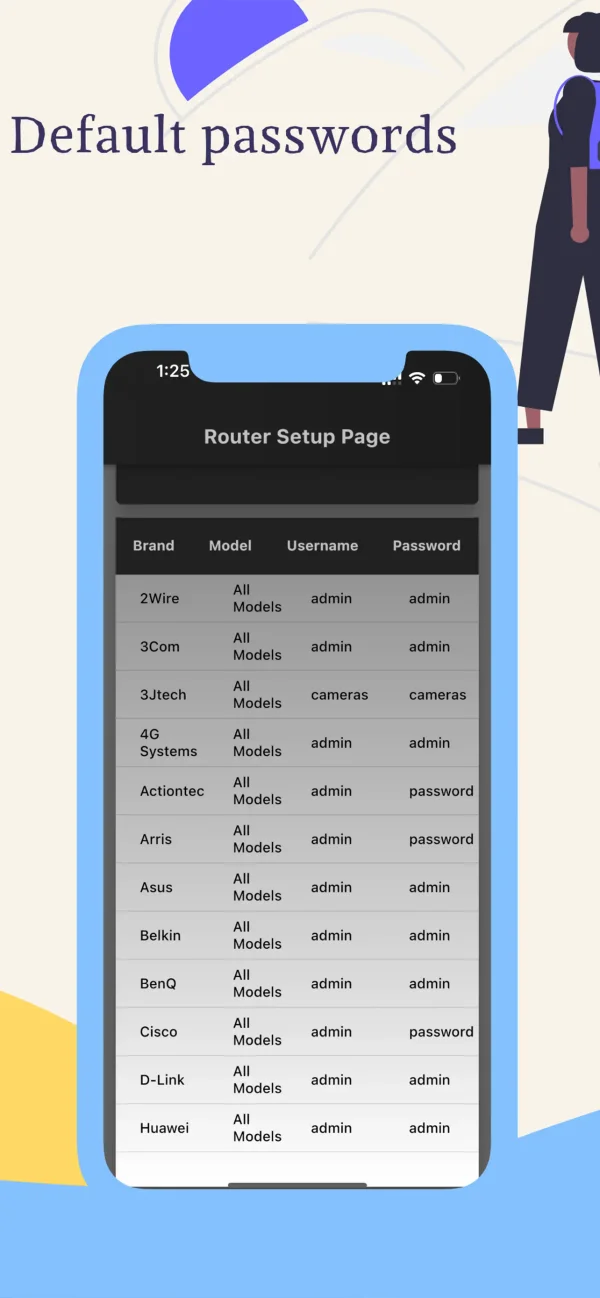
Following are the router brands we have tested and working perfectly. You should be able to access the setup page of the following router brands. We already listed the majority of the router's default username and password. However, if it doesn't work, please check the device manual for further details.
TP Link router Login:- We support access to the setup page of TP-Link routers and repeaters. The gateway address can be either 192.168.1.1 or 192.168.0.1. No need to remember these IP addresses as we will pick them for you by default.
Netgear Router Login:- You can easily access the Netgear router or repeater admin page using this app. The Netgear brand comes with the default IP address 192.168.0.1 which can straightly be accessed within this app.
Tenda Router Login:- Tenda routers, by default, comes with the IP 192.168.1.1. If you don't want to remember this IP and want to log in straight to the admin page, try our app. You will be able to manage Wi-Fi settings, User Access Control, and other Tenda settings.
Huawei Router Login:- Great news for those who are using Huawei routers at home or office. We have tested our app on Huawei routers and extenders and it is working perfectly.
Along with these popular brands, you can also access
-ZTE Router Login page
-Sky router login
-Xfinity router login
-Zyxel router login etc.
Contact us if you want more devices to be added to the list.
Terms of Use: https://www.apple.com/legal/internet-services/itunes/dev/stdeula/
Privacy Policy:- https://blacksheepmedia.co.nz/router-setup-page-privacy-policy/
Có gì mới
Phiên bản 2.1 · 26/12/2024
Fixed Bugs.
Quyền riêng tư của ứng dụng
Những gì Black Sheep Media Ltd khai báo trên App Store về cách ứng dụng này xử lý dữ liệu.
-
Dữ liệu được sử dụng để theo dõi bạn
Có thể được sử dụng để theo dõi bạn trên các ứng dụng và trang web do công ty khác sở hữu.
- Mã định danh
-
Dữ liệu không liên kết với bạn
Có thể được thu thập nhưng không liên kết với danh tính của bạn.
- Mã định danh
- Dữ liệu sử dụng
Phương thức đảm bảo quyền riêng tư có thể khác nhau, chẳng hạn như tuỳ theo các tính năng bạn sử dụng hoặc độ tuổi của bạn.
Thông tin
- Người bán
- Black Sheep Media Ltd
- Danh mục
- Tiện Ích
- Phiên bản
- 2.1
- Cập nhật
- 26/12/2024
- Phát hành
- 05/07/2023
- Kích thước
- 48,2 MB
- Yêu cầu
- iOS 12.0 trở lên
- Độ tuổi
- 17+
- Giá
- Miễn phí
- Mua hàng trong ứng dụng
- Có
- Ngôn ngữ
- Tiếng Anh
- Bản quyền
- © Black Sheep Media
Có thể bạn cũng thích
-
 Router Setup PageTiện Ích
-
 Router Admin PageTiện Ích
-
 Ami ProbashiTiện Ích
-
 Kahf Guard: Parental ControlApp Blocker & Screen Time
-
 DD-WRTTiện Ích
-
 Walton Smart AppliancesTiện Ích
-
 Bengali Keyboard - BanglishTiện Ích
-
 NetScan - wifi analyzerip & Network scanner - Ping
-
 WiFi Password & WiFi AnalyzerTiện Ích
-
 Router Setup Page ProTiện Ích