- Classification d’âge4+
- CatégorieNavigation
- DéveloppeurNUVOCOM INCORPORATED
- LanguesAnglais
- Taille1,4 Mo
Sight Calc n’est peut-être pas disponible sur App Store pour le moment
La fiche de la boutique était inaccessible lors de notre dernière vérification. Le lien mène toujours à la page App Store officielle.
Captures d’écran
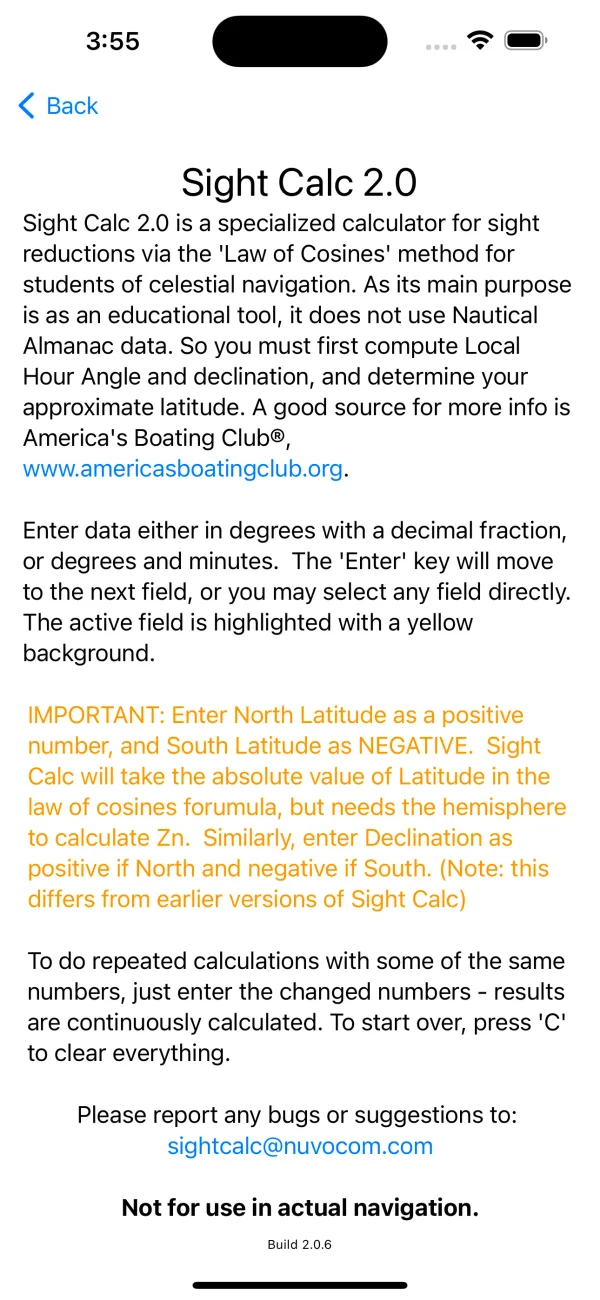
À propos
Le développeur n’a pas fourni ce texte dans votre langue.
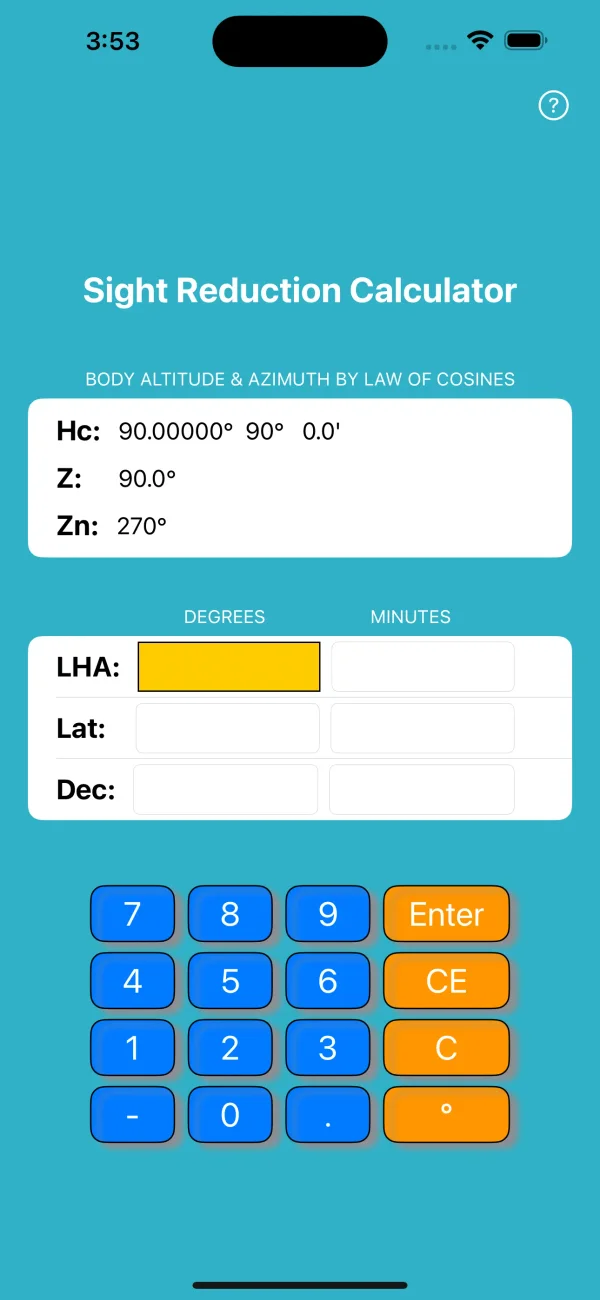
Sight Calc is a specialized calculator for calculating sight reductions via the "Law of Cosines" method. It does not use Nautical Almanac data, so you must first compute LHA (Local Hour Angle) and declination, and determine your approximate latitude. It is designed particularly for students learning celestial navigation, such as the Celestial Navigation courses taught by the United States Power Squadrons®. If you are unfamiliar with how to do sight reductions, some good resources are available from the United States Power Squadrons® at www.usps.org. In particular, this calculator is useful in conjunction with Form SR96a, www.usps.org/eddept/n/files/sr96a.pdf
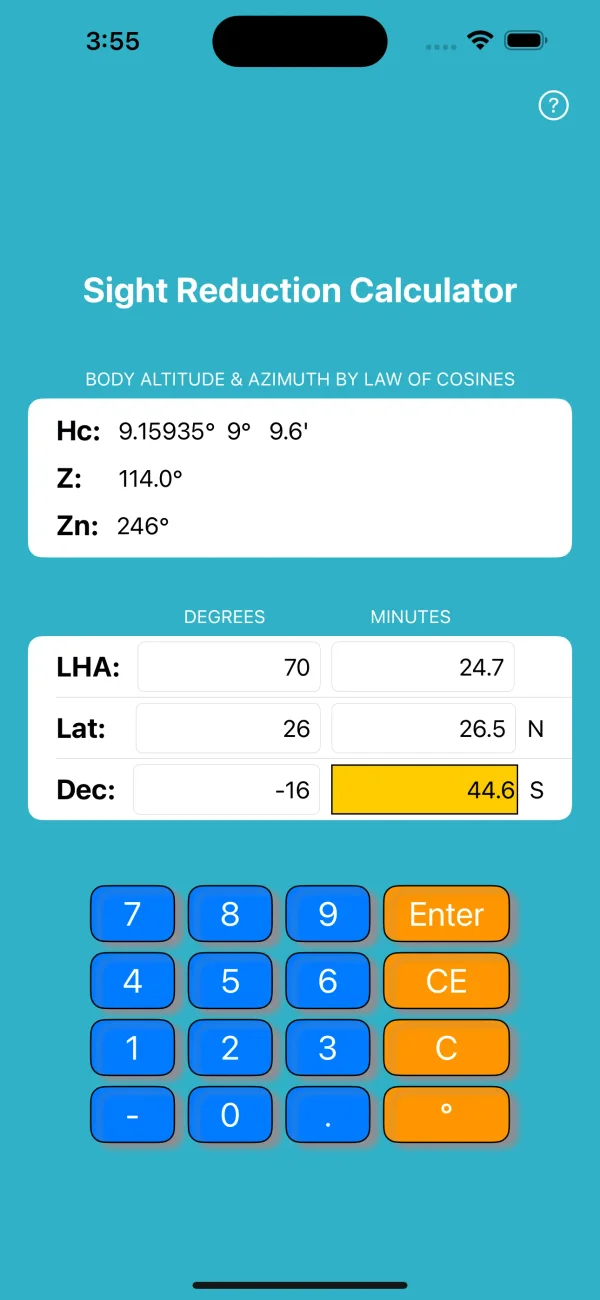
Inputs may be entered as two numbers:
Degrees - left column
Minutes - right column
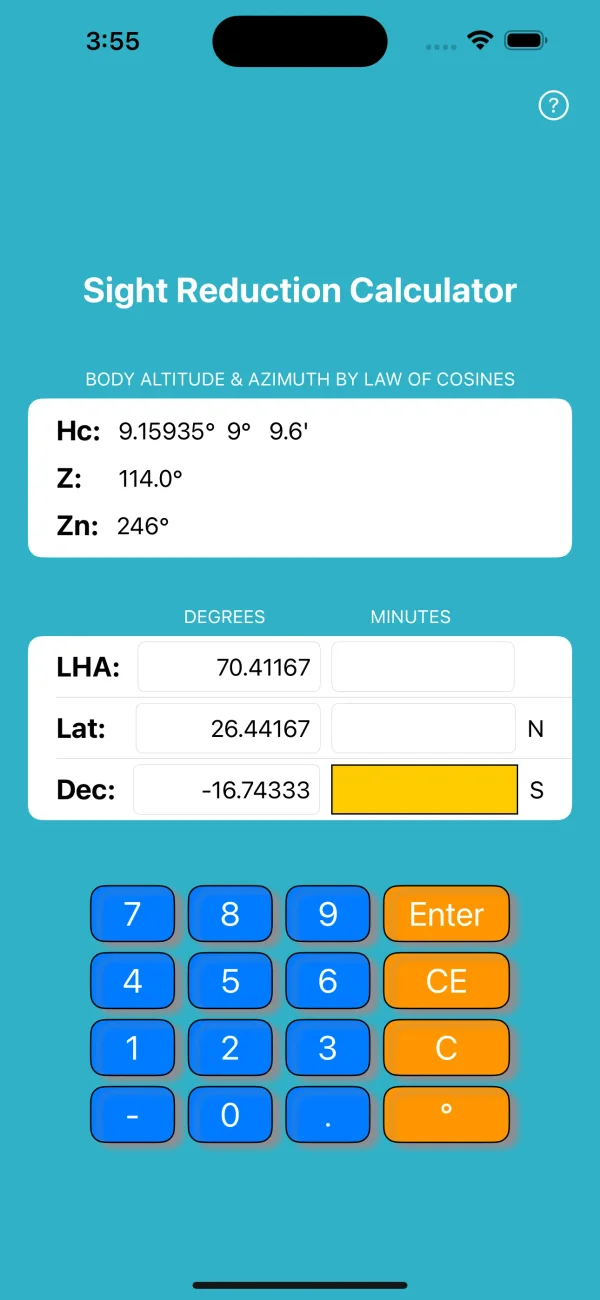
Or enter as decimal degrees (e.g., 44.48833).
Sight Calc will prompt you to enter six number in sequence:
LHA (degrees)
LHA (minutes)
Lat (degrees)
Lat (minutes)
Dec (degrees)
Dec (minutes)
In v 2.0 you may enter values in any sequence. Hc, Z and Zn are continuously computed and displayed.
Be sure to enter North Latitude as a positive number and South Latitude as a NEGATIVE number. Sight Calc will take the absolute value of Latitude in the law of cosines formula, but needs the hemisphere to calculate azimuth (Zn). Similarly, enter Declination as positive if North and negative if South. (Note: this differs from version 1.x of Sight Calc.)
If you want to do repeated calculations with some of the same numbers, just enter the changed numbers.
To start over fresh at any time, press "C" to clear everything. "CE" key clears the Current Entry. Optionally, use the "o" key to convert minutes to decimal degrees, add that to the degrees field, and clear the minutes field. This has no effect on the calculation.
Please report any bugs or suggestions to:
sightcalc@nuvocom.com
Nouveautés
Version 2.0 · 31/01/2024
• Simpler, more flexible user interface
• Fields can be entered in any sequence
• Declination entered as negative if South, positive if North
• New ° key converts minutes to degrees
• Minus key flips the sign of degrees fields
• Approved for use in United States Power Squadrons® courses
• v 2.0 is a complete rewrite in SwiftUI
• Supports Dark Mode
Confidentialité de l’application
Ce que NUVOCOM INCORPORATED déclare sur l’App Store au sujet du traitement des données par cette application.
-
Données non collectées
Le développeur ne collecte aucune donnée à partir de cette application.
Les pratiques en matière de confidentialité peuvent varier, notamment en fonction des fonctionnalités que vous utilisez ou de votre âge.
Informations
- Vendeur
- NUVOCOM INCORPORATED
- Catégorie
- Navigation
- Version
- 2.0
- Mis à jour
- 31/01/2024
- Publié
- 31/01/2012
- Taille
- 1,4 Mo
- Nécessite
- iOS 16.0 ou version ultérieure
- Classification d’âge
- 4+
- Langues
- Anglais
- Copyright
- © Nuvocom Incorporated
Vous aimerez peut-être aussi
-
 Celestial NavigatorNavigation
-
 Celestial NavNavigation
-
 CamSextantNavigation
-
 Ditch: Boat NavigationNavigation
-
 NavilyLe guide côtier communautaire
-
 noforeignlandVoyages
-
 Orca: Boat GPS, Charts, RoutesNavigation
-
 Coordinates – Convert. GPSLat/Lon à UTM, MGRS et plus
-
 Argo Navigation: Boat GPS, MapNavigation
-
 Savvy Navvy: Navigation MarineCarte, GPS, Bateau, Boating