
- Classification d’âge4+
- CatégorieUtilitaires
- DéveloppeurSoftorino Inc.
- LanguesAnglais
- Taille378,0 Ko
Renvoie vers la page App Store officielle
Download.org n’héberge aucun fichier de Spatial Viewer. Le bouton ouvre la page de l’application sur App Store, où Softorino Inc. la publie. Fiche vérifiée pour la dernière fois le 12/11/2026.
Captures d’écran


À propos
Le développeur n’a pas fourni ce texte dans votre langue.
Spatial Viewer for iOS is made to convert your Spatial Videos from your iPhone camera roll, and make them viewable on your Meta Quest headset.
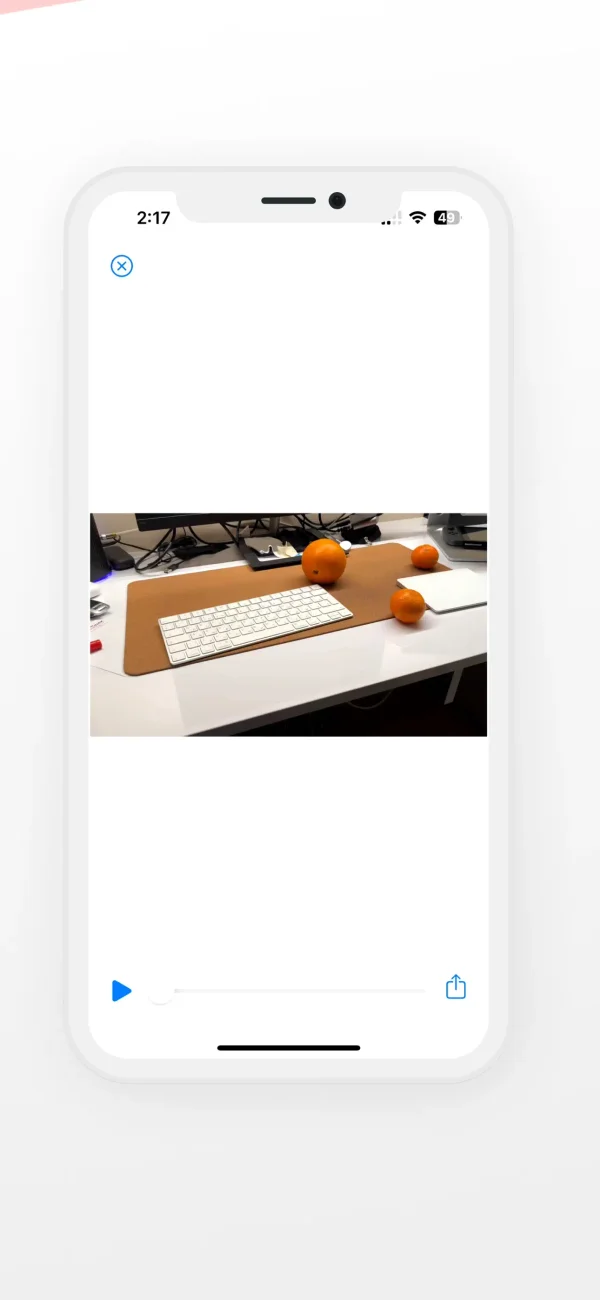
In 1-tap, the app will convert Spatial Videos shot by the latest iPhone and upload them to your Meta Quest. You can then view it on Meta Quest from the Spatial Viewer app (also free).
Immerse yourself in your favourite memories using Spatial Viewer by playing iPhone 15 Pro's spatial video library on Meta Quest. This app allows you to directly access and view your spatial videos in life-size scale, bringing a new dimension to your memories and experiences.
With Spatial Viewer, you get the most straightforward and fastest solution to viewing iPhone 15 Pro’s Spatial Videos without a Vision Pro headset.
**Key Features:**
- Watch Spatial Videos on Quest headset: Sync your Google Drive folder with Spatial Videos to play any spatial video directly from Meta Quest.
- Convert Spatial Video to 3D: Spatial Viewer for iOS takes your spatial videos and converts them into immersive 3D formats that are playable on your Meta Quest.
TL;DR Spatial Viewer is an All-in-one Solution to make your fancy Spatial Videos playable on your Meta Quest headset.
DESIGNED TO BE USER-FRIENDLY.
**How It Works:**
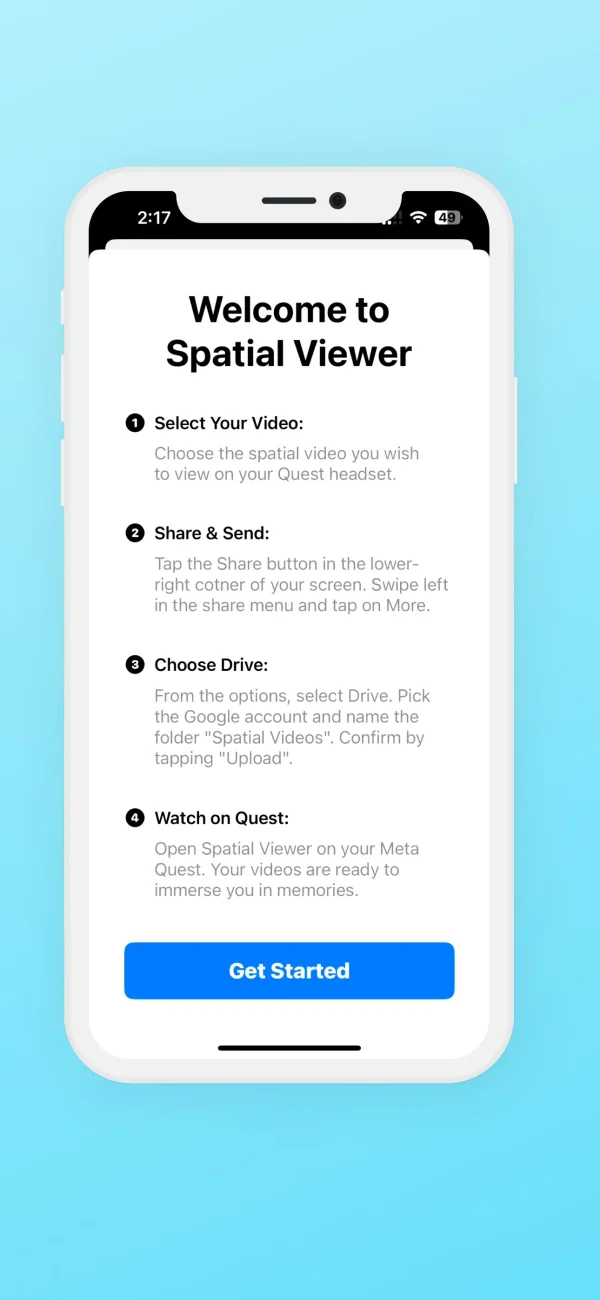
1. Install Spatial Viewer on your iPhone 15 Pro or Pro Max.
2. Select & convert spatial videos to watch on Meta Quest.
3. Share the converted videos to Drive.
And that’s it. Now you simply open “Spatial Viewer” on your Meta Quest and the videos will all be available there, since they are all synced via the cloud in Google Drive.
Confidentialité de l’application
Ce que Softorino Inc. déclare sur l’App Store au sujet du traitement des données par cette application.
-
Données non collectées
Le développeur ne collecte aucune donnée à partir de cette application.
Les pratiques en matière de confidentialité peuvent varier, notamment en fonction des fonctionnalités que vous utilisez ou de votre âge.
Informations
- Vendeur
- Softorino Inc.
- Catégorie
- Utilitaires
- Version
- 1.2
- Mis à jour
- 22/02/2024
- Publié
- 22/02/2024
- Taille
- 378,0 Ko
- Nécessite
- iOS 17.2 ou version ultérieure
- Classification d’âge
- 4+
- Prix
- Gratuit
- Langues
- Anglais
- Copyright
- © 2024 Softorino Inc.
Vous aimerez peut-être aussi
-
 Spatially - 3D Video MakerUtilitaires
-
 Spatial Video ConverterUtilitaires
-
 Spatial Video Cam - VPCameraUtilitaires
-
 Spatial to 3D Video ConverterUtilitaires
-
 Fycut: Spatial Video EditorUtilitaires
-
 Spatial CamUtilitaires
-
 Spatial Phone : MirrorUtilitaires
-
 REC Disk Speed TestUtilitaires
-
 VRPlayerXUtilitaires
-
 Bezel • Phone MirrorMontrez et enregistrez l’écran