
- Độ tuổi4+
- Danh mụcTiện Ích
- Nhà phát triểnSoftorino Inc.
- Ngôn ngữTiếng Anh
- Kích thước378,0 KB
Liên kết đến trang App Store chính thức
Download.org không lưu trữ tệp nào của Spatial Viewer. Nút này mở trang ứng dụng trên App Store, nơi Softorino Inc. phát hành ứng dụng. Trang được kiểm tra lần cuối: 12/11/2026.
Ảnh chụp màn hình


Giới thiệu
Nhà phát triển chưa cung cấp nội dung này bằng ngôn ngữ của bạn.
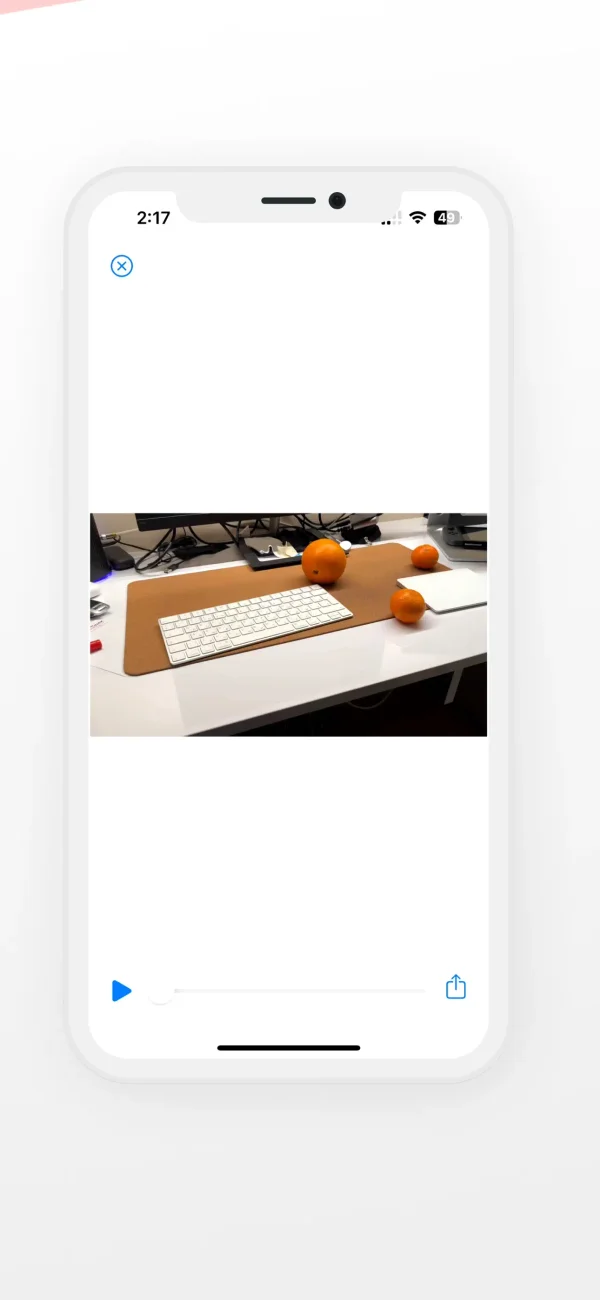
Spatial Viewer for iOS is made to convert your Spatial Videos from your iPhone camera roll, and make them viewable on your Meta Quest headset.
In 1-tap, the app will convert Spatial Videos shot by the latest iPhone and upload them to your Meta Quest. You can then view it on Meta Quest from the Spatial Viewer app (also free).
Immerse yourself in your favourite memories using Spatial Viewer by playing iPhone 15 Pro's spatial video library on Meta Quest. This app allows you to directly access and view your spatial videos in life-size scale, bringing a new dimension to your memories and experiences.
With Spatial Viewer, you get the most straightforward and fastest solution to viewing iPhone 15 Pro’s Spatial Videos without a Vision Pro headset.
**Key Features:**
- Watch Spatial Videos on Quest headset: Sync your Google Drive folder with Spatial Videos to play any spatial video directly from Meta Quest.
- Convert Spatial Video to 3D: Spatial Viewer for iOS takes your spatial videos and converts them into immersive 3D formats that are playable on your Meta Quest.
TL;DR Spatial Viewer is an All-in-one Solution to make your fancy Spatial Videos playable on your Meta Quest headset.
DESIGNED TO BE USER-FRIENDLY.
**How It Works:**
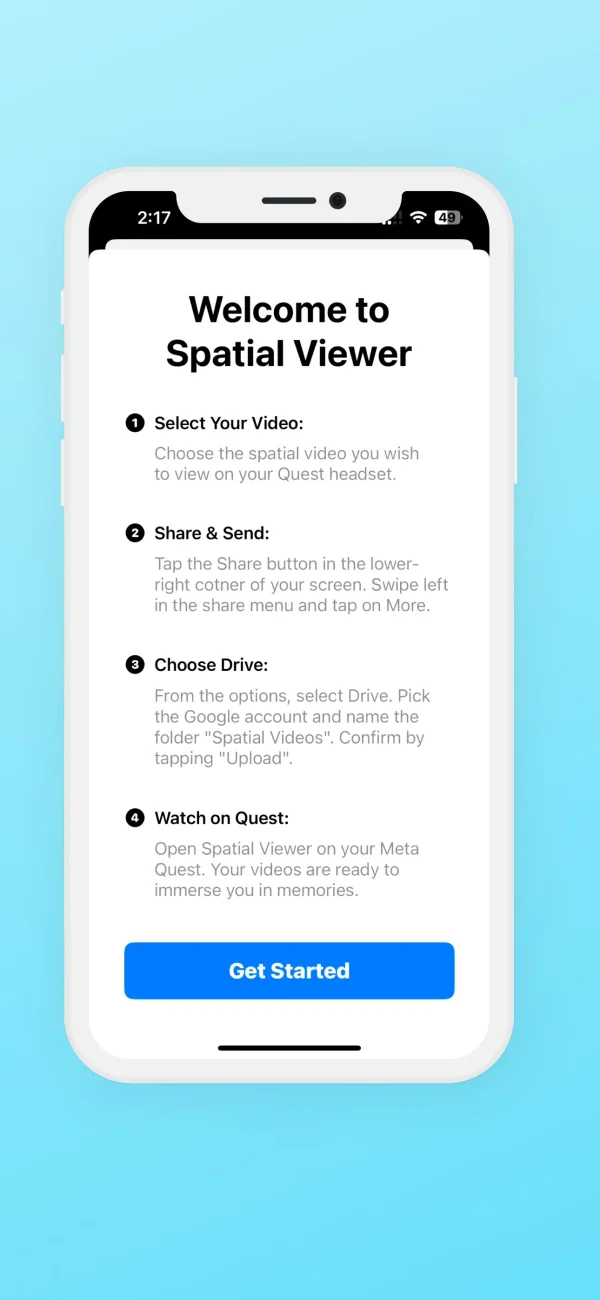
1. Install Spatial Viewer on your iPhone 15 Pro or Pro Max.
2. Select & convert spatial videos to watch on Meta Quest.
3. Share the converted videos to Drive.
And that’s it. Now you simply open “Spatial Viewer” on your Meta Quest and the videos will all be available there, since they are all synced via the cloud in Google Drive.
Quyền riêng tư của ứng dụng
Những gì Softorino Inc. khai báo trên App Store về cách ứng dụng này xử lý dữ liệu.
-
Dữ liệu không được thu thập
Nhà phát triển không thu thập bất kỳ dữ liệu nào từ ứng dụng này.
Phương thức đảm bảo quyền riêng tư có thể khác nhau, chẳng hạn như tuỳ theo các tính năng bạn sử dụng hoặc độ tuổi của bạn.
Thông tin
- Người bán
- Softorino Inc.
- Danh mục
- Tiện Ích
- Phiên bản
- 1.2
- Cập nhật
- 22/02/2024
- Phát hành
- 22/02/2024
- Kích thước
- 378,0 KB
- Yêu cầu
- iOS 17.2 trở lên
- Độ tuổi
- 4+
- Giá
- Miễn phí
- Ngôn ngữ
- Tiếng Anh
- Bản quyền
- © 2024 Softorino Inc.
Có thể bạn cũng thích
-
 Spatially - 3D Video MakerTiện Ích
-
 Spatial Video ConverterTiện Ích
-
 Spatial Video Cam - VPCameraTiện Ích
-
 Spatial to 3D Video ConverterTiện Ích
-
 Fycut: Spatial Video EditorTiện Ích
-
 Spatial CamTiện Ích
-
 Spatial Phone : MirrorTiện Ích
-
 REC Disk Speed TestTiện Ích
-
 VRPlayerXTiện Ích
-
 Bezel • Phone MirrorTiện Ích