Spreadsheet Maker - GridSmith
Tables, Schedules & PDF Export
Conçue pour iPhone, iPad
Gratuit · Achats intégrés
- Classification d’âge4+
- CatégorieGraphisme et design
- DéveloppeurLisfee, Inc.
- LanguesAnglais+ 55 de plus
- Taille59,0 Mo
Renvoie vers la page App Store officielle
Download.org n’héberge aucun fichier de Spreadsheet Maker - GridSmith. Le bouton ouvre la page de l’application sur App Store, où Lisfee, Inc. la publie. Fiche vérifiée pour la dernière fois le 26/11/2026.
Captures d’écran
À propos
Le développeur n’a pas fourni ce texte dans votre langue.
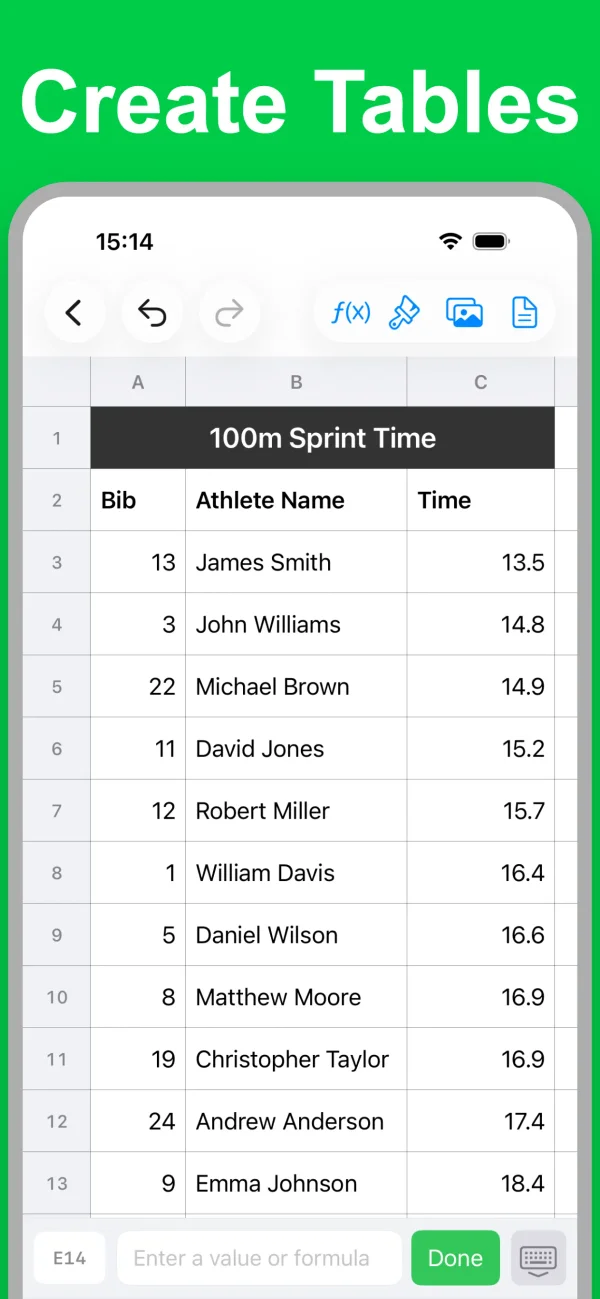
Create spreadsheets, schedules, rosters, brackets, budgets, inventories, and checklists—right from your iPhone/iPad.
GridSmith is a flexible spreadsheet and table maker that brings data entry, calculations, formatting, images, and PDF, PNG, and CSV export together in one mobile app.
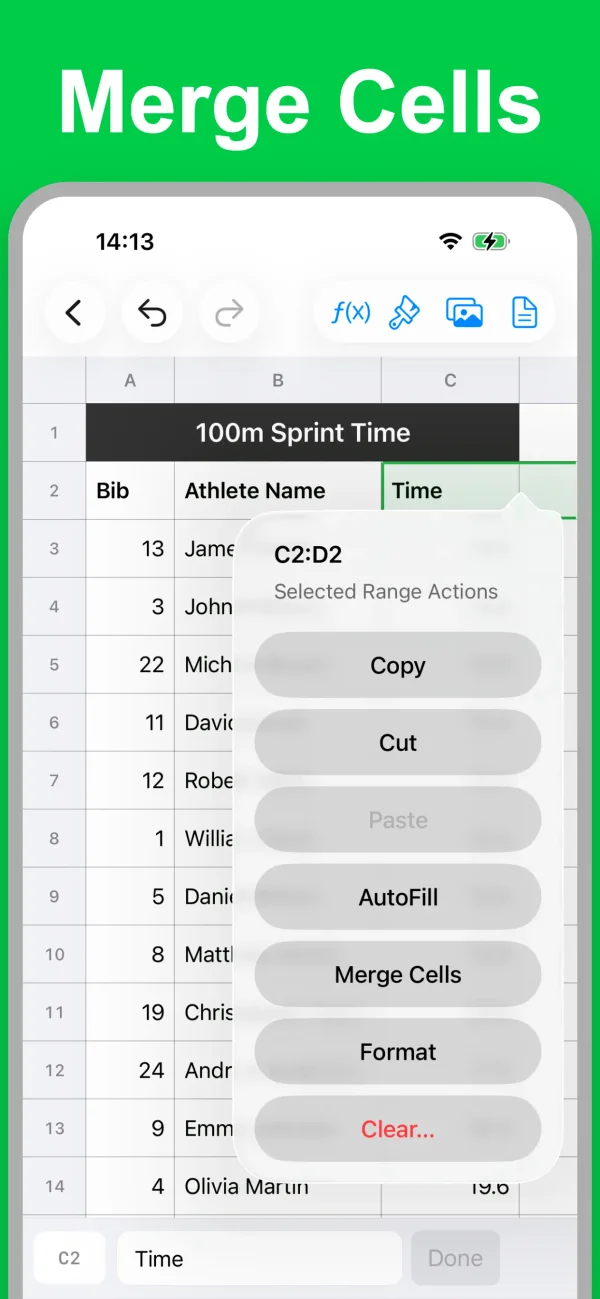
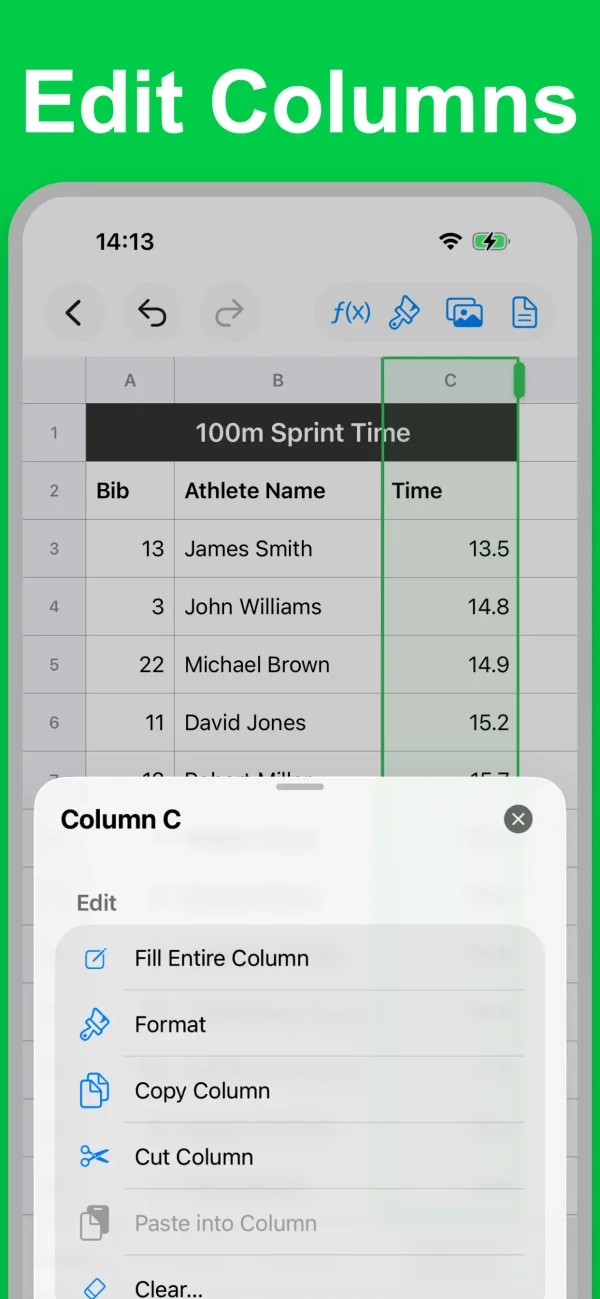
Tap a cell to enter data. Long-press to copy, paste, or clear it. Edit rows and columns with intuitive controls designed specifically for a phone.
#KEY FEATURES
■ CELL INPUT AND FORMULAS
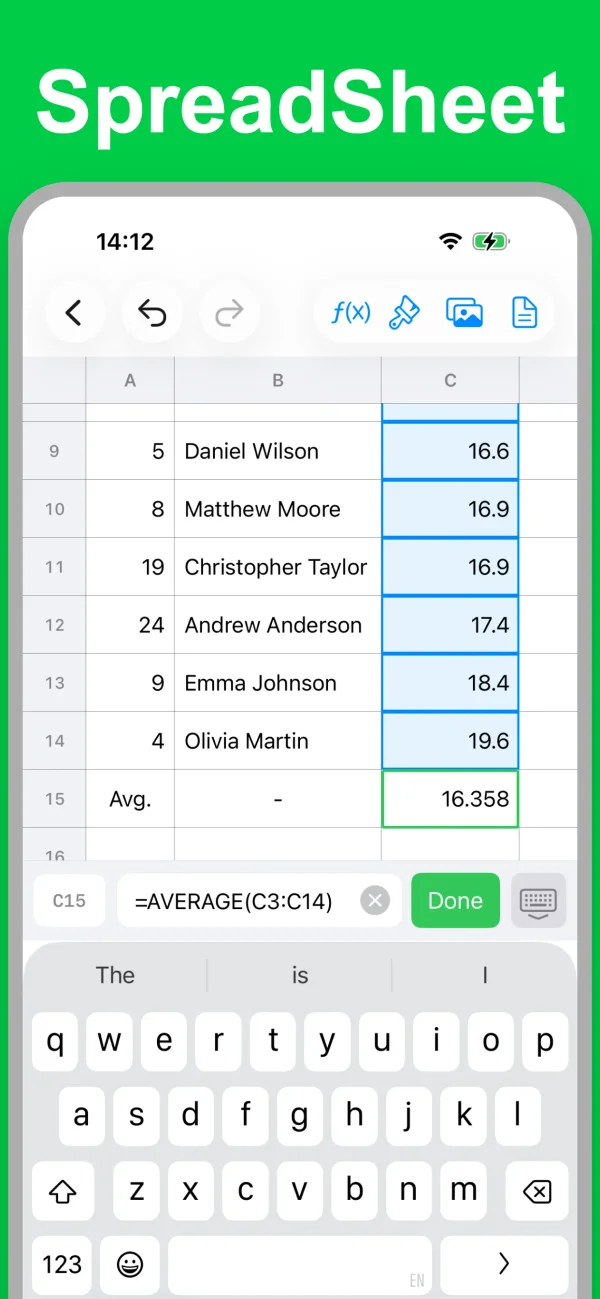
Enter text, numbers, dates, currency, percentages, and multi-line notes. Use cell references in formulas and see calculated results automatically.
■ RICH FORMATTING
Customize cells with:
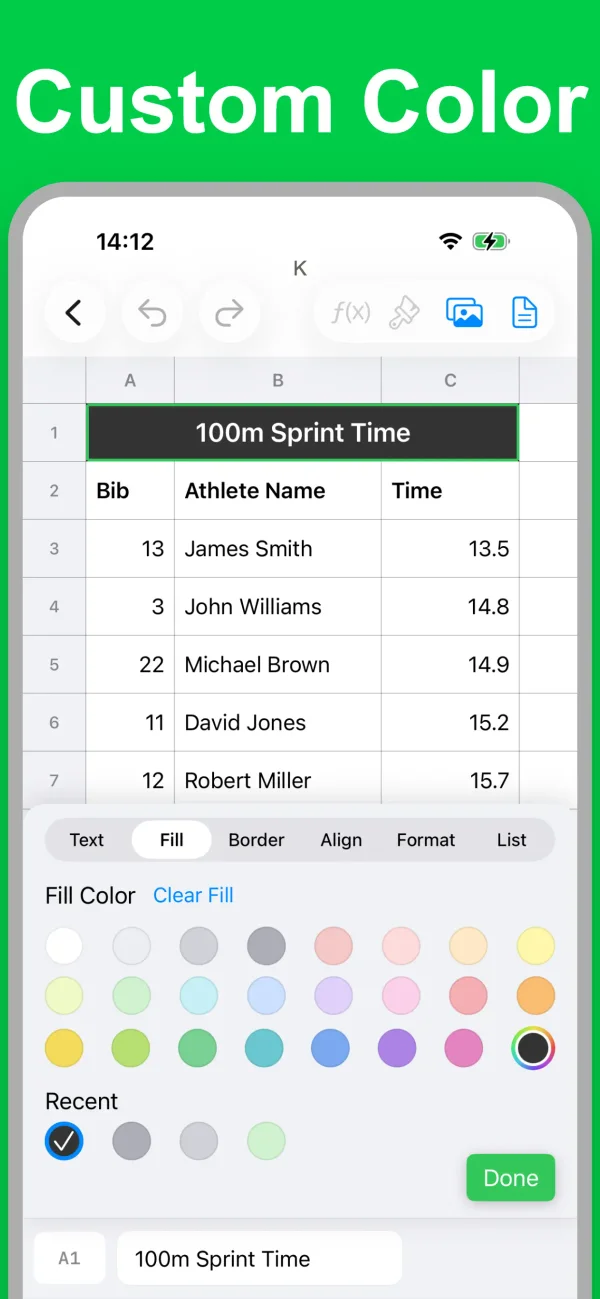
• Background and text colors
• Font family and size
• Bold, italic, underline, and strikethrough
• Horizontal and vertical alignment
• Indentation and line spacing
• Number, currency, date, and percentage formats
Apply formatting to multiple cells, rows, or columns at once.
■ FLEXIBLE BORDERS
• Solid, thick, dotted, dashed, and double lines
• Adjustable line width
• Custom border colors
Place borders on selected sides, outside edges, or inside ranges.
■ POWERFUL TABLE EDITING
• Add, delete, move, reorder, resize, or hide rows and columns
• Copy, cut, and paste cells, ranges, rows, and columns
• Copy values, formatting, and input rules together
• Select multiple cells and use autofill
• Merge cells for titles and headings
• Undo and redo individual or bulk edits
■ CUSTOM PICK LISTS
Create reusable choices for names, statuses, and categories, then select a value instead of repeatedly typing it.
■ IMAGES
Add images from your library or camera. Move, resize, and display them as circles, squares, or rounded rectangles.
■ MULTIPLE SHEETS
Switch, rename, duplicate, delete, and reorder sheets within a document.
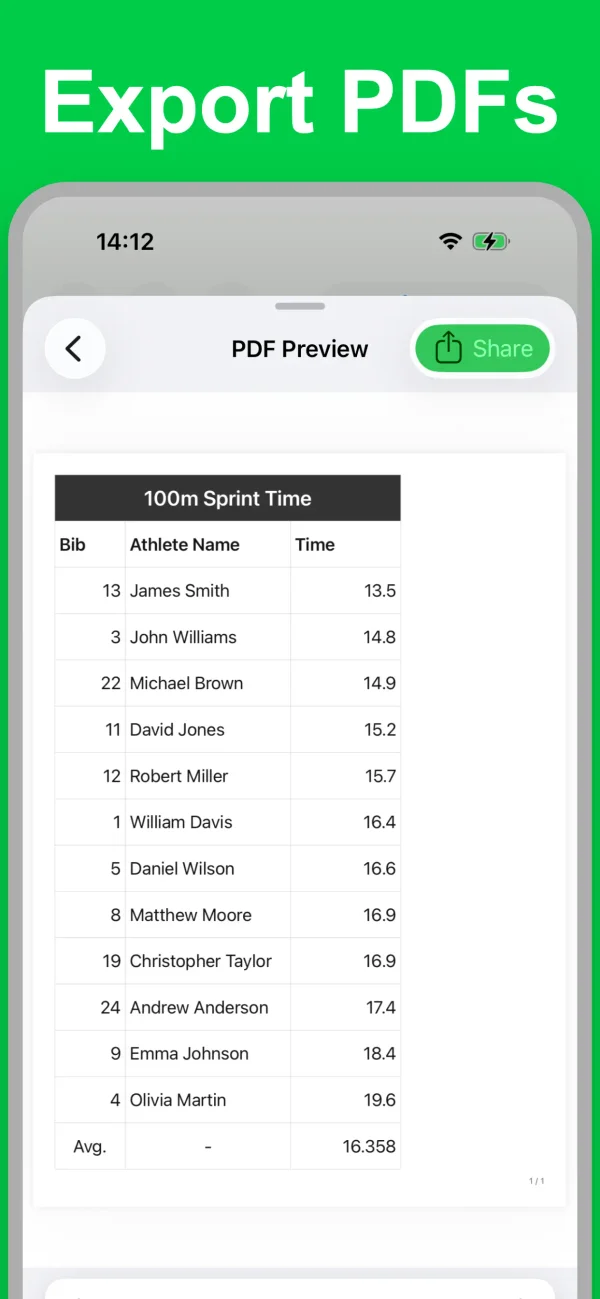
■ PDF, PNG, AND CSV EXPORT
Create files for printing, saving, or sharing. Configure PDF paper size, orientation, margins, export range, title position, and headings. Export PNG images or CSV data for other spreadsheet apps.
■ TEAM WORKSPACES
Eligible plans let you invite members and manage tables together.
#GREAT FOR
• Budgets and expense tracking
• Sales, customer, and inventory management
• Rosters, contacts, and work schedules
• Shift planners, timetables, and calendars
• Checklists, estimates, and reports
• Product lists and price sheets
• Photo records and survey results
• Scoreboards and tournament brackets
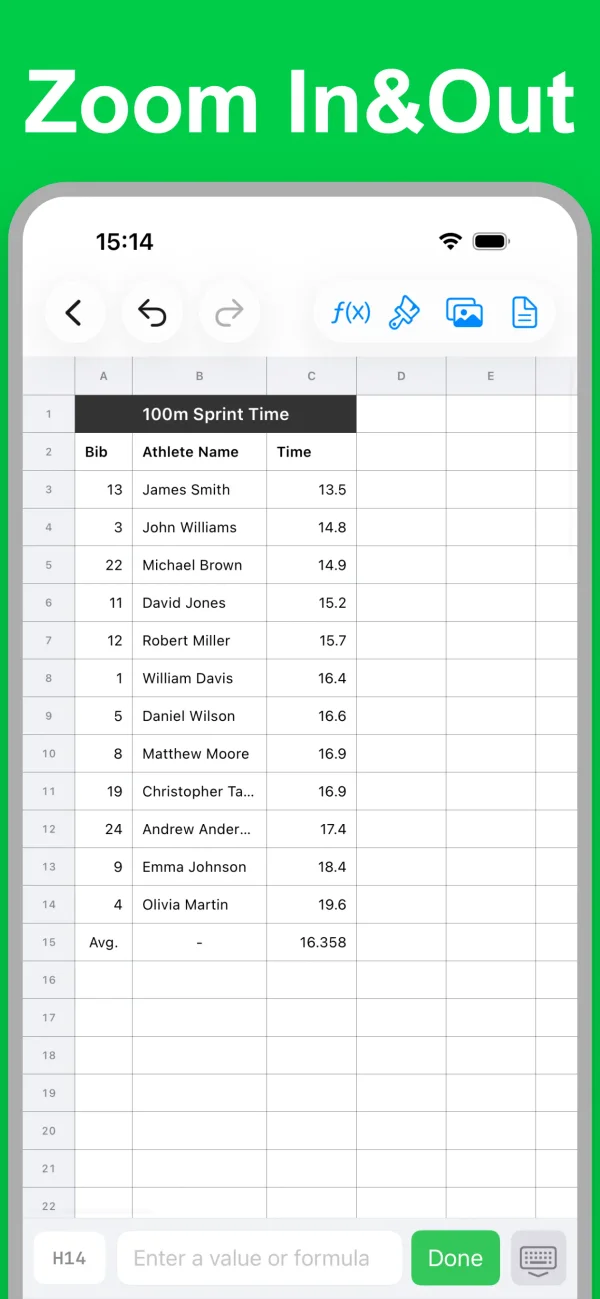
GridSmith is optimized for a small screen with pinch-to-zoom, fixed headings, range selection, an input bar, and long-press menus.
#AUTO-RENEWABLE SUBSCRIPTIONS
Pro plans:
• Pro Entry: $4.99 per month
• Pro Standard: $9.99 per month
• Pro Advanced: $19.99 per month
Eligible new subscribers may receive a 3-day Pro trial. Eligibility is determined by Apple.
Biz plans:
• Biz Entry: $49.99 per month
• Biz Standard: $99.99 per month
• Biz Advanced: $199.99 per month
• Biz Ultra: $499.99 per month
• Biz Max: $999.99 per month
Biz plans have no free trial. Limits vary by plan. See the purchase screen for current features, local prices, and eligibility.
#PAYMENT AND RENEWAL
Payment is charged to your Apple Account at confirmation. A trial automatically converts to a paid subscription when it ends. Subscriptions renew unless canceled at least 24 hours before the current billing or trial period ends. Your account is charged within 24 hours before renewal.
Manage or cancel in Settings > Apple Account > Subscriptions > GridSmith. Deleting the app does not cancel a subscription. Paid features remain through the current period. Refund eligibility follows Apple's policies. Restore purchases from within the app.
Terms of Use:
https://lisfee.com/about-rule
Privacy Policy:
https://lisfee.com/privacy-policy
Nouveautés
Version 1.0.9 · 17/08/2026
- Fixed bugs.
Confidentialité de l’application
Ce que Lisfee, Inc. déclare sur l’App Store au sujet du traitement des données par cette application.
-
Données utilisées pour vous suivre
Peuvent être utilisées pour vous suivre sur des applications et des sites web appartenant à d’autres sociétés.
- Emplacement
- Identifiants
- Données d’utilisation
- Diagnostic
-
Données établissant un lien avec vous
Peuvent être collectées et liées à votre identité.
- Emplacement
- Identifiants
- Données d’utilisation
- Diagnostic
Les pratiques en matière de confidentialité peuvent varier, notamment en fonction des fonctionnalités que vous utilisez ou de votre âge.
Informations
- Vendeur
- Lisfee, Inc.
- Catégorie
- Graphisme et design
- Version
- 1.0.9
- Mis à jour
- 17/08/2026
- Publié
- 26/07/2026
- Taille
- 59,0 Mo
- Nécessite
- iOS 16.0 ou version ultérieure
- Classification d’âge
- 4+
- Prix
- Gratuit
- Achats intégrés
- Oui
- Langues
- Anglais, Amharique, Arabe, Arménien, Azéri, Bengali, Bulgare, Birman, Cambodgien, Croate, Tchèque, Danois + 44 de plus
- Copyright
- © Lisfee, Inc.
Vous aimerez peut-être aussi
-
 CanvasPrism - TableauTableau blanc local et privé
-
 あみぬりGraphisme et design
-
 RakuRaku Stamp - Create StampGraphisme et design
-
 アニメ風加工 - 画像・イラスト生成AIGraphisme et design
-
 Animetize AIGraphisme et design
-
 Origlow - Paper CutGraphisme et design
-
 Fractpul: Make Photo StampsGraphisme et design
-
 ピクトグラム メーカーGraphisme et design
-
 CAD设计 - CADesignGraphisme et design
-
 Créateur Pixel Art PixelCanvasCreez du pixel art intuitif