Studyboard: Student Planner
Conçue pour iPhone, iPad
Gratuit · Achats intégrés
- Classification d’âge4+
- CatégorieÉducation
- DéveloppeurCONNOR MICHAEL JAMES PELKMANS
- LanguesAnglais
- Taille33,3 Mo
Renvoie vers la page App Store officielle
Download.org n’héberge aucun fichier de Studyboard: Student Planner. Le bouton ouvre la page de l’application sur App Store, où CONNOR MICHAEL JAMES PELKMANS la publie. Fiche vérifiée pour la dernière fois le 20/11/2026.
Captures d’écran

À propos
Le développeur n’a pas fourni ce texte dans votre langue.
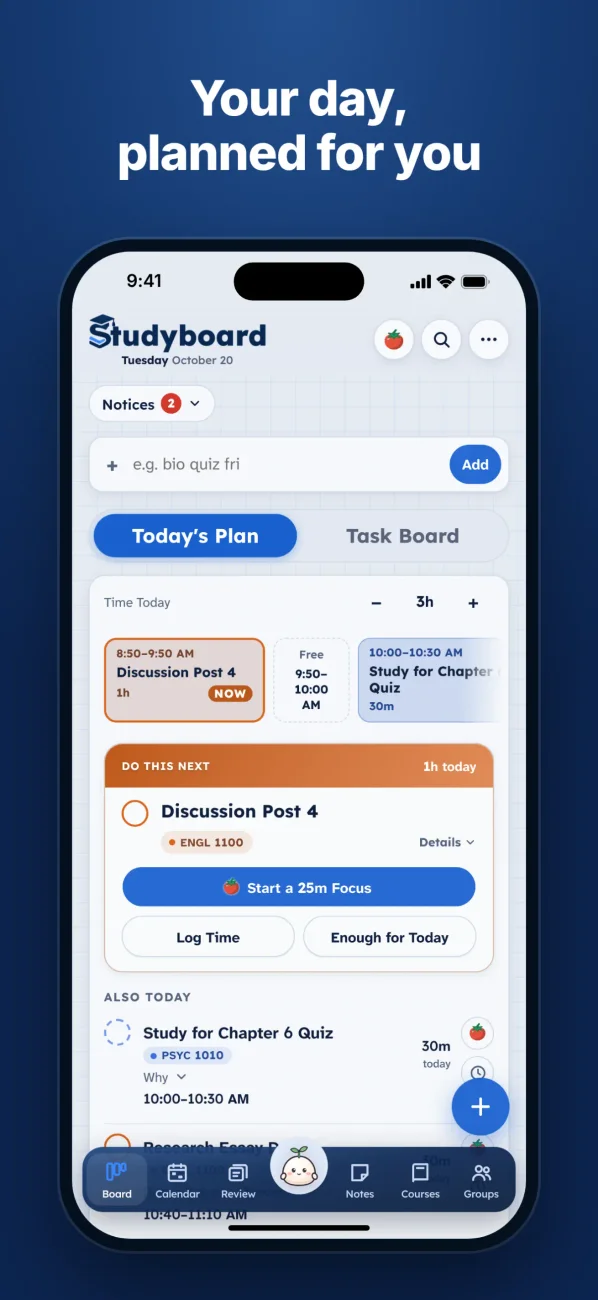
Studyboard turns your tasks into a calm plan for every day, so you always know what to work on next!
PLAN YOUR SEMESTER
• Today's Plan picks what to do next and how long to spend on it, based on what's due and how much time you have
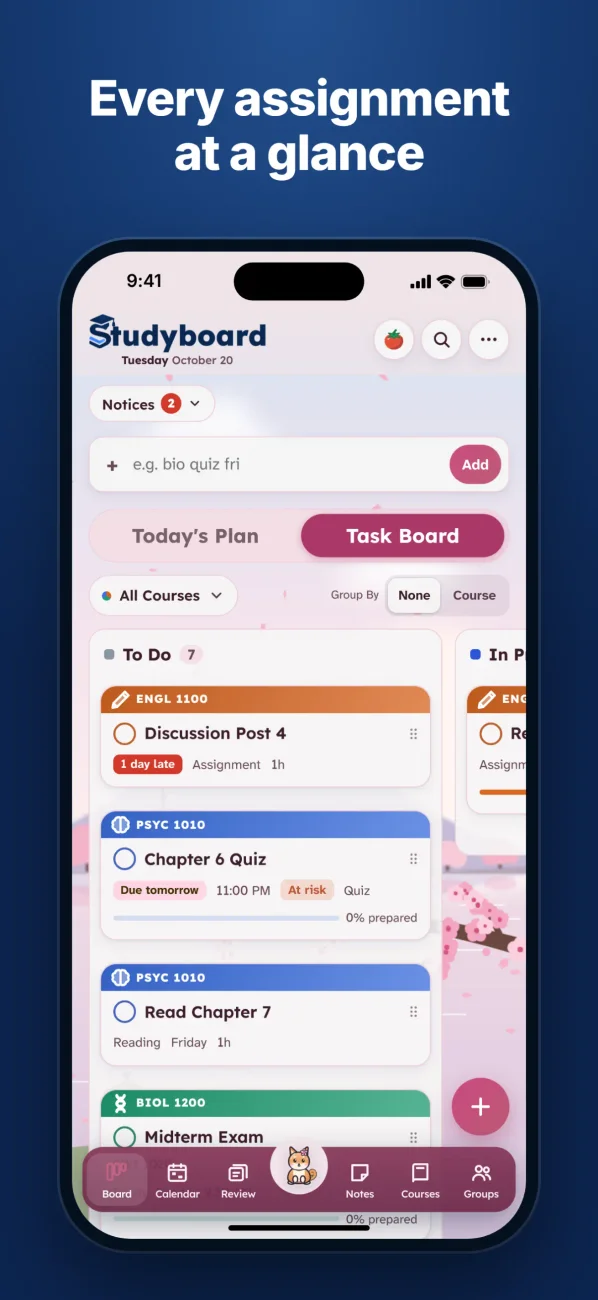
• Task Board shows every assignment, quiz and exam, from To Do to Done
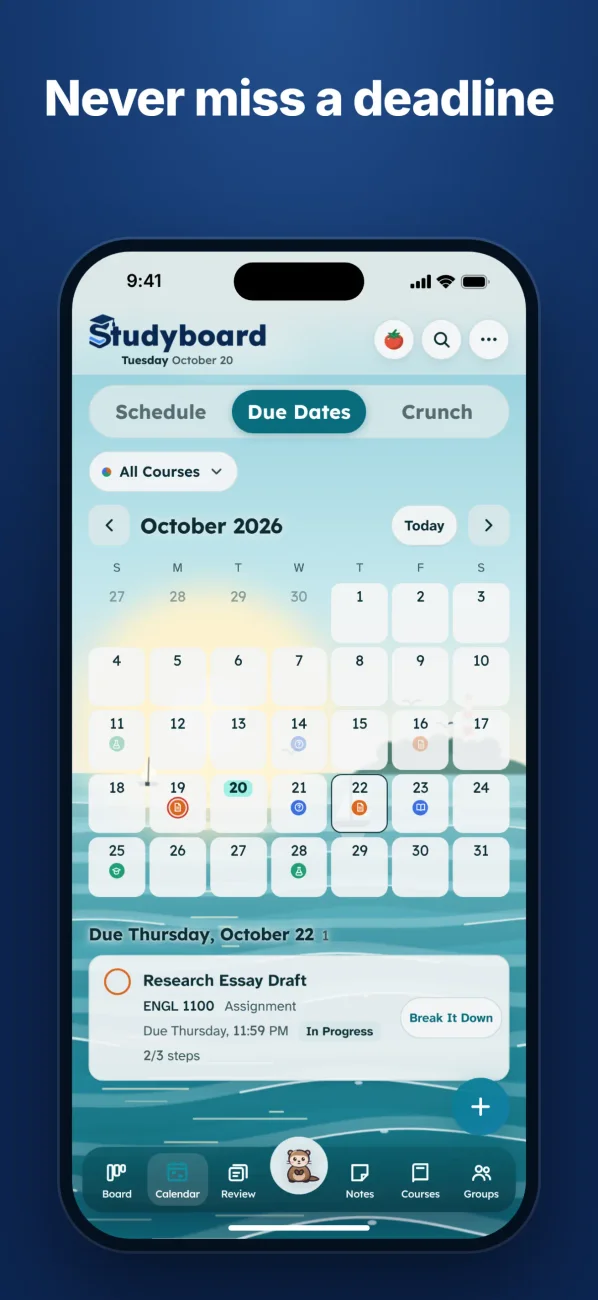
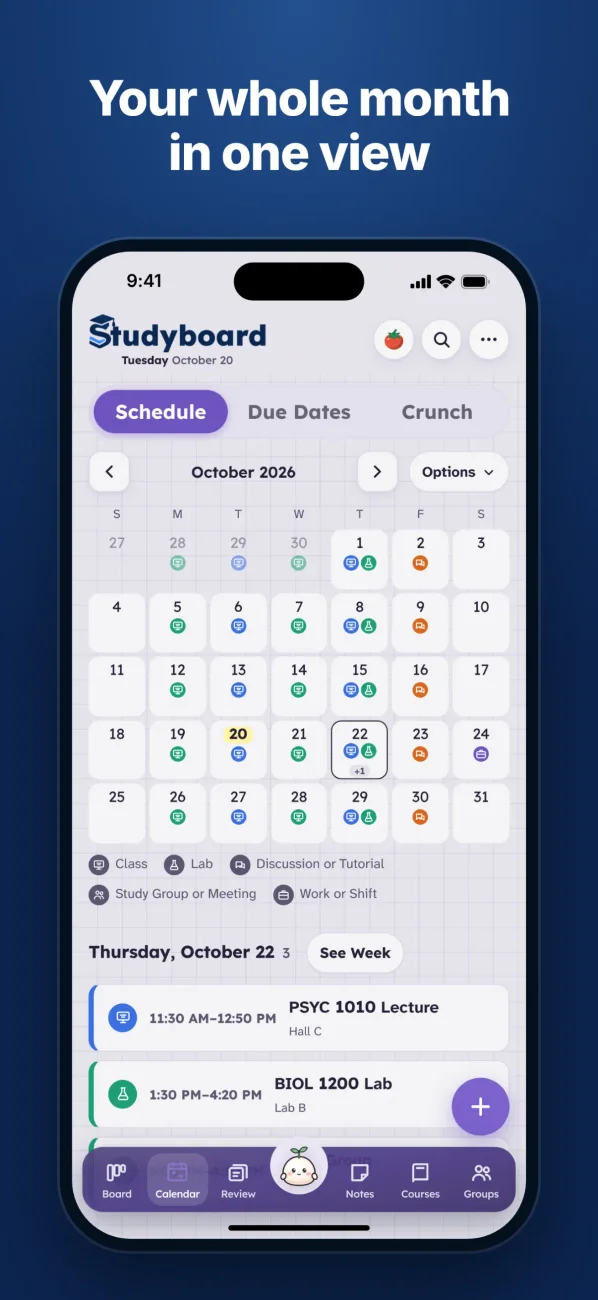
• Due Dates calendar, class schedule and a Crunch view for busy weeks
• Add a task by typing it the way you'd say it, like "bio quiz fri"
• Works with your school site: bring in courses and deadlines from Brightspace, Canvas, Blackboard or Moodle
STAY FOCUSED
• Focus timer with focus sessions and breaks, plus your own routines
• The timer stays in the Dynamic Island and on your Lock Screen, with Pause, Skip and Reset right there
• An alarm when a session ends, even with your phone on silent (iOS 26 and later)
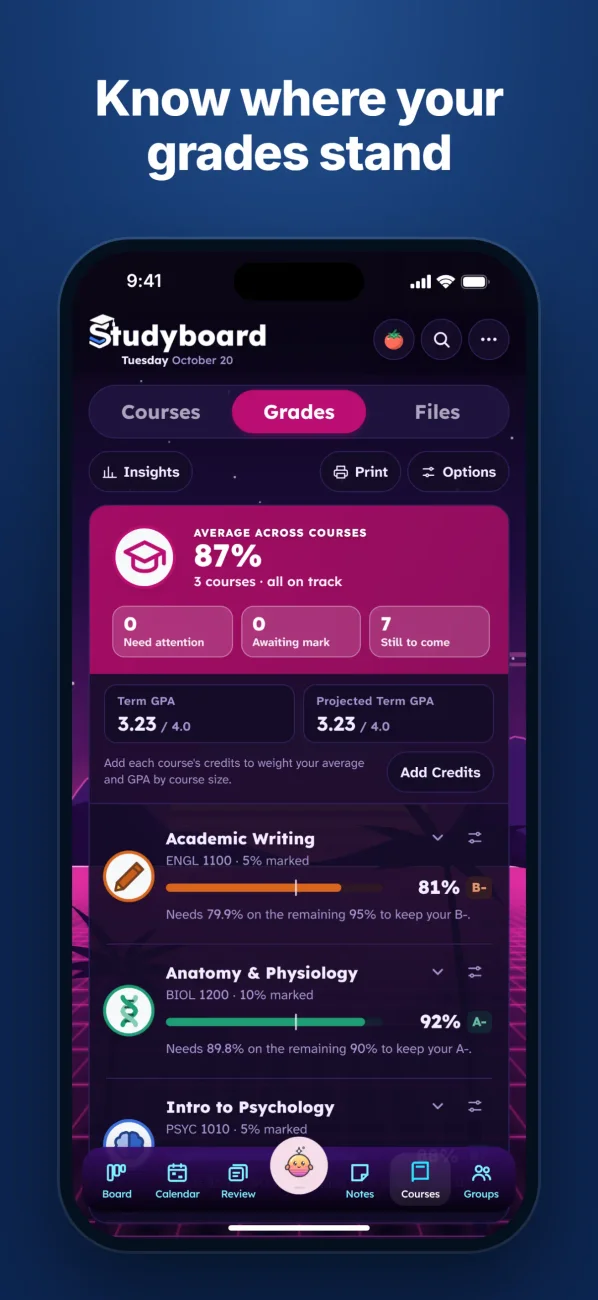
KNOW WHERE YOU STAND
• Grades for every course, your average and your GPA
• See what you need on the rest of a course to reach the grade you want
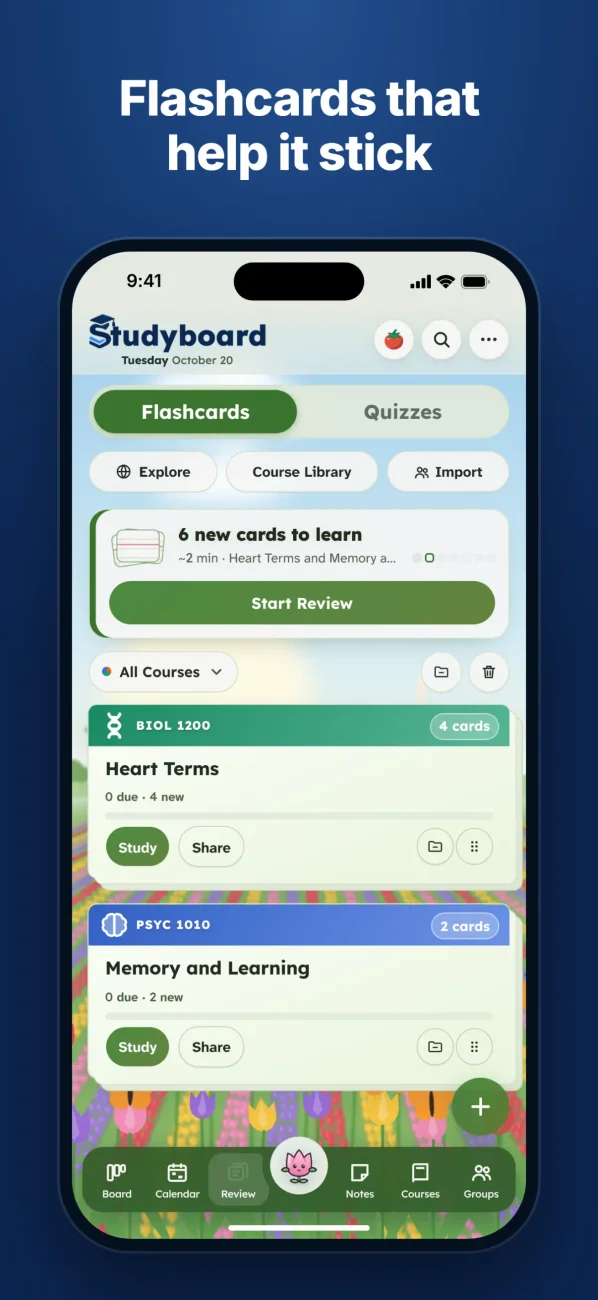
STUDY SMARTER
• Flashcards with spaced review, and practice quizzes
• Notes, sticky notes and a whiteboard with pens, highlighters, shapes and text
• Study groups: plan with classmates, share tasks and decks, and chat
MAKE IT YOURS
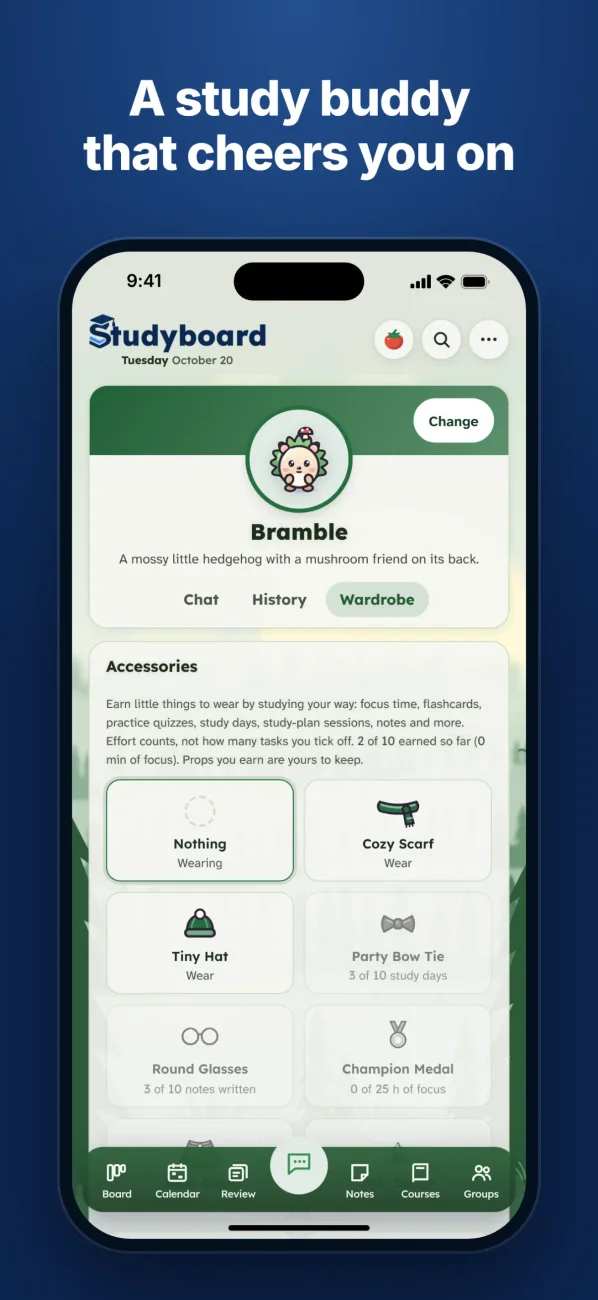
• A study buddy companion that cheers you on
• Dozens of themes, from calm beaches to starry skies, in light and dark
YOURS, EVERYWHERE
• Works offline, with no account needed
• Sign in with Apple, Google or email to sync between your iPhone, iPad, computer and the web
OPTIONAL AI
Connect your own AI key (Google Gemini, Anthropic Claude or OpenAI ChatGPT) to summarize files, turn a photo of a syllabus or schedule into tasks, make flashcards and get answers about your own notes. AI answers can be wrong; you can report any answer from the answer itself.
STUDYBOARD PRO
Studyboard is free. Studyboard Pro adds more storage, unlimited devices, bigger study groups, cloud backups, every theme and more, with a 7-day free trial.
Studyboard Pro is an auto-renewing subscription, billed monthly or yearly. Payment is charged to your Apple ID at confirmation of purchase. The subscription renews automatically unless cancelled at least 24 hours before the end of the current period, and your account is charged for renewal within 24 hours before the end of the period. Manage or cancel your subscription in your App Store account settings. Any unused part of a free trial is forfeited when you buy a subscription.
Terms of Use: https://studyboardapp.com/website/terms.html
Privacy Policy: https://studyboardapp.com/website/privacy.html
Brightspace, Canvas, Blackboard, Google Gemini, Anthropic Claude and OpenAI ChatGPT are trademarks of their respective owners. Studyboard is not affiliated with or endorsed by them.
Nouveautés
Version 1.3 · 15/11/2026
• Studyboard AI is here! Get better quality responses across all AI features, 2x faster responses to most prompts, and enhanced privacy protection compared to free Gemini.
• Writing Studio and Concept Maps (Beta): plan, draft and cite papers, and map how course concepts connect.
• Lecture Replay: play a recorded lecture from any line of its transcript, your notes or slides.
• Exam Day Forecast: see how ready you'll likely be on exam day.
• Widgets: Today and Up Next on your Home Screen and Lock Screen.
• Haptics: feel check-offs, drags, flashcard grades, quiz answers, Focus starts and ends, and more.
• Companion: earn new props with a celebration, dress them in patterns and colours, and ask them a wider variety of questions.
• Smoother on iPhone: pop-ups open smoother, slimmer Grades and Flashcards headers, and 100+ bug and UI fixes.
• Better accessibility: high contrast work across the app.
Thank you for studying with Studyboard!
Confidentialité de l’application
Ce que CONNOR MICHAEL JAMES PELKMANS déclare sur l’App Store au sujet du traitement des données par cette application.
-
Données établissant un lien avec vous
Peuvent être collectées et liées à votre identité.
- Achats
- Coordonnées
- Contenu utilisateur
- Identifiants
- Données d’utilisation
- Diagnostic
-
Données n’établissant aucun lien avec vous
Peuvent être collectées, mais ne sont pas liées à votre identité.
- Diagnostic
Les pratiques en matière de confidentialité peuvent varier, notamment en fonction des fonctionnalités que vous utilisez ou de votre âge.
Informations
- Vendeur
- CONNOR MICHAEL JAMES PELKMANS
- Catégorie
- Éducation
- Version
- 1.3
- Mis à jour
- 15/11/2026
- Publié
- 05/11/2026
- Taille
- 33,3 Mo
- Nécessite
- iOS 17.0 ou version ultérieure
- Classification d’âge
- 4+
- Prix
- Gratuit
- Achats intégrés
- Oui
- Langues
- Anglais
- Copyright
- © 2026 Connor Pelkmans (Studyboard)
Vous aimerez peut-être aussi
-
 ClassMate: My Smart CompanionÉducation
-
 Coursly : Agenda étudiantPlan de révision IA via Moodle
-
 Silicon VaultRéférences
-
 CPS AuthorityÉducation
-
 AP Physics C, 2e - Test PrepÉducation
-
 Anglais Aéronautique PiloteOACI Niveau 4 & FCL.055 Oral
-
 BibleScientiaInterlinéaire Bible & contexte
-
 Tfaddalu : Arabe palestinienParler le dialecte levantin
-
 Russian - Word of the DayÉducation
-
 QuizUp NCERT - KBC TriviaÉducation