- 対象年齢4+
- カテゴリ教育
- 開発元CONNOR MICHAEL JAMES PELKMANS
- 言語英語
- サイズ33.3 MB
App Storeの公式ページにリンクしています
Download.orgはStudyboard: Student Plannerのファイルを一切ホストしていません。ボタンを押すと、CONNOR MICHAEL JAMES PELKMANSが公開しているApp Storeのアプリページが開きます。ページの最終確認:2026/11/20。
スクリーンショット

概要
開発元はこのテキストをお使いの言語で提供していません。
Studyboard turns your tasks into a calm plan for every day, so you always know what to work on next!
PLAN YOUR SEMESTER
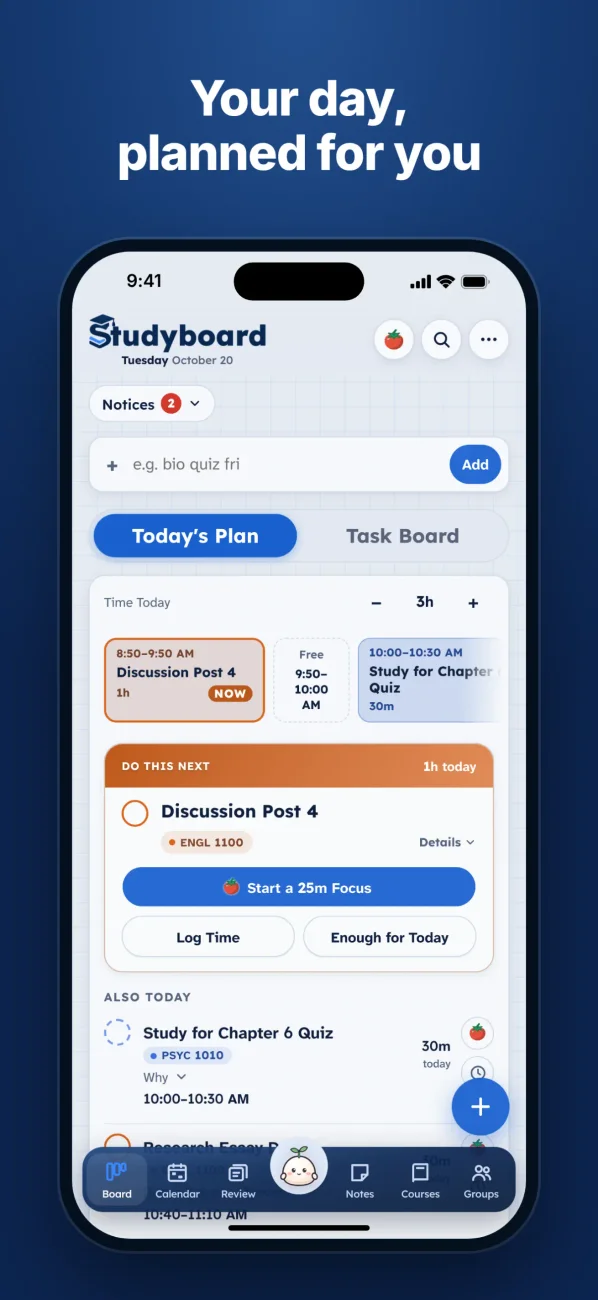
• Today's Plan picks what to do next and how long to spend on it, based on what's due and how much time you have
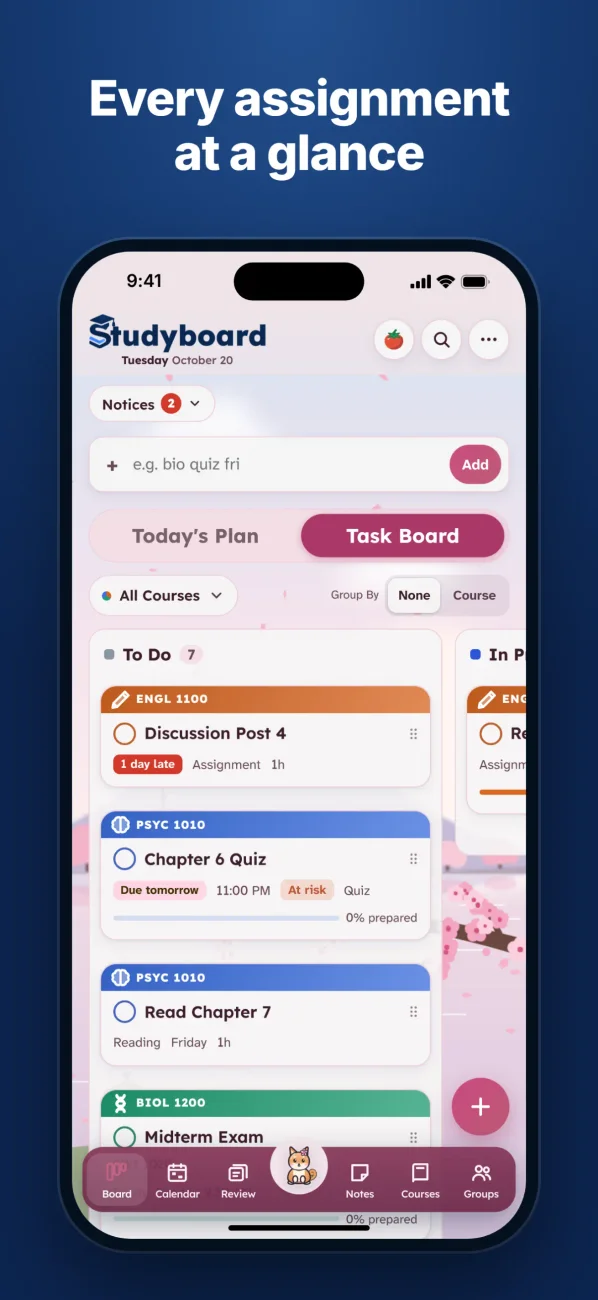
• Task Board shows every assignment, quiz and exam, from To Do to Done
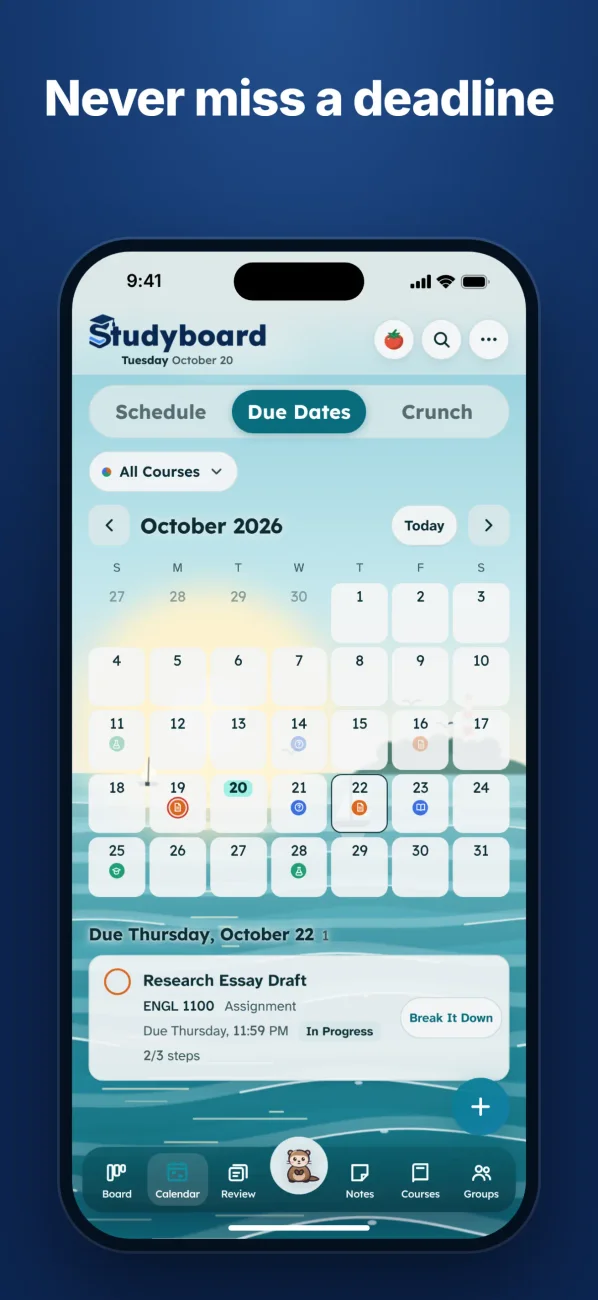
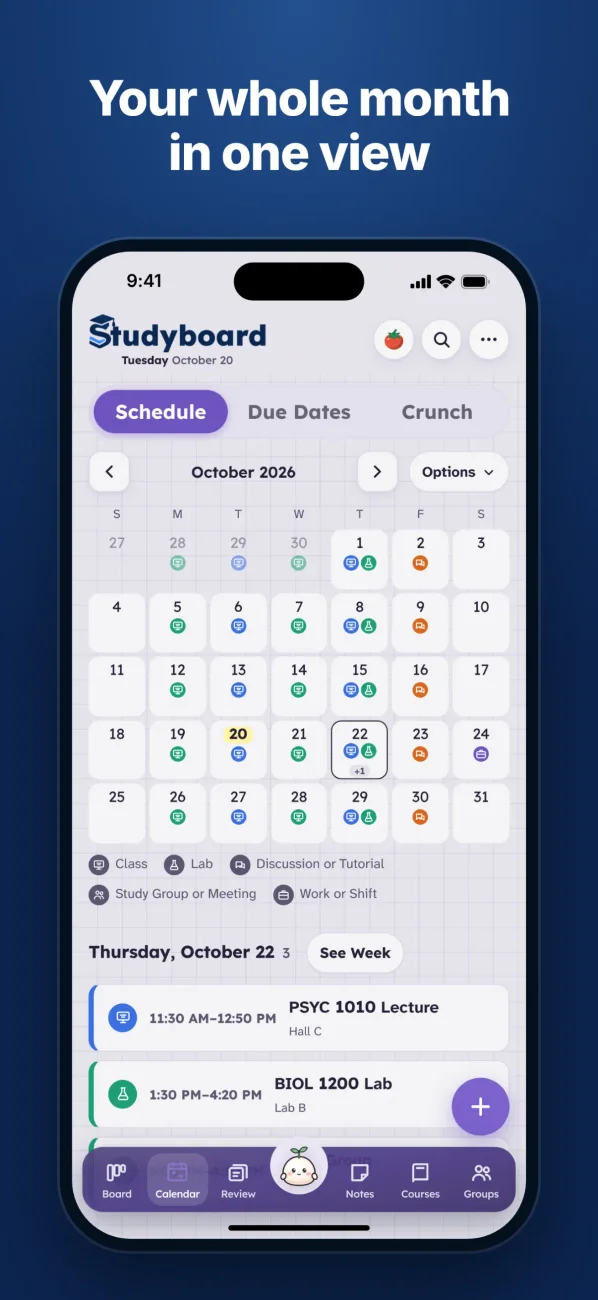
• Due Dates calendar, class schedule and a Crunch view for busy weeks
• Add a task by typing it the way you'd say it, like "bio quiz fri"
• Works with your school site: bring in courses and deadlines from Brightspace, Canvas, Blackboard or Moodle
STAY FOCUSED
• Focus timer with focus sessions and breaks, plus your own routines
• The timer stays in the Dynamic Island and on your Lock Screen, with Pause, Skip and Reset right there
• An alarm when a session ends, even with your phone on silent (iOS 26 and later)
KNOW WHERE YOU STAND
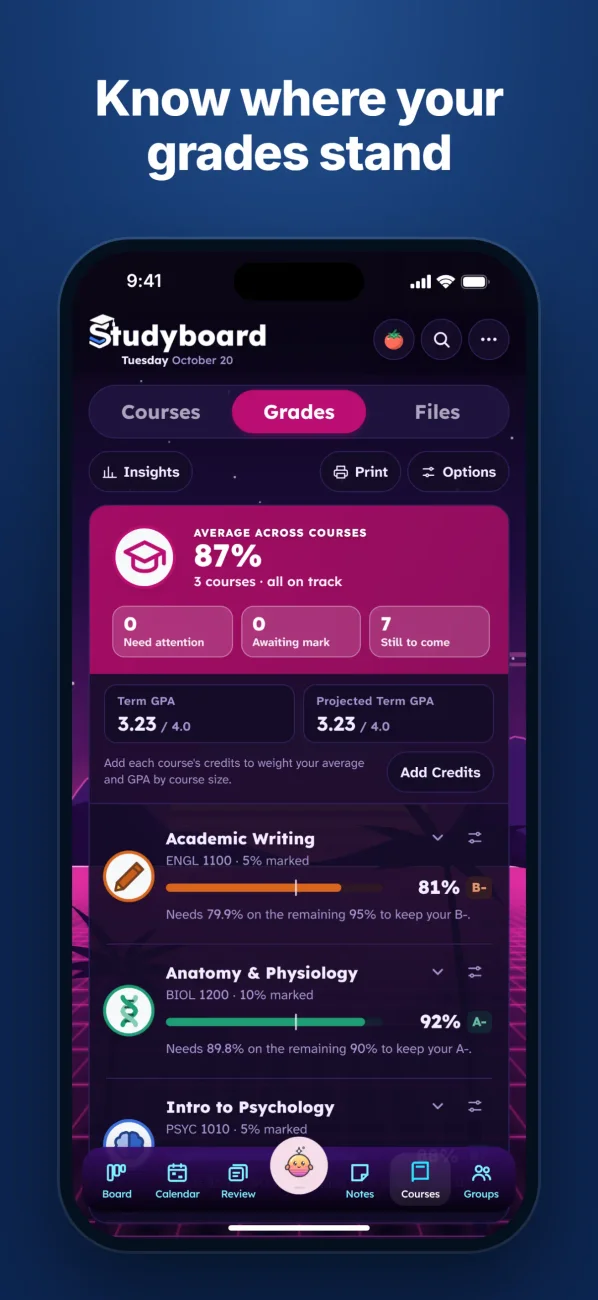
• Grades for every course, your average and your GPA
• See what you need on the rest of a course to reach the grade you want
STUDY SMARTER
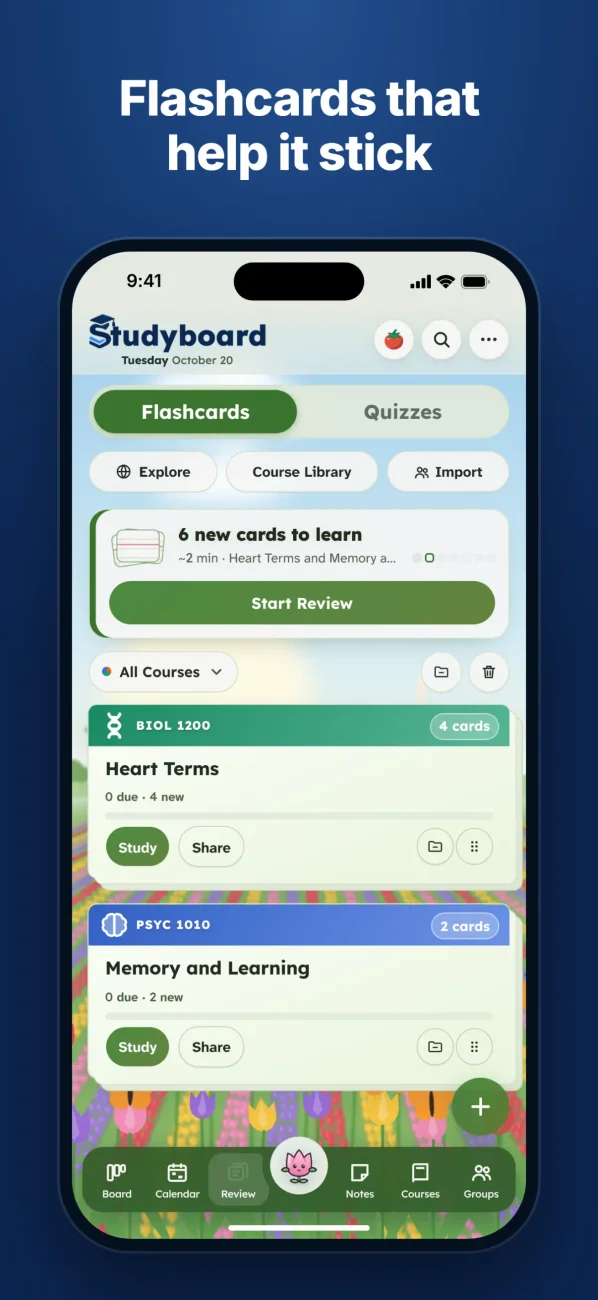
• Flashcards with spaced review, and practice quizzes
• Notes, sticky notes and a whiteboard with pens, highlighters, shapes and text
• Study groups: plan with classmates, share tasks and decks, and chat
MAKE IT YOURS
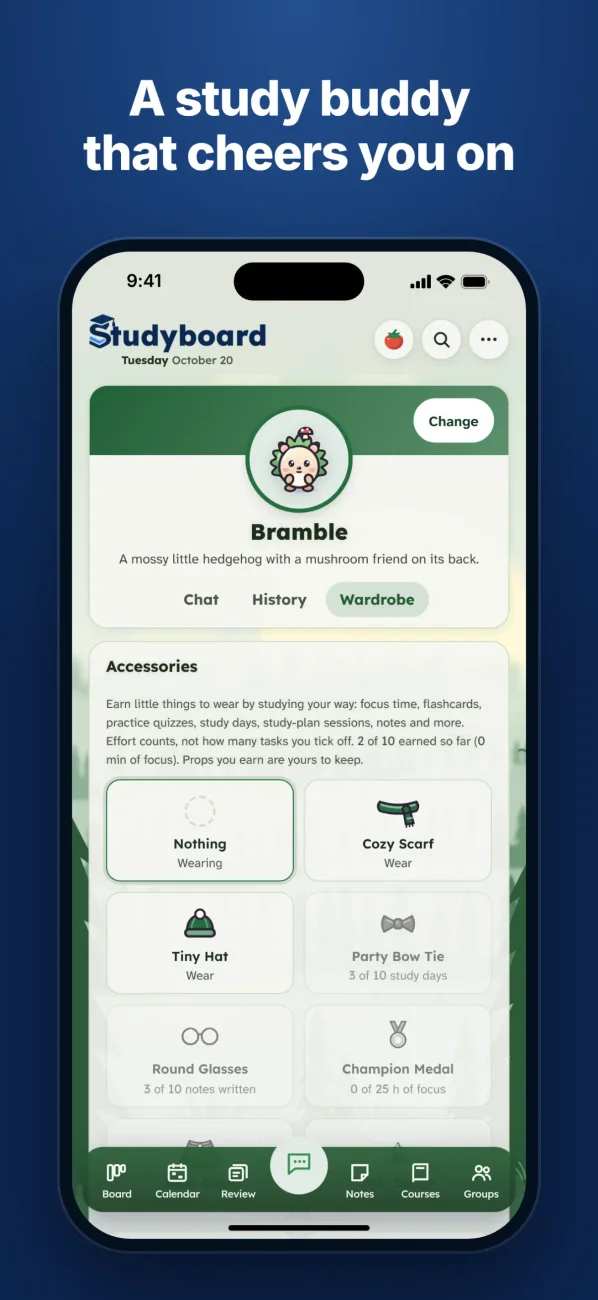
• A study buddy companion that cheers you on
• Dozens of themes, from calm beaches to starry skies, in light and dark
YOURS, EVERYWHERE
• Works offline, with no account needed
• Sign in with Apple, Google or email to sync between your iPhone, iPad, computer and the web
OPTIONAL AI
Connect your own AI key (Google Gemini, Anthropic Claude or OpenAI ChatGPT) to summarize files, turn a photo of a syllabus or schedule into tasks, make flashcards and get answers about your own notes. AI answers can be wrong; you can report any answer from the answer itself.
STUDYBOARD PRO
Studyboard is free. Studyboard Pro adds more storage, unlimited devices, bigger study groups, cloud backups, every theme and more, with a 7-day free trial.
Studyboard Pro is an auto-renewing subscription, billed monthly or yearly. Payment is charged to your Apple ID at confirmation of purchase. The subscription renews automatically unless cancelled at least 24 hours before the end of the current period, and your account is charged for renewal within 24 hours before the end of the period. Manage or cancel your subscription in your App Store account settings. Any unused part of a free trial is forfeited when you buy a subscription.
Terms of Use: https://studyboardapp.com/website/terms.html
Privacy Policy: https://studyboardapp.com/website/privacy.html
Brightspace, Canvas, Blackboard, Google Gemini, Anthropic Claude and OpenAI ChatGPT are trademarks of their respective owners. Studyboard is not affiliated with or endorsed by them.
新機能
バージョン 1.3 · 2026/11/15
• Studyboard AI is here! Get better quality responses across all AI features, 2x faster responses to most prompts, and enhanced privacy protection compared to free Gemini.
• Writing Studio and Concept Maps (Beta): plan, draft and cite papers, and map how course concepts connect.
• Lecture Replay: play a recorded lecture from any line of its transcript, your notes or slides.
• Exam Day Forecast: see how ready you'll likely be on exam day.
• Widgets: Today and Up Next on your Home Screen and Lock Screen.
• Haptics: feel check-offs, drags, flashcard grades, quiz answers, Focus starts and ends, and more.
• Companion: earn new props with a celebration, dress them in patterns and colours, and ask them a wider variety of questions.
• Smoother on iPhone: pop-ups open smoother, slimmer Grades and Flashcards headers, and 100+ bug and UI fixes.
• Better accessibility: high contrast work across the app.
Thank you for studying with Studyboard!
アプリのプライバシー
このアプリのデータの取り扱いについて、CONNOR MICHAEL JAMES PELKMANSがApp Storeで申告している内容です。
-
ユーザーに関連付けられたデータ
収集され、ユーザーの識別情報に関連付けられる場合があります。
- 購入
- 連絡先情報
- ユーザーコンテンツ
- ID
- 使用状況データ
- 診断
-
ユーザーに関連付けられないデータ
収集される場合がありますが、ユーザーの識別情報には関連付けられません。
- 診断
プライバシーの取り扱いは、ご利用の機能やお客様の年齢などに応じて異なる場合があります。
情報
- 販売元
- CONNOR MICHAEL JAMES PELKMANS
- カテゴリ
- 教育
- バージョン
- 1.3
- 更新日
- 2026/11/15
- リリース
- 2026/11/5
- サイズ
- 33.3 MB
- 必要条件
- iOS 17.0以降
- 対象年齢
- 4+
- 価格
- 無料
- アプリ内課金
- あり
- 言語
- 英語
- 著作権
- © 2026 Connor Pelkmans (Studyboard)