Studyboard: Student Planner
Được thiết kế cho iPhone, iPad
Miễn phí · Mua hàng trong ứng dụng
- Độ tuổi4+
- Danh mụcGiáo Dục
- Nhà phát triểnCONNOR MICHAEL JAMES PELKMANS
- Ngôn ngữTiếng Anh
- Kích thước33,3 MB
Liên kết đến trang App Store chính thức
Download.org không lưu trữ tệp nào của Studyboard: Student Planner. Nút này mở trang ứng dụng trên App Store, nơi CONNOR MICHAEL JAMES PELKMANS phát hành ứng dụng. Trang được kiểm tra lần cuối: 20/11/2026.
Ảnh chụp màn hình

Giới thiệu
Nhà phát triển chưa cung cấp nội dung này bằng ngôn ngữ của bạn.
Studyboard turns your tasks into a calm plan for every day, so you always know what to work on next!
PLAN YOUR SEMESTER
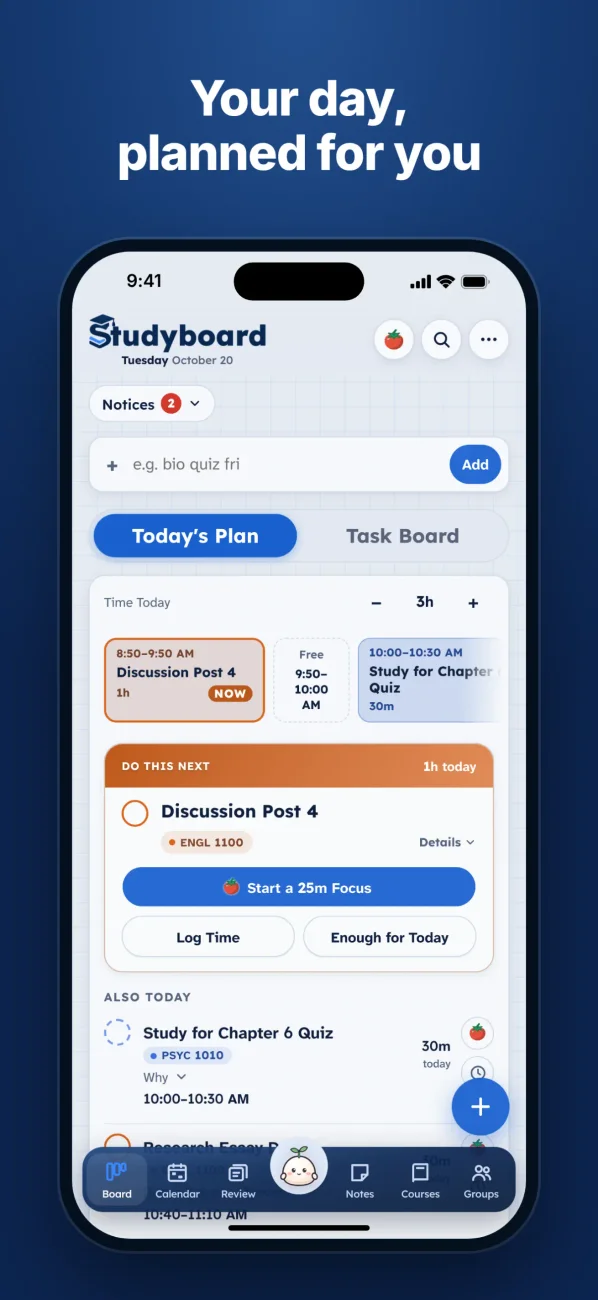
• Today's Plan picks what to do next and how long to spend on it, based on what's due and how much time you have
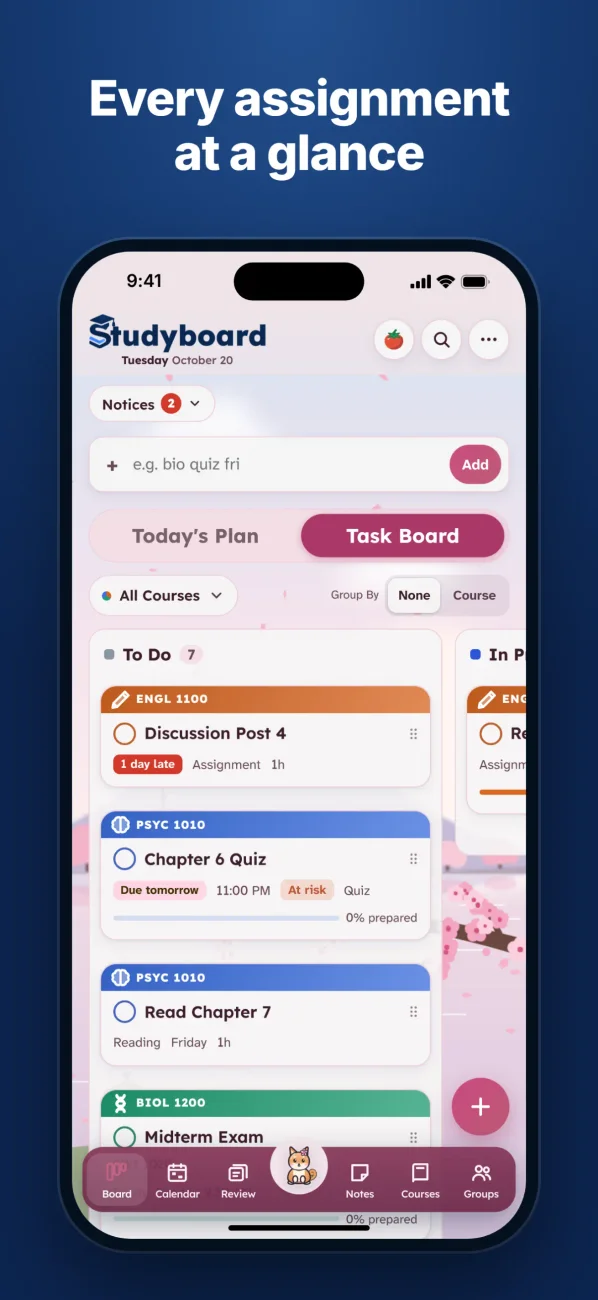
• Task Board shows every assignment, quiz and exam, from To Do to Done
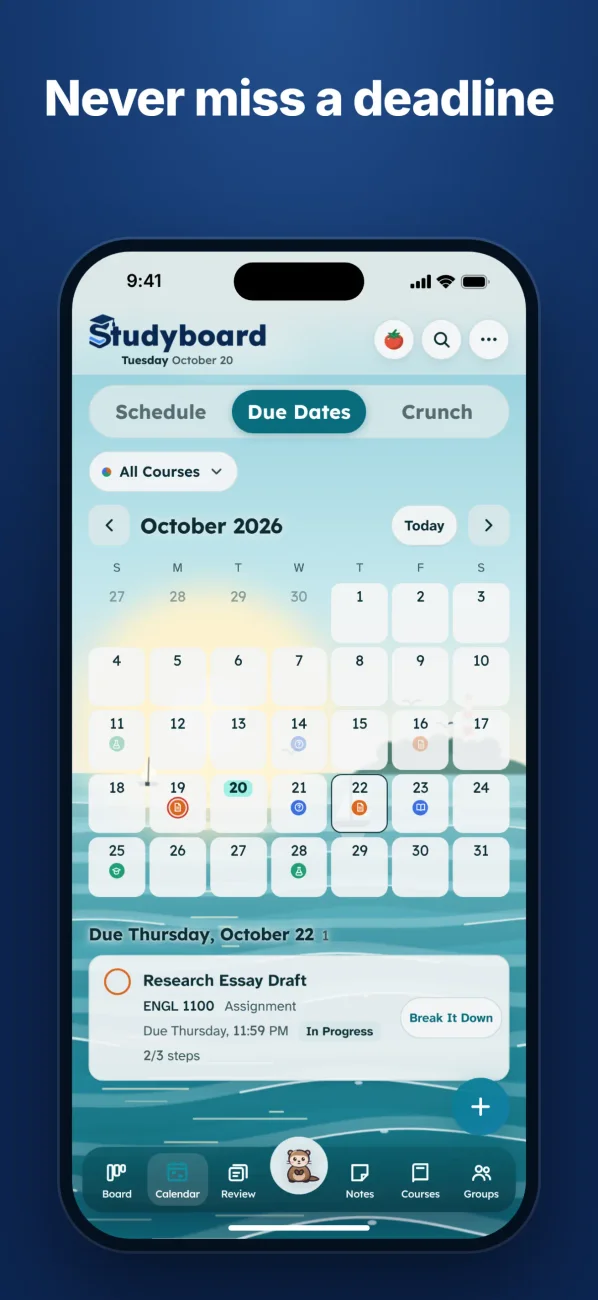
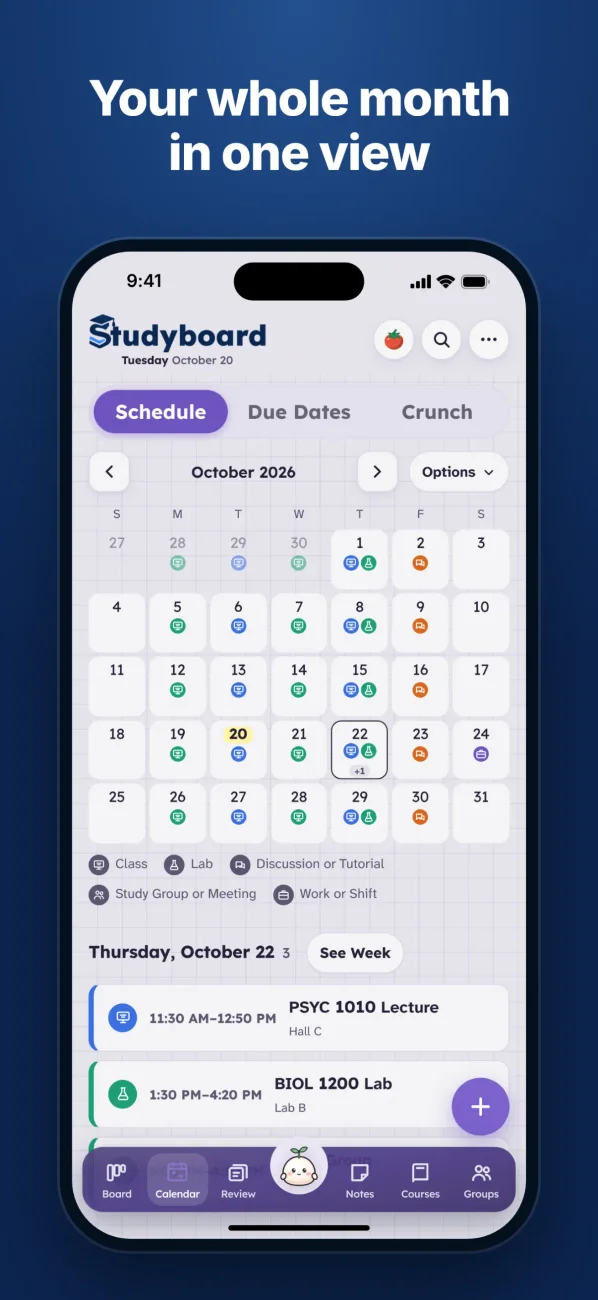
• Due Dates calendar, class schedule and a Crunch view for busy weeks
• Add a task by typing it the way you'd say it, like "bio quiz fri"
• Works with your school site: bring in courses and deadlines from Brightspace, Canvas, Blackboard or Moodle
STAY FOCUSED
• Focus timer with focus sessions and breaks, plus your own routines
• The timer stays in the Dynamic Island and on your Lock Screen, with Pause, Skip and Reset right there
• An alarm when a session ends, even with your phone on silent (iOS 26 and later)
KNOW WHERE YOU STAND
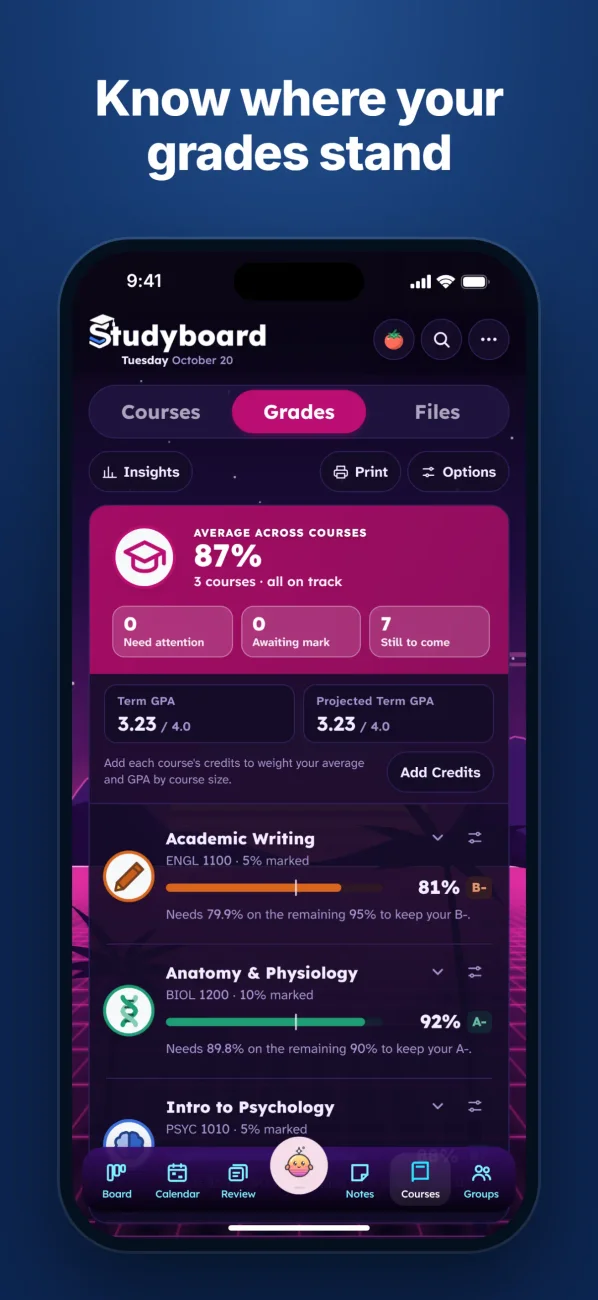
• Grades for every course, your average and your GPA
• See what you need on the rest of a course to reach the grade you want
STUDY SMARTER
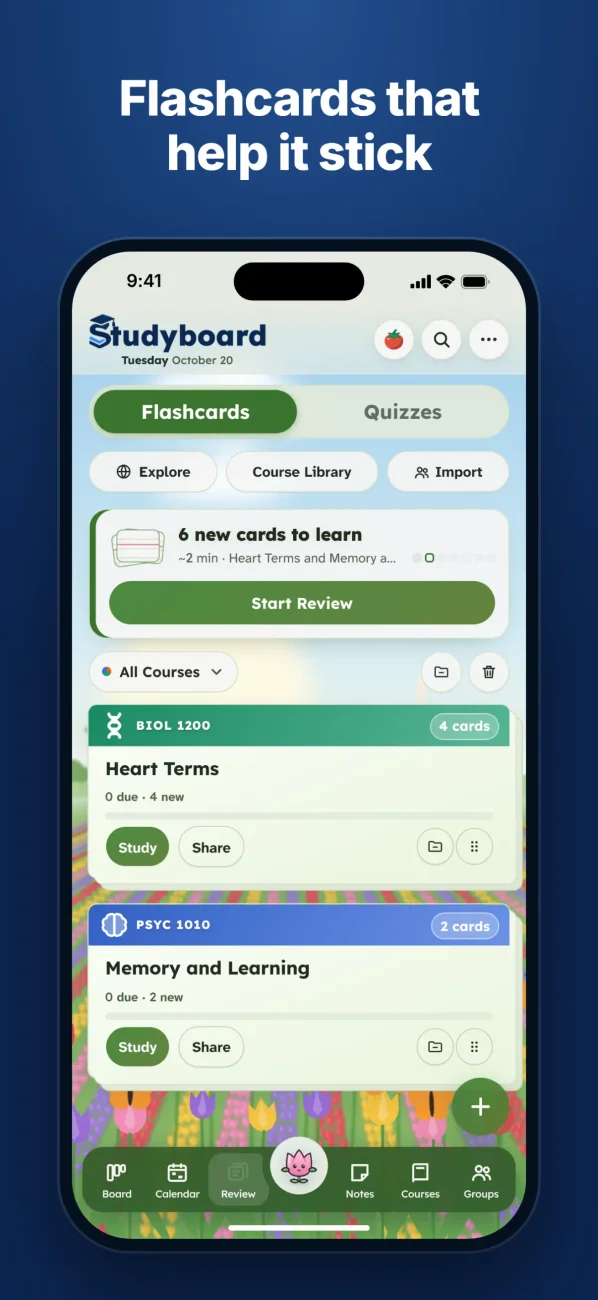
• Flashcards with spaced review, and practice quizzes
• Notes, sticky notes and a whiteboard with pens, highlighters, shapes and text
• Study groups: plan with classmates, share tasks and decks, and chat
MAKE IT YOURS
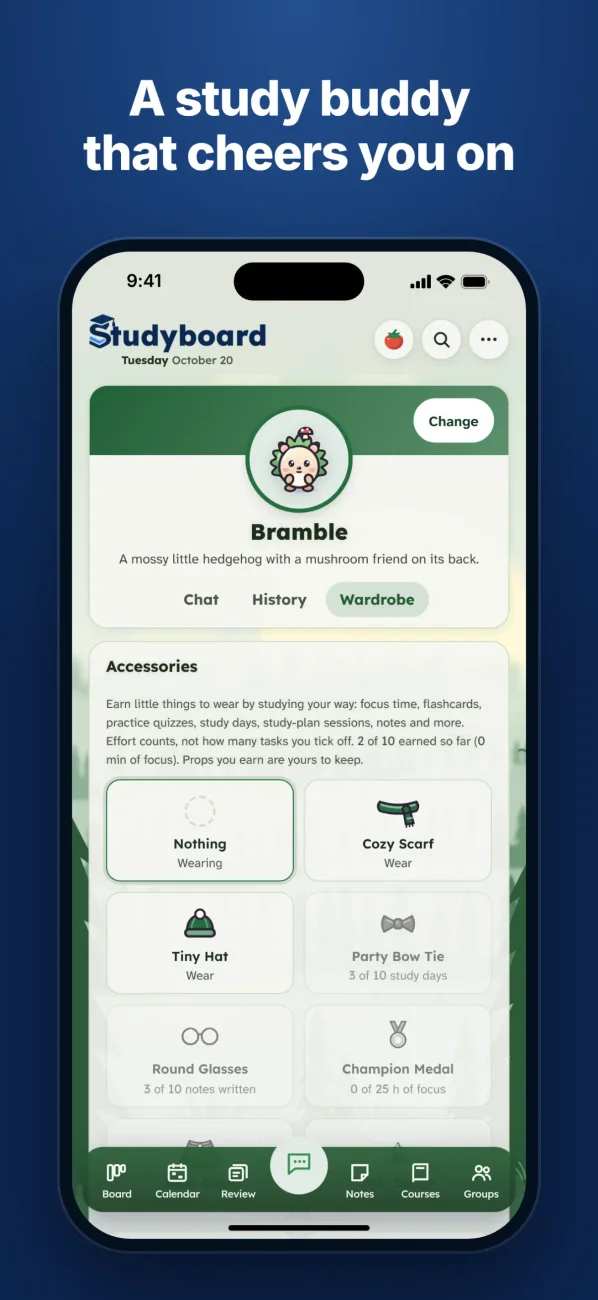
• A study buddy companion that cheers you on
• Dozens of themes, from calm beaches to starry skies, in light and dark
YOURS, EVERYWHERE
• Works offline, with no account needed
• Sign in with Apple, Google or email to sync between your iPhone, iPad, computer and the web
OPTIONAL AI
Connect your own AI key (Google Gemini, Anthropic Claude or OpenAI ChatGPT) to summarize files, turn a photo of a syllabus or schedule into tasks, make flashcards and get answers about your own notes. AI answers can be wrong; you can report any answer from the answer itself.
STUDYBOARD PRO
Studyboard is free. Studyboard Pro adds more storage, unlimited devices, bigger study groups, cloud backups, every theme and more, with a 7-day free trial.
Studyboard Pro is an auto-renewing subscription, billed monthly or yearly. Payment is charged to your Apple ID at confirmation of purchase. The subscription renews automatically unless cancelled at least 24 hours before the end of the current period, and your account is charged for renewal within 24 hours before the end of the period. Manage or cancel your subscription in your App Store account settings. Any unused part of a free trial is forfeited when you buy a subscription.
Terms of Use: https://studyboardapp.com/website/terms.html
Privacy Policy: https://studyboardapp.com/website/privacy.html
Brightspace, Canvas, Blackboard, Google Gemini, Anthropic Claude and OpenAI ChatGPT are trademarks of their respective owners. Studyboard is not affiliated with or endorsed by them.
Có gì mới
Phiên bản 1.3 · 15/11/2026
• Studyboard AI is here! Get better quality responses across all AI features, 2x faster responses to most prompts, and enhanced privacy protection compared to free Gemini.
• Writing Studio and Concept Maps (Beta): plan, draft and cite papers, and map how course concepts connect.
• Lecture Replay: play a recorded lecture from any line of its transcript, your notes or slides.
• Exam Day Forecast: see how ready you'll likely be on exam day.
• Widgets: Today and Up Next on your Home Screen and Lock Screen.
• Haptics: feel check-offs, drags, flashcard grades, quiz answers, Focus starts and ends, and more.
• Companion: earn new props with a celebration, dress them in patterns and colours, and ask them a wider variety of questions.
• Smoother on iPhone: pop-ups open smoother, slimmer Grades and Flashcards headers, and 100+ bug and UI fixes.
• Better accessibility: high contrast work across the app.
Thank you for studying with Studyboard!
Quyền riêng tư của ứng dụng
Những gì CONNOR MICHAEL JAMES PELKMANS khai báo trên App Store về cách ứng dụng này xử lý dữ liệu.
-
Dữ liệu liên kết với bạn
Có thể được thu thập và liên kết với danh tính của bạn.
- Mục mua
- Thông tin liên hệ
- Nội dung của người dùng
- Mã định danh
- Dữ liệu sử dụng
- Chẩn đoán
-
Dữ liệu không liên kết với bạn
Có thể được thu thập nhưng không liên kết với danh tính của bạn.
- Chẩn đoán
Phương thức đảm bảo quyền riêng tư có thể khác nhau, chẳng hạn như tuỳ theo các tính năng bạn sử dụng hoặc độ tuổi của bạn.
Thông tin
- Người bán
- CONNOR MICHAEL JAMES PELKMANS
- Danh mục
- Giáo Dục
- Phiên bản
- 1.3
- Cập nhật
- 15/11/2026
- Phát hành
- 05/11/2026
- Kích thước
- 33,3 MB
- Yêu cầu
- iOS 17.0 trở lên
- Độ tuổi
- 4+
- Giá
- Miễn phí
- Mua hàng trong ứng dụng
- Có
- Ngôn ngữ
- Tiếng Anh
- Bản quyền
- © 2026 Connor Pelkmans (Studyboard)
Có thể bạn cũng thích
-
 ClassMate: My Smart CompanionGiáo Dục
-
 Coursly: Student PlannerGiáo Dục
-
 Silicon VaultTham Khảo
-
 CPS AuthorityGiáo Dục
-
 AP Physics C, 2e - Test PrepGiáo Dục
-
 Tiếng Anh Hàng Không Phi CôngLuyện thi nói ICAO Level 4
-
 BibleScientiaTham Khảo
-
 Tfaddalu: Tiếng Ả Rập PalestinPhương ngữ Levant hằng ngày
-
 Russian - Word of the DayGiáo Dục
-
 QuizUp NCERT - KBC TriviaGiáo Dục