The Missing Brightness Widget
Dimmer for Home & Lock Screen
Conçue pour iPhone, iPad
2,99 €
- Classification d’âge4+
- CatégorieUtilitaires
- Développeurweheartprojects.com
- LanguesAnglais+ 6 de plus
- Taille11,5 Mo
Renvoie vers la page App Store officielle
Download.org n’héberge aucun fichier de The Missing Brightness Widget. Le bouton ouvre la page de l’application sur App Store, où weheartprojects.com la publie. Fiche vérifiée pour la dernière fois le 12/11/2026.
Captures d’écran
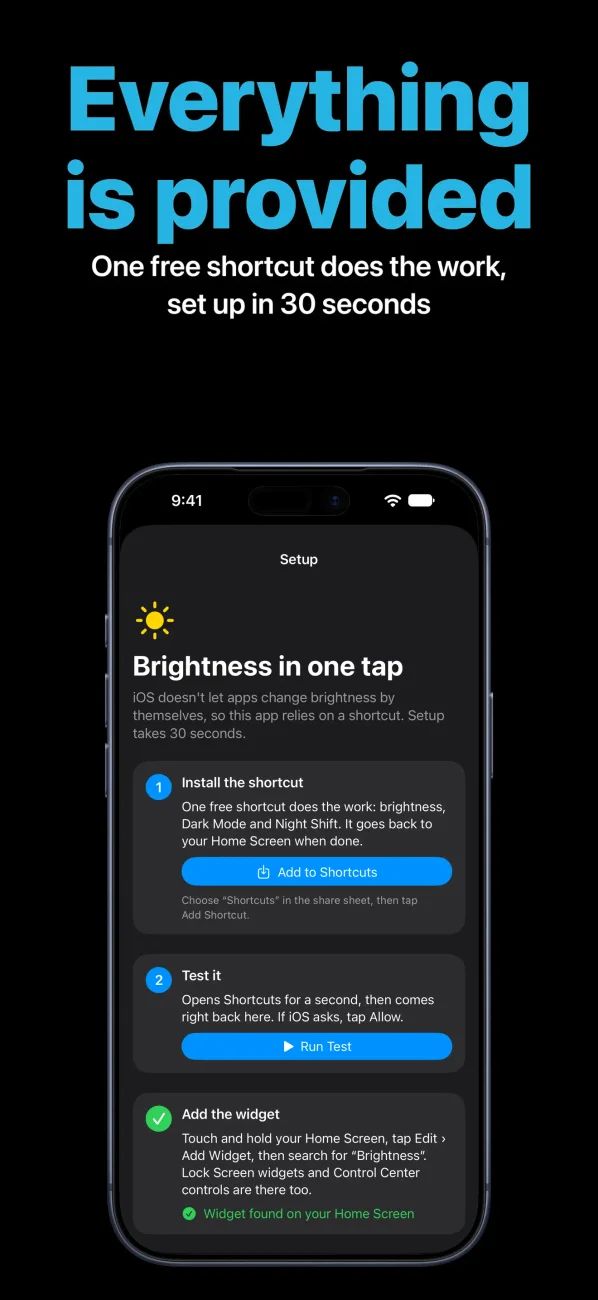
À propos
Le développeur n’a pas fourni ce texte dans votre langue.
Set your screen brightness in one tap, right from your Home Screen, Lock Screen or Control Center.
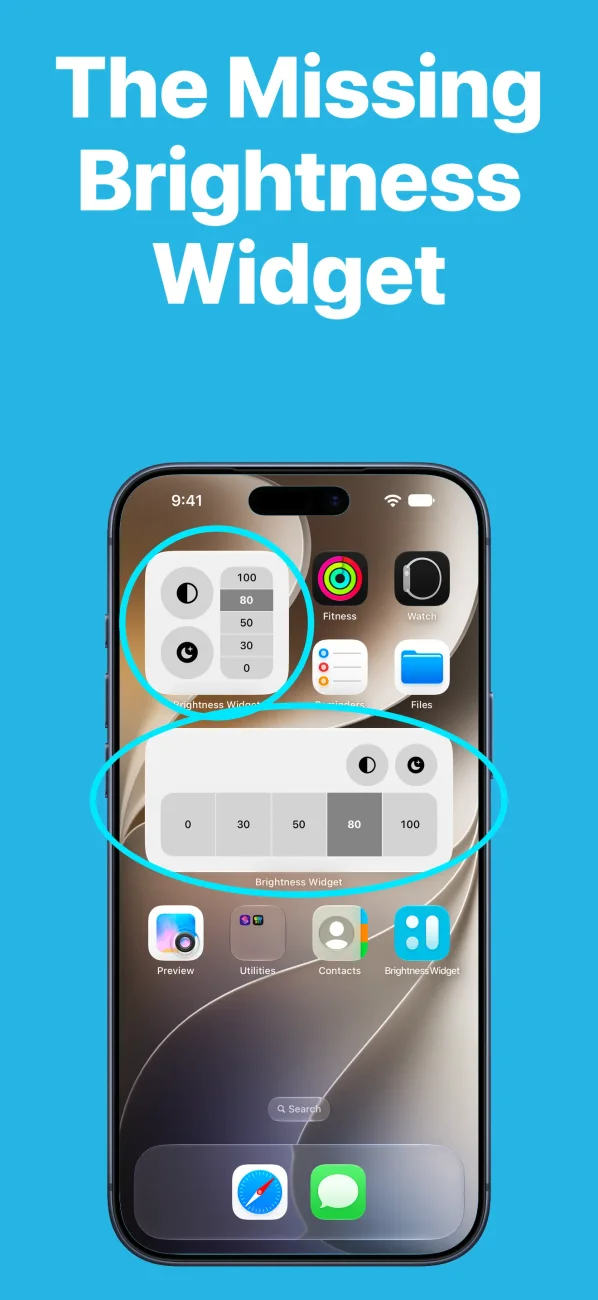
iOS has no brightness widget. This app gives you one: five brightness presets and two action buttons (Dark Mode and Night Shift by default), always one tap away.
HOW IT WORKS
iOS doesn't let apps change brightness, Dark Mode or Night Shift by themselves. The Shortcuts app can, so this app comes with a free shortcut that does the work, then takes you back to your Home Screen. Setup takes 30 seconds and the app guides you through it.
EVERYWHERE YOU NEED IT
• Home Screen widgets in three sizes, with five layouts: brightness on the right, left, top, bottom, or on its own
• StandBy, for a bedside dimmer
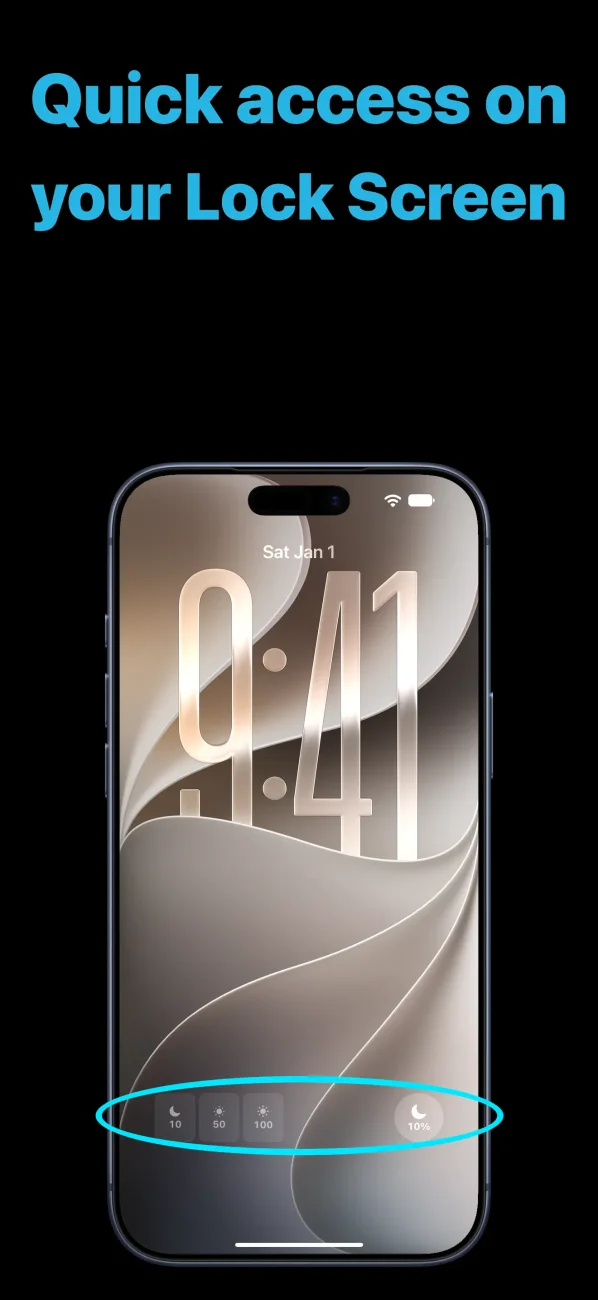
• Lock Screen widgets with your favorite presets
• Control Center controls, also usable on the Lock Screen and the Action button
• Siri and Spotlight: "Dim the screen with Brightness Widget"
MAKE IT YOURS
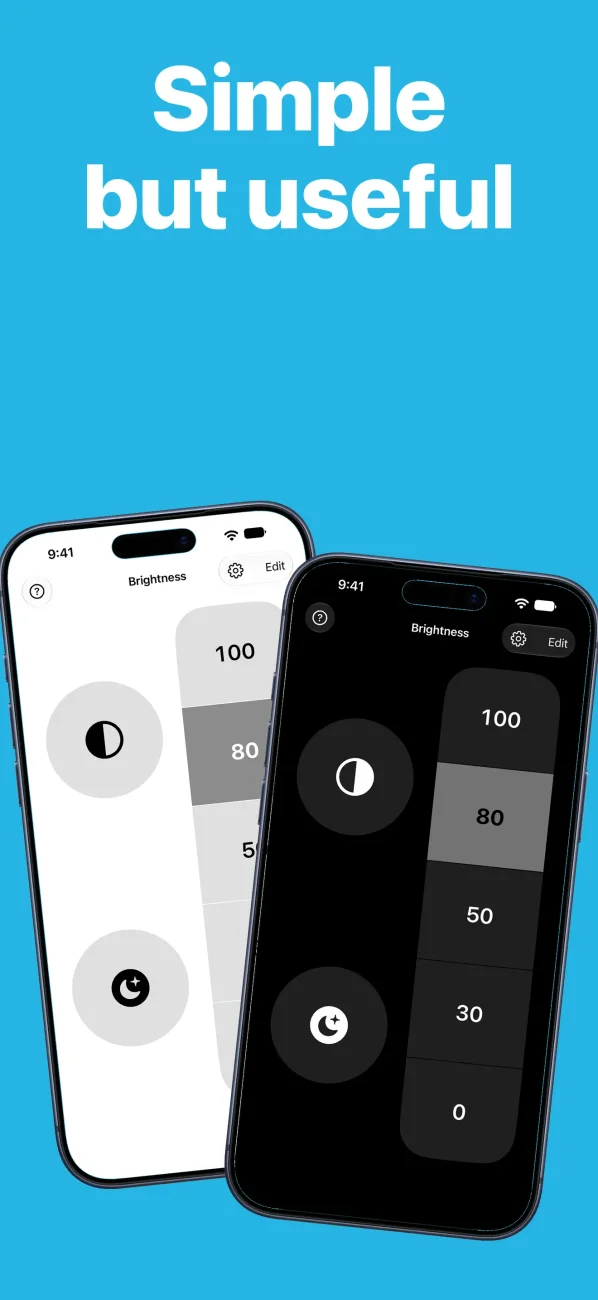
• Choose the value of each of the five presets
• Link the two round buttons to any shortcut of your own and pick their icon
• Show or hide the values, and choose which side the brightness sits on
• Works with the Clear and Tinted Home Screen
GOOD TO KNOW
Auto-Brightness can change the value again after a while. To keep your setting, turn it off in Settings > Accessibility > Display & Text Size > Auto-Brightness.
Nouveautés
Version 1.1 · 21/10/2026
A big update:
• One shortcut instead of three. It runs your action and takes you straight back to your Home Screen.
• Widget buttons now act without opening the app, in every size (the small widget works too, also in StandBy).
• Five Home Screen layouts: brightness on the right, left, top, bottom, or on its own.
• New Lock Screen widgets and Control Center controls, also available for the Action button.
• Siri and Spotlight: "Dim the screen with Brightness Widget".
• Guided 30-second setup, with a test to check everything works.
• Looks great on the Clear and Tinted Home Screen.
• Now in French, German, Spanish, Italian, Japanese and Brazilian Portuguese.
Using version 1.0? Your current shortcuts keep working. The app offers the switch when you open it.
Confidentialité de l’application
Ce que weheartprojects.com déclare sur l’App Store au sujet du traitement des données par cette application.
-
Données non collectées
Le développeur ne collecte aucune donnée à partir de cette application.
Les pratiques en matière de confidentialité peuvent varier, notamment en fonction des fonctionnalités que vous utilisez ou de votre âge.
Informations
- Vendeur
- jerome gangneux
- Catégorie
- Utilitaires
- Version
- 1.1
- Mis à jour
- 21/10/2026
- Publié
- 29/12/2025
- Taille
- 11,5 Mo
- Nécessite
- iOS 26.0 ou version ultérieure
- Classification d’âge
- 4+
- Prix
- 2,99 €
- Langues
- Anglais, Français, Allemand, Italien, Japonais, Portugais, Espagnol
- Copyright
- © Gangneux.net
Vous aimerez peut-être aussi
-
 Avodek: Private Browser + AIUtilitaires
-
 KPlayerAirUtilitaires
-
 ABE For RedditUtilitaires
-
 ColorboltUtilitaires
-
 Single Tab - Navigateur PrivéPosition masquée, incognito
-
 Heart – Browser That Does GoodUtilitaires
-
 ColoredEyeUtilitaires
-
 Subtitle PlayerUtilitaires
-
 Contactless AccessUtilitaires
-
 Resun SmartUtilitaires