The Missing Brightness Widget
Dimmer for Home & Lock Screen
Được thiết kế cho iPhone, iPad
99.000đ
- Độ tuổi4+
- Danh mụcTiện Ích
- Nhà phát triểnweheartprojects.com
- Ngôn ngữTiếng Anh+ 6 ngôn ngữ khác
- Kích thước11,5 MB
Liên kết đến trang App Store chính thức
Download.org không lưu trữ tệp nào của The Missing Brightness Widget. Nút này mở trang ứng dụng trên App Store, nơi weheartprojects.com phát hành ứng dụng. Trang được kiểm tra lần cuối: 12/11/2026.
Ảnh chụp màn hình
Giới thiệu
Nhà phát triển chưa cung cấp nội dung này bằng ngôn ngữ của bạn.
Set your screen brightness in one tap, right from your Home Screen, Lock Screen or Control Center.
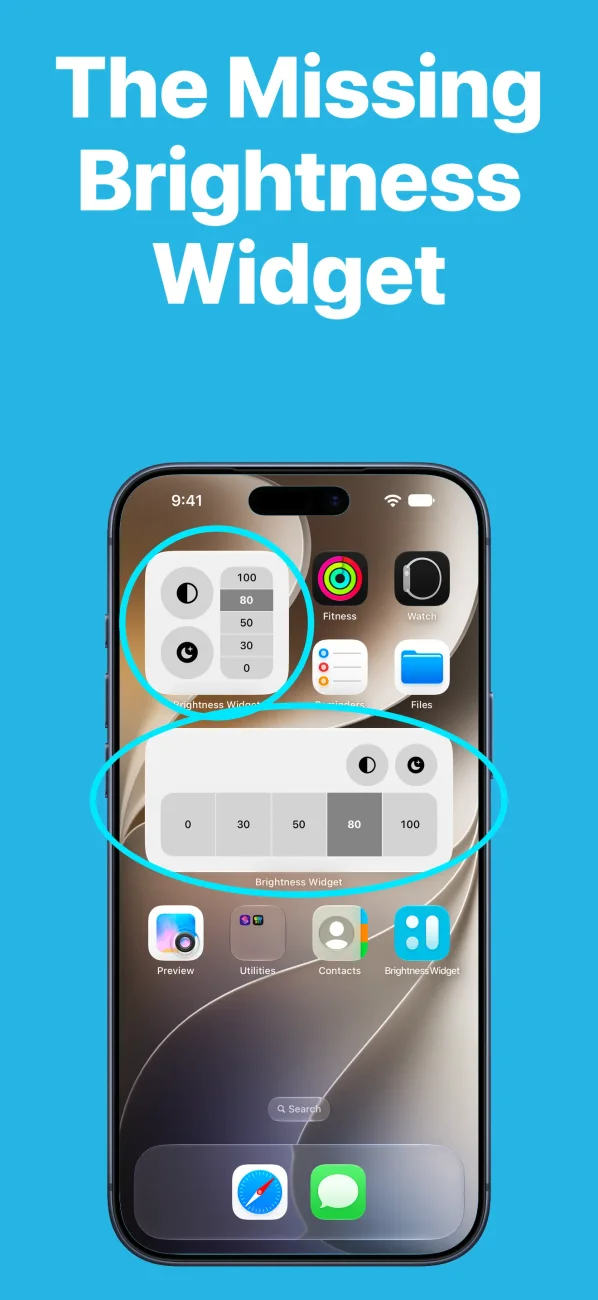
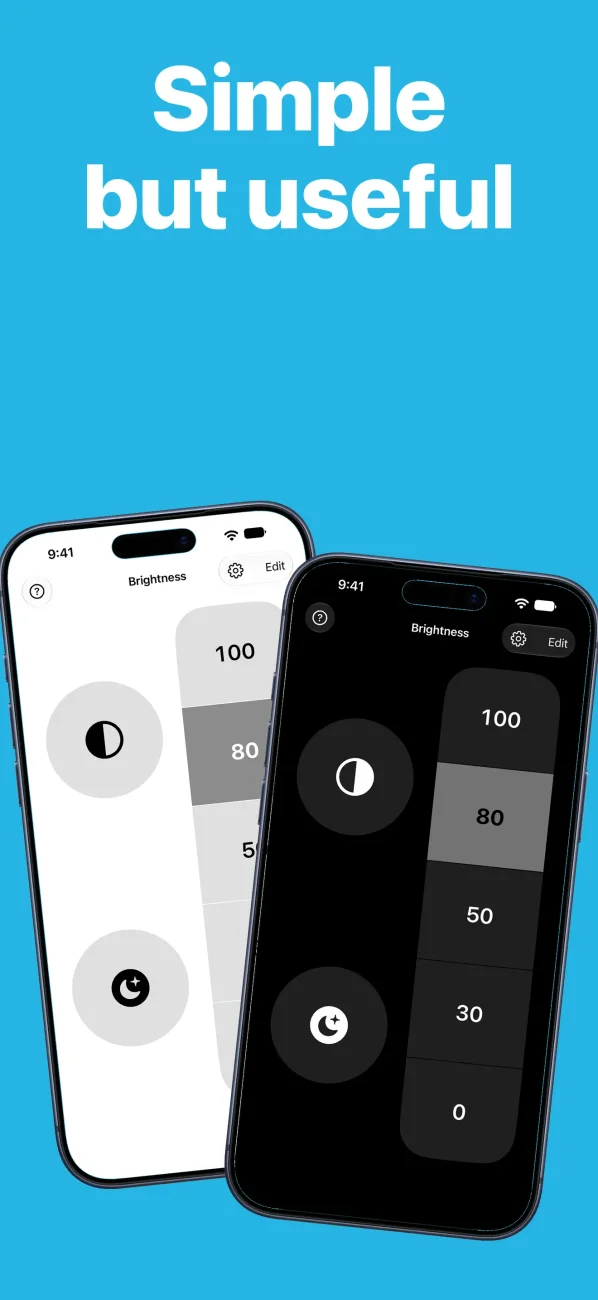
iOS has no brightness widget. This app gives you one: five brightness presets and two action buttons (Dark Mode and Night Shift by default), always one tap away.
HOW IT WORKS
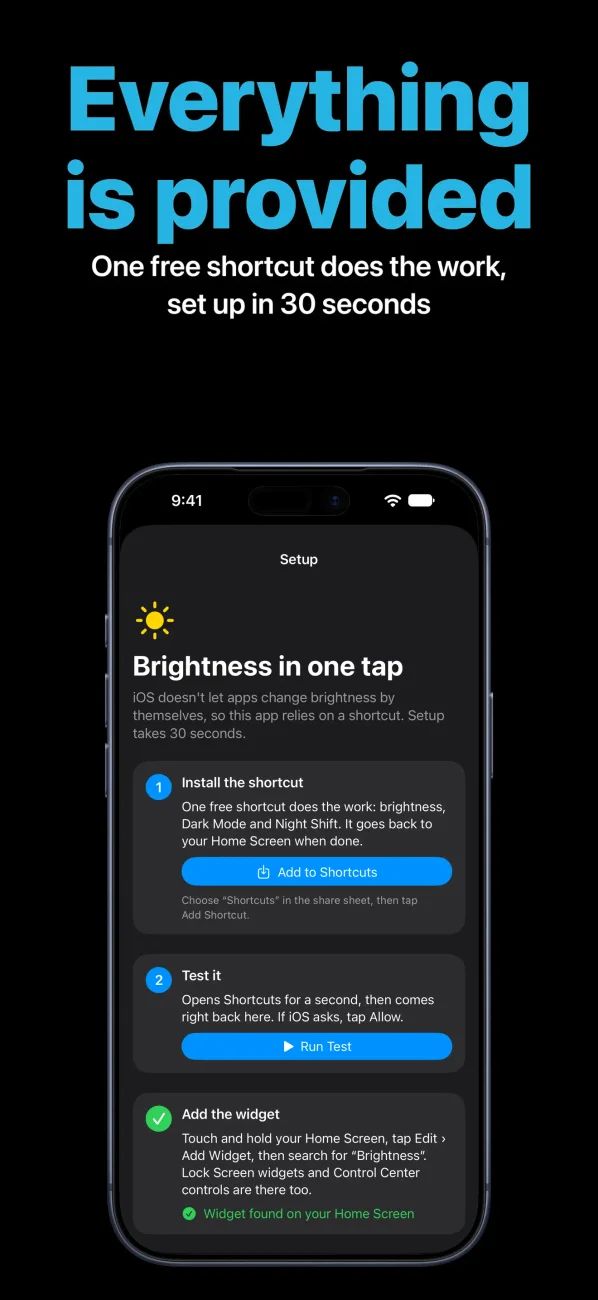
iOS doesn't let apps change brightness, Dark Mode or Night Shift by themselves. The Shortcuts app can, so this app comes with a free shortcut that does the work, then takes you back to your Home Screen. Setup takes 30 seconds and the app guides you through it.
EVERYWHERE YOU NEED IT
• Home Screen widgets in three sizes, with five layouts: brightness on the right, left, top, bottom, or on its own
• StandBy, for a bedside dimmer
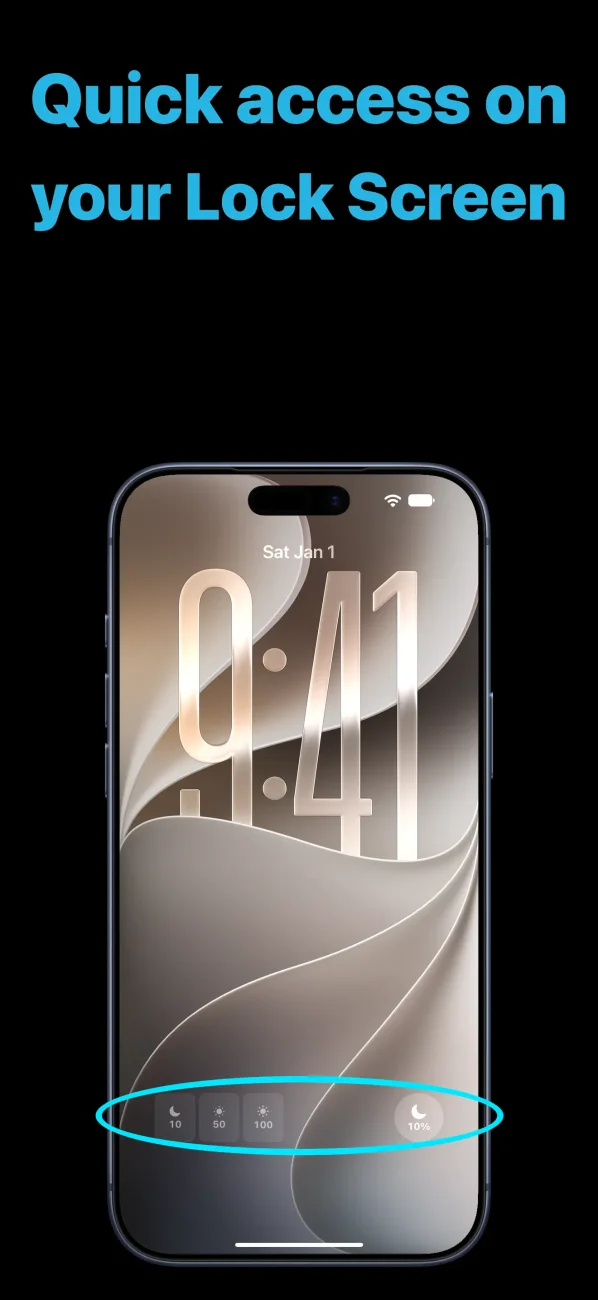
• Lock Screen widgets with your favorite presets
• Control Center controls, also usable on the Lock Screen and the Action button
• Siri and Spotlight: "Dim the screen with Brightness Widget"
MAKE IT YOURS
• Choose the value of each of the five presets
• Link the two round buttons to any shortcut of your own and pick their icon
• Show or hide the values, and choose which side the brightness sits on
• Works with the Clear and Tinted Home Screen
GOOD TO KNOW
Auto-Brightness can change the value again after a while. To keep your setting, turn it off in Settings > Accessibility > Display & Text Size > Auto-Brightness.
Có gì mới
Phiên bản 1.1 · 21/10/2026
A big update:
• One shortcut instead of three. It runs your action and takes you straight back to your Home Screen.
• Widget buttons now act without opening the app, in every size (the small widget works too, also in StandBy).
• Five Home Screen layouts: brightness on the right, left, top, bottom, or on its own.
• New Lock Screen widgets and Control Center controls, also available for the Action button.
• Siri and Spotlight: "Dim the screen with Brightness Widget".
• Guided 30-second setup, with a test to check everything works.
• Looks great on the Clear and Tinted Home Screen.
• Now in French, German, Spanish, Italian, Japanese and Brazilian Portuguese.
Using version 1.0? Your current shortcuts keep working. The app offers the switch when you open it.
Quyền riêng tư của ứng dụng
Những gì weheartprojects.com khai báo trên App Store về cách ứng dụng này xử lý dữ liệu.
-
Dữ liệu không được thu thập
Nhà phát triển không thu thập bất kỳ dữ liệu nào từ ứng dụng này.
Phương thức đảm bảo quyền riêng tư có thể khác nhau, chẳng hạn như tuỳ theo các tính năng bạn sử dụng hoặc độ tuổi của bạn.
Thông tin
- Người bán
- jerome gangneux
- Danh mục
- Tiện Ích
- Phiên bản
- 1.1
- Cập nhật
- 21/10/2026
- Phát hành
- 29/12/2025
- Kích thước
- 11,5 MB
- Yêu cầu
- iOS 26.0 trở lên
- Độ tuổi
- 4+
- Giá
- 99.000đ
- Ngôn ngữ
- Tiếng Anh, Tiếng Pháp, Tiếng Đức, Tiếng Ý, Tiếng Nhật, Tiếng Bồ Đào Nha, Tiếng Tây Ban Nha
- Bản quyền
- © Gangneux.net