
touchnotesPro: Notes & PDF
Handwriting & Flashcard Review
Conçue pour iPhone, iPad
Gratuit · Achats intégrés
- Classification d’âge4+
- CatégorieProductivité
- Développeur广东新空电子科技股份有限公司
- LanguesAnglais+ 10 de plus
- Taille670,8 Mo
Renvoie vers la page App Store officielle
Download.org n’héberge aucun fichier de touchnotesPro: Notes & PDF. Le bouton ouvre la page de l’application sur App Store, où 广东新空电子科技股份有限公司 la publie. Fiche vérifiée pour la dernière fois le 27/11/2026.
Captures d’écran
À propos
Le développeur n’a pas fourni ce texte dans votre langue.
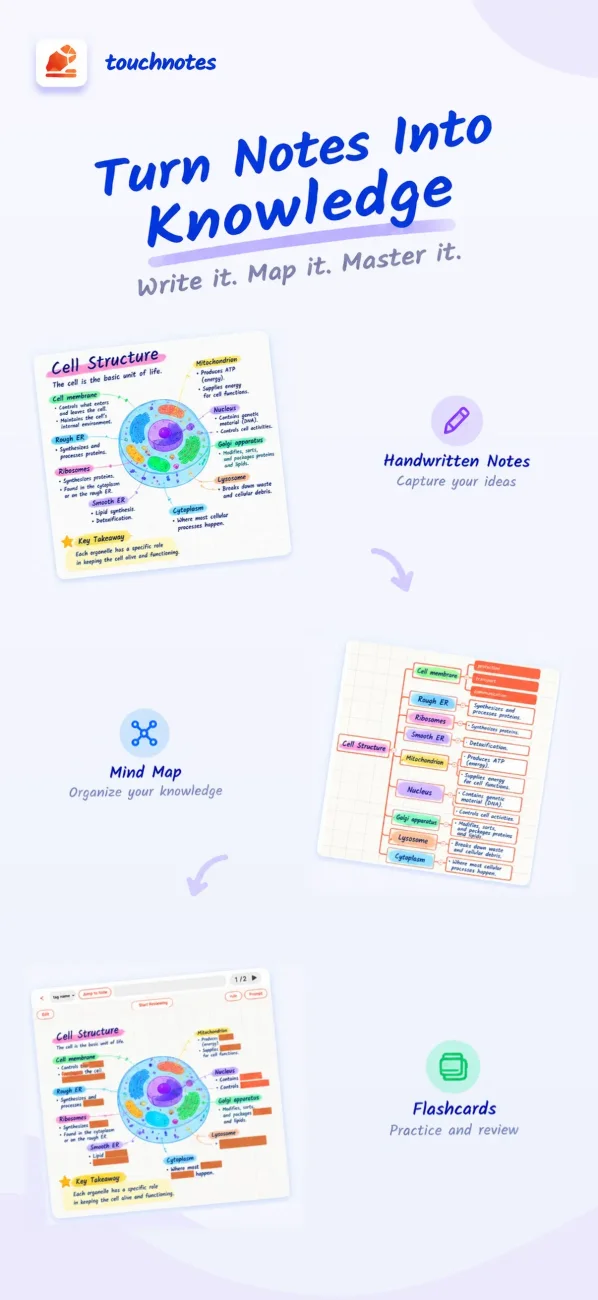
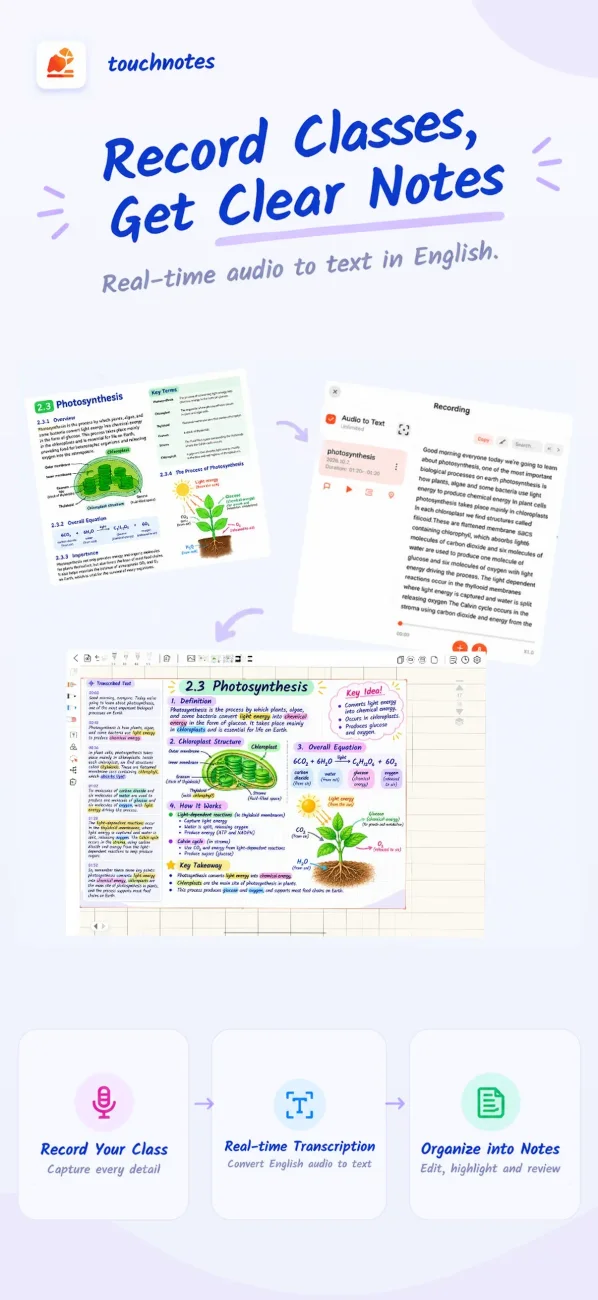
touchnotesPro brings handwriting, document annotation and study tools together in one note-taking app. Keep your learning materials in one place, organize key ideas, and create flashcards from important content for review. From capturing ideas to understanding and revisiting them, build a knowledge space of your own.
Write, read and annotate
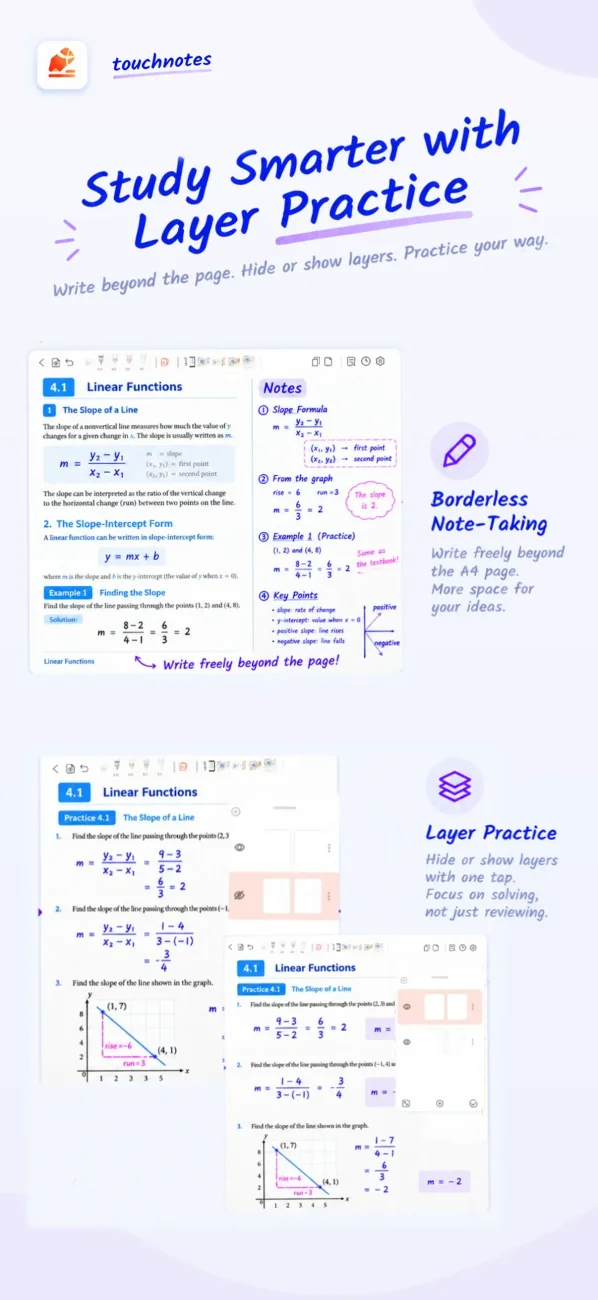
Import PDF, PowerPoint, Word and EPUB files. Add annotations, write on the page and highlight key points as you read, keeping your thoughts alongside your materials.
Bring your learning materials together
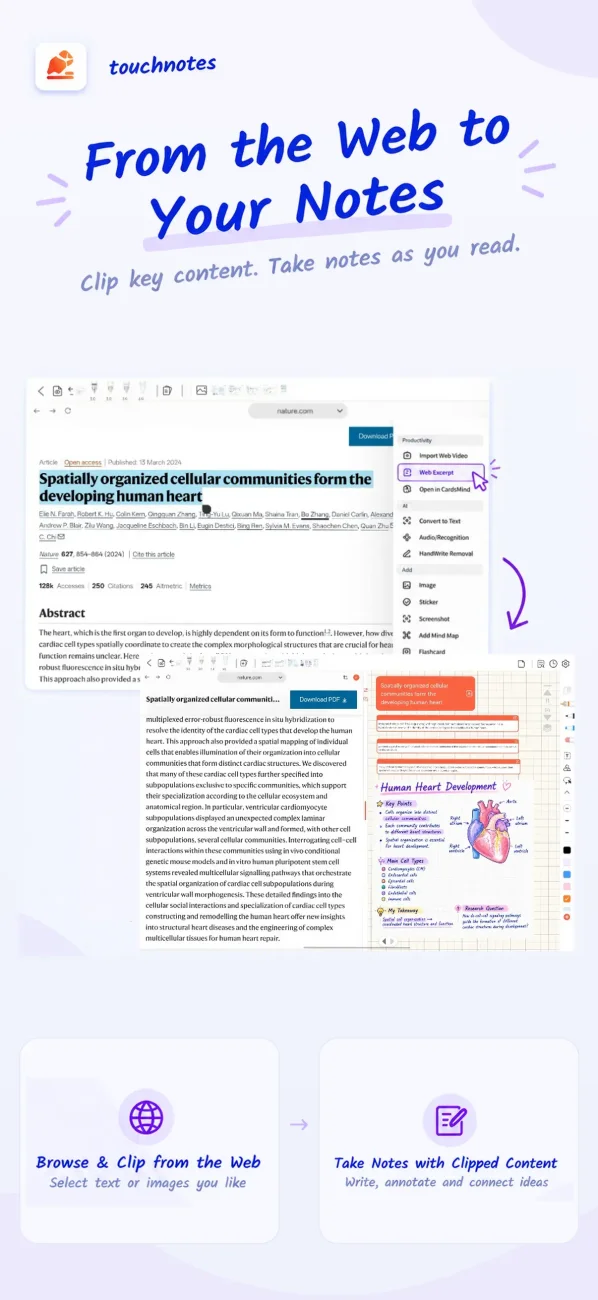
Web clipping: import articles, reference materials and web pages into your notes. Extract key points and organize the content so you can do more with what you read.
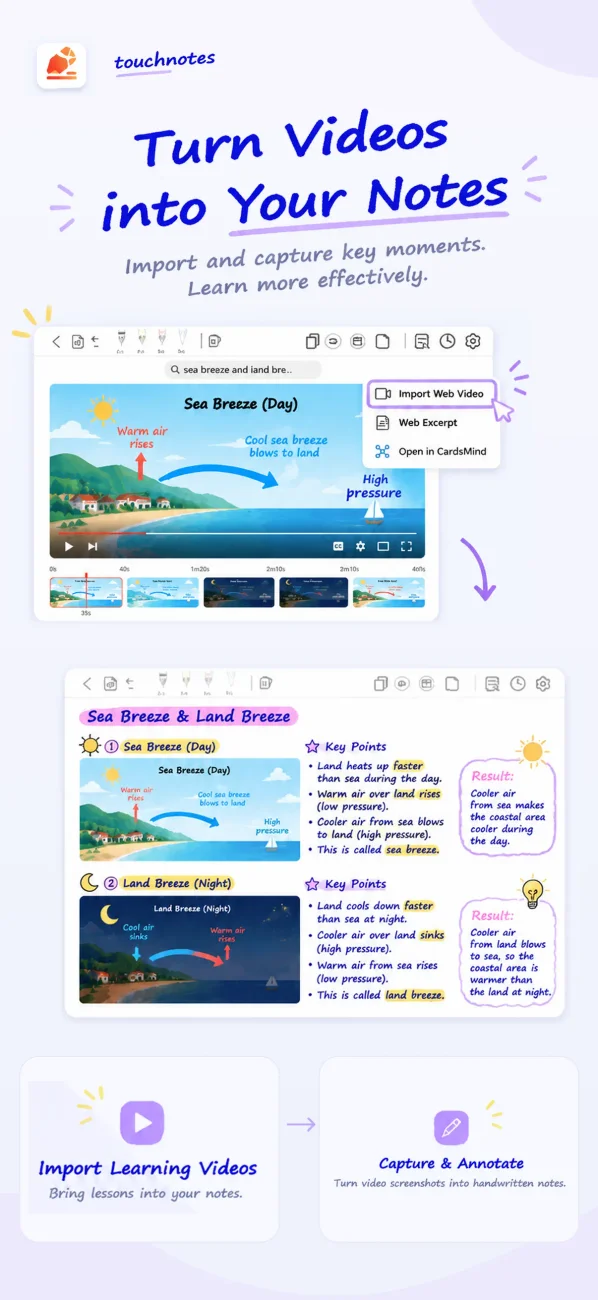
Online video: import online videos, take notes while watching, and capture video frames to save on your note pages. Keep key moments from a lesson alongside your own thoughts.
Speech transcription (ASR): turn speech into editable text in real time. This feature supports Simplified Chinese and English only. Capture lectures, meetings, interviews and ideas in these supported languages, then revisit and organize the text afterward.
AI-powered recognition and study tools
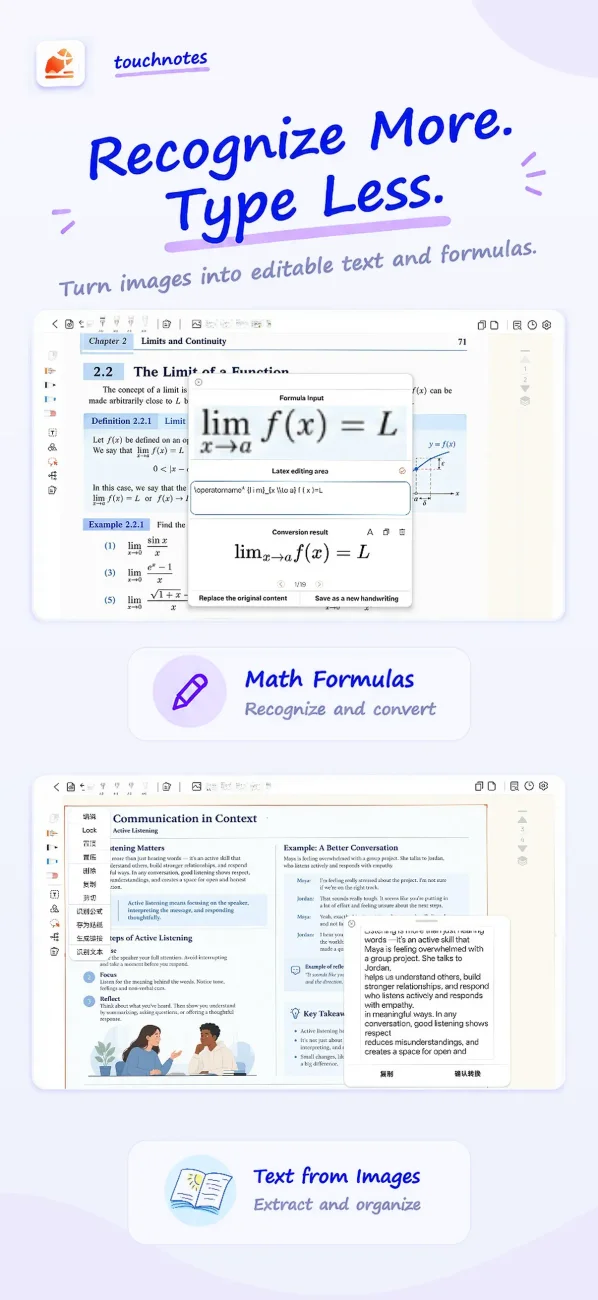
Handwriting recognition (OCR): convert handwriting into editable text. This feature supports Simplified Chinese and English only, making handwritten notes in these languages easier to organize digitally.
Formula recognition: recognize mathematical formulas in handwriting or images and convert them into editable formulas.
Connect ideas and review what matters
Mind maps: organize the key points in your notes into clear hierarchies. See how ideas connect and build a clearer understanding of the whole topic.
Flashcards: create flashcards from important content and organize them with multiple tags. Bring the key points from your notes into your review routine.
More ways to capture your ideas
Infinite canvas: write, draw, insert images and arrange content without fixed page boundaries. Explore ideas, organize knowledge and plan projects on an open canvas.
Live Notes: combine moving content with handwriting, images and stickers to capture travel, everyday moments and inspiration in a more expressive way.
Continue across devices
Sync your notes across devices so you can pick up your study, work and note-taking where you left off.
Handwriting, documents, audio, web pages, video, mind maps and flashcards: bring them together to capture, organize, understand and review.
Nouveautés
Version 7.0.5 · 26/11/2026
[New Features]
1. Added an artistic fountain pen, a ruler, and memory tape.
2. Added settings for simulated fountain pen pressure, scaling with note zoom, and ballpoint pen stroke smoothing.
3. Added a setting to show or hide the third pen slot.
[Improvements]
1. Improved scrolling in single-page mode. Automatic page centering can now be enabled in Settings.
2. Improved brush and text rendering in the flashcard scratchpad.
[Bug Fixes]
1. Fixed issues with pasting text from other apps and pasting repeatedly after selecting text.
2. Fixed color distortion in images clipped from videos and incorrect navigation when tapping video clips after restarting the app.
3. Fixed crashes, unexpected page jumps, and disappearing handwriting when dragging thumbnails to make adjustments.
4. Fixed other known issues.
Confidentialité de l’application
Ce que 广东新空电子科技股份有限公司 déclare sur l’App Store au sujet du traitement des données par cette application.
-
Données établissant un lien avec vous
Peuvent être collectées et liées à votre identité.
- Identifiants
- Données d’utilisation
- Diagnostic
-
Données n’établissant aucun lien avec vous
Peuvent être collectées, mais ne sont pas liées à votre identité.
- Emplacement
Les pratiques en matière de confidentialité peuvent varier, notamment en fonction des fonctionnalités que vous utilisez ou de votre âge.
Informations
- Vendeur
- GuangDong XinKong Electronics Technology Co., Ltd
- Catégorie
- Productivité
- Version
- 7.0.5
- Mis à jour
- 26/11/2026
- Publié
- 31/08/2022
- Taille
- 670,8 Mo
- Nécessite
- iOS 16.2 ou version ultérieure
- Classification d’âge
- 4+
- Prix
- Gratuit
- Achats intégrés
- Oui
- Langues
- Anglais, Arabe, Tchèque, Filipino, Allemand, Indonésien, Japonais, Portugais, Chinois simplifié, Espagnol, Turc
- Copyright
- © 2020 广东新空电子股份有限公司
Vous aimerez peut-être aussi
-
 BoardNotes: Notes, PDF, DocsProductivité
-
 GUGA-HyperboardNotebook + Board + Card = GUGA
-
 MarginNote 3Productivité
-
 NoteYebosNoteYebos
-
 BigPaper - Carte Mentale & PDFTableau Blanc,SketchNotes
-
 NoteEase-Cahier d'écritureManuel électronique、Notebook
-
 MarginNote 5Productivité
-
 J-Notes: Lock Screen NotesProductivité
-
 Notebook : Cute notesProductivité
-
 Noting Pro - 专业手写笔记,支持图层和渐变色Productivité