
touchnotesPro: Notes & PDF
Handwriting & Flashcard Review
Designed for iPhone, iPad
Free · In-app purchases
- Age rating4+
- CategoryProductivity
- Developer广东新空电子科技股份有限公司
- LanguagesEnglish+ 10 more
- Size668.2 MB
Links to the official App Store page
Download.org hosts no file of touchnotesPro: Notes & PDF. The button opens its official App Store page, published by 广东新空电子科技股份有限公司. Listing last checked on Nov 23, 2026.
Screenshots

About
touchnotesPro brings handwriting, document annotation and study tools together in one note-taking app. Keep your learning materials in one place, organize key ideas, and create flashcards from important content for review. From capturing ideas to understanding and revisiting them, build a knowledge space of your own.
Write, read and annotate
Import PDF, PowerPoint, Word and EPUB files. Add annotations, write on the page and highlight key points as you read, keeping your thoughts alongside your materials.
Bring your learning materials together
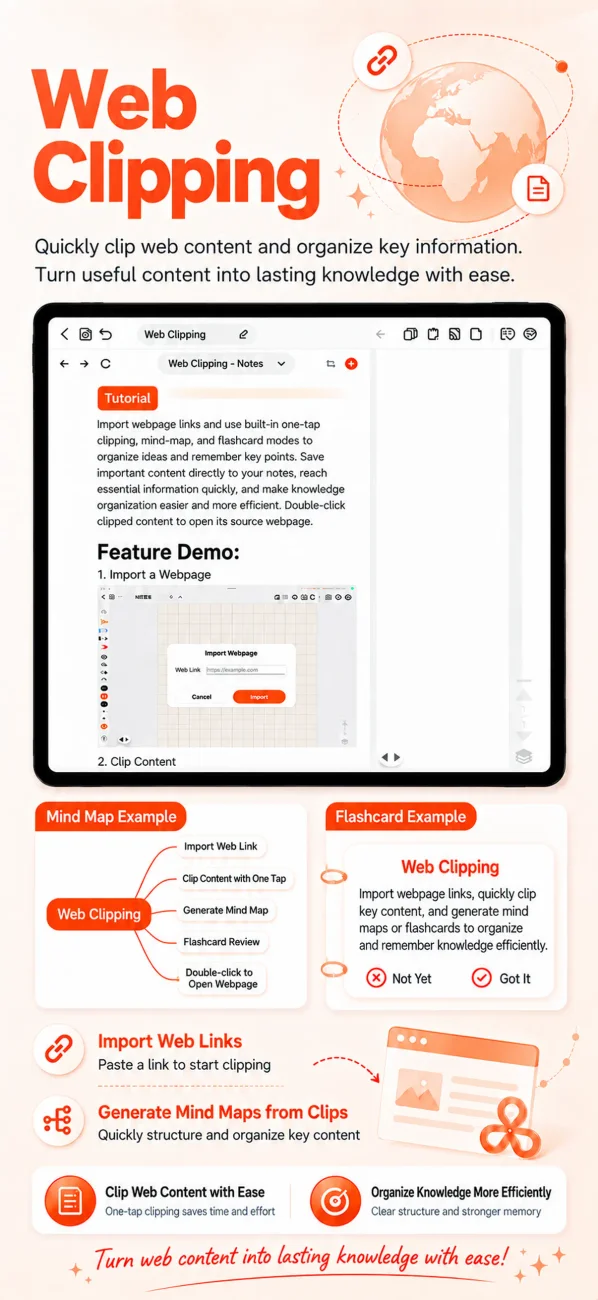
Web clipping: import articles, reference materials and web pages into your notes. Extract key points and organize the content so you can do more with what you read.
Online video: import online videos, take notes while watching, and capture video frames to save on your note pages. Keep key moments from a lesson alongside your own thoughts.
Speech transcription (ASR): turn speech into editable text in real time. This feature supports Simplified Chinese and English only. Capture lectures, meetings, interviews and ideas in these supported languages, then revisit and organize the text afterward.
AI-powered recognition and study tools
Handwriting recognition (OCR): convert handwriting into editable text. This feature supports Simplified Chinese and English only, making handwritten notes in these languages easier to organize digitally.
Formula recognition: recognize mathematical formulas in handwriting or images and convert them into editable formulas.
Connect ideas and review what matters
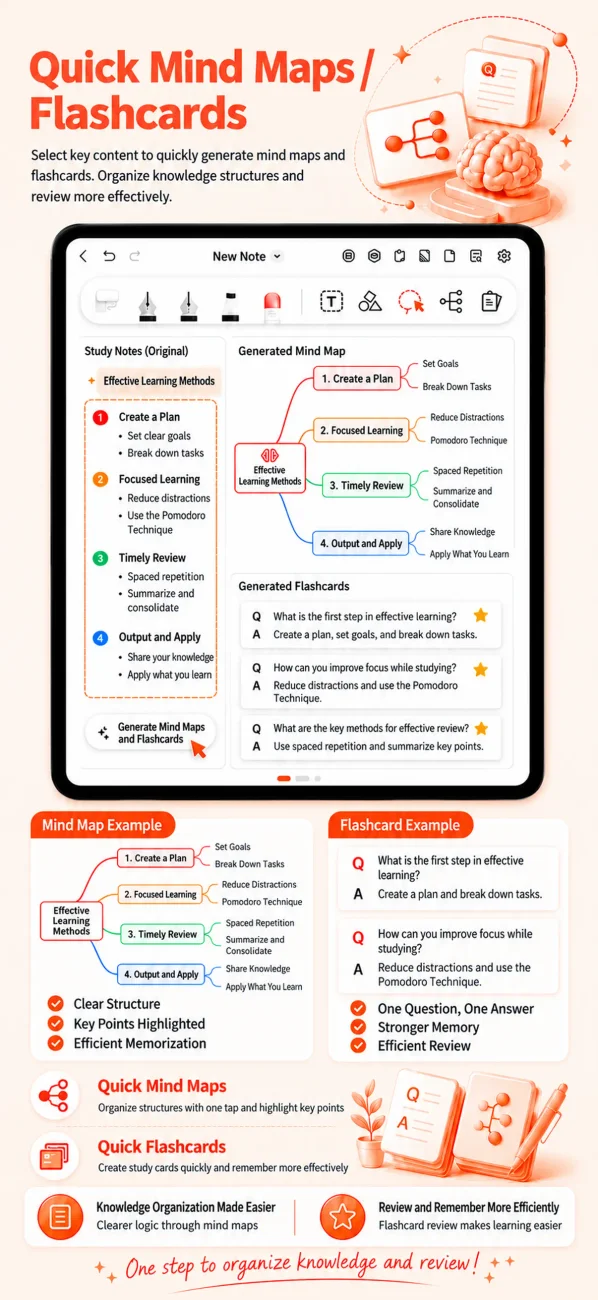
Mind maps: organize the key points in your notes into clear hierarchies. See how ideas connect and build a clearer understanding of the whole topic.
Flashcards: create flashcards from important content and organize them with multiple tags. Bring the key points from your notes into your review routine.
More ways to capture your ideas
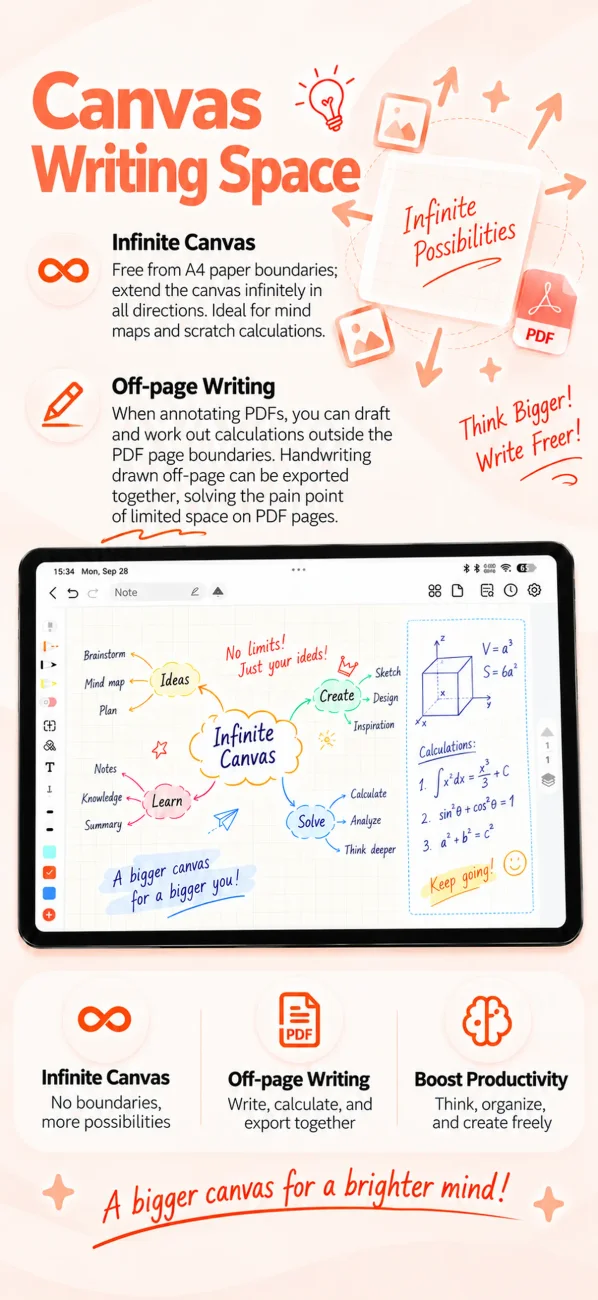
Infinite canvas: write, draw, insert images and arrange content without fixed page boundaries. Explore ideas, organize knowledge and plan projects on an open canvas.
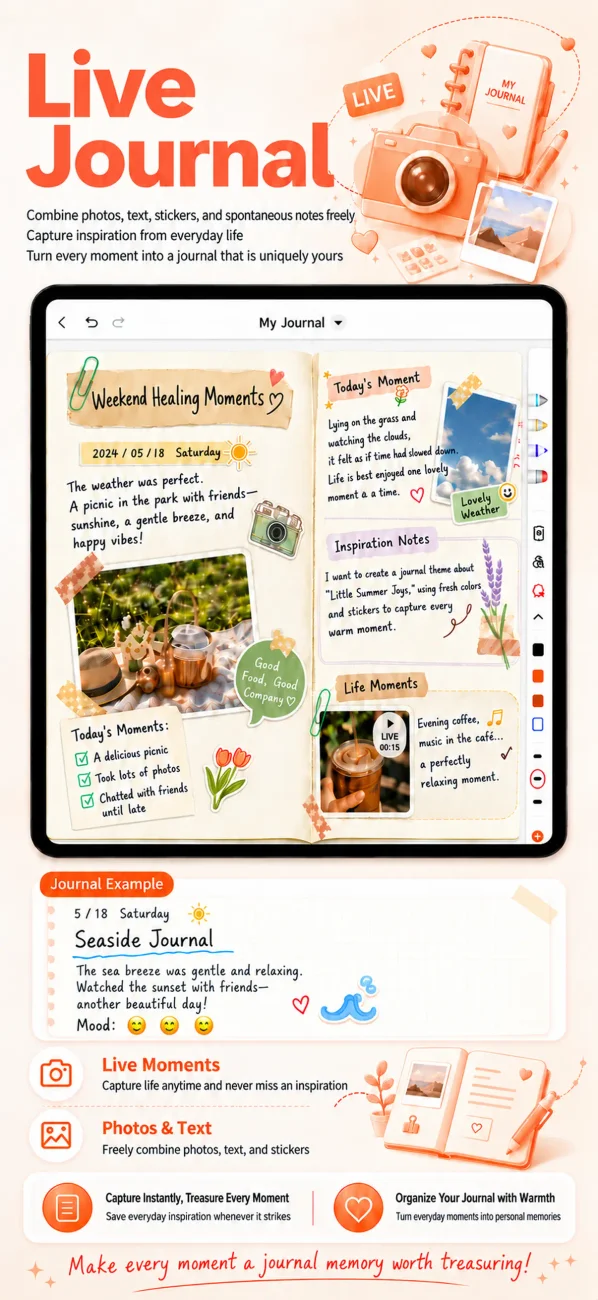
Live Notes: combine moving content with handwriting, images and stickers to capture travel, everyday moments and inspiration in a more expressive way.
Continue across devices
Sync your notes across devices so you can pick up your study, work and note-taking where you left off.
Handwriting, documents, audio, web pages, video, mind maps and flashcards: bring them together to capture, organize, understand and review.
What’s new
Version 7.0.4 · Nov 18, 2026
[New Features]
1. Added a scratchpad and a reset position button for flashcard review.
2. Improved export options with sharing via QR code and email.
3. Added left/right positioning options for thumbnails and the undo/redo buttons.
[Improvements]
1. Improved PDF rendering.
2. Improved accidental touch prevention.
[Bug Fixes]
1. Fixed an issue where the canvas became smaller after returning to the app from the background.
2. Fixed two-finger panning not working when zoom was locked.
3. Fixed other known issues.
App privacy
What 广东新空电子科技股份有限公司 declares on the App Store about how this app handles data.
-
Data linked to you
May be collected and linked to your identity.
- Identifiers
- Usage data
- Diagnostics
-
Data not linked to you
May be collected but is not linked to your identity.
- Location
Privacy practices may vary, for example with the features you use or your age.
Information
- Seller
- GuangDong XinKong Electronics Technology Co., Ltd
- Category
- Productivity
- Version
- 7.0.4
- Updated
- Nov 18, 2026
- Released
- Aug 31, 2022
- Size
- 668.2 MB
- Requires
- iOS 16.2 or later
- Age rating
- 4+
- Price
- Free
- In-app purchases
- Yes
- Languages
- English, Arabic, Czech, Filipino, German, Indonesian, Japanese, Portuguese, Simplified Chinese, Spanish, Turkish
- Copyright
- © 2020 广东新空电子股份有限公司
You might also like
-
 BoardNotes: Notes, PDF, DocsNote taking,Whiteboard,Mindmap
-
 GUGA-HyperboardNotebook + Board + Card = GUGA
-
 MarginNote 3E-reader Redefine your Study
-
 NoteYebosFree to take notes, draw
-
 BigPaper -Mind Map, PDF MarkupVisualThinking infinite canvas
-
 NoteEase-Recording Made EasySticky notes, Hand-drawn notes
-
 MarginNote 5Read & Flashcards All in One
-
 J-Notes: Lock Screen NotesDraw, private, offline, no ads
-
 Notebook : Cute notesDaily notes of life
-
 Noting Pro - 专业手写笔记,支持图层和渐变色要是我拿出这支颜色可以渐变的笔,阁下又该如何应对?