BoardNotes: Notes, PDF, Docs
Note taking,Whiteboard,Mindmap
Conçue pour iPhone, iPad, Mac, iPod touch
Gratuit · Achats intégrés
- Classification d’âge4+
- CatégorieProductivité
- DéveloppeurChongqing Ouluowa Technology Co., Ltd.
- LanguesAnglais+ 2 de plus
- Taille342,5 Mo
Renvoie vers la page App Store officielle
Download.org n’héberge aucun fichier de BoardNotes: Notes, PDF, Docs. Le bouton ouvre la page de l’application sur App Store, où Chongqing Ouluowa Technology Co., Ltd. la publie. Fiche vérifiée pour la dernière fois le 17/11/2026.
Captures d’écran
À propos
Le développeur n’a pas fourni ce texte dans votre langue.
Feature Introduction:
BoardNotes is a versatile handwriting note-taking app that integrates five major functions—whiteboard, notebook, PDF, mind map, and flashcards—covering most note-taking scenarios. It serves as your All-In-One App.
Handwriting Pen:
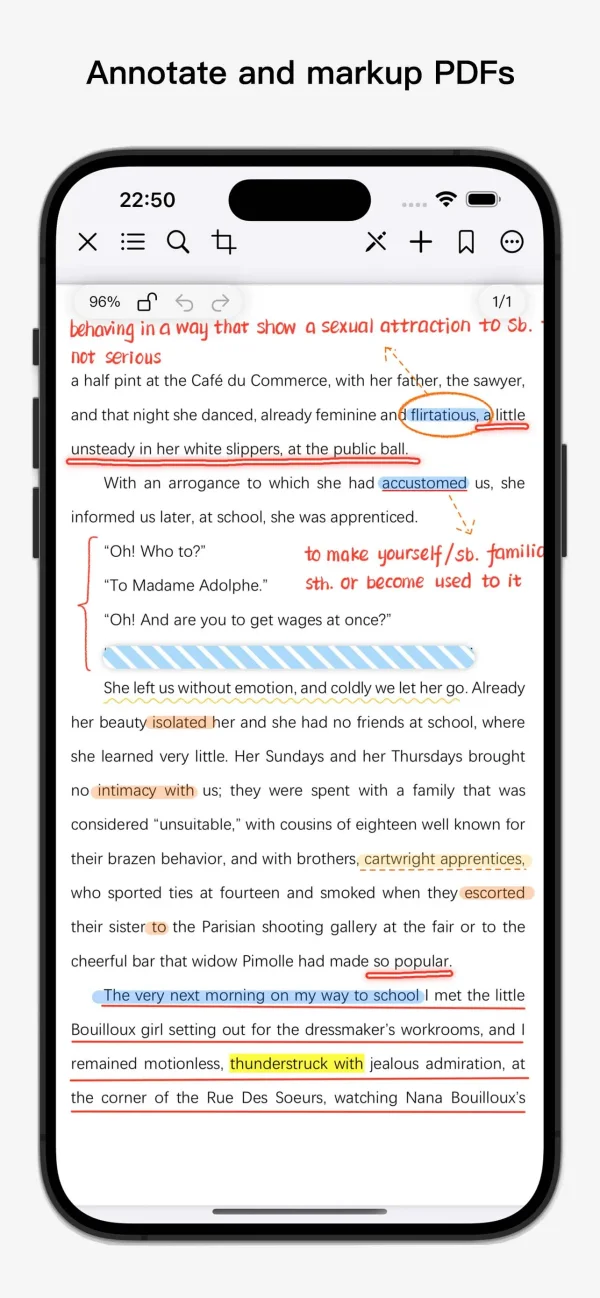
1. BoardNotes utilizes Apple's native pen technology and has developed additional pens tailored for Chinese writing, including a fountain pen, a laser pointer for presentations, and a tape pen for masking notes.
2. Choose from a variety of brushes (laser pen, tape pen, ballpoint pen, straight-line pen, wavy-line pen, custom fountain pen, quill pen, pencil, marker, watercolor pen, fill pen, single-line pen, crayon, freehand pen) to unleash your creativity.
3. Lasso tool (extremely powerful).
4. Eraser (pixel eraser and object eraser).
Whiteboard:
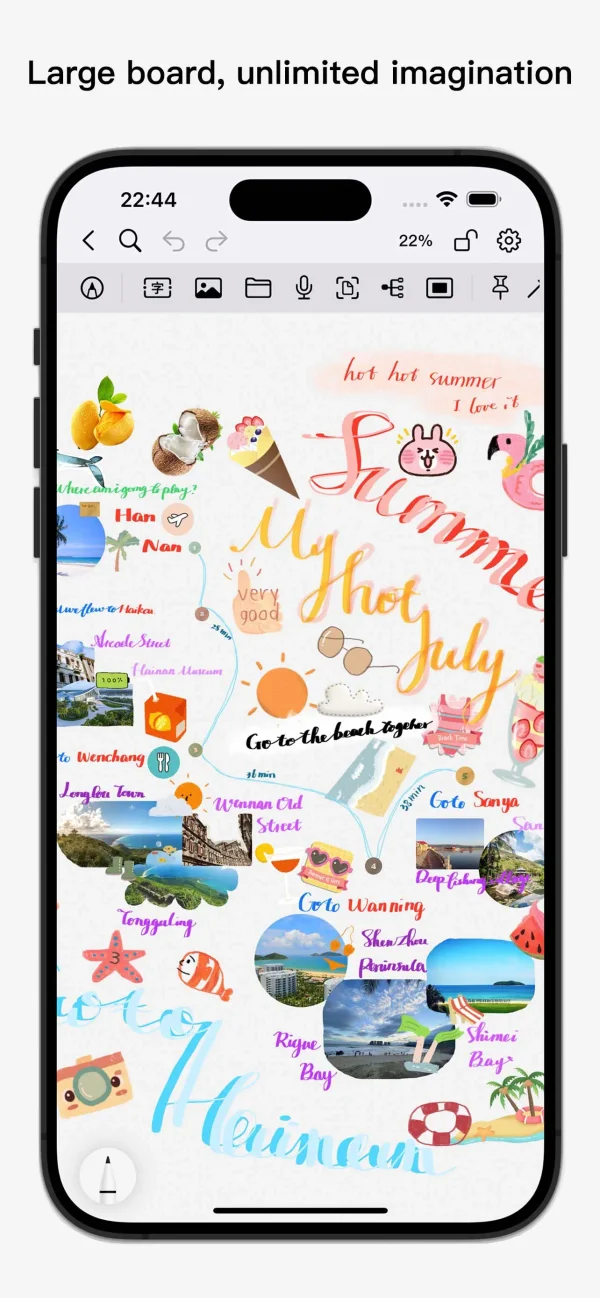
1. The whiteboard is ideal for organizing fragmented knowledge, brainstorming, and boosting creativity.
2. Write and draw freely without worrying about boundaries.
3. Customize background colors and grid templates.
4. Add various card types (text, image, video, audio, webpage, file, handwriting).
5. Multiple auxiliary tools: background board, pins, link navigation (supports bidirectional links), connectors, timer (countdown supported), calculator.
6. Quickly locate notes using the search function.
Notebook & PDF:
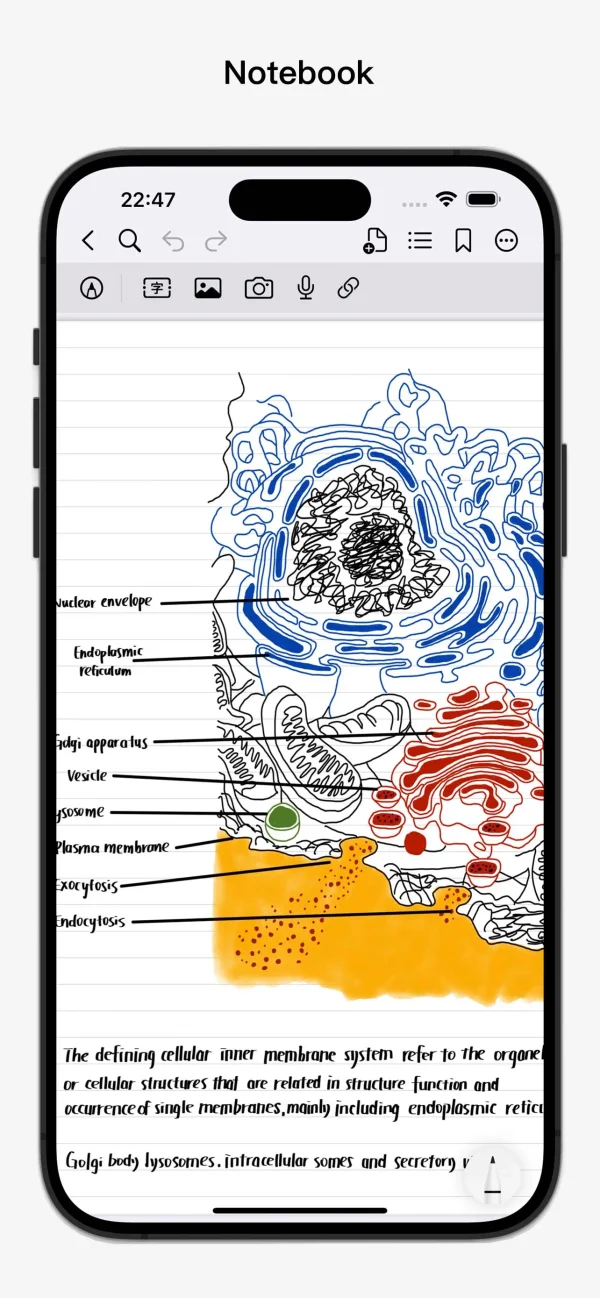
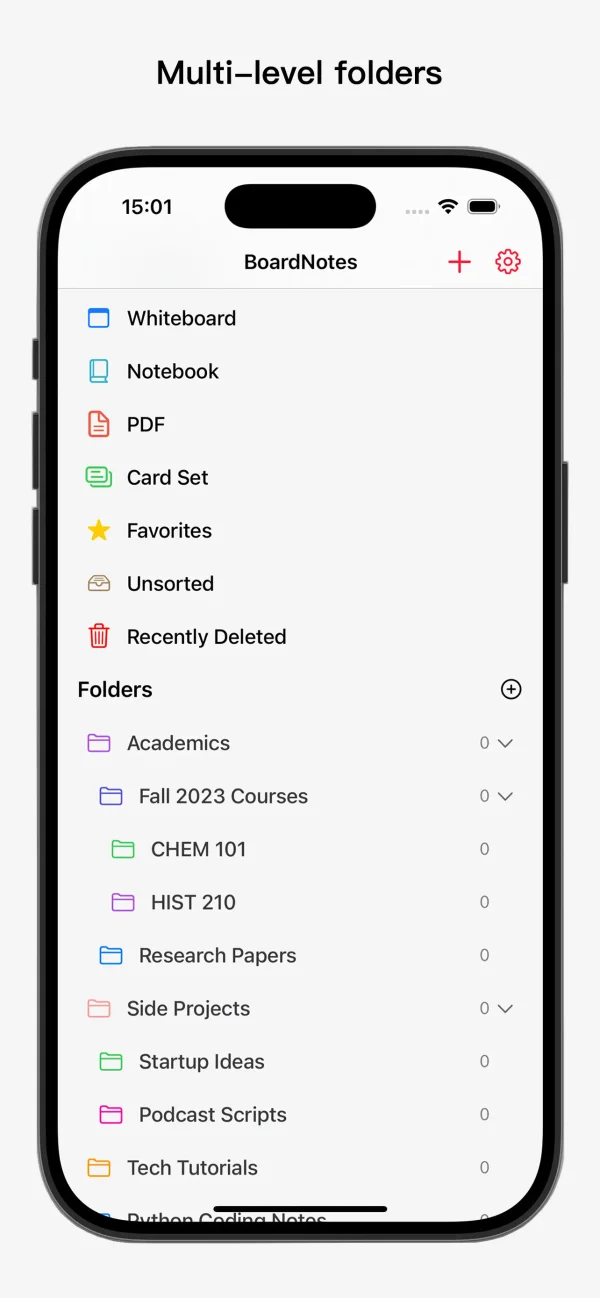
1. Create notebooks and PDFs with multiple paper templates and cover options. Import images from Photos or PDFs from the Files app as pages or covers.
2. Add text, images, stickers, videos, webpage snapshots, audio recordings, links (bidirectional links supported), timers, calculators, and floating PDF windows.
3. Layer functionality—show or hide layers as needed.
4. Insert new pages via blank sheets, images, scanned documents, or files.
5. Cut, copy, and paste pages into other notebooks or PDFs.
6. Duplicate, rotate, or delete pages.
7. Reorder pages via long-press and drag in thumbnail view.
8. Create outlines and add bookmarks.
9. Search (text, handwritten notes, etc.).
10. Import e-books (epub, mobi, azw, etc.).
Mind Map:
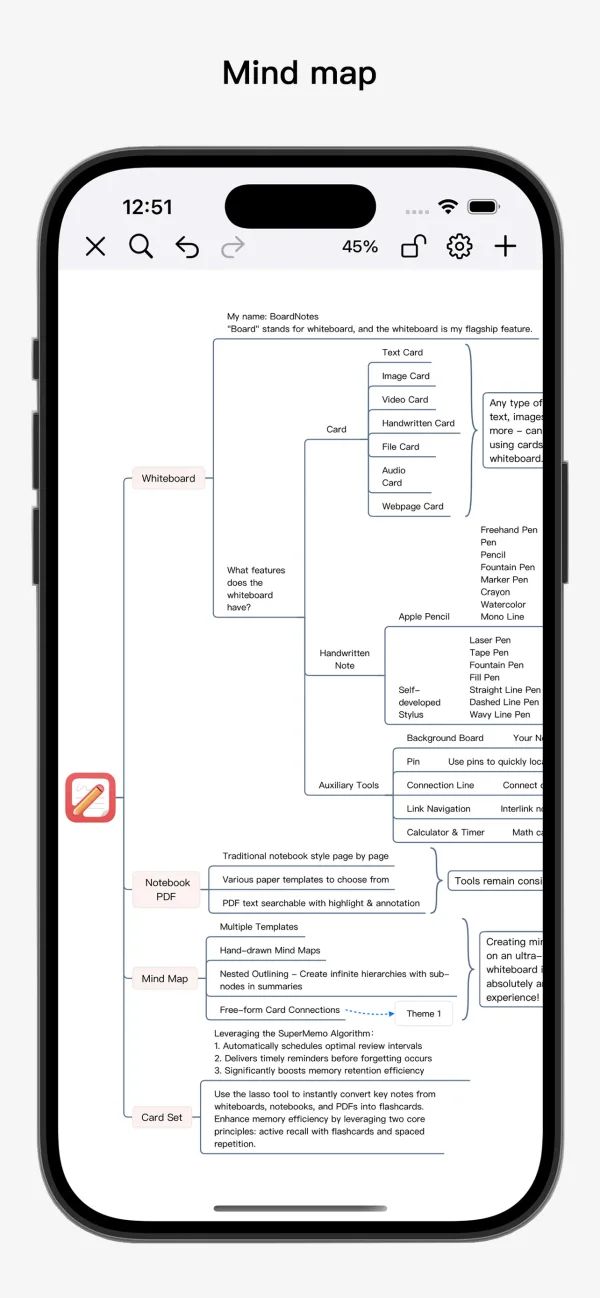
1. Mind mapping is a key feature within the whiteboard.
2. Nodes support multiple formats (text, image, handwriting, video, audio, webpage snapshot, file).
3. Offers 3 structures and 18 color schemes.
4. Add summaries (brackets).
5. Handwritten mind maps (using handwritten cards).
6. Long-press and drag selected cards into the mind map.
7. Reorder nodes or adjust hierarchy via long-press and drag.
Flashcard:
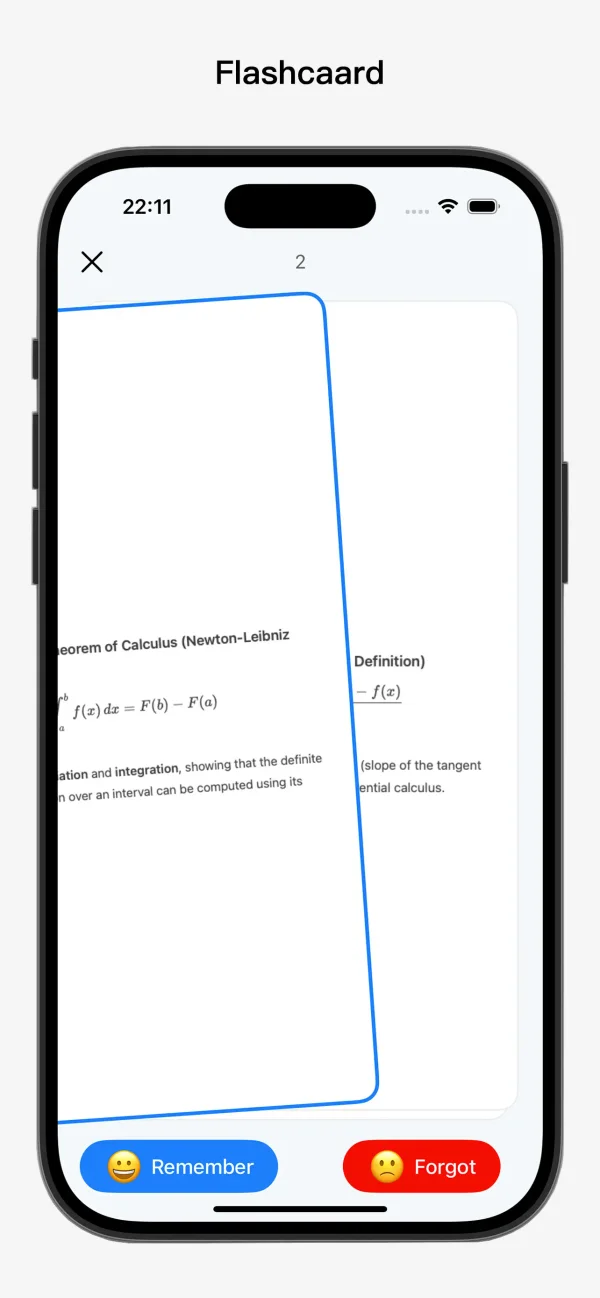
1. Flashcards use the SuperMemo algorithm to automatically schedule optimal review intervals, reminding you before forgetting to maximize memory efficiency.
2. Flashcards support text, images, and handwriting.
3. Quickly create cards from notes in whiteboards, notebooks, or PDFs using the rectangular lasso tool.
Download BoardNotes for free on iPad, iPhone, and Mac.
For suggestions, please contact us via the in-app feedback feature.
Nouveautés
Version 1.4.2 · 07/11/2026
1. The spacing of guide lines on whiteboards, handwritten cards, and notebook paper can now be adjusted.
2. Optimized some features and fixed some bugs.
Confidentialité de l’application
Ce que Chongqing Ouluowa Technology Co., Ltd. déclare sur l’App Store au sujet du traitement des données par cette application.
-
Données utilisées pour vous suivre
Peuvent être utilisées pour vous suivre sur des applications et des sites web appartenant à d’autres sociétés.
- Identifiants
-
Données n’établissant aucun lien avec vous
Peuvent être collectées, mais ne sont pas liées à votre identité.
- Identifiants
- Diagnostic
Les pratiques en matière de confidentialité peuvent varier, notamment en fonction des fonctionnalités que vous utilisez ou de votre âge.
Informations
- Vendeur
- Chongqing Ouluowa Technology Co., Ltd.
- Catégorie
- Productivité
- Version
- 1.4.2
- Mis à jour
- 07/11/2026
- Publié
- 18/05/2023
- Taille
- 342,5 Mo
- Nécessite
- iOS 15.0 ou version ultérieure
- Classification d’âge
- 4+
- Prix
- Gratuit
- Achats intégrés
- Oui
- Langues
- Anglais, Chinois simplifié, Chinois traditionnel
- Copyright
- © BoardNotes
Vous aimerez peut-être aussi
-
 GUGA-HyperboardNotebook + Board + Card = GUGA
-
 OrigNotesProductivité
-
 BigPaper - Carte Mentale & PDFTableau Blanc,SketchNotes
-
 MarginNote 3Productivité
-
 MarginNote 5: AI Notes·MindMapProductivité
-
 touchnotesPro: Notes & PDFProductivité
-
 TouchMind-handwritten mind mapProductivité
-
 UltraNotes - Note Taking & PDFProductivité
-
 Prodrafts : notes infiniesÉcriture, cartes mentales, PDF
-
 ZoomNotes LiteProductivité