
- Classification d’âge4+
- CatégorieUtilitaires
- DéveloppeurAppoly Ltd
- LanguesAnglais
- Taille1,0 Mo
Renvoie vers la page App Store officielle
Download.org n’héberge aucun fichier de TVSizAR. Le bouton ouvre la page de l’application sur App Store, où Appoly Ltd la publie. Fiche vérifiée pour la dernière fois le 15/11/2026.
Captures d’écran


À propos
Le développeur n’a pas fourni ce texte dans votre langue.
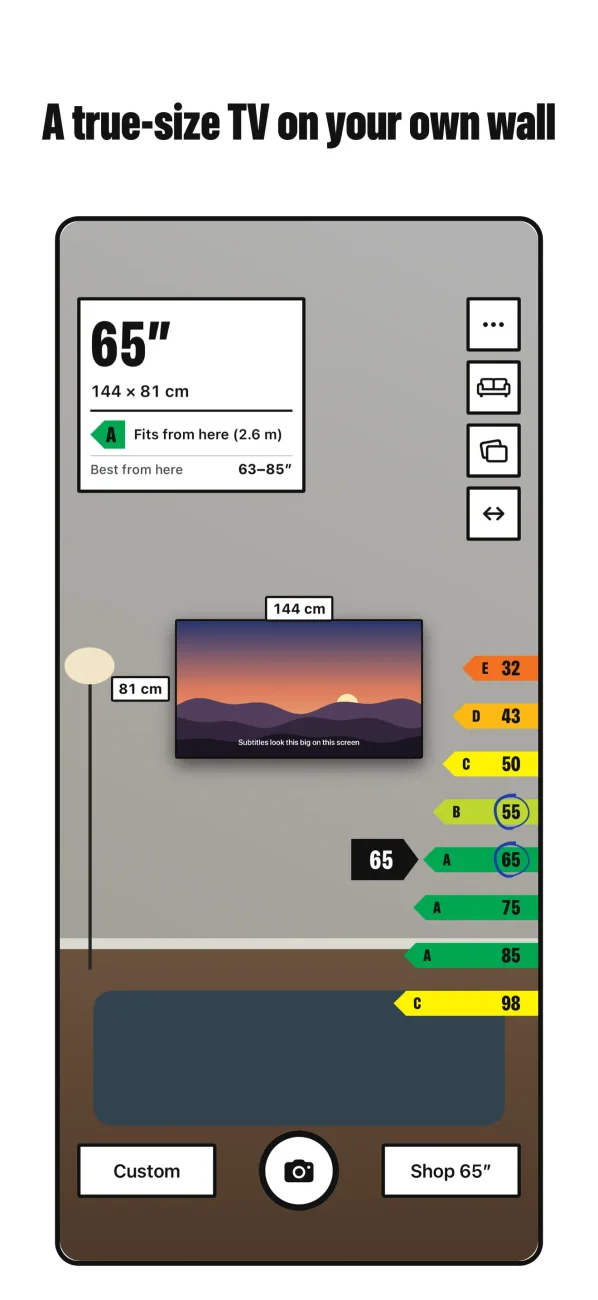
TVSizAR puts a TV on your own wall at real size, so you can see which size suits the room before you buy.
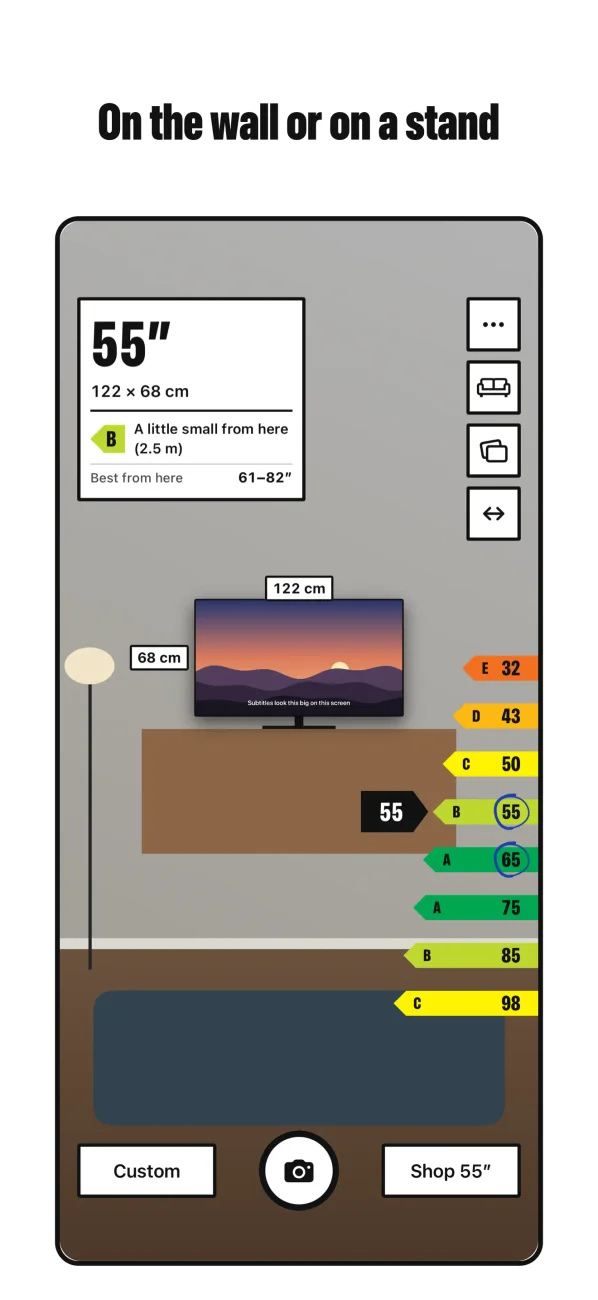
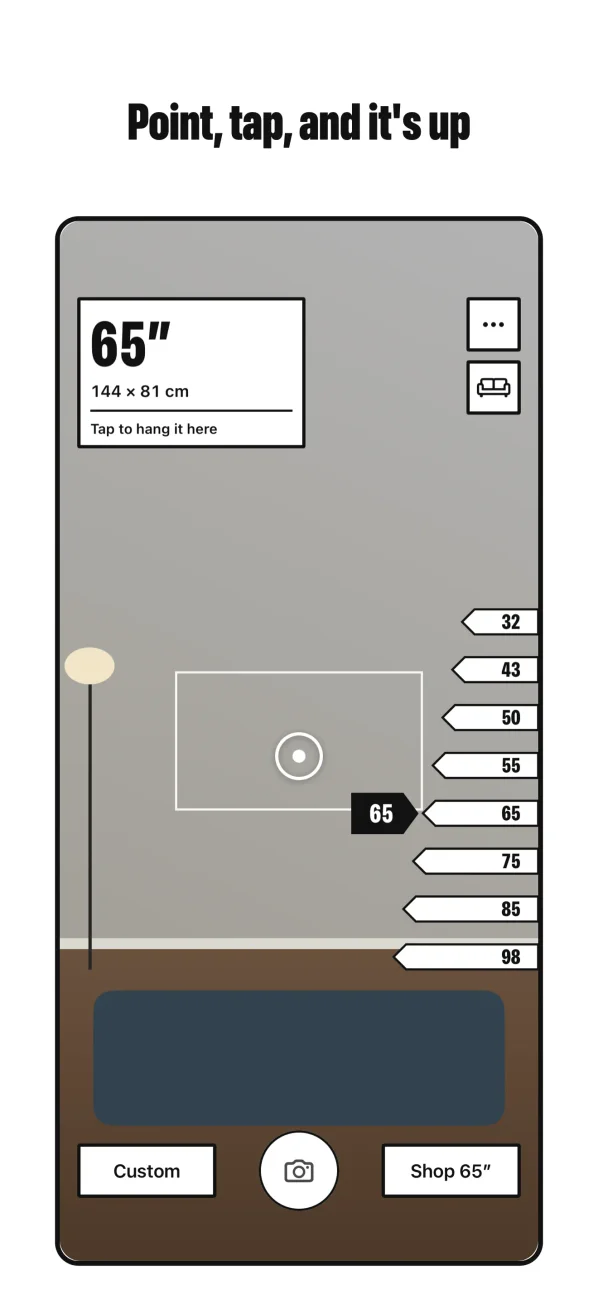
Point your iPhone or iPad at the wall and tap. A true-scale TV appears. Pinch, drag or pick a size from 32″ to 98″ to see how it looks above the fireplace or between the shelves.
RATED FROM YOUR SEAT
Sit where you'll watch and save your seat. Each size gets a grade from A to G for how much of your view it fills, based on the 30° to 40° range that SMPTE and THX recommend. Green means it fits. If you walk up to move the TV, the grade still comes from your seat.
COMPARE AND MEASURE
• Pin a second size and swap between the two
• Mark the edges of an alcove or unit to see the space left on each side
• Save a second seat and each size is graded for both
• See how high the screen centre sits and how far you'd look up
• An eye-level line on the wall shows your seat's eye height
• Hang the TV on the wall or stand it on furniture
• Enter a TV's exact screen and outer size from its spec sheet
ALSO
• On iPhones and iPads with LiDAR, furniture and people can pass in front of the TV
• Width and height in centimetres or inches. Sizes stay in inches, the way shops sell them
• Take a photo with the size printed on it to send to whoever you're buying with
• The TV is still in place when you come back
• A short How it works guide in the options menu
The Shop button searches Amazon UK for TVs of the size you've chosen. As an Amazon Associate, Appoly earns from qualifying purchases.
TVSizAR needs an iPhone or iPad that supports ARKit. The camera feed and the scan of your room stay on your device.
Nouveautés
Version 2.1 · 11/11/2026
New in this version:
• A one-page "How it works" guide opens the first time you use this version. Find it again in the options menu
• Two quick tips appear once your first TV is up: how to move and resize it, and how to save your seat
• Save a second seat. Each size is then graded for both, so the armchair counts as well as the sofa
• An eye-level line on the wall shows where your saved seat's eye height falls, so you can judge how high to hang the TV
• Outside the UK, the Shop button now opens your local Amazon
Confidentialité de l’application
Ce que Appoly Ltd déclare sur l’App Store au sujet du traitement des données par cette application.
-
Données non collectées
Le développeur ne collecte aucune donnée à partir de cette application.
Les pratiques en matière de confidentialité peuvent varier, notamment en fonction des fonctionnalités que vous utilisez ou de votre âge.
Informations
- Vendeur
- Appoly Ltd
- Catégorie
- Utilitaires
- Version
- 2.1
- Mis à jour
- 11/11/2026
- Publié
- 01/10/2022
- Taille
- 1,0 Mo
- Nécessite
- iOS 18.0 ou version ultérieure
- Classification d’âge
- 4+
- Prix
- Gratuit
- Langues
- Anglais
- Copyright
- © 2020 Appoly Ltd.
Vous aimerez peut-être aussi
-
 Plonk: AR taille écran TVComparer moniteur, distance
-
 Measure Tools: Plan Pièce ARMètre Ruban, Maison 3D, Design
-
 TV Widget +Utilitaires
-
 Room Scanner - Chambre ScanMesure précise et efficace
-
 Preflop+ Poker GTO Nash ChartsPush Fold & Entraîneur Équité
-
 Usage Device Monitor & StatusStockage, réseau, batterie
-
 Plan Maison 3d - Mesure MetreMesurer Distance & Appartement
-
 Screens 5: VNC à distanceAccès rapide et sécurisé
-
 Ruler AR - Regle Mesure MetreMesure distance 3d Caméra
-
 ChronoLog • Watch AccuracyUtilitaires