
- Yaş sınırı4+
- KategoriYardımcılar
- GeliştiriciAppoly Ltd
- Dillerİngilizce
- Boyut1,0 MB
Resmi App Store sayfasına bağlanır
Download.org, TVSizAR için hiçbir dosya barındırmaz. Düğme, uygulamanın App Store üzerindeki sayfasını açar; uygulamayı orada Appoly Ltd yayınlar. Sayfanın son kontrolü: 15.11.2026.
Ekran görüntüleri


Hakkında
Geliştirici bu metni dilinizde sunmamış.
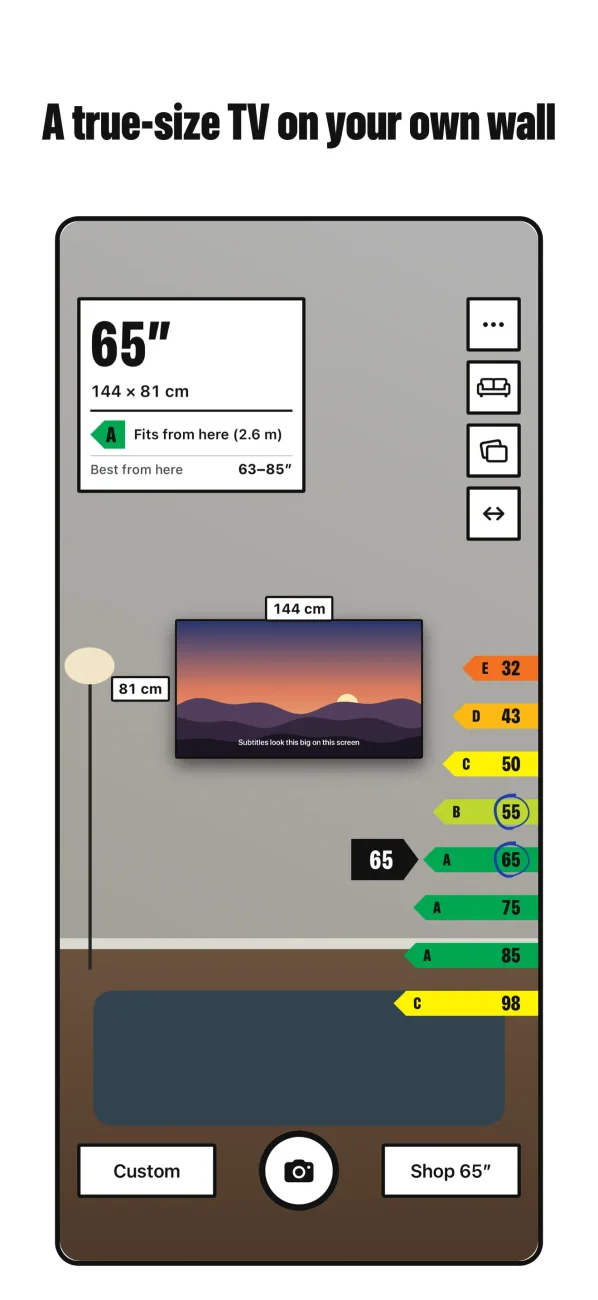
TVSizAR puts a TV on your own wall at real size, so you can see which size suits the room before you buy.
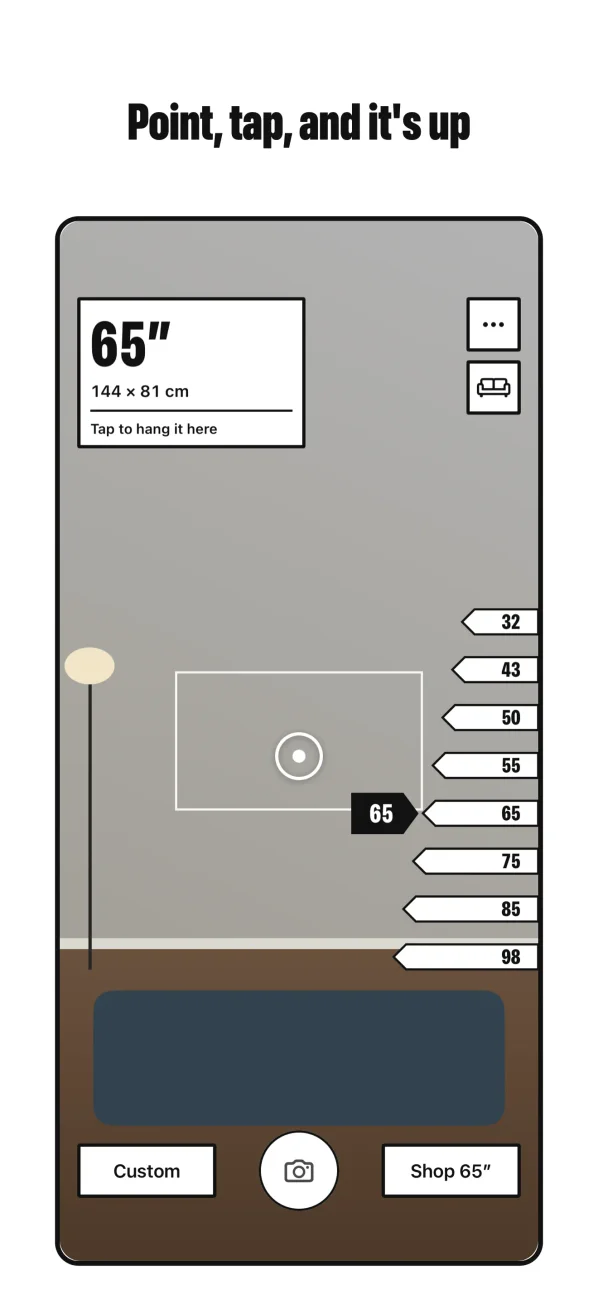
Point your iPhone or iPad at the wall and tap. A true-scale TV appears. Pinch, drag or pick a size from 32″ to 98″ to see how it looks above the fireplace or between the shelves.
RATED FROM YOUR SEAT
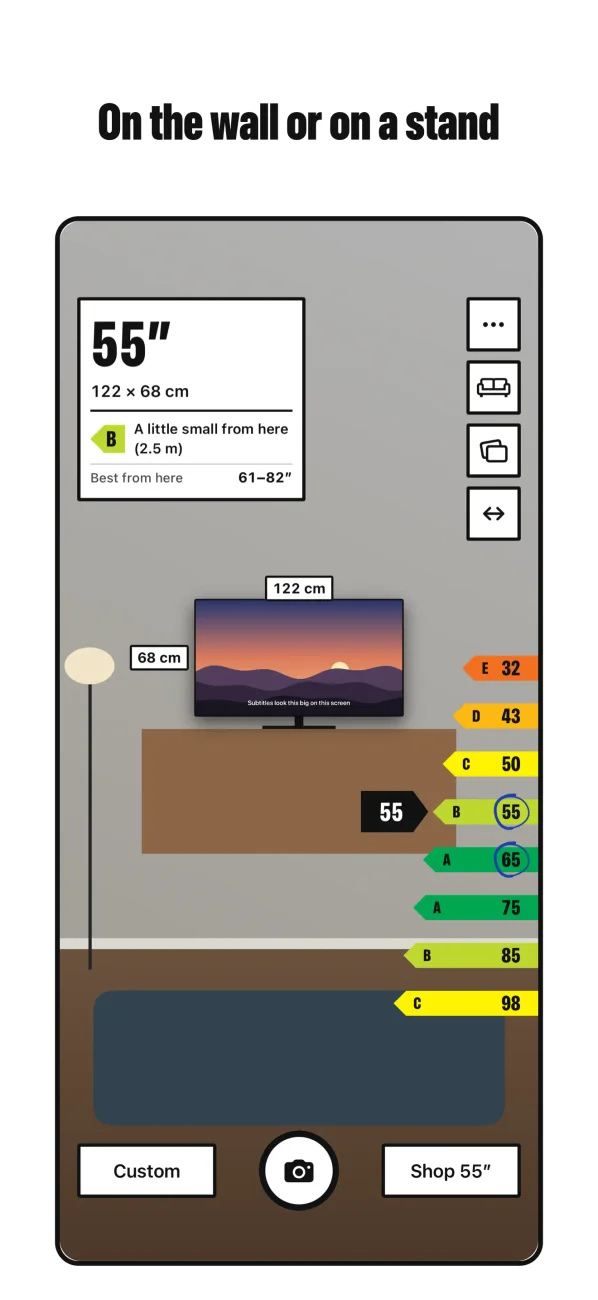
Sit where you'll watch and save your seat. Each size gets a grade from A to G for how much of your view it fills, based on the 30° to 40° range that SMPTE and THX recommend. Green means it fits. If you walk up to move the TV, the grade still comes from your seat.
COMPARE AND MEASURE
• Pin a second size and swap between the two
• Mark the edges of an alcove or unit to see the space left on each side
• Save a second seat and each size is graded for both
• See how high the screen centre sits and how far you'd look up
• An eye-level line on the wall shows your seat's eye height
• Hang the TV on the wall or stand it on furniture
• Enter a TV's exact screen and outer size from its spec sheet
ALSO
• On iPhones and iPads with LiDAR, furniture and people can pass in front of the TV
• Width and height in centimetres or inches. Sizes stay in inches, the way shops sell them
• Take a photo with the size printed on it to send to whoever you're buying with
• The TV is still in place when you come back
• A short How it works guide in the options menu
The Shop button searches Amazon UK for TVs of the size you've chosen. As an Amazon Associate, Appoly earns from qualifying purchases.
TVSizAR needs an iPhone or iPad that supports ARKit. The camera feed and the scan of your room stay on your device.
Yenilikler
Sürüm 2.1 · 11.11.2026
New in this version:
• A one-page "How it works" guide opens the first time you use this version. Find it again in the options menu
• Two quick tips appear once your first TV is up: how to move and resize it, and how to save your seat
• Save a second seat. Each size is then graded for both, so the armchair counts as well as the sofa
• An eye-level line on the wall shows where your saved seat's eye height falls, so you can judge how high to hang the TV
• Outside the UK, the Shop button now opens your local Amazon
Uygulama gizliliği
Bu uygulamanın verileri nasıl işlediği hakkında Appoly Ltd tarafından App Store üzerinde yapılan beyan.
-
Veri toplanmıyor
Geliştirici bu uygulamadan hiçbir veri toplamıyor.
Gizlilik uygulamaları, örneğin kullandığınız özelliklere veya yaşınıza göre değişiklik gösterebilir.
Bilgiler
- Satıcı
- Appoly Ltd
- Kategori
- Yardımcılar
- Sürüm
- 2.1
- Güncellendi
- 11.11.2026
- Yayın tarihi
- 01.10.2022
- Boyut
- 1,0 MB
- Gereksinim
- iOS 18.0 veya sonrası
- Yaş sınırı
- 4+
- Fiyat
- Ücretsiz
- Diller
- İngilizce
- Telif hakkı
- © 2020 Appoly Ltd.
Bunları da beğenebilirsiniz
-
 Plonk: AR TV / Screen SizerYardımcılar
-
 Measure Tools: AR Room PlannerYardımcılar
-
 TV Widget +Yardımcılar
-
 Room Scanner - Easy Measure RmYardımcılar
-
 Preflop+ Poker GTO Nash ChartsYardımcılar
-
 Usage Device Monitor & StatusYardımcılar
-
 AR Ölçüm: Metre Ölçer 3DOda Ölçme, Kat Planı & Mezura
-
 Screens 5: VNC MasaüstüHızlı ve güvenli erişim
-
 Ruler AR - Measuring Tape CamYardımcılar
-
 ChronoLog • Watch AccuracyYardımcılar