
- 対象年齢4+
- カテゴリユーティリティ
- 開発元Appoly Ltd
- 言語英語
- サイズ1.0 MB
App Storeの公式ページにリンクしています
Download.orgはTVSizARのファイルを一切ホストしていません。ボタンを押すと、Appoly Ltdが公開しているApp Storeのアプリページが開きます。ページの最終確認:2026/11/15。
スクリーンショット


概要
開発元はこのテキストをお使いの言語で提供していません。
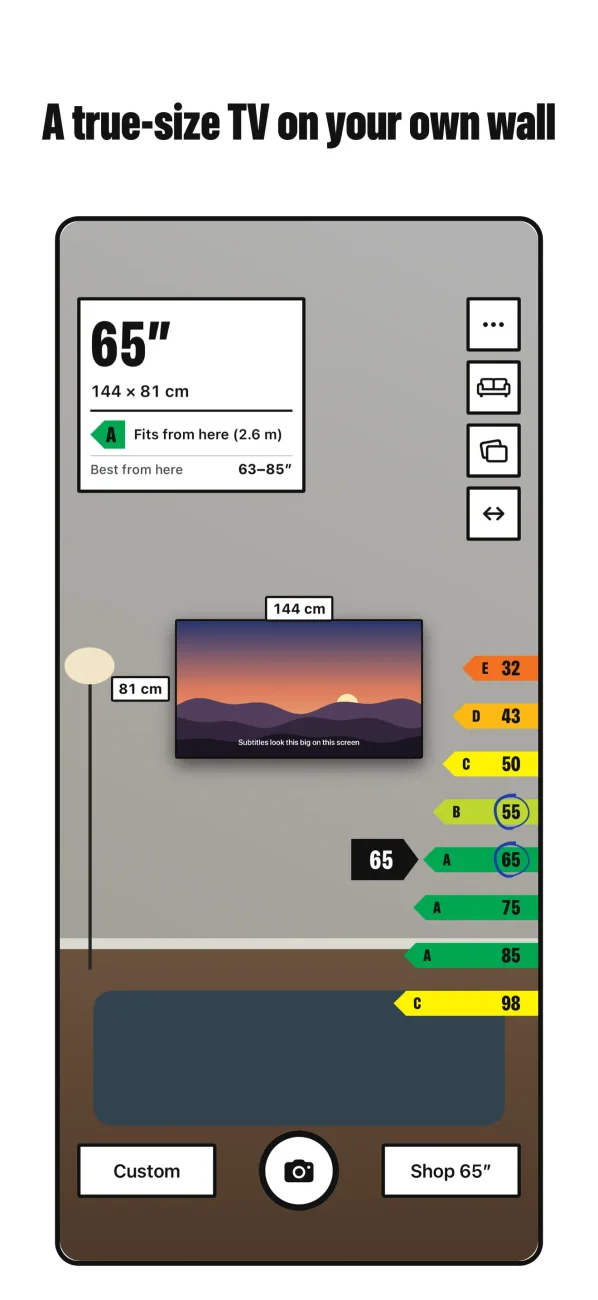
TVSizAR puts a TV on your own wall at real size, so you can see which size suits the room before you buy.
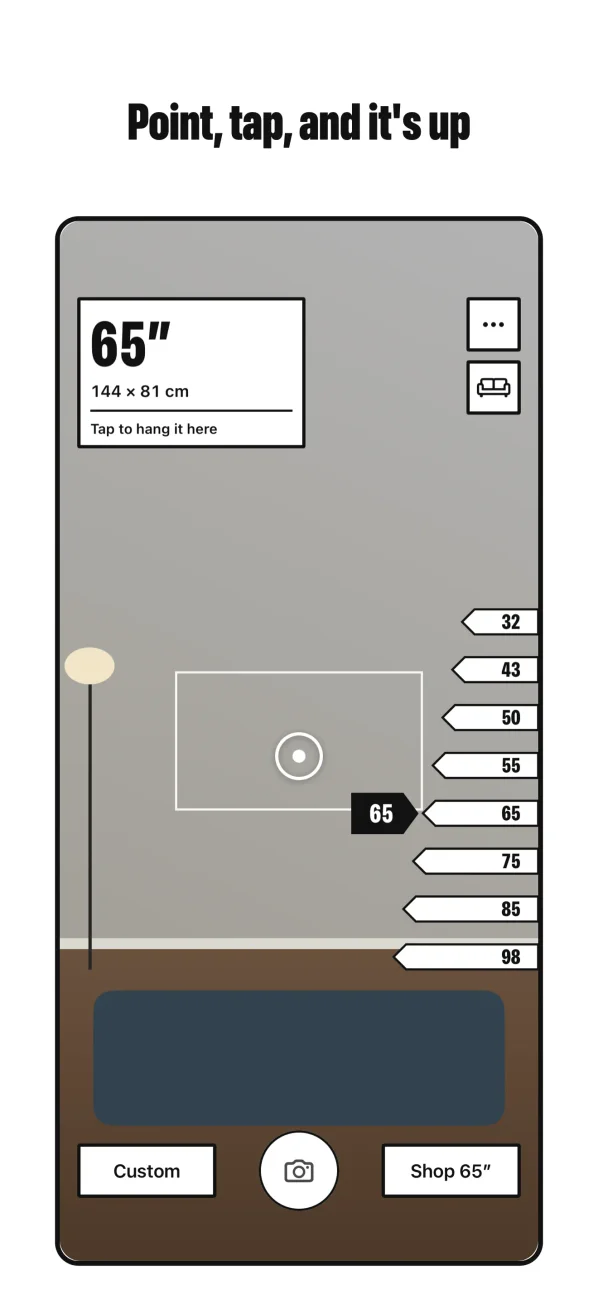
Point your iPhone or iPad at the wall and tap. A true-scale TV appears. Pinch, drag or pick a size from 32″ to 98″ to see how it looks above the fireplace or between the shelves.
RATED FROM YOUR SEAT
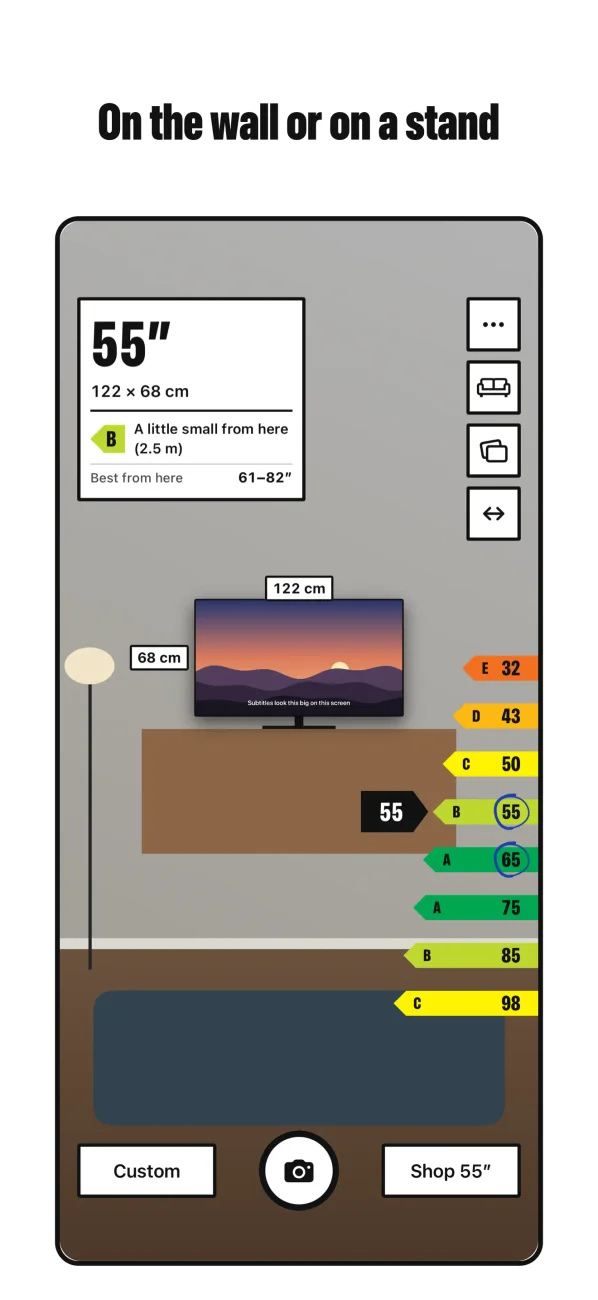
Sit where you'll watch and save your seat. Each size gets a grade from A to G for how much of your view it fills, based on the 30° to 40° range that SMPTE and THX recommend. Green means it fits. If you walk up to move the TV, the grade still comes from your seat.
COMPARE AND MEASURE
• Pin a second size and swap between the two
• Mark the edges of an alcove or unit to see the space left on each side
• Save a second seat and each size is graded for both
• See how high the screen centre sits and how far you'd look up
• An eye-level line on the wall shows your seat's eye height
• Hang the TV on the wall or stand it on furniture
• Enter a TV's exact screen and outer size from its spec sheet
ALSO
• On iPhones and iPads with LiDAR, furniture and people can pass in front of the TV
• Width and height in centimetres or inches. Sizes stay in inches, the way shops sell them
• Take a photo with the size printed on it to send to whoever you're buying with
• The TV is still in place when you come back
• A short How it works guide in the options menu
The Shop button searches Amazon UK for TVs of the size you've chosen. As an Amazon Associate, Appoly earns from qualifying purchases.
TVSizAR needs an iPhone or iPad that supports ARKit. The camera feed and the scan of your room stay on your device.
新機能
バージョン 2.1 · 2026/11/11
New in this version:
• A one-page "How it works" guide opens the first time you use this version. Find it again in the options menu
• Two quick tips appear once your first TV is up: how to move and resize it, and how to save your seat
• Save a second seat. Each size is then graded for both, so the armchair counts as well as the sofa
• An eye-level line on the wall shows where your saved seat's eye height falls, so you can judge how high to hang the TV
• Outside the UK, the Shop button now opens your local Amazon
アプリのプライバシー
このアプリのデータの取り扱いについて、Appoly LtdがApp Storeで申告している内容です。
-
データの収集なし
開発元はこのアプリからデータを収集しません。
プライバシーの取り扱いは、ご利用の機能やお客様の年齢などに応じて異なる場合があります。
情報
- 販売元
- Appoly Ltd
- カテゴリ
- ユーティリティ
- バージョン
- 2.1
- 更新日
- 2026/11/11
- リリース
- 2022/10/1
- サイズ
- 1.0 MB
- 必要条件
- iOS 18.0以降
- 対象年齢
- 4+
- 価格
- 無料
- 言語
- 英語
- 著作権
- © 2020 Appoly Ltd.
こちらもおすすめ
-
 Plonk: AR テレビ画面サイズ インチモニター比較・視聴距離・部屋
-
 Measure Tools: AR間取りプランナー部屋を計測、家具を実寸で配置、図面も作成できるメジャー
-
 TV Widget +ユーティリティ
-
 部屋計測 アプリ:間取り 作成・建築面積を測定・建築・設計家具 配置、部屋 レイアウト、ホームデザイン、部屋作り
-
 Preflop+ ポーカーGTOナッシュ表プッシュフォールド&EQ訓練
-
 Usage Device Monitor & Statusネットワーク, バッテリ, ストレージ, 温度
-
 定規 AR 間取りシュミレーション・3d採寸家部屋レイアウトスキャン・サイズ測定・家具配置・カメラ距離計測アプリ
-
 Screens 5: VNCリモートデスクトップ高速で安全なコンピュータアクセス
-
 距離測定 定規 - AR 計測キットお使いのカメラと高さ,幅,距離を測定
-
 ChronoLog • Watch Accuracyユーティリティ