- Classification d’âge4+
- CatégorieUtilitaires
- Développeurnewfrom
- LanguesAnglais+ 1 de plus
- Taille46,5 Mo
Renvoie vers la page App Store officielle
Download.org n’héberge aucun fichier de Umgi-Tab. Le bouton ouvre la page de l’application sur App Store, où newfrom la publie. Fiche vérifiée pour la dernière fois le 20/11/2026.
Captures d’écran
À propos
Le développeur n’a pas fourni ce texte dans votre langue.
Even if you usually type with both hands, there are moments when only one hand is available.
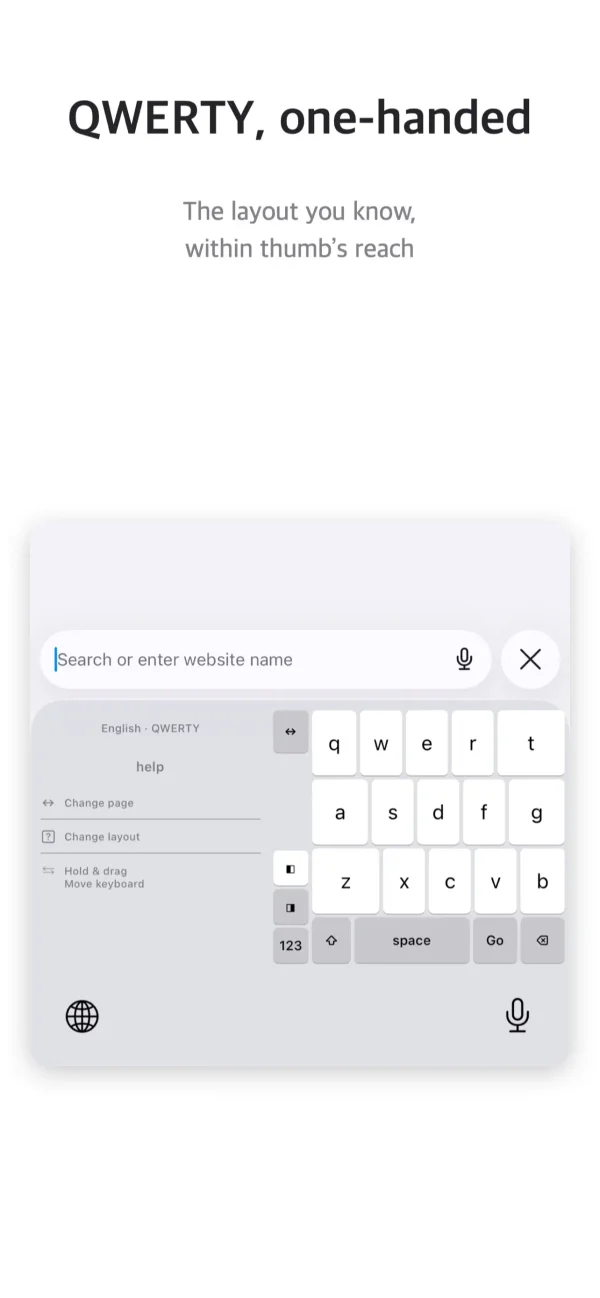
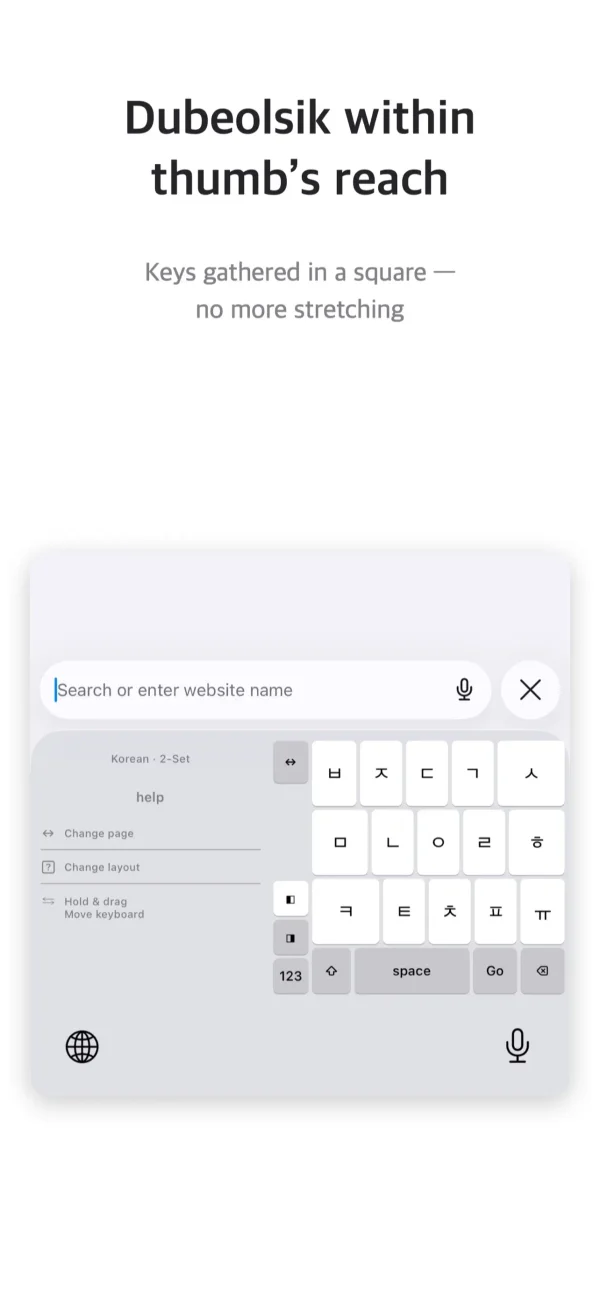
UmgiTab was made for those moments. Reaching across a full-width keyboard with one thumb invites typos, so UmgiTab gathers the keys you need into a compact square within thumb’s reach—putting accurate typing before fast typing, in Korean and English.
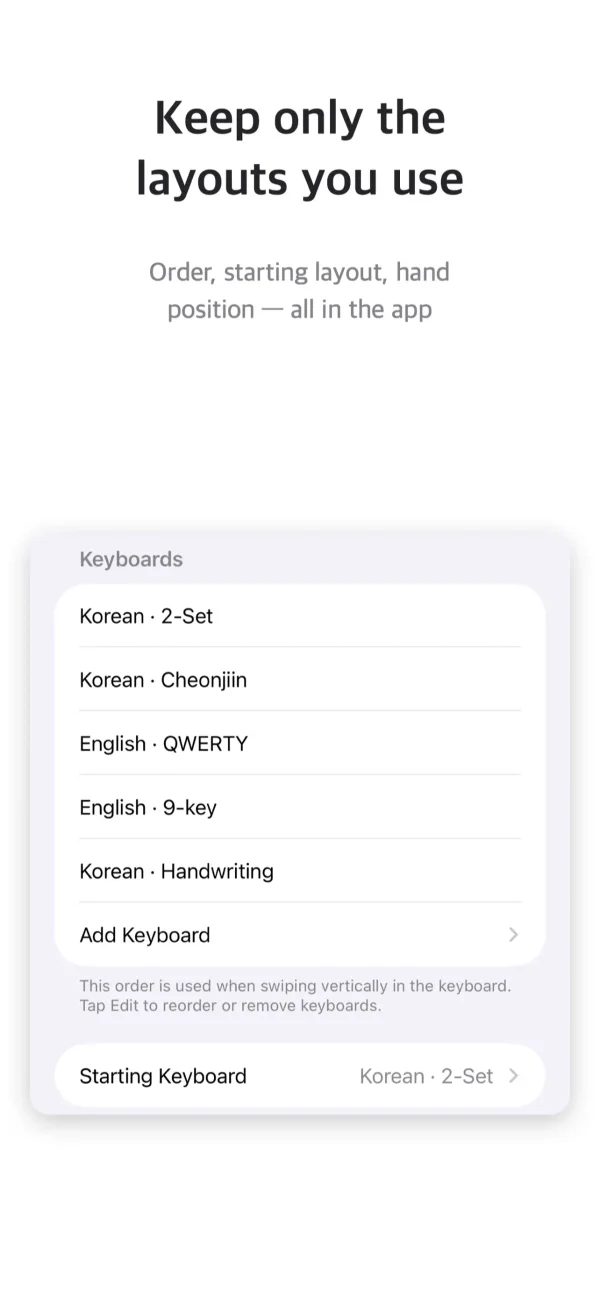
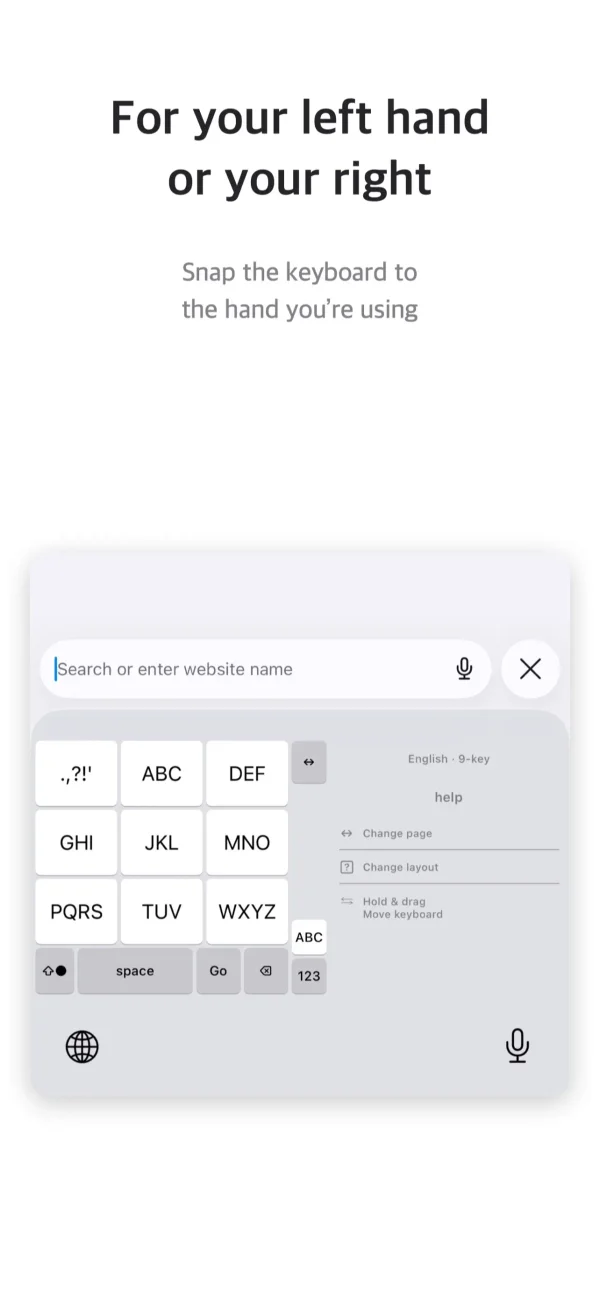
Add only the layouts you already know, set their order and starting layout, and position the keyboard for your left or right hand.
Layouts
• Korean Dubeolsik
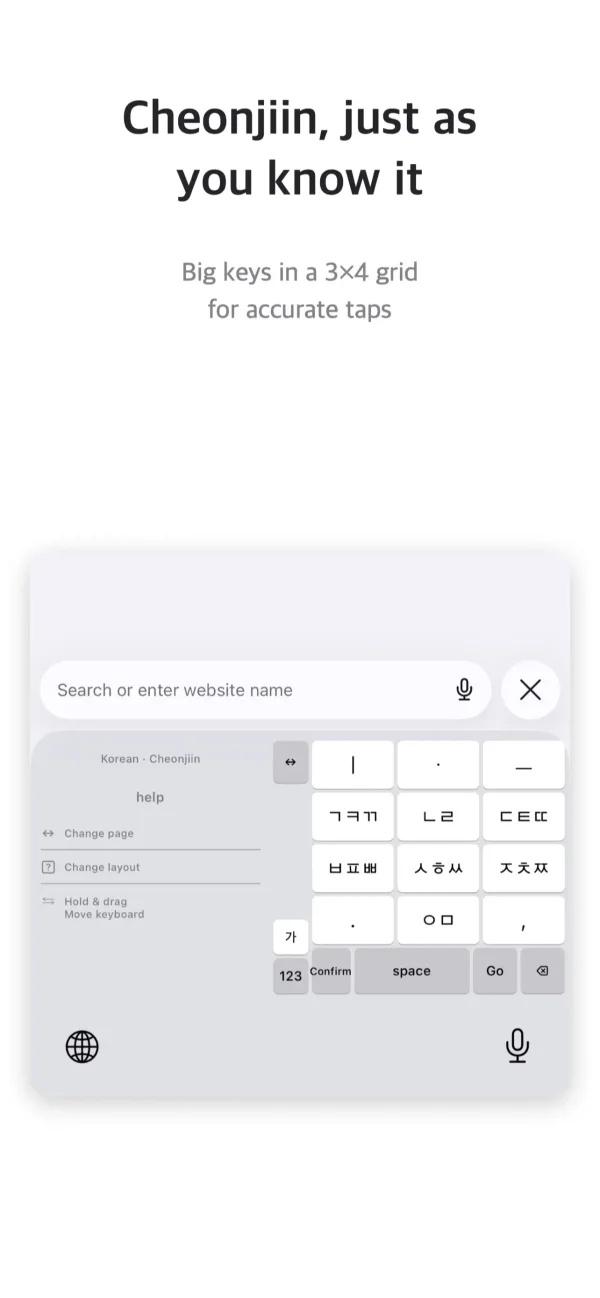
• Korean Cheonjiin
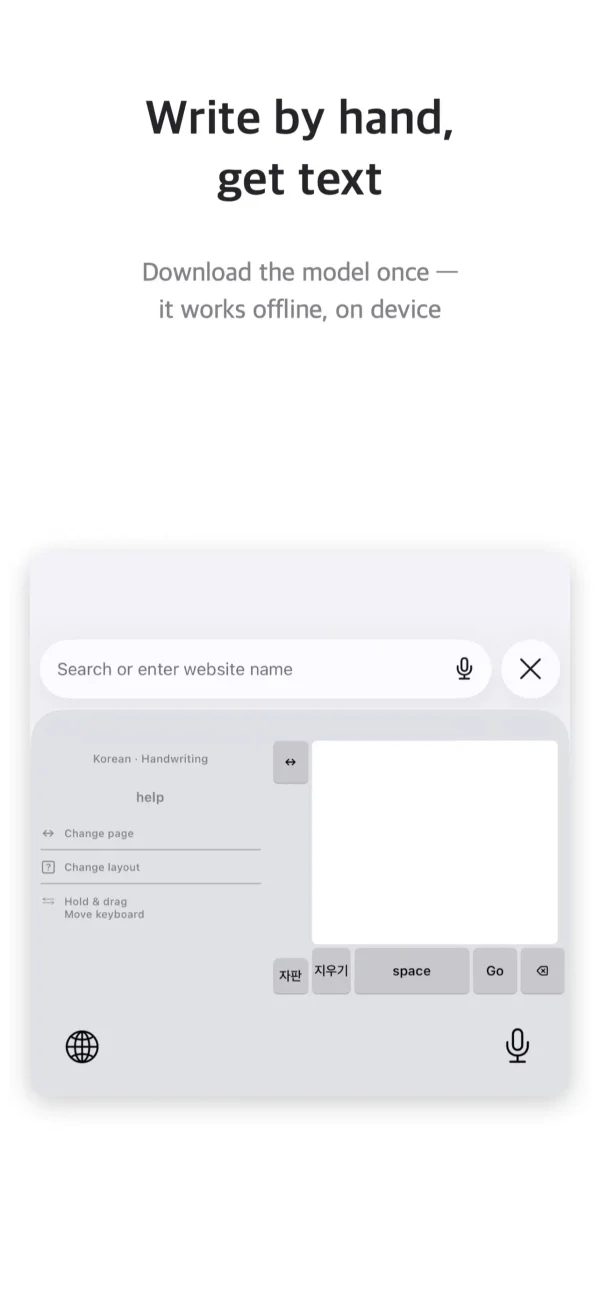
• Korean handwriting — available after downloading the model in the app
• English QWERTY
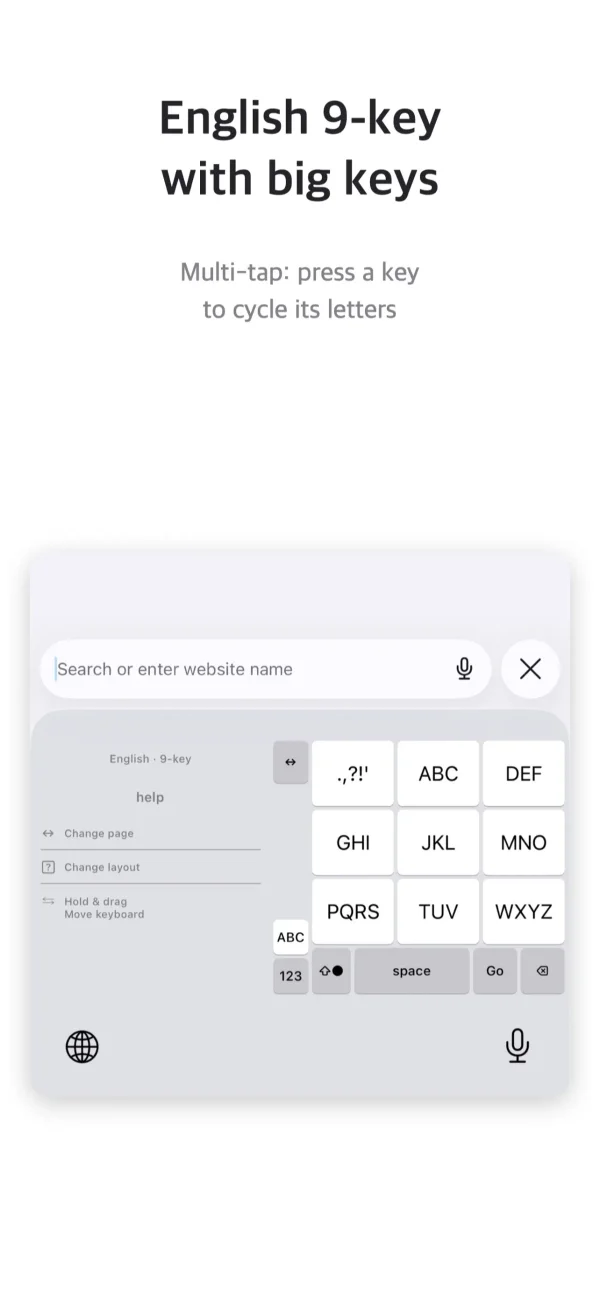
• English 9-key multi-tap
Features
• A compact square layout for one-handed typing
• Left- and right-handed positions
• Keep only the layouts you use, in your order, with your starting layout
• Swipe left or right to change pages, up or down to change layouts
• Hold and drag Space to move the cursor
• Hold a key to repeat input and deletion
• Core typing that works without a network connection
How to get started
1. Open UmgiTab and choose your layouts, their order, your starting layout, and hand position.
2. Go to Settings > General > Keyboard > Keyboards > Add New Keyboard and add UmgiTab.
3. In a text field, use the globe key to select UmgiTab.
The UmgiTab keyboard does not request Full Access. The UmgiTab app downloads the Korean handwriting model, and recognition then runs on your device without a network connection.
Privacy
UmgiTab does not record or collect what you type.
UmgiTab app code does not store or transmit what you type, handwriting strokes, candidates, or cursor context. There is no UmgiTab server to collect them.
When you write on the handwriting keyboard, Google ML Kit turns your strokes into text right on your device, without an internet connection. When you use it, Google ML Kit may, on its own, collect diagnostics and usage data—such as device, app, and performance information—and send it to Google. This is done by Google ML Kit, not by UmgiTab, and UmgiTab does not receive this data. The content of your handwriting is not in Google’s published collection list.
The system keyboard may appear in secure fields, phone pads, or apps that block custom keyboards.
Confidentialité de l’application
Ce que newfrom déclare sur l’App Store au sujet du traitement des données par cette application.
-
Données non collectées
Le développeur ne collecte aucune donnée à partir de cette application.
Les pratiques en matière de confidentialité peuvent varier, notamment en fonction des fonctionnalités que vous utilisez ou de votre âge.
Informations
- Vendeur
- newfrom
- Catégorie
- Utilitaires
- Version
- 1.0.0
- Mis à jour
- 04/09/2026
- Publié
- 04/09/2026
- Taille
- 46,5 Mo
- Nécessite
- iOS 16.6 ou version ultérieure
- Classification d’âge
- 4+
- Prix
- Gratuit
- Langues
- Anglais, Coréen
- Copyright
- © (주)뉴프롬
Vous aimerez peut-être aussi
-
 Boomerang One-Hand KeyboardUtilitaires
-
 한자 한글 키보드Utilitaires
-
 Swipeys KeyboardUtilitaires
-
 DeepPad: Korean KeyboardUtilitaires
-
 중고나라검색Utilitaires
-
 AiReply: Réponse IA SMS & ChatÉcris en retour, avec tes mots
-
 My Keyboard - Korean HangulUtilitaires
-
 SY키보드Utilitaires
-
 HanKey - Korean KeyboardUtilitaires
-
 Cello TunerUtilitaires