- Độ tuổi4+
- Danh mụcTiện Ích
- Nhà phát triểnnewfrom
- Ngôn ngữTiếng Anh+ 1 ngôn ngữ khác
- Kích thước46,5 MB
Liên kết đến trang App Store chính thức
Download.org không lưu trữ tệp nào của Umgi-Tab. Nút này mở trang ứng dụng trên App Store, nơi newfrom phát hành ứng dụng. Trang được kiểm tra lần cuối: 20/11/2026.
Ảnh chụp màn hình
Giới thiệu
Nhà phát triển chưa cung cấp nội dung này bằng ngôn ngữ của bạn.
Even if you usually type with both hands, there are moments when only one hand is available.
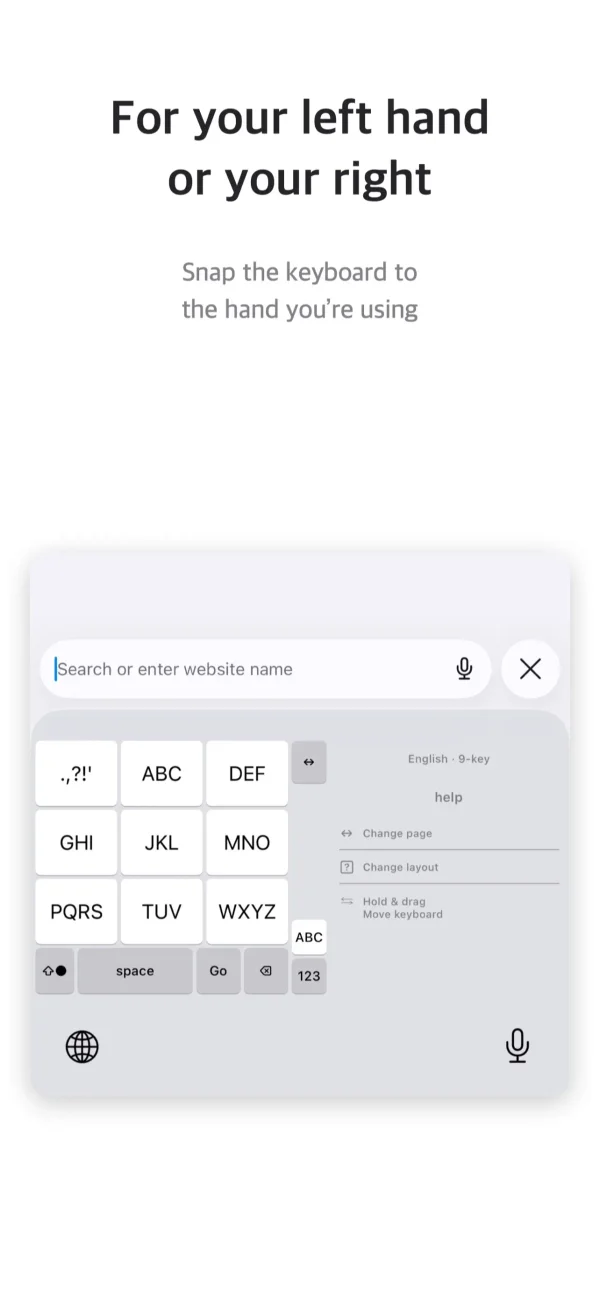
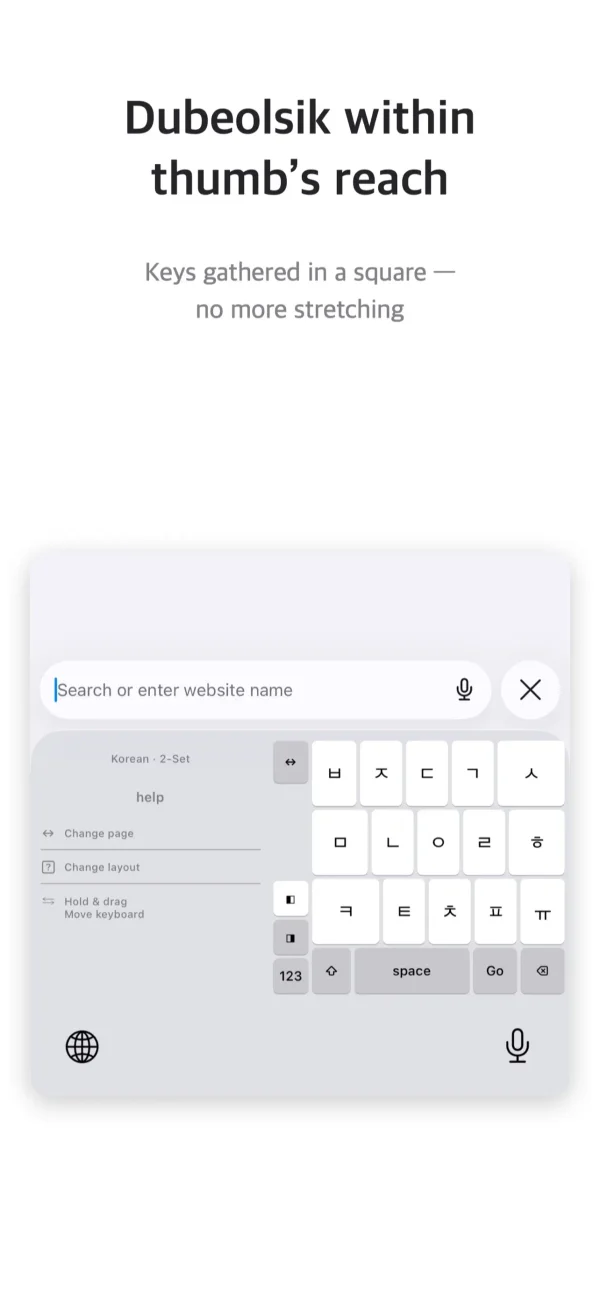
UmgiTab was made for those moments. Reaching across a full-width keyboard with one thumb invites typos, so UmgiTab gathers the keys you need into a compact square within thumb’s reach—putting accurate typing before fast typing, in Korean and English.
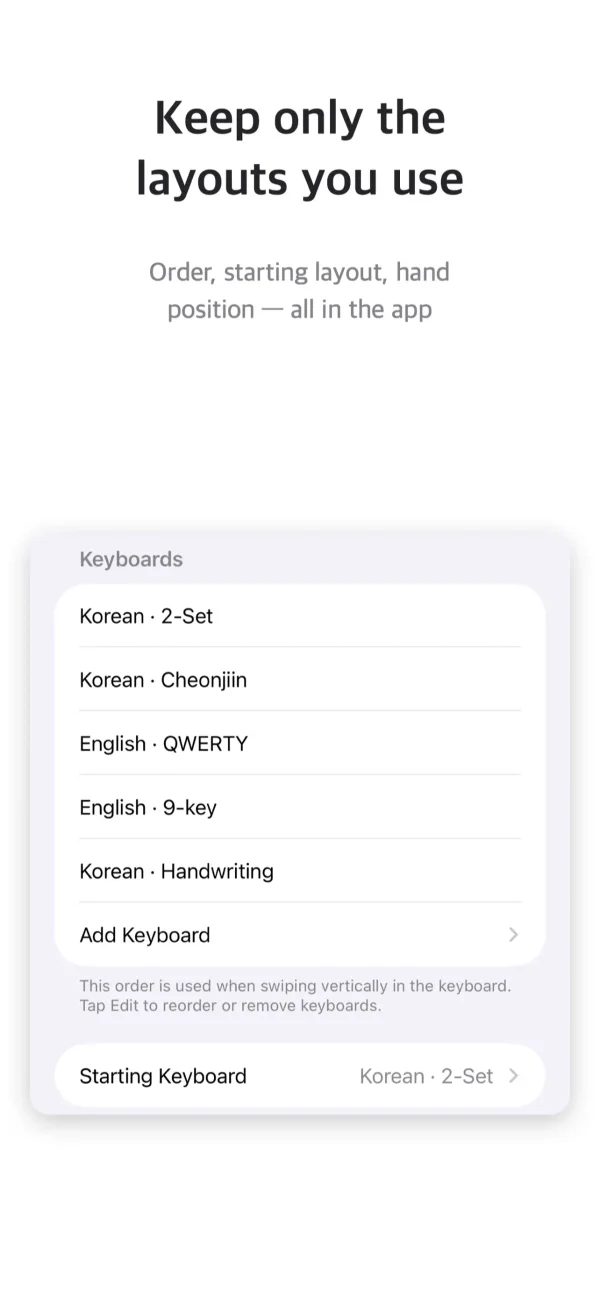
Add only the layouts you already know, set their order and starting layout, and position the keyboard for your left or right hand.
Layouts
• Korean Dubeolsik
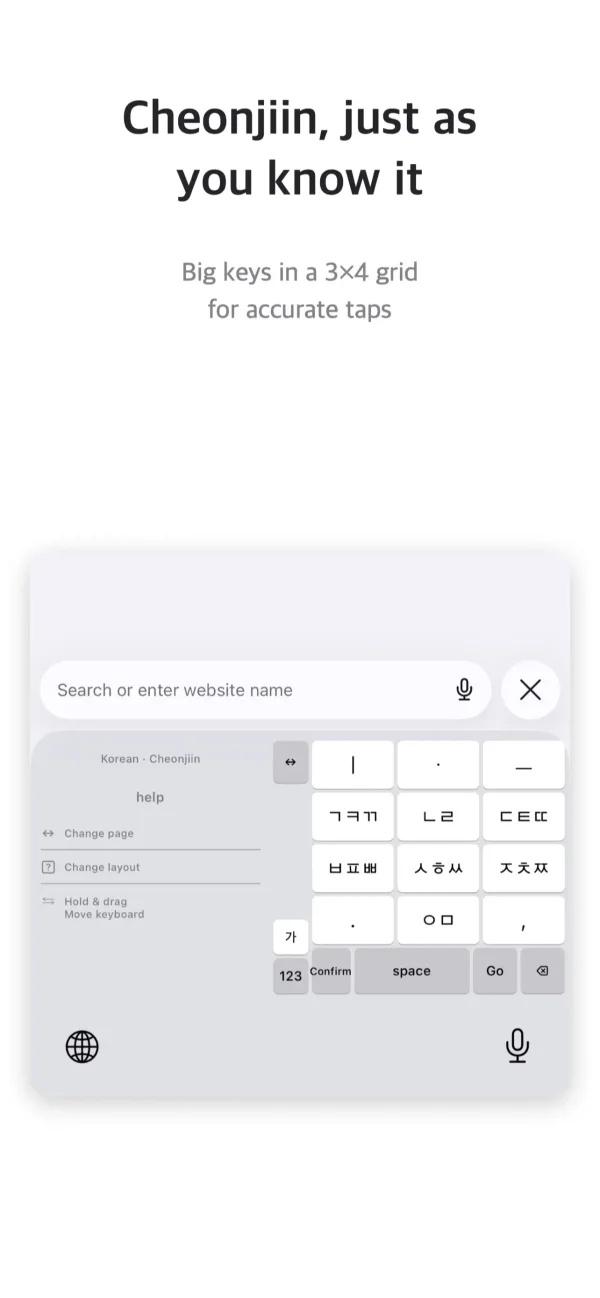
• Korean Cheonjiin
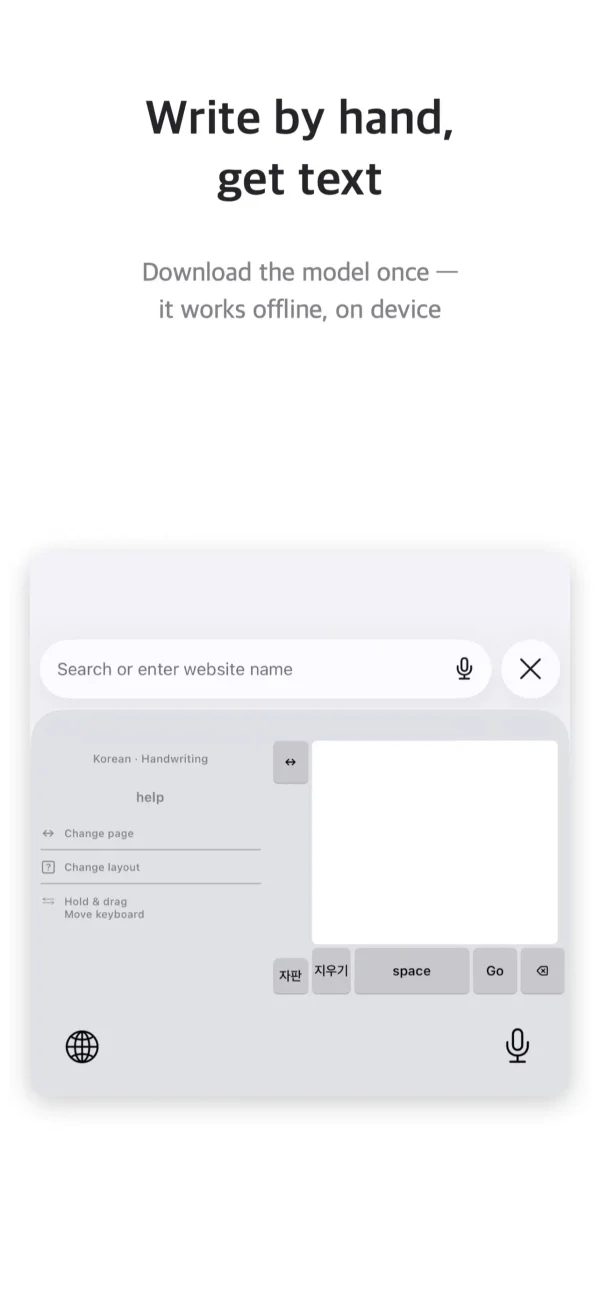
• Korean handwriting — available after downloading the model in the app
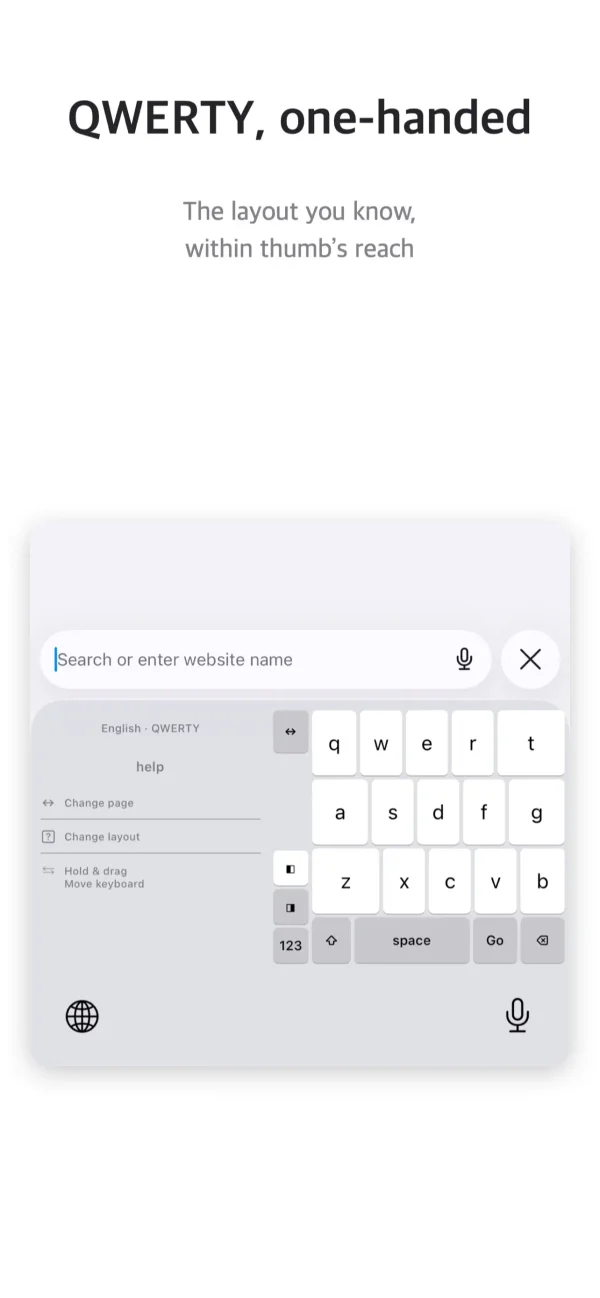
• English QWERTY
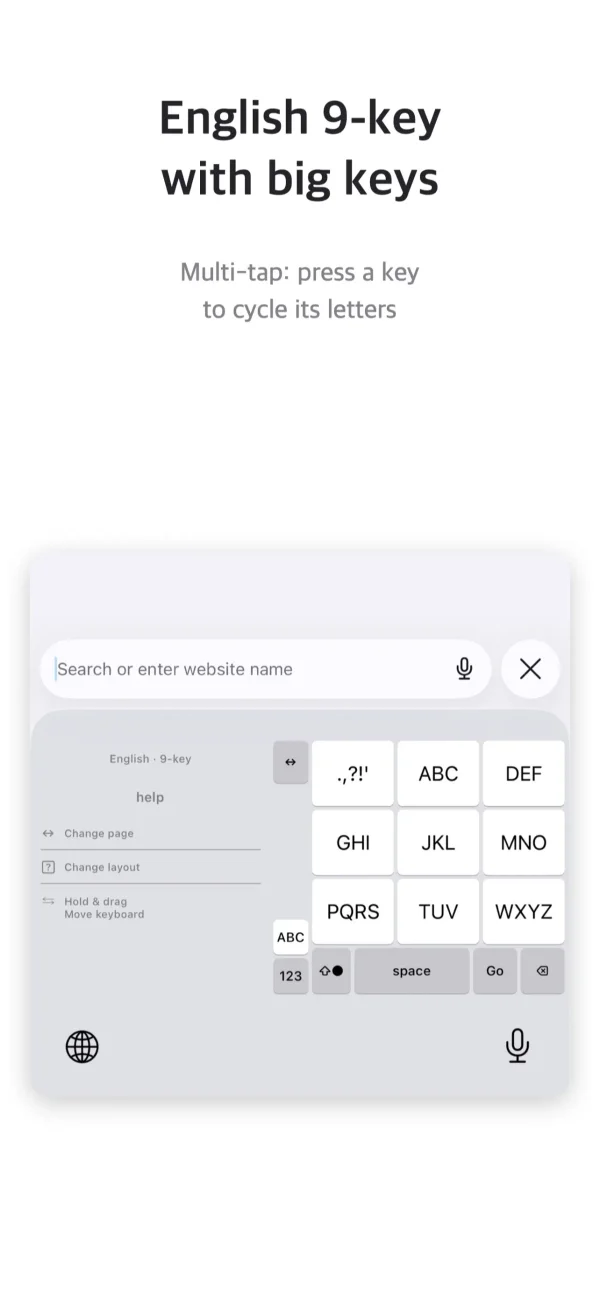
• English 9-key multi-tap
Features
• A compact square layout for one-handed typing
• Left- and right-handed positions
• Keep only the layouts you use, in your order, with your starting layout
• Swipe left or right to change pages, up or down to change layouts
• Hold and drag Space to move the cursor
• Hold a key to repeat input and deletion
• Core typing that works without a network connection
How to get started
1. Open UmgiTab and choose your layouts, their order, your starting layout, and hand position.
2. Go to Settings > General > Keyboard > Keyboards > Add New Keyboard and add UmgiTab.
3. In a text field, use the globe key to select UmgiTab.
The UmgiTab keyboard does not request Full Access. The UmgiTab app downloads the Korean handwriting model, and recognition then runs on your device without a network connection.
Privacy
UmgiTab does not record or collect what you type.
UmgiTab app code does not store or transmit what you type, handwriting strokes, candidates, or cursor context. There is no UmgiTab server to collect them.
When you write on the handwriting keyboard, Google ML Kit turns your strokes into text right on your device, without an internet connection. When you use it, Google ML Kit may, on its own, collect diagnostics and usage data—such as device, app, and performance information—and send it to Google. This is done by Google ML Kit, not by UmgiTab, and UmgiTab does not receive this data. The content of your handwriting is not in Google’s published collection list.
The system keyboard may appear in secure fields, phone pads, or apps that block custom keyboards.
Quyền riêng tư của ứng dụng
Những gì newfrom khai báo trên App Store về cách ứng dụng này xử lý dữ liệu.
-
Dữ liệu không được thu thập
Nhà phát triển không thu thập bất kỳ dữ liệu nào từ ứng dụng này.
Phương thức đảm bảo quyền riêng tư có thể khác nhau, chẳng hạn như tuỳ theo các tính năng bạn sử dụng hoặc độ tuổi của bạn.
Thông tin
- Người bán
- newfrom
- Danh mục
- Tiện Ích
- Phiên bản
- 1.0.0
- Cập nhật
- 04/09/2026
- Phát hành
- 04/09/2026
- Kích thước
- 46,5 MB
- Yêu cầu
- iOS 16.6 trở lên
- Độ tuổi
- 4+
- Giá
- Miễn phí
- Ngôn ngữ
- Tiếng Anh, Tiếng Hàn
- Bản quyền
- © (주)뉴프롬