File Manager by Lufick
LUFICK TECHNOLOGY PRIVATE LIMITEDBerisi iklan · Pembelian dalam aplikasi
- Rating 3+Batasan usia
- ProduktivitasKategori
- 18/4/2024Diperbarui
- GratisHarga
Tertaut ke halaman resmi com.cvinfo.filemanager di Google Play. Terakhir diperiksa pada 24/11/2026.
Tangkapan layar

Tentang aplikasi ini
Terjemahan otomatis oleh Google. Bahasa asli: Inggris (Amerika Serikat).
File Manager, File Explorer, Cloud Storage Manager, FTP Server, App Manajer
Manajer File Cerdas (File Explorer) adalah Aplikasi yang paling sederhana, Kuat, Kecil, Gratis, dan sempurna untuk mengelola file seperti Gambar, film, dokumen, Musik, aplikasi di ponsel Anda.
Daftar Fitur:
* Manajer File - Penjelajah file untuk mengakses dan mengelola penyimpanan, menyalin dan menempelkan file, menghapus file, mencadangkan file, mentransfer file, menampilkan file tersembunyi, mengompres dan mendekompresi file, dan banyak tindakan serupa lainnya dengan mudah.
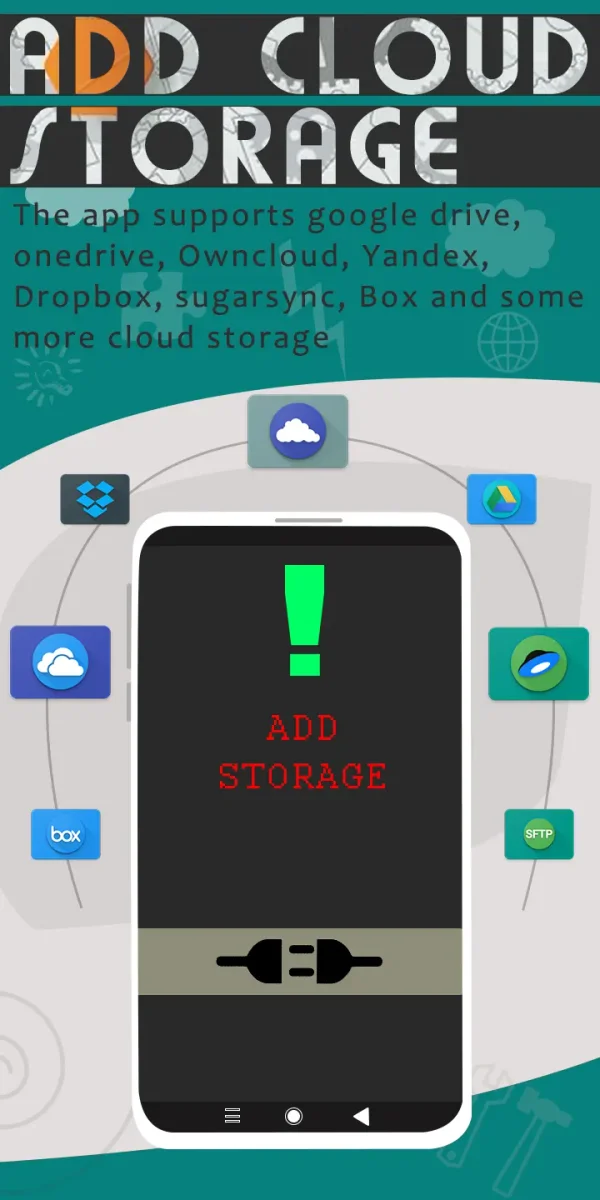
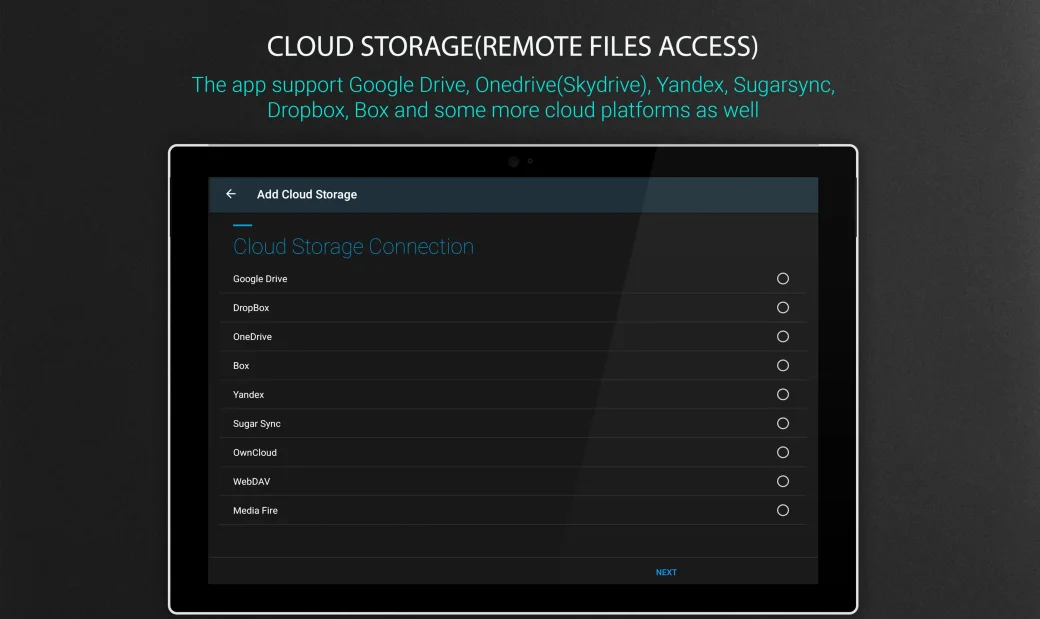
* Cloud Storage - pengelola file untuk Dropbox, box, google drive, dan banyak cloud.
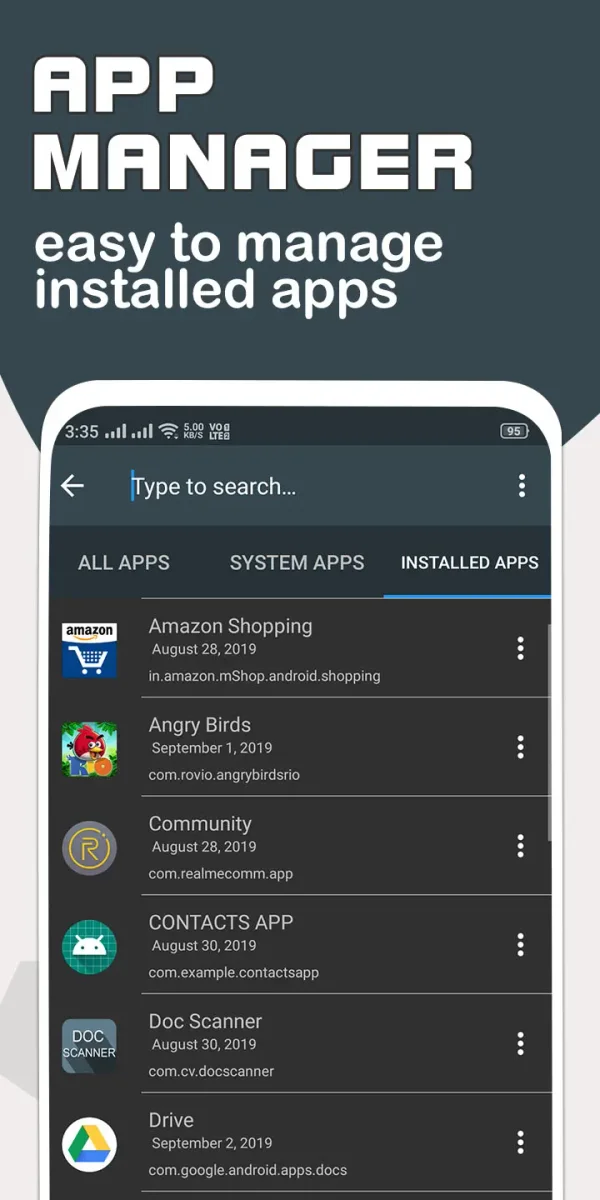
* Manajer Aplikasi - dengan mudah mencadangkan, mencopot, dan membuat pintasan untuk aplikasi Anda.
* Root explorer - alat root explorer yang kuat untuk pengguna root, memungkinkan akses ke seluruh sistem file dan semua direktori data.
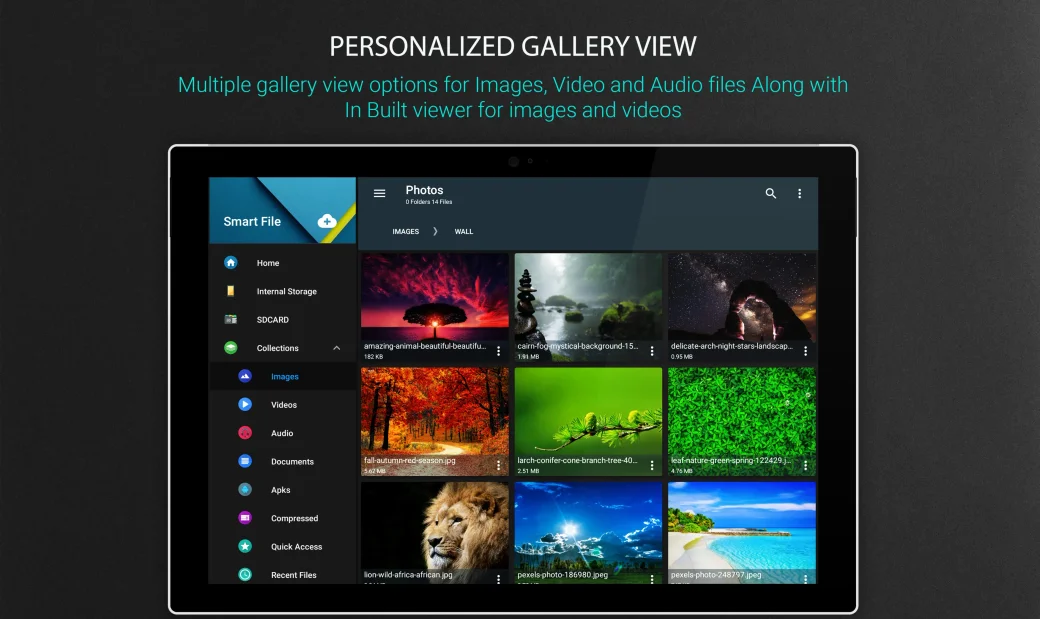
* Pemirsa dan pemutar berbagai jenis file bawaan: pemutar video, penampil gambar, pembaca dokumen di dalam aplikasi.
* Manajer aplikasi - buat cadangan, buka, buat pintasan, dan hapus instalan aplikasi Anda.
* Dukungan ZIP dan RAR: file ZIP, RAR, JAR, TAR dan APK terkompresi dan dekompresi dengan kata sandi (enkripsi AES 256 bit).
* Server FTP - menggunakan FTP mengelola file ponsel Anda dari PC Anda.
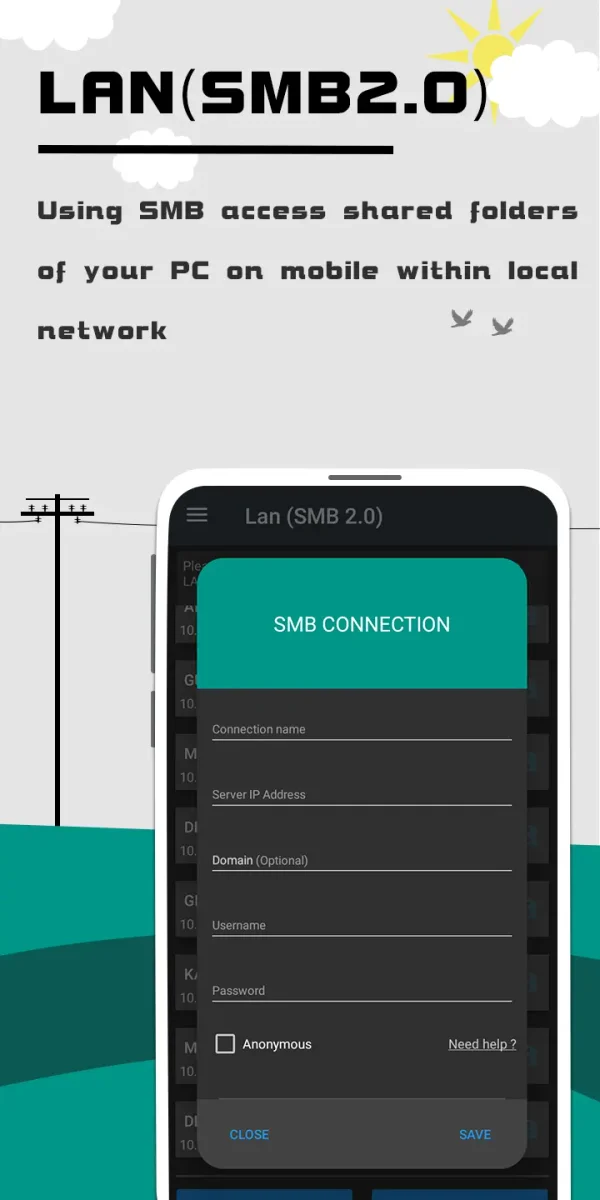
* SMB: akses file PC rumah Anda di ponsel Anda menggunakan samba.
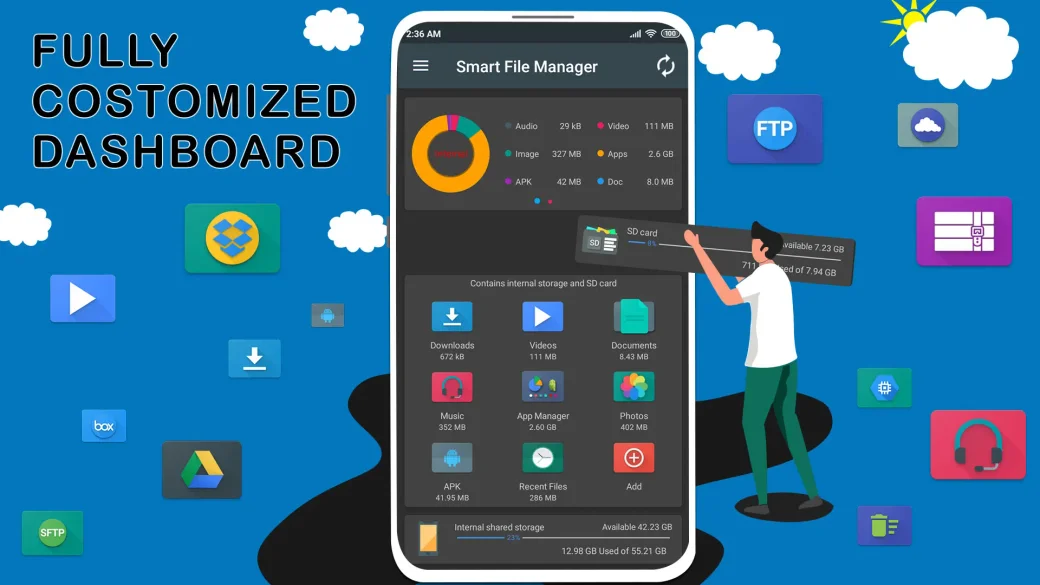
* Lihat media berdasarkan kategori: jelajahi dan akses file media Anda berdasarkan kategori (seperti gambar, video, file terbaru, riwayat ..).
* Mendukung 30 bahasa.
Manajer Aplikasi & Pembersih Penyimpanan
* Kelola sistem dan aplikasi yang diinstal pengguna
* Cadangkan aplikasi ke file apk
* Copot pemasangan aplikasi
* Bagikan aplikasi
Manajer Penyimpanan Cloud
* Mendukung beberapa penyimpanan cloud: Onedrive (skydrive), Google Drive, Dropbox, Box, OwnCloud, Yandex, Sugarsync, WebDAV, Mediafire dan banyak lagi.
* Klien FTP dan klien WebDAV : mengakses dan mengelola server WebDAV seperti penyimpanan lokal Anda.
* Remote File Manager: dengan mudah mengelola file telepon Anda dari komputer Anda.
* SMB (Windows): mengakses file PC rumah Anda menggunakan SMB.
Manajer File Desain Material
* Peningkatan UI dan UX untuk kinerja terbaik
* Aplikasi ini mendukung beberapa tema terang dan gelap
* Dukungan opsi multi warna
* Sederhana dan Bersih dalam desain
Server FTP
* akses dan unduh file dan folder dari ponsel Anda ke PC.
Fitur sekilas:
- manajer file cloud pro - semua dalam satu manajer penyimpanan cloud: mendukung hampir semua penyedia penyimpanan cloud populer.
- file explorer - manajer cloud & manajer file.
- penjelajah file android - jelajahi penyimpanan internal dan penyimpanan kartu sd eksternal dengan mudah.
- aplikasi pengelola file android - aplikasi ini akan mengelola file Anda secara efisien.
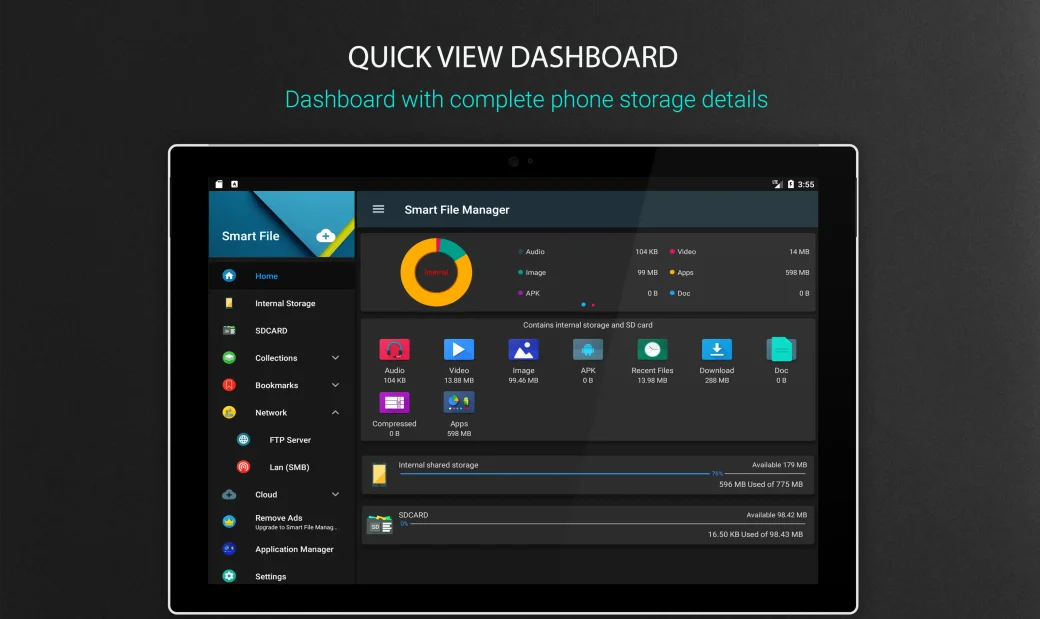
- aplikasi penganalisis penyimpanan - kosongkan penyimpanan seluler dan berfungsi cerdas dengan menganalisis secara teratur.
- pengelola file untuk memori eksternal - mengakses file di flash drive USB atau mengakses file di microSD.
- filemanager - mentransfer konten antara penyimpanan internal, penyimpanan eksternal, flash drive usb, dan penyimpanan cloud dengan mudah.
- fileexplorer: aplikasi ini membantu Anda menelusuri dan mengakses file media berdasarkan kategori (seperti gambar, audio, video ...).
- Manajer file FTP - mentransfer dan mengelola file atau dokumen melalui koneksi ftp.
- komandan file: dengan mudah menangani semua file Anda apakah itu disimpan di memori perangkat Anda, kartu microSD, penyimpanan cloud, atau jaringan area lokal (menggunakan wifi).
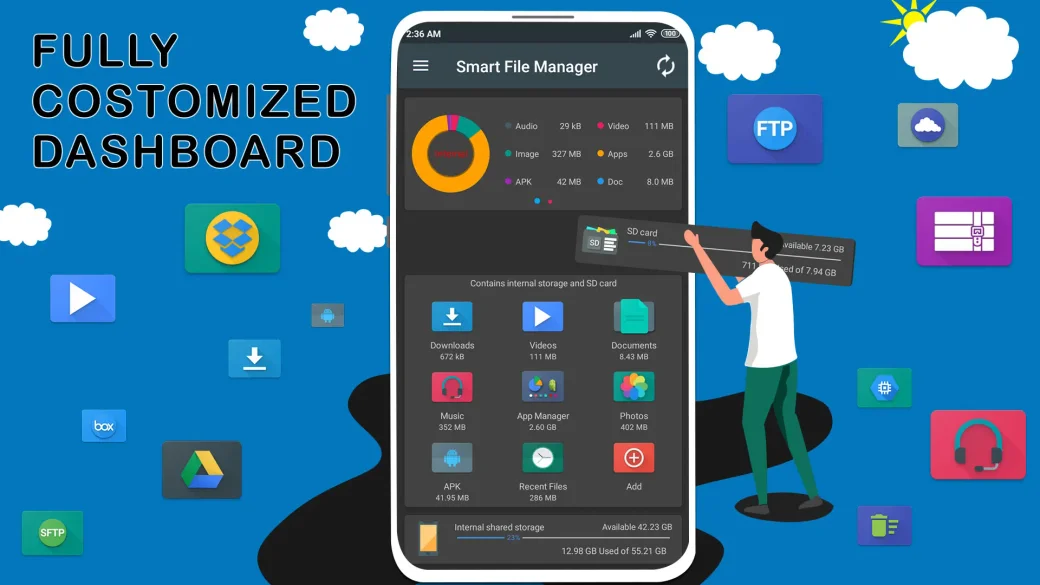
- Analis Kartu SD: dasbor aplikasi menunjukkan detail analisis lengkap dari penyimpanan ponsel Anda.
- Manajer file A+ - aplikasi ini diberi peringkat "manajer file terbaik" oleh pengguna berdasarkan beberapa peringkat dan ulasan.
Tampilkan teks asli
Smart File Manager (File Explorer) is the simplest, Powerful, Small, Free and perfect App to manage files like Images, movies, documents, Music, apps in your mobile.
Features List :
* File Manager - File explorer to access and manage storage, copy and paste files, delete files, backup files, transfer files, show hidden files, compress and decompress files and many such similar actions easily.
* Cloud Storage - file manager for Dropbox, box, google drive and multiple clouds.
* Application Manager - easily backup,uninstall and create shortcut for your apps.
* Root explorer - powerful root explorer tool for root users, allows access to the entire file system and all data directories.
* Built-in various file types viewers and players : video player, image viewer, document reader inside app.
* App manager - create backup, open, create shortcut and uninstall your app’s.
* ZIP and RAR support : compressed and decompressed ZIP, RAR, JAR, TAR and APK files with password(encryption AES 256 bit).
* FTP Server - using FTP manage your files of mobile from Your PC.
* SMB : access your home PC files on your mobile using samba.
* View media by category : browse and access your media files by category (like image,video,recent files,history..).
* Supports 30 languages.
App Manager & Storage Cleaner
* Manage system and user installed apps
* Backup apps to apk file
* Uninstall apps
* Share apps
Cloud Storage Manager
* Supports multiple cloud storage : Onedrive(skydrive), Google Drive, Dropbox, Box, OwnCloud, Yandex, Sugarsync, WebDAV, Mediafire and some more.
* FTP client and WebDAV client : access and manage WebDAV servers just like your local storage.
* Remote File Manager : easily manage your phone files from your computer.
* SMB (Windows) : access your home PC files using SMB.
Material Design File Manager
* Improved UI and UX for best performance
* The app support multiple light and dark themes
* Multi color options support
* Simple and Clean in design
FTP Server
* access and download files and folders from your phone to PC.
Features at a glance :
- cloud file manager pro - all in one cloud storage manager : support almost all popular cloud storage providers.
- file explorer - cloud manager & file manager.
- android file explorer - browse internal storage and external sd card storage easily.
- android file manager app - this application will manage your files efficiently.
- storage analyser app - free up mobile storage and functioning smart by analysing regularly.
- file manager for external memory - access files on USB flash drive or access files on microSD.
- filemanager - transfer content between internal storage, external storage, usb flash drive, and cloud storage easily.
- fileexplorer : this app helps you to browse and access your media files by category(like image,audio ,video...).
- FTP file manager - transfer and manage files or documents over ftp connection.
- file commander : easily handle all your files whether they are stored in your device's memory, microSD card, cloud storage, or local area network(using wifi).
- SD Card Analyst : the app dashboard shows complete analyzed details of your phone storage.
- A+ file manager - this app is rated “best file manager” by users based upon multiple ratings and reviews.
Keamanan data
Yang dinyatakan LUFICK TECHNOLOGY PRIVATE LIMITED di Google Play tentang data yang dikumpulkan dan dibagikan aplikasi ini.
- Tidak ada data yang dibagikan kepada pihak ketigaPelajari lebih lanjut cara developer menyatakan pembagian data
- Aplikasi ini dapat mengumpulkan jenis data berikutInfo pribadi, Foto dan video, dan 5 lainnya
- Data dienkripsi saat dalam pengiriman
- Data tidak dapat dihapus
Yang baru
Versi 7.1.0 · 18/4/2024
Bug Fixes & Performance Improvements.
Kontak pengembang
- Situs websmart-file-manager.lufick.com
- Emailsupport@lufick.com
- Kebijakan Privasismart-file-manager.lufick.com
- Alamat90B DELHI- JAIPUR EXPY SECTOR-18 Gurugram, Haryana 122001 India
Informasi
- Ditawarkan oleh
- LUFICK TECHNOLOGY PRIVATE LIMITED
- Kategori
- Produktivitas
- Versi
- 7.1.0
- Diperbarui
- 18/4/2024
- Dirilis
- 28/4/2017
- Memerlukan
- Android 5.0 atau yang lebih baru
- Batasan usia
- Rating 3+
- Harga
- Gratis
- Pembelian dalam aplikasi
- Rp 29.000 - Rp 1.411.796 per item
- Nama paket
- com.cvinfo.filemanager
Aplikasi serupa
-
 Solid Explorer File Manager
Produktivitas
-
 Material Files
Alat
-
 ASTRO File Manager & Cleaner
Alat
-
 Samsung My Files
Alat
-
 Robokiller - Spam Call Blocker
Komunikasi
-
 File Manager - Pengelola File
Alat
-
 YouMail: Spam Call Blocker
Komunikasi
-
 Sembunyikan Foto Video PRIVARY
Fotografi
-
 Kunci Kalkulator - Sembunyikan
Pemutar & Editor Video
-
 mySolarEdge
Alat
-
 Zoho Sheet: Lembar Bentang
Produktivitas
-
 UniInvoice: Buat Faktur
Bisnis