File Manager by Lufick
LUFICK TECHNOLOGY PRIVATE LIMITEDContains ads · In-app purchases
- EveryoneAge rating
- ProductivityCategory
- Apr 18, 2024Updated
- FreePrice
Links to the official Google Play listing of com.cvinfo.filemanager. Last checked on Nov 24, 2026.
Screenshots

About this app
File Manager, File Explorer, Cloud Storage Manager, FTP Server, App Manager
Smart File Manager (File Explorer) is the simplest, Powerful, Small, Free and perfect App to manage files like Images, movies, documents, Music, apps in your mobile.
Features List :
* File Manager - File explorer to access and manage storage, copy and paste files, delete files, backup files, transfer files, show hidden files, compress and decompress files and many such similar actions easily.
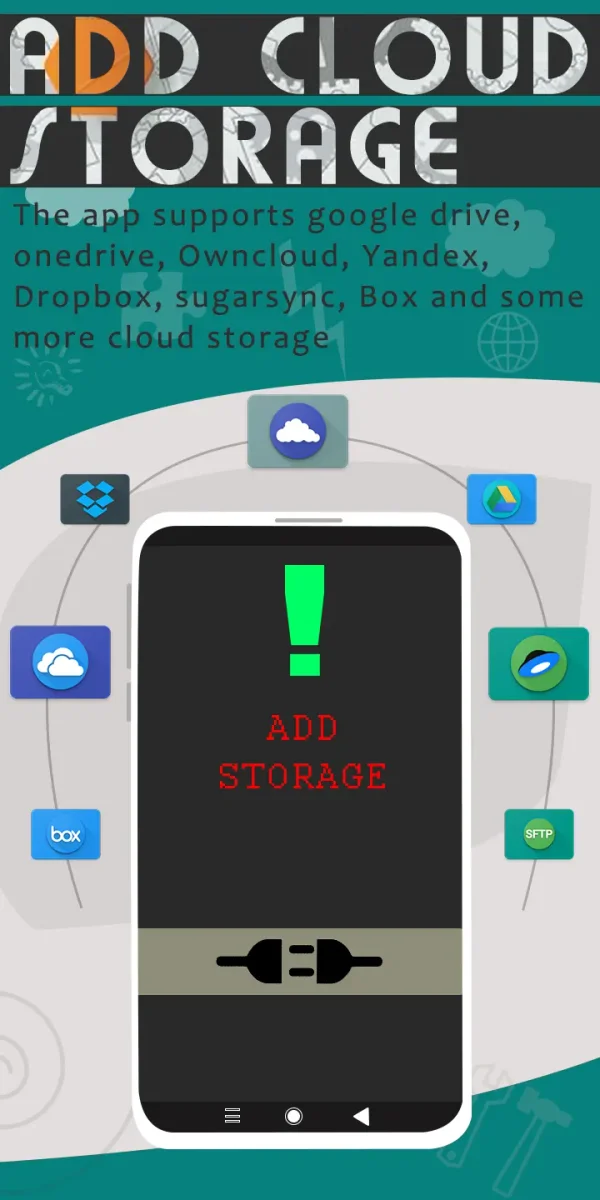
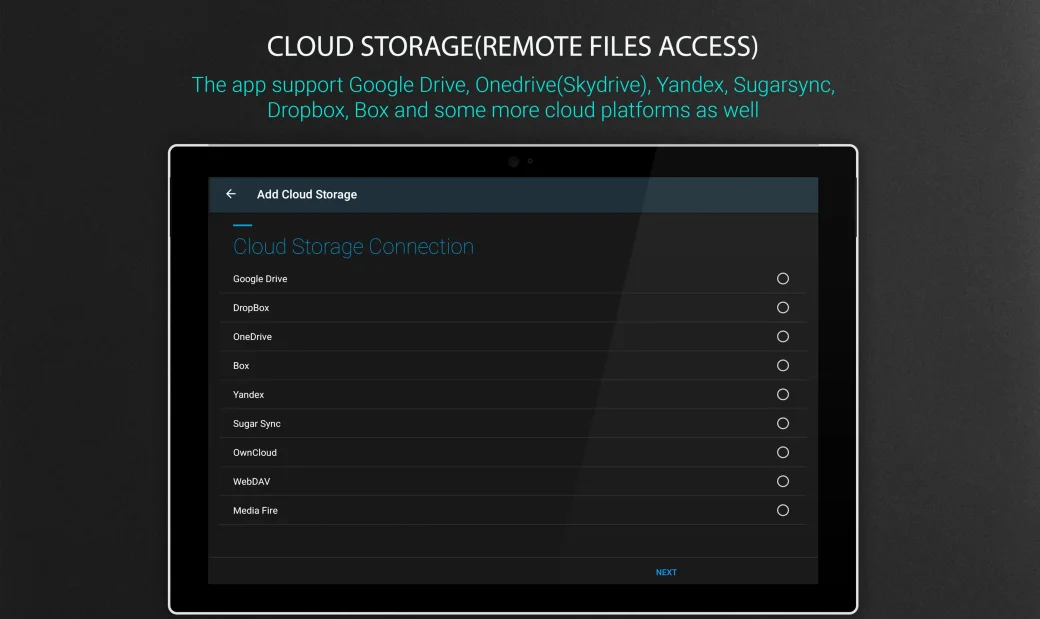
* Cloud Storage - file manager for Dropbox, box, google drive and multiple clouds.
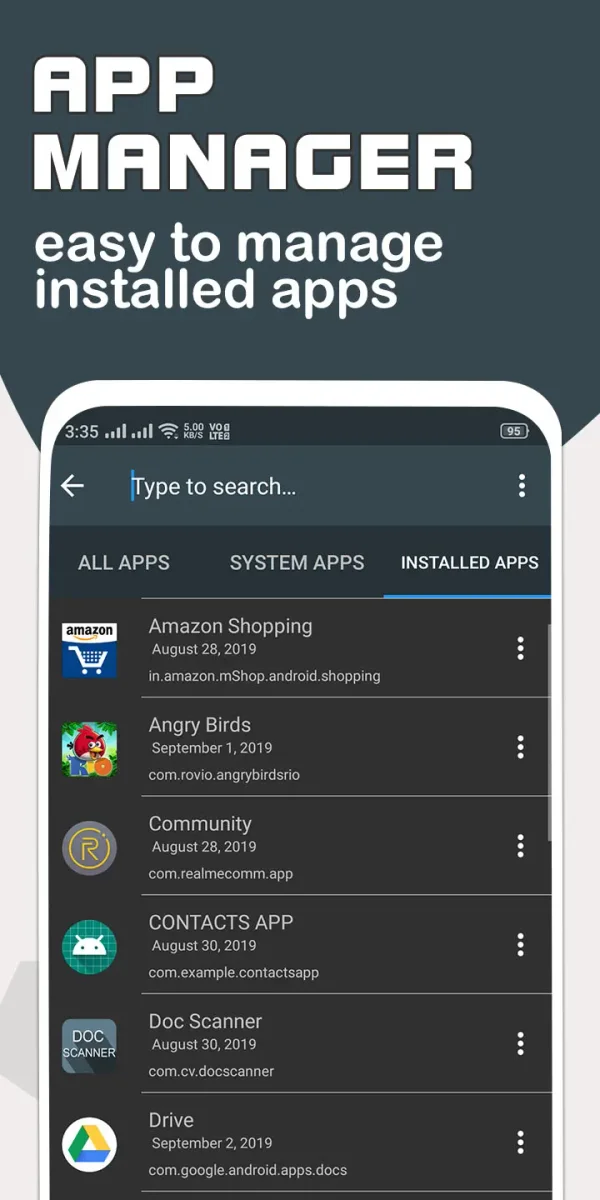
* Application Manager - easily backup,uninstall and create shortcut for your apps.
* Root explorer - powerful root explorer tool for root users, allows access to the entire file system and all data directories.
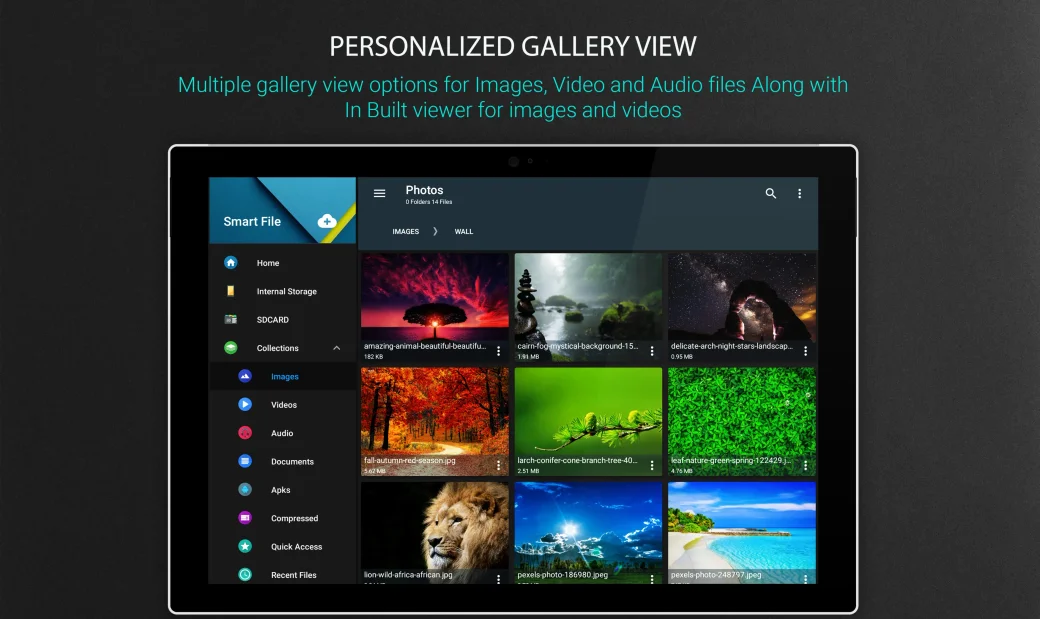
* Built-in various file types viewers and players : video player, image viewer, document reader inside app.
* App manager - create backup, open, create shortcut and uninstall your app’s.
* ZIP and RAR support : compressed and decompressed ZIP, RAR, JAR, TAR and APK files with password(encryption AES 256 bit).
* FTP Server - using FTP manage your files of mobile from Your PC.
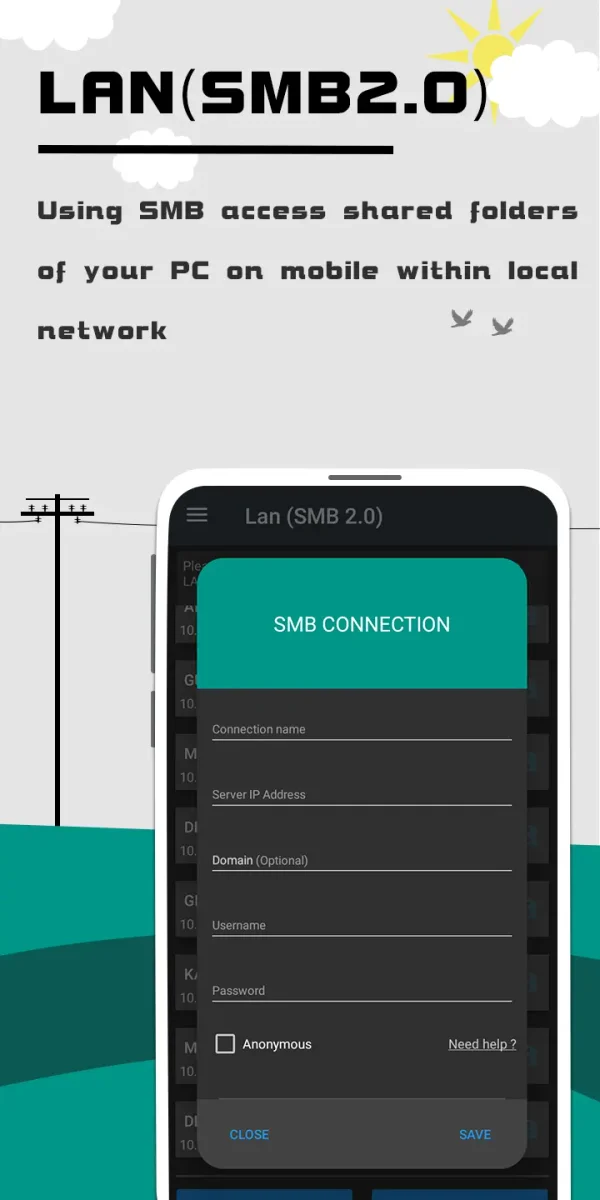
* SMB : access your home PC files on your mobile using samba.
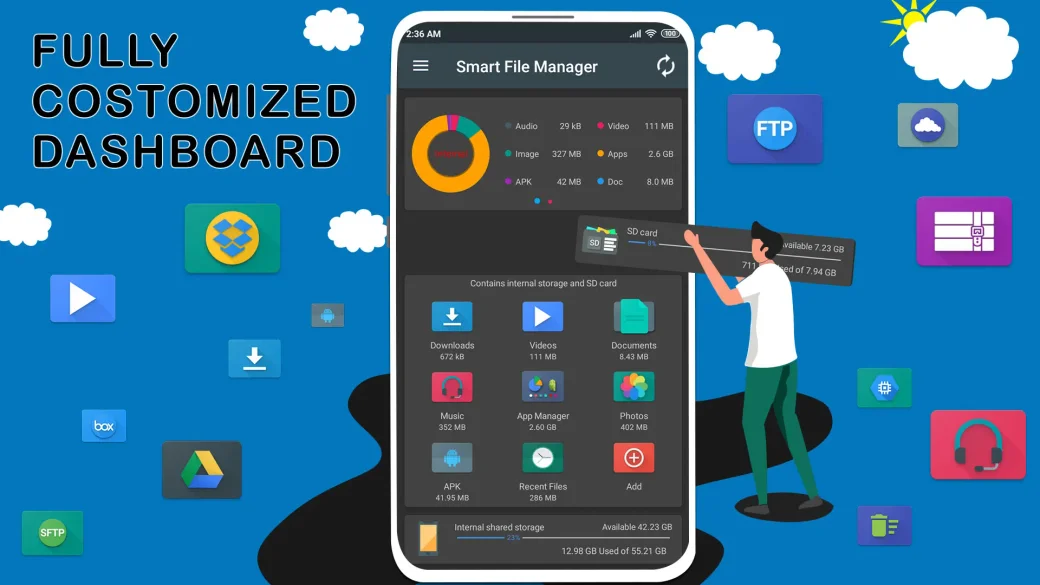
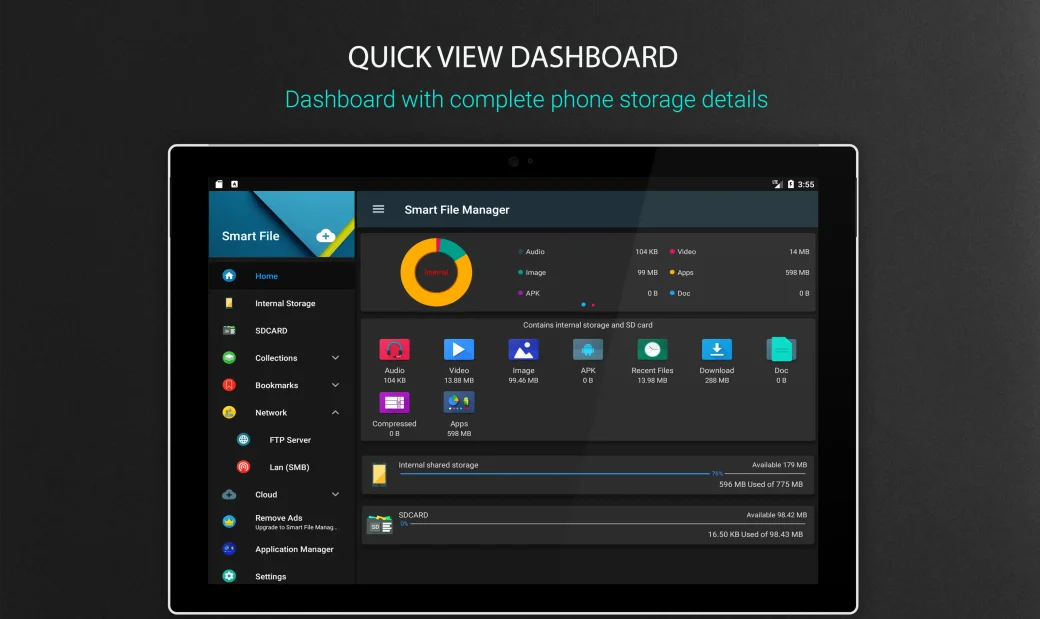
* View media by category : browse and access your media files by category (like image,video,recent files,history..).
* Supports 30 languages.
App Manager & Storage Cleaner
* Manage system and user installed apps
* Backup apps to apk file
* Uninstall apps
* Share apps
Cloud Storage Manager
* Supports multiple cloud storage : Onedrive(skydrive), Google Drive, Dropbox, Box, OwnCloud, Yandex, Sugarsync, WebDAV, Mediafire and some more.
* FTP client and WebDAV client : access and manage WebDAV servers just like your local storage.
* Remote File Manager : easily manage your phone files from your computer.
* SMB (Windows) : access your home PC files using SMB.
Material Design File Manager
* Improved UI and UX for best performance
* The app support multiple light and dark themes
* Multi color options support
* Simple and Clean in design
FTP Server
* access and download files and folders from your phone to PC.
Features at a glance :
- cloud file manager pro - all in one cloud storage manager : support almost all popular cloud storage providers.
- file explorer - cloud manager & file manager.
- android file explorer - browse internal storage and external sd card storage easily.
- android file manager app - this application will manage your files efficiently.
- storage analyser app - free up mobile storage and functioning smart by analysing regularly.
- file manager for external memory - access files on USB flash drive or access files on microSD.
- filemanager - transfer content between internal storage, external storage, usb flash drive, and cloud storage easily.
- fileexplorer : this app helps you to browse and access your media files by category(like image,audio ,video...).
- FTP file manager - transfer and manage files or documents over ftp connection.
- file commander : easily handle all your files whether they are stored in your device's memory, microSD card, cloud storage, or local area network(using wifi).
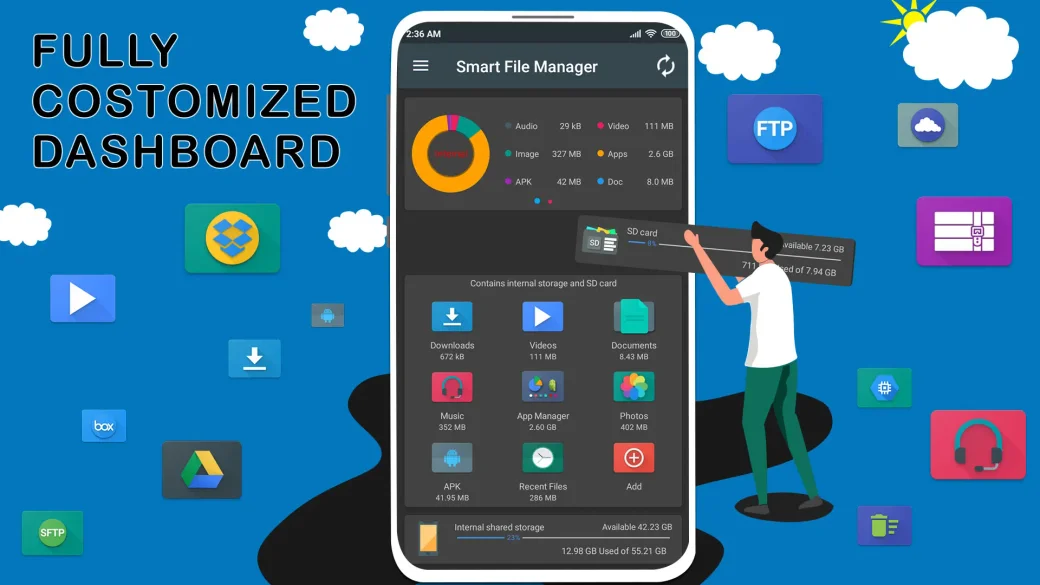
- SD Card Analyst : the app dashboard shows complete analyzed details of your phone storage.
- A+ file manager - this app is rated “best file manager” by users based upon multiple ratings and reviews.
Data safety
What LUFICK TECHNOLOGY PRIVATE LIMITED declares on Google Play about the data this app collects and shares.
- No data shared with third partiesLearn more about how developers declare sharing
- This app may collect these data typesPersonal info, Photos and videos and 5 others
- Data is encrypted in transit
- Data can’t be deleted
What’s new
Version 7.1.0 · Apr 18, 2024
Bug Fixes & Performance Improvements.
Developer contact
- Websitesmart-file-manager.lufick.com
- Emailsupport@lufick.com
- Privacy policysmart-file-manager.lufick.com
- Address90B DELHI- JAIPUR EXPY SECTOR-18 Gurugram, Haryana 122001 India
Information
- Offered by
- LUFICK TECHNOLOGY PRIVATE LIMITED
- Category
- Productivity
- Version
- 7.1.0
- Updated
- Apr 18, 2024
- Released
- Apr 28, 2017
- Requires
- Android 5.0 or later
- Age rating
- Everyone
- Price
- Free
- In-app purchases
- $1.99 - $99.99 per item
- Package name
- com.cvinfo.filemanager
Similar apps
-
 Solid Explorer File Manager
Productivity
-
 Material Files
Tools
-
 ASTRO File Manager & Cleaner
Tools
-
 Samsung My Files
Tools
-
 Robokiller - Spam Call Blocker
Communication
-
 File Manager
Tools
-
 YouMail: Spam Call Blocker
Communication
-
 PRIVARY Secure Photo Vault
Photography
-
 Calculator Lock - Hide Photos
Video Players & Editors
-
 mySolarEdge
Tools
-
 Zoho Sheet: Spreadsheet App
Productivity
-
 Uni Invoice: Invoice Manager
Business