Future Caps Watch face
RADU GHEORGHE TURCU- Rating 3+Batasan usia
- PersonalisasiKategori
- 24/2/2025Diperbarui
- Rp 14.000Harga
Tertaut ke halaman resmi com.turcuradu.futurecapswatchface di Google Play. Terakhir diperiksa pada 15/11/2026.
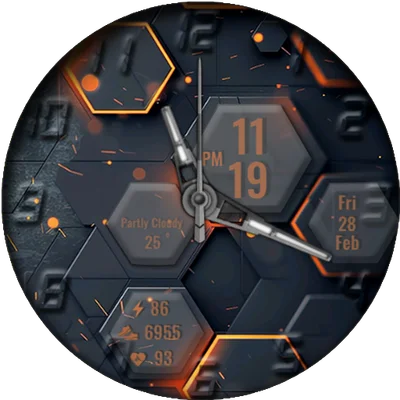
Tangkapan layar
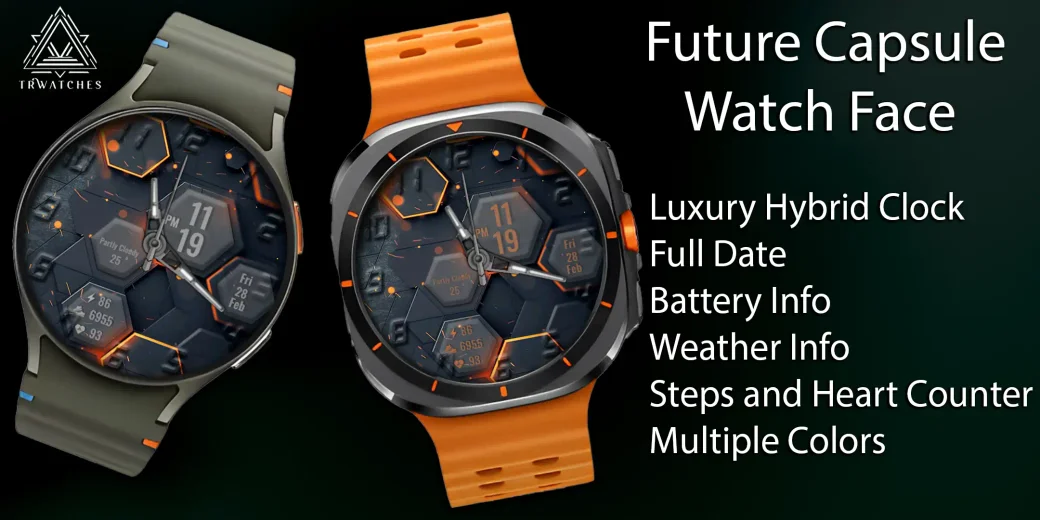

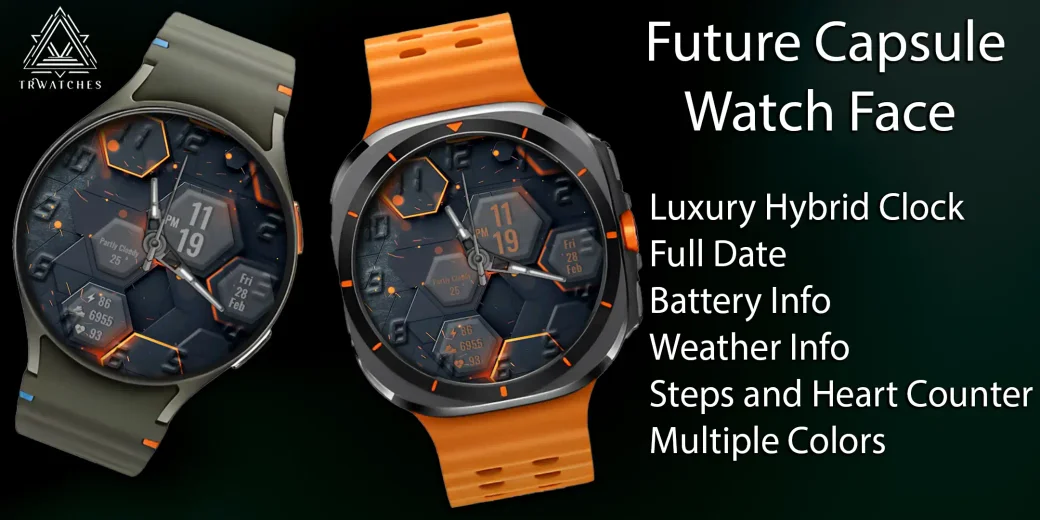

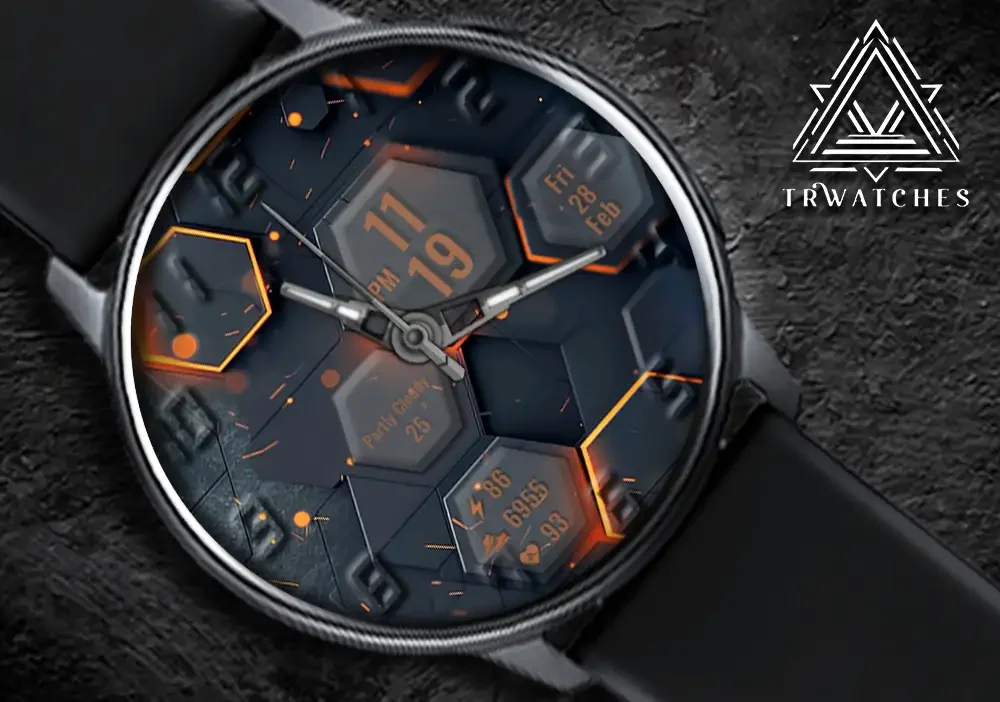
Tentang aplikasi ini
Terjemahan otomatis oleh Google. Bahasa asli: Inggris (Amerika Serikat).
Tampilan Jam Futuristik untuk semua perangkat wear os.
Batasan Masa Depan - Tampilan Jam Wear OS Berteknologi Tinggi ⌚🔥
🚀 Tingkatkan pengalaman jam tangan pintar Anda dengan Future Caps, tampilan jam canggih yang dirancang untuk semua perangkat Wear OS. Menampilkan jam hybrid (digital + analog), jam ini memadukan estetika modern dengan sekilas informasi penting sehari-hari.
🔹 Fitur Utama:
✅ Jam Hibrid – Tampilan waktu Digital & Analog ⏳
✅ Penghitung Langkah – Pantau target kebugaran Anda 🏃♂️
✅ Status Baterai – Selalu ketahui tingkat daya Anda ⚡
✅ Monitor Denyut Jantung – Melacak denyut nadi Anda ❤️
✅ Pembaruan Cuaca – Suhu & kondisi langsung ☁️🌡️
✅ Tampilan Tanggal Lengkap – Hari, Bulan, dan Hari Kerja 📅
✅ Desain Futuristik – UI heksagonal dengan sentuhan fiksi ilmiah 🚀
✅ Berbagai Warna teks 🚀
Tetap bergaya sambil tetap mendapat informasi! Unduh Future Caps sekarang dan ubah tampilan jam Anda menjadi pusat komando futuristik! 🏆
_________________________________________________________
Catatan pemasangan tampilan jam pada jam tangan pintar:
Aplikasi telepon hanya berfungsi sebagai placeholder untuk memudahkan pemasangan & menemukan tampilan jam di jam tangan Wear OS Anda. Anda harus memilih perangkat jam tangan Anda dari menu tarik-turun instal.
Jika Anda mengunduh pembantu langsung dengan telepon, Anda perlu membuka aplikasi dan menyentuh layar atau tombol unduh. -> akan mulai dipasang di jam tangan.
Jam tangan wear os perlu dihubungkan.
Jika tidak berfungsi dengan cara itu, Anda dapat menyalin tautan itu ke browser chrome ponsel Anda dan mengeklik panah bawah dari kanan, dan Anda memilih tampilan jam untuk dipasang.
__________________________________________________________________
Setelah instalasi, Anda perlu mengatur tampilan jam itu ke layar Anda, dari aplikasi Wear OS, turun ke tampilan jam yang diunduh dan Anda akan menemukannya.
Jika Anda memiliki masalah, silakan hubungi saya di raduturcu03@gmail.com
xxxxxxxxxxxxxxxxxxxxxxxxxxxxxxxxxxxxxxxxxxxxx
IKUTI KAMI DI TELEGRAM : https://t.me/TRWatchfaces
IKUTI SITUS WEB KAMI UNTUK MENDAPATKAN KUPON GRATIS: https://trwatches.odoo.com/
xxxxxxxxxxxxxxxxxxxxxxxxxxxxxxxxxxxxxxxxxxxxx
Coba lihat desain lain di profil Google saya.
Tampilkan teks asli
Future Caps - High-Tech Wear OS Watch Face ⌚🔥
🚀 Elevate your smartwatch experience with Future Caps, a cutting-edge watch face designed for all Wear OS devices. Featuring a hybrid clock (digital + analog), it blends modern aesthetics with essential daily info at a glance.
🔹 Key Features:
✅ Hybrid Clock – Digital & Analog time display ⏳
✅ Step Counter – Stay on top of your fitness goals 🏃♂️
✅ Battery Status – Always know your power level ⚡
✅ Heart Rate Monitor – Keep track of your pulse ❤️
✅ Weather Updates – Live temperature & conditions ☁️🌡️
✅ Full Date Display – Day, Month, and Weekday 📅
✅ Futuristic Design – Hexagonal UI with a sci-fi touch 🚀
✅ Multiple Colors of text 🚀
Stay stylish while staying informed! Download Future Caps now and transform your watch face into a futuristic command center! 🏆
_____________________________________________________________________
Watch face installation notes on smart watch:
Phone app serves only as a placeholder to make it easier to install & find the watch face on your Wear OS watch. You have to select your watch device from the install dropdown menu.
If you download the helper directly with the phone , you need to open application and touch on the display or the download button. -> will start to install on the watch.
A wear os watch need to be connected.
If not working in that way , you can copy that link into your phone chrome browser and click on arrow down from right , and you choose the watch face to install.
_________________________________________________________________
After installation you need to set that watch face to your screen , from wear OS app , go down at downloaded watch faces and you will find it.
If you have problems , please contact me on raduturcu03@gmail.com
xxxxxxxxxxxxxxxxxxxxxxxxxxxxxxxxxxxxxxxxxxxxxxxx
FOLLOW US AT TELEGRAM : https://t.me/TRWatchfaces
FOLLOW US WEBSITE TO GET FREE COUPONS : https://trwatches.odoo.com/
xxxxxxxxxxxxxxxxxxxxxxxxxxxxxxxxxxxxxxxxxxxxxxxxx
Try to see others designs in my google profile.
Keamanan data
Yang dinyatakan RADU GHEORGHE TURCU di Google Play tentang data yang dikumpulkan dan dibagikan aplikasi ini.
- Tidak ada data yang dibagikan kepada pihak ketigaPelajari lebih lanjut cara developer menyatakan pembagian data
- Tidak ada data yang dikumpulkanPelajari lebih lanjut cara developer menyatakan pengumpulan data
Kontak pengembang
- Situs webtrwatches.odoo.com
- Emailraduturcu03@gmail.com
- Kebijakan Privasitrwatches.odoo.com
- AlamatStr. Eduard Albert Bielz, Nr. 89d, Bl. b1, Sc. f, et.1, Ap. 60 550031 Sibiu Romania
Informasi
- Ditawarkan oleh
- RADU GHEORGHE TURCU
- Kategori
- Personalisasi
- Diperbarui
- 24/2/2025
- Dirilis
- 24/2/2025
- Batasan usia
- Rating 3+
- Harga
- Rp 14.000
- Nama paket
- com.turcuradu.futurecapswatchface