Future Caps Watch face
RADU GHEORGHE TURCU- Classificação LivreClassificação etária
- PersonalizaçãoCategoria
- 24/02/2025Atualizado
- R$ 4,79Preço
Leva à página oficial de com.turcuradu.futurecapswatchface na Google Play. Última verificação em 15/11/2026.
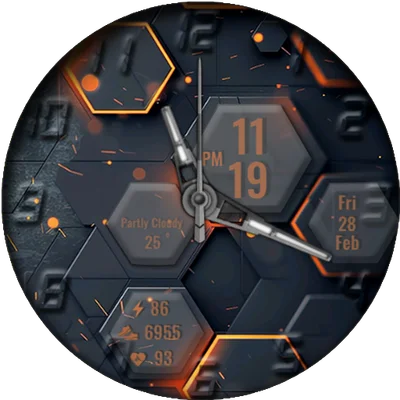
Capturas de tela


Sobre este app
Tradução automática do Google. Idioma original: Inglês (Estados Unidos).
Mostrador de relógio futurista para todos os dispositivos de desgaste.
Future Caps - Mostrador de relógio Wear OS de alta tecnologia ⌚🔥
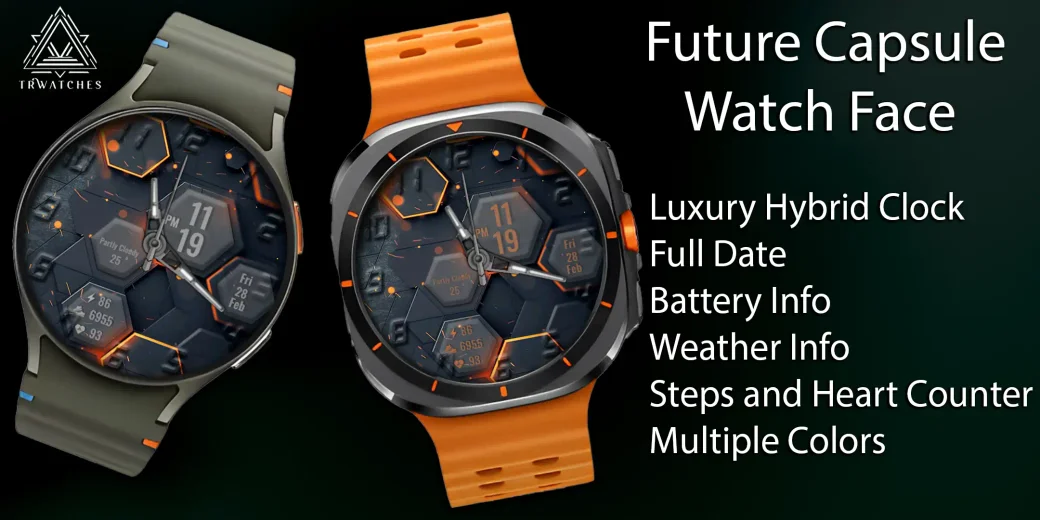
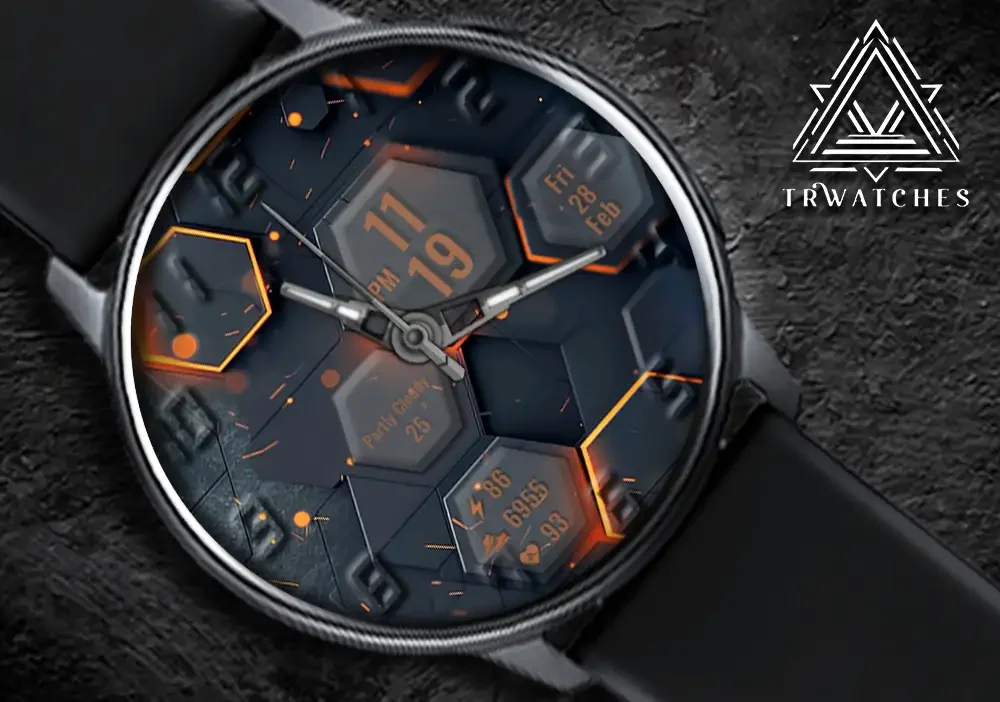
🚀 Eleve a sua experiência de smartwatch com Future Caps, um mostrador de relógio de última geração projetado para todos os dispositivos Wear OS. Apresentando um relógio híbrido (digital + analógico), combina estética moderna com informações essenciais do dia a dia.
🔹 Principais recursos:
✅ Relógio Híbrido – Exibição de hora digital e analógica ⏳
✅ Contador de passos – Fique por dentro de suas metas de condicionamento físico 🏃♂️
✅ Status da bateria – Saiba sempre seu nível de energia ⚡
✅ Monitor de frequência cardíaca – Acompanhe seu pulso ❤️
✅ Atualizações meteorológicas – Temperatura e condições ao vivo ☁️🌡️
✅ Exibição de data completa – dia, mês e dia da semana 📅
✅ Design Futurista – UI hexagonal com um toque de ficção científica 🚀
✅ Várias cores de texto 🚀
Fique elegante enquanto se mantém informado! Baixe Future Caps agora e transforme seu mostrador em um centro de comando futurista! 🏆
_____________________________________________________________________
Assista às notas de instalação do rosto no relógio inteligente:
O aplicativo de telefone serve apenas como um espaço reservado para facilitar a instalação e a localização do mostrador do relógio no seu relógio Wear OS. Você deve selecionar seu dispositivo de relógio no menu suspenso de instalação.
Se você baixar o auxiliar diretamente com o telefone, será necessário abrir o aplicativo e tocar no display ou no botão de download. -> começará a instalação no relógio.
Um relógio wear os precisa estar conectado.
Se não estiver funcionando dessa forma, você pode copiar esse link para o navegador Chrome do seu telefone e clicar na seta para baixo da direita e escolher o mostrador do relógio para instalar.
_________________________________________________________________
Após a instalação, você precisa definir o mostrador do relógio para sua tela, no aplicativo Wear OS, vá até os mostradores do relógio baixados e você o encontrará.
Se você tiver problemas, entre em contato comigo em raduturcu03@gmail.com
xxxxxxxxxxxxxxxxxxxxxxxxxxxxxxxxxxxxxxxxxxxxxxxx
SIGA-NOS NO TELEGRAM: https://t.me/TRWatchfaces
SIGA-NOS O SITE PARA OBTER CUPONS GRATUITOS: https://trwatches.odoo.com/
xxxxxxxxxxxxxxxxxxxxxxxxxxxxxxxxxxxxxxxxxxxxxxxx
Tente ver outros designs no meu perfil do Google.
Mostrar o texto original
Future Caps - High-Tech Wear OS Watch Face ⌚🔥
🚀 Elevate your smartwatch experience with Future Caps, a cutting-edge watch face designed for all Wear OS devices. Featuring a hybrid clock (digital + analog), it blends modern aesthetics with essential daily info at a glance.
🔹 Key Features:
✅ Hybrid Clock – Digital & Analog time display ⏳
✅ Step Counter – Stay on top of your fitness goals 🏃♂️
✅ Battery Status – Always know your power level ⚡
✅ Heart Rate Monitor – Keep track of your pulse ❤️
✅ Weather Updates – Live temperature & conditions ☁️🌡️
✅ Full Date Display – Day, Month, and Weekday 📅
✅ Futuristic Design – Hexagonal UI with a sci-fi touch 🚀
✅ Multiple Colors of text 🚀
Stay stylish while staying informed! Download Future Caps now and transform your watch face into a futuristic command center! 🏆
_____________________________________________________________________
Watch face installation notes on smart watch:
Phone app serves only as a placeholder to make it easier to install & find the watch face on your Wear OS watch. You have to select your watch device from the install dropdown menu.
If you download the helper directly with the phone , you need to open application and touch on the display or the download button. -> will start to install on the watch.
A wear os watch need to be connected.
If not working in that way , you can copy that link into your phone chrome browser and click on arrow down from right , and you choose the watch face to install.
_________________________________________________________________
After installation you need to set that watch face to your screen , from wear OS app , go down at downloaded watch faces and you will find it.
If you have problems , please contact me on raduturcu03@gmail.com
xxxxxxxxxxxxxxxxxxxxxxxxxxxxxxxxxxxxxxxxxxxxxxxx
FOLLOW US AT TELEGRAM : https://t.me/TRWatchfaces
FOLLOW US WEBSITE TO GET FREE COUPONS : https://trwatches.odoo.com/
xxxxxxxxxxxxxxxxxxxxxxxxxxxxxxxxxxxxxxxxxxxxxxxxx
Try to see others designs in my google profile.
Segurança dos dados
O que RADU GHEORGHE TURCU declara na Google Play sobre os dados que este app coleta e compartilha.
- Os dados não são compartilhados com terceirosSaiba mais sobre como os desenvolvedores declaram o compartilhamento
- Nenhum dado foi coletadoSaiba mais sobre como os desenvolvedores declaram a coleta
Contato do desenvolvedor
- Sitetrwatches.odoo.com
- E-mailraduturcu03@gmail.com
- Política de privacidadetrwatches.odoo.com
- EndereçoStr. Eduard Albert Bielz, Nr. 89d, Bl. b1, Sc. f, et.1, Ap. 60 550031 Sibiu Romania
Informações
- Oferecido por
- RADU GHEORGHE TURCU
- Categoria
- Personalização
- Atualizado
- 24/02/2025
- Lançamento
- 24/02/2025
- Classificação etária
- Classificação Livre
- Preço
- R$ 4,79
- Nome do pacote
- com.turcuradu.futurecapswatchface