Future Caps Watch face
RADU GHEORGHE TURCU- PEGI 3Yaş sınırı
- KişiselleştirmeKategori
- 24.02.2025Güncellendi
- ₺30,99Fiyat
com.turcuradu.futurecapswatchface için resmi Google Play sayfasına bağlanır. Son kontrol: 15.11.2026.
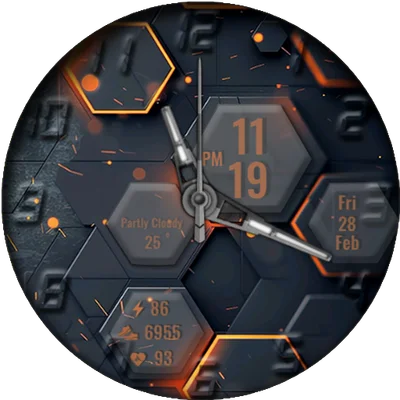
Ekran görüntüleri
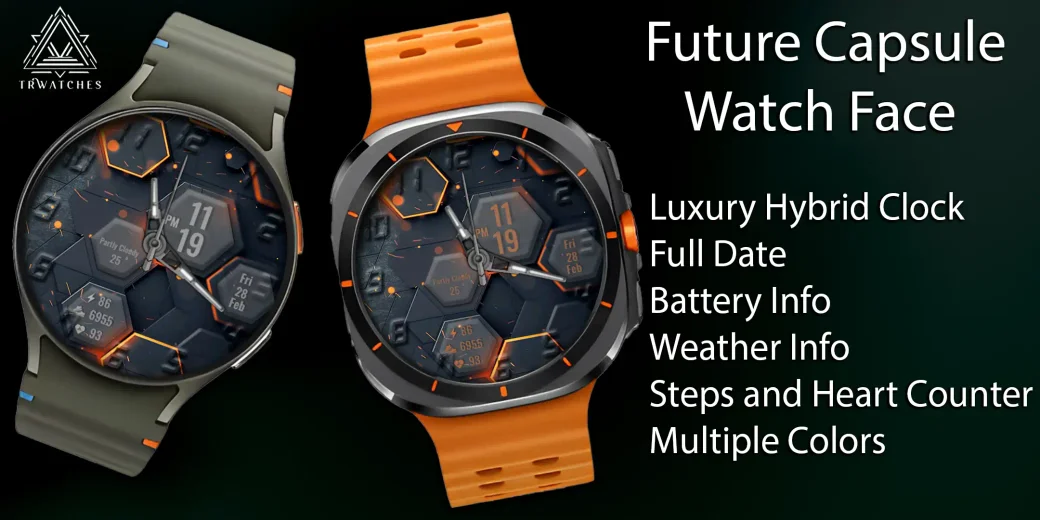


Bu uygulama hakkında
Google tarafından otomatik çeviri. Orijinal dil: İngilizce (Amerika Birleşik Devletleri).
Tüm aşınmaya dayanıklı cihazlar için Fütüristik Saat Yüzü.
Future Caps - Yüksek Teknolojiye Sahip Wear OS Saat Yüzü ⌚🔥
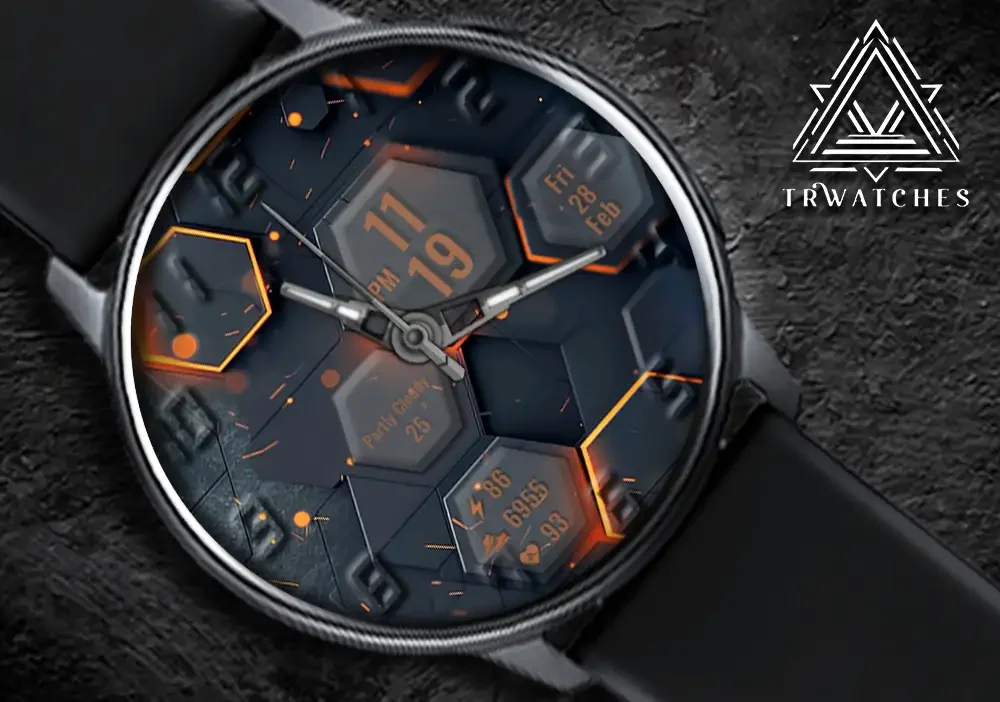
🚀 Akıllı saat deneyiminizi, tüm Wear OS cihazları için tasarlanmış son teknoloji ürünü bir saat yüzü olan Future Caps ile yükseltin. Hibrit bir saate (dijital + analog) sahip olan bu cihaz, modern estetiği bir bakışta temel günlük bilgilerle harmanlıyor.
🔹 Temel Özellikler:
✅ Hibrit Saat – Dijital ve Analog zaman ekranı ⏳
✅ Adım Sayacı – Fitness hedeflerinizin zirvesinde kalın 🏃♂️
✅ Pil Durumu – Her zaman güç seviyenizi bilin ⚡
✅ Kalp Atış Hızı Monitörü - Nabzınızı takip edin ❤️
✅ Hava Durumu Güncellemeleri – Canlı sıcaklık ve koşullar ☁️🌡️
✅ Tam Tarih Ekranı – Gün, Ay ve Hafta içi 📅
✅ Fütüristik Tasarım – Bilim kurgu dokunuşlu Altıgen Kullanıcı Arayüzü 🚀
✅ Birden Fazla Metin Rengi 🚀
Bilgili kalırken şık kalın! Future Caps'i şimdi indirin ve saatinizin yüzünü fütüristik bir komuta merkezine dönüştürün! 🏆
_____________________________________________________________________
Akıllı saatte yüz kurulum notlarını izleyin:
Telefon uygulaması, Wear OS saatinizde saat yüzünü kurmayı ve bulmayı kolaylaştırmak için yalnızca yer tutucu görevi görür. Kurulum açılır menüsünden saat cihazınızı seçmelisiniz.
Yardımcıyı doğrudan telefonunuzla indirirseniz, uygulamayı açmanız ve ekrana veya indirme düğmesine dokunmanız gerekir. -> saate kurulmaya başlayacak.
Bir aşınma saatinin bağlanması gerekir.
Bu şekilde çalışmıyorsa, bu bağlantıyı telefonunuzun krom tarayıcısına kopyalayabilir ve sağdaki aşağı oka tıklayabilir ve kurulacak saat görünümünü seçebilirsiniz.
_________________________________________________________________
Kurulumdan sonra, Wear OS uygulamasından bu saat yüzünü ekranınıza ayarlamanız, indirilen saat yüzlerine gitmeniz ve onu bulacaksınız.
Sorun yaşarsanız raduturcu03@gmail.com adresinden bana ulaşabilirsiniz.
xxxxxxxxxxxxxxxxxxxxxxxxxxxxxxxxxxxxxxxxxxxxxx
BİZİ TELEGRAMDAN TAKİP EDİN: https://t.me/TRWatchfaces
ÜCRETSİZ KUPONLAR KAZANMAK İÇİN WEB SİTEMİZİ TAKİP EDİN: https://trwatches.odoo.com/
xxxxxxxxxxxxxxxxxxxxxxxxxxxxxxxxxxxxxxxxxxxxxxxxx
Google profilimde başkalarının tasarımlarını görmeye çalışın.
Orijinal metni göster
Future Caps - High-Tech Wear OS Watch Face ⌚🔥
🚀 Elevate your smartwatch experience with Future Caps, a cutting-edge watch face designed for all Wear OS devices. Featuring a hybrid clock (digital + analog), it blends modern aesthetics with essential daily info at a glance.
🔹 Key Features:
✅ Hybrid Clock – Digital & Analog time display ⏳
✅ Step Counter – Stay on top of your fitness goals 🏃♂️
✅ Battery Status – Always know your power level ⚡
✅ Heart Rate Monitor – Keep track of your pulse ❤️
✅ Weather Updates – Live temperature & conditions ☁️🌡️
✅ Full Date Display – Day, Month, and Weekday 📅
✅ Futuristic Design – Hexagonal UI with a sci-fi touch 🚀
✅ Multiple Colors of text 🚀
Stay stylish while staying informed! Download Future Caps now and transform your watch face into a futuristic command center! 🏆
_____________________________________________________________________
Watch face installation notes on smart watch:
Phone app serves only as a placeholder to make it easier to install & find the watch face on your Wear OS watch. You have to select your watch device from the install dropdown menu.
If you download the helper directly with the phone , you need to open application and touch on the display or the download button. -> will start to install on the watch.
A wear os watch need to be connected.
If not working in that way , you can copy that link into your phone chrome browser and click on arrow down from right , and you choose the watch face to install.
_________________________________________________________________
After installation you need to set that watch face to your screen , from wear OS app , go down at downloaded watch faces and you will find it.
If you have problems , please contact me on raduturcu03@gmail.com
xxxxxxxxxxxxxxxxxxxxxxxxxxxxxxxxxxxxxxxxxxxxxxxx
FOLLOW US AT TELEGRAM : https://t.me/TRWatchfaces
FOLLOW US WEBSITE TO GET FREE COUPONS : https://trwatches.odoo.com/
xxxxxxxxxxxxxxxxxxxxxxxxxxxxxxxxxxxxxxxxxxxxxxxxx
Try to see others designs in my google profile.
Veri güvenliği
Bu uygulamanın topladığı ve paylaştığı veriler hakkında RADU GHEORGHE TURCU tarafından Google Play üzerinde yapılan beyan.
- Üçüncü taraflarla veri paylaşımı yokGeliştiricilerin, veri paylaşımını nasıl beyan ettikleri hakkında daha fazla bilgi edinin
- Veri toplanamadıGeliştiricilerin, veri toplamayı nasıl beyan ettikleri hakkında daha fazla bilgi edinin
Geliştirici iletişim bilgileri
- Web sitesitrwatches.odoo.com
- E-postaraduturcu03@gmail.com
- Gizlilik politikasıtrwatches.odoo.com
- AdresStr. Eduard Albert Bielz, Nr. 89d, Bl. b1, Sc. f, et.1, Ap. 60 550031 Sibiu Romania
Bilgiler
- Sunan
- RADU GHEORGHE TURCU
- Kategori
- Kişiselleştirme
- Güncellendi
- 24.02.2025
- Yayın tarihi
- 24.02.2025
- Yaş sınırı
- PEGI 3
- Fiyat
- ₺30,99
- Paket adı
- com.turcuradu.futurecapswatchface