Inventor Watch Face
RichFace- Rating 3+Batasan usia
- PersonalisasiKategori
- 12/10/2023Diperbarui
- Rp 29.000Harga
Tertaut ke halaman resmi watch.richface.androidwear.inventor di Google Play. Terakhir diperiksa pada 16/11/2026.
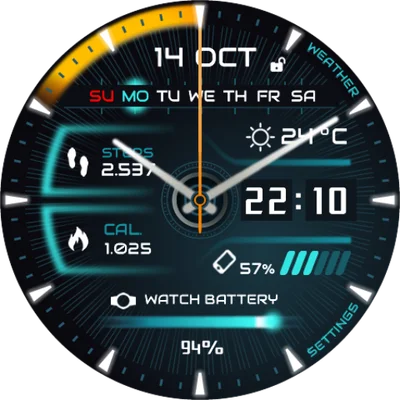
Tangkapan layar
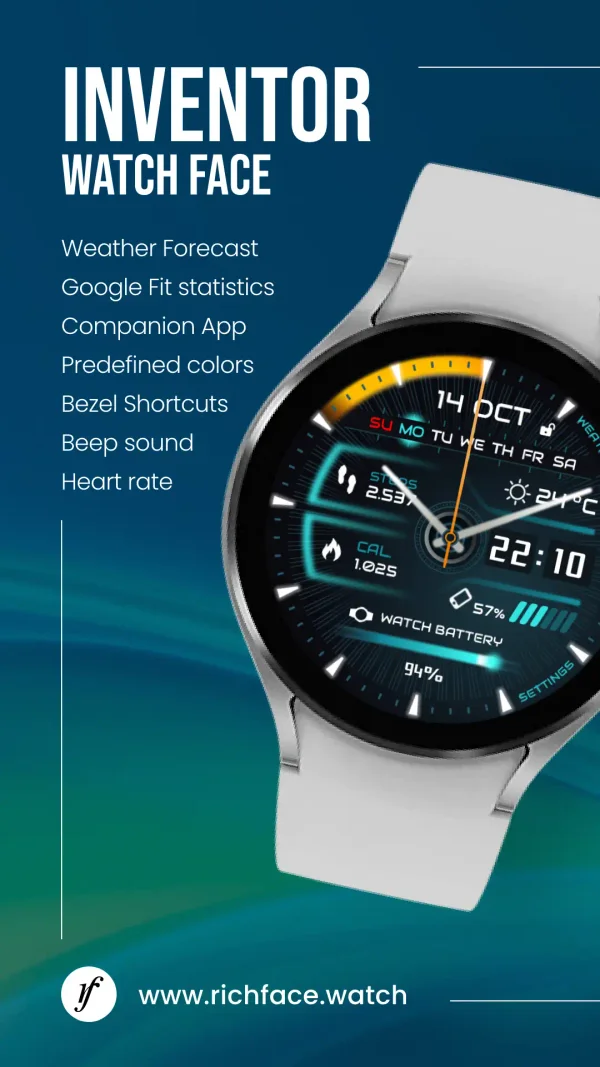
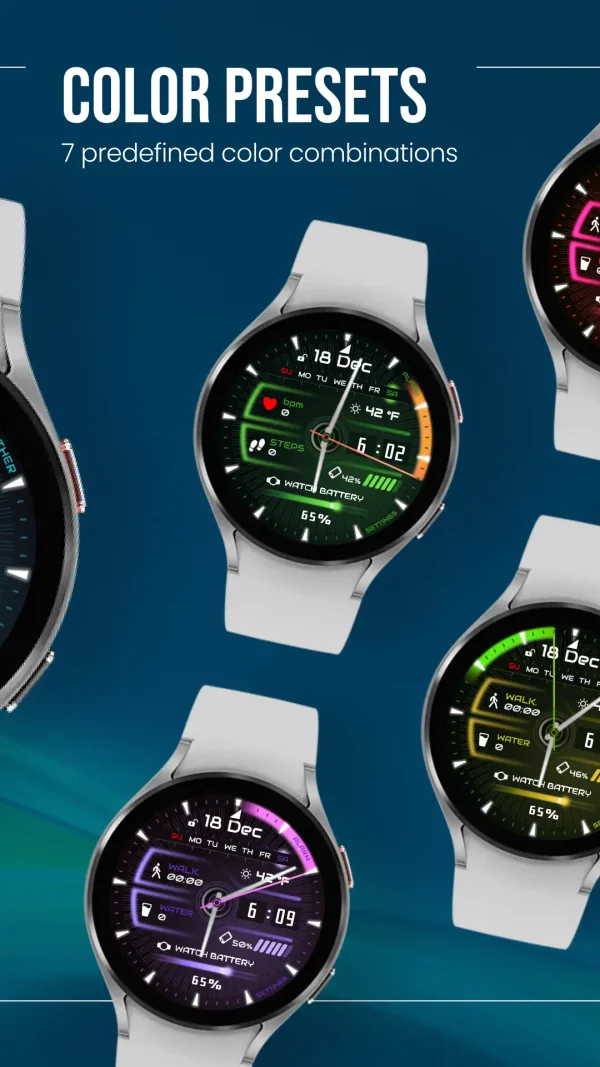
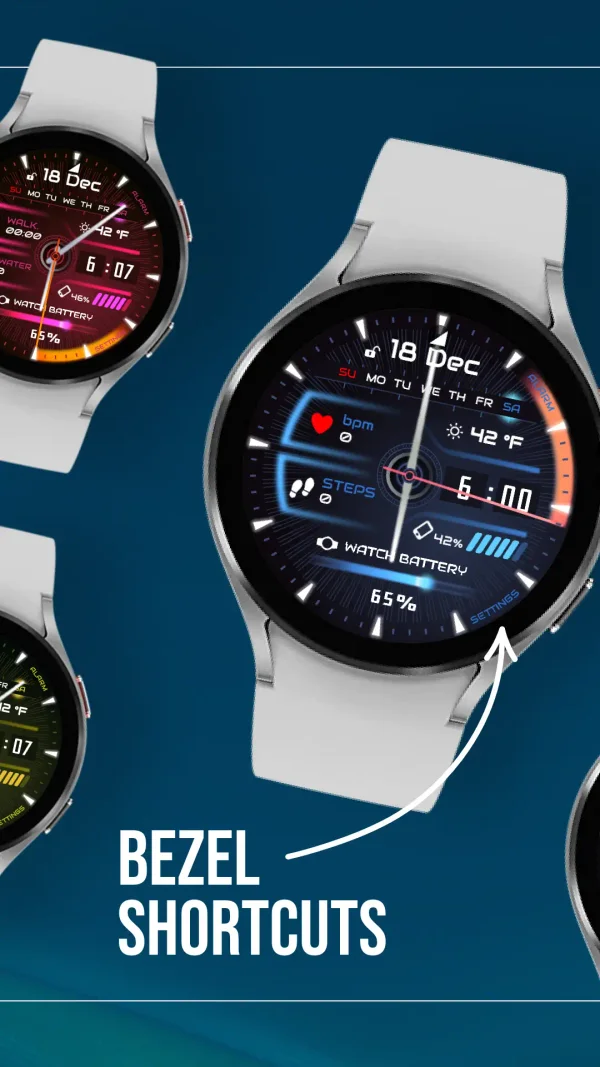

Tentang aplikasi ini
Terjemahan otomatis oleh Google. Bahasa asli: Inggris (Amerika Serikat).
Tampilan jam berdesain futuristik untuk jam tangan pintar WearOS 3.0
★ Wajah Jam Inventor sepenuhnya didukung Wear OS 3.0
Desain futuristik bersih dengan fitur tambahan baru seperti pintasan Bezel, suara bip setiap jam, Detak Jantung otomatis, dll ....
Tampilan jam ini hanya mendukung WearOS by Google.
TIDAK DIDUKUNG: Samsung S2/S3/Watch di Tizen OS, Huawei Watch GT/GT2, Xiaomi Amazfit GTS, Xiaomi Pace, Xiaomi Bip, dan jam tangan lainnya.
Cara memilih komplikasi di posisi yang diinginkan
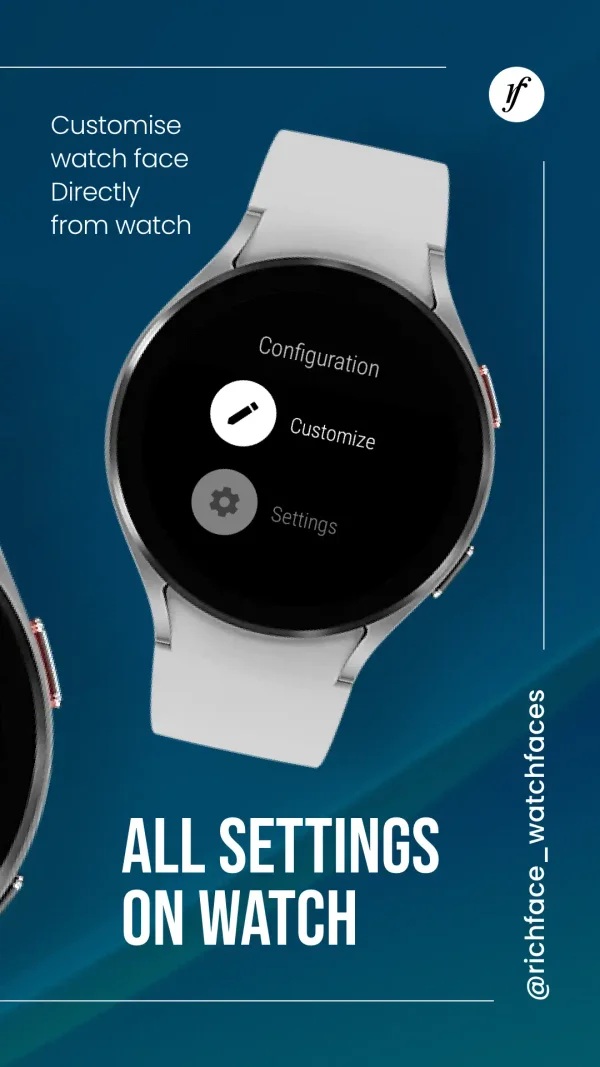
- Ketuk panjang pada tampilan jam
- Sistem menunjukkan ikon "roda gigi" untuk pengaturan tampilan jam. Ketuk di atasnya
- Pilih opsi "Sesuaikan"
- Pilih opsi "Komplikasi"
- Pilih posisi yang diinginkan
- Pilih komplikasi bawaan atau
- Pilih "Komplikasi Eksternal"
• Pilih komplikasi pihak ketiga
Kamu siap untuk pergi.
PENOLAKAN
Versi GRATIS tidak memiliki fungsi tap. Itu hanya menunjukkan data dan pengguna tidak dapat mengubahnya sampai membuka kunci versi PREMIUM.
Versi GRATIS memiliki opsi dasar seperti baterai ponsel dan indikator baterai jam tangan. Baterai ponsel memerlukan koneksi dengan perangkat Ponsel Android.
Opsi BARU (Premium)
• Bergetar setiap jam
• Suara bip menyala setiap jam
• Pemantau Detak Jantung Otomatis
• Pintasan bezel:
• Alarm
• Pengaturan
• Temukan telepon
• Stopwatch
• Peta *(Google Map perlu diinstal pada jam tangan pintar)
• Senter
• Timer
BARU Pintasan bezel (Premium)
Pintasan bezel memberi Anda lebih banyak opsi untuk ditambahkan di layar Anda tanpa menghapus posisi komplikasi saat ini
Saat ini, kami mendukung pintasan yang diikuti:
• Alarm
• Pengaturan
• Temukan telepon
• Stopwatch
• Peta *(Google Map perlu diinstal pada jam tangan pintar)
• Senter
• Timer
Dukungan memakai OS 3.0!
• Sepenuhnya mandiri! (Kompatibel dengan iPhone dan Android)
• Data komplikasi eksternal untuk indikator
Kompatibel dengan semua jam tangan pintar WearOS (Premium)
• Komplikasi eksternal
• Ganti warna
• format 24 jam
• Memimpin nol
• Waktu layar
• Tampilkan/Sembunyikan tangan
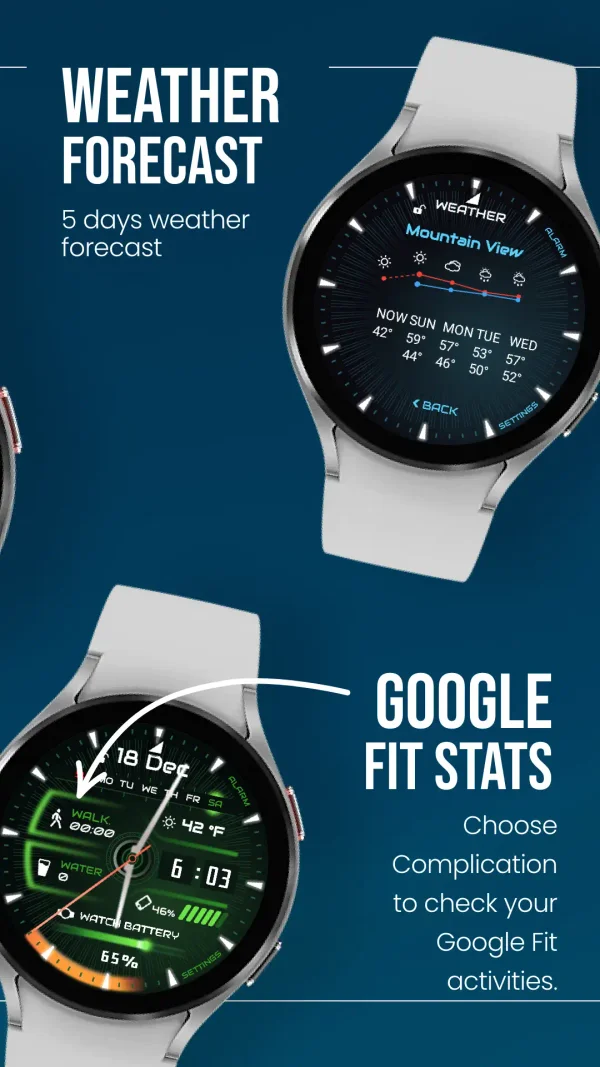
• Ramalan
• Opsi mode ambien penuh
• Ubah preset warna saat diketuk
• Ketuk indikator
• Integrasi Google FIT
• Pengaturan cuaca (lokasi, penyedia, pembaruan frekuensi, unit)
• BARU! Pintasan bezel
• Suara bip setiap jam (jam berpadu)
• Bergetar setiap jam
Komplikasi Google Fit (Premium) (memerlukan otorisasi Google Fit):
• Langkah
• Jarak
• Berjalan
• Berlari
• Bersepeda
• Kalori
• Statistik kecocokan
• Penghitung air
• Konter kopi
Komplikasi sensor perangkat:
• Komplikasi monitor Detak Jantung
• Komplikasi penghitung Langkah bawaan
FAQ
T: Apakah tampilan jam Anda mendukung Samsung Active 4 dan Samsung Active 4 Classic?
J: Ya, tampilan jam kami mendukung jam tangan pintar WearOS.
T: Bagaimana cara memasang tampilan jam?
J: Ikuti langkah-langkah berikut:
1. Buka aplikasi Google Play Store di jam tangan Anda
2. Cari tampilan jam
3. Tekan tombol instal
T: Saya membeli aplikasi di ponsel saya, apakah saya harus membelinya lagi untuk jam tangan saya?
A: Anda tidak perlu membelinya lagi. Terkadang Play Store membutuhkan waktu lebih lama untuk mengetahui bahwa Anda telah membeli aplikasi tersebut. Setiap pesanan tambahan akan secara otomatis dikembalikan oleh Google, Anda akan menerima uang kembali.
T: Mengapa saya tidak dapat melihat langkah atau data aktivitas dalam detail bawaan?
J: Beberapa tampilan jam kami dilengkapi dengan langkah bawaan dan langkah Google Fit. Jika Anda memilih langkah bawaan, pastikan Anda memberikan izin pengenalan aktivitas. Jika Anda memilih detail langkah Google Fit, gunakan aplikasi pendamping tampilan jam tempat Anda dapat memberikan izin pada Google Fit untuk mencatat data Anda.
FAQ lainnya temukan di sini:
https://richface.watch/faq
!! Silakan hubungi kami jika Anda memiliki masalah dengan aplikasi !!
richface.watch@gmail.com
IZIN Dijelaskan
https://www.richface.watch/privacy
Tampilkan teks asli
★ Inventor Watch Face is fully Wear OS 3.0 supported
Clean futuristic design with new additional features such as Bezel shortcuts, beep sound on every hour, auto HeartRate, etc ....
This watch face supports only WearOS by Google.
NOT SUPPORTED: Samsung S2/S3/Watch on Tizen OS, Huawei Watch GT/GT2, Xiaomi Amazfit GTS, Xiaomi Pace, Xiaomi Bip and others watches.
★ How to select a complication in the desired position ★
- Long tap on the watch face
- System shows icon "gear" for the watch face settings. Tap on it
- Select "Customize" option
- Select "Complications" option
- Select the desired position
- Select built-in complication or
- Select "External Complication"
• Select any third party complication
You are ready to go.
★ DISCLAIMER ★
The FREE version doesn't have a tap functionality. It just shows data and the user is not able to change it until unlock the PREMIUM version.
The FREE version has basic options such as phone battery and watch battery indicators. The phone battery requires the connection with Android Phone device.
★ NEW options (Premium) ★
• Vibrate on every hour
• Beep sound on every hour
• Auto HeartRate monitor
• Bezel shortcuts:
• Alarm
• Settings
• Find phone
• Stopwatch
• Map *(Google Map needs to be installed on the smartwatch)
• Flashlight
• Timer
★ NEW Bezel shortcuts (Premium) ★
Bezel shortcuts gives you more options to add on your screen without removing any of current complication positions
Currently, we are supporting followed shortcuts:
• Alarm
• Settings
• Find phone
• Stopwatch
• Map *(Google Map needs to be installed on the smartwatch)
• Flashlight
• Timer
★ Wear OS 3.0 support!
• Fully standalone! (iPhone and Android compatible)
• External complication data for the indicators
★ Compatible with all WearOS smartwatches (Premium)
• External complications
• Change color
• 24 hour format
• Leading zero
• Screen time
• Show/Hide hands
• Forecast
• Full ambient mode option
• Change color preset on tap
• Tap indicator
• Google FIT integration
• Weather settings (location, providers, frequency update, units)
• NEW! Bezel shortcuts
• Beep sound on every hour (hour chime)
• Vibrate on every hour
Google Fit complications (Premium) (requires Google Fit authorisation) :
• Steps
• Distance
• Walking
• Running
• Biking
• Calories
• Fit statistics
• Water counter
• Coffee counter
★ Device sensor complications:
• Heart Rate monitor complication
• Built-in Steps counter complication
★ FAQ
Q: Do your watch faces support Samsung Active 4 and Samsung Active 4 Classic?
A: Yes, our watch faces supports WearOS smartwatches.
Q: How to install the watch face?
A: Follow these steps:
1. Open the Google Play Store app on your watch
2. Search for the watch face
3. Press the install button
Q: I bought the app on my phone, do I have to buy it again for my watch?
A: You should not have to buy it again. Sometimes the Play Store takes a bit longer to figure out that you already bought the app. Any additional order will automatically be refunded by Google, you will receive the money back.
Q: Why I can not see steps or activity data in a built-in complication?
A: Some of our watch faces come with Built-in steps and Google Fit steps. If you select built-in steps, ensure that you grant activity recognition permission. If you select Google Fit steps complication, please use the watch face companion app where you can grant permission on Google Fit to log your data.
Other FAQ find here:
https://richface.watch/faq
!! Please contact us if you have any trouble with the app !!
richface.watch@gmail.com
★ PERMISSIONS Explained
https://www.richface.watch/privacy
Keamanan data
Yang dinyatakan RichFace di Google Play tentang data yang dikumpulkan dan dibagikan aplikasi ini.
- Tidak ada data yang dibagikan kepada pihak ketigaPelajari lebih lanjut cara developer menyatakan pembagian data
- Tidak ada data yang dikumpulkanPelajari lebih lanjut cara developer menyatakan pengumpulan data
- Data tidak dienkripsi
- Data tidak dapat dihapus
Yang baru
12/10/2023
Fixed an external complication with range type
Kontak pengembang
- Situs webrichface.watch
- Emailrichface.watch@gmail.com
- Kebijakan Privasirichface.watch
- AlamatZentagasse 6/20 1050 Wien Austria
Informasi
- Ditawarkan oleh
- RichFace
- Kategori
- Personalisasi
- Diperbarui
- 12/10/2023
- Dirilis
- 18/12/2021
- Batasan usia
- Rating 3+
- Harga
- Rp 29.000
- Nama paket
- watch.richface.androidwear.inventor